
Most developers learn HTML first, so the instinct to reach for "<b>, <em>, or <span style="...">` when formatting text is deeply wired in. But that instinct creates documents that are hard to read in raw form, brittle to maintain, and tightly coupled to a specific rendering context. Markdown offers a fundamentally different contract: write plain, human-readable text with a few lightweight markers, and let a renderer handle the visual output. Understanding how that contract works, where it holds, and where it breaks is what separates developers who use Markdown confidently from those who fight it constantly.
Table of Contents
- What is styled text without HTML?
- How Markdown encodes and renders styled text
- Handling edge cases: Delimiters, code spans, and parser quirks
- When Markdown falls short: Limitations of plain-text styling
- The real value (and surprises) of styled text without HTML-of-styled-text-without-html)
- Streamline your Markdown workflow with Markbin
- Frequently asked questions
Key Takeaways
| Point | Details |
|---|---|
| Markdown enables readable styling | With simple markers like *, #, and _, you can style text without HTML tags cluttering your source. |
| Renderers matter | How Markdown appears depends on your platform’s parser and output settings, so test edge cases before publishing. |
| Know Markdown’s limits | Markdown is perfect for basic formatting but lacks advanced layout, color, or rich text features. |
| Consistency is key | Set a standard Markdown dialect for your team and validate styled content in your target environment for fewer surprises. |
| Tools streamline workflows | Platforms like Markbin make creating, previewing, and sharing Markdown simple for technical writers and developers. |
What is styled text without HTML?
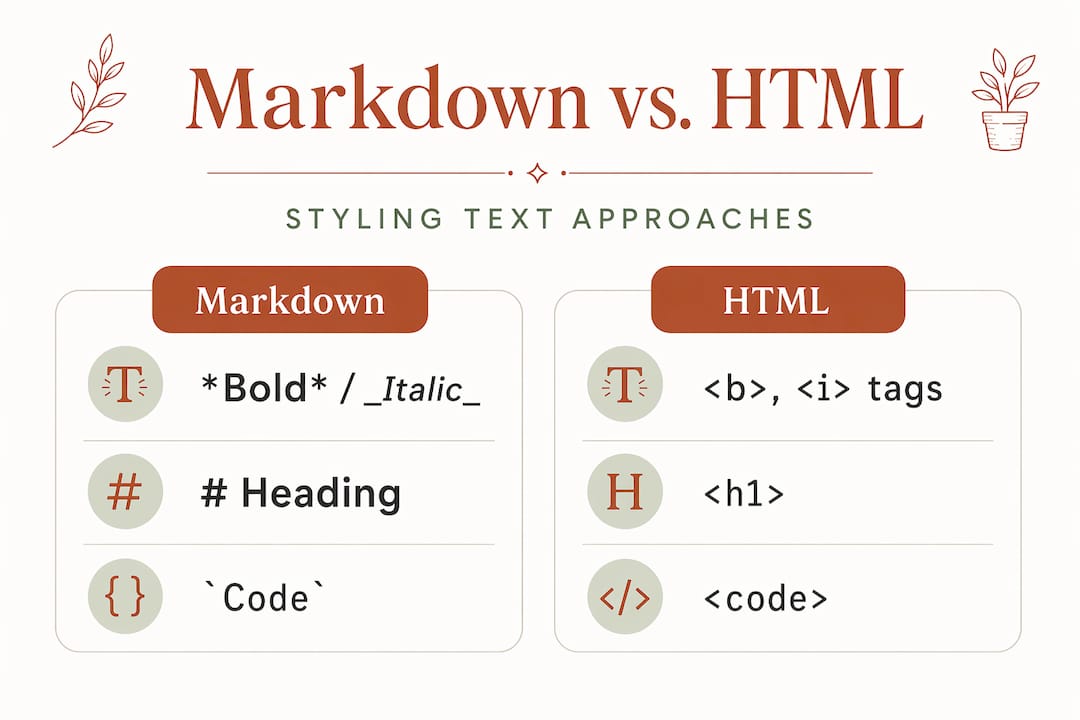
Styled text, in the Markdown sense, means formatted output produced without writing raw HTML tags in your source file. Instead of wrapping a word in <strong> and </strong>, you surround it with double asterisks. Instead of an <h2> tag, you prefix a line with ##. The source file stays readable as plain text, and a renderer converts those markers into visually formatted output.
Styled text without HTML is typically produced by using a plain-text markup format where formatting is encoded with characters like #, *, _, and backticks, and a renderer then turns it into formatted output. That distinction matters enormously for developers working in version-controlled repositories, documentation pipelines, or any context where source readability counts.
Compare the two approaches side by side. In HTML, a bold, italic phrase inside a heading looks like this: <h2><strong><em>Important note</em></strong></h2>. In Markdown, the same result is ## ***Important note***. One is a tag soup that requires careful nesting. The other reads almost like annotated plain English.
The Markdown vs rich text editors debate often centers on this exact point: Markdown source files are version-diff-friendly, searchable, and writable in any text editor on any platform.
Here are the core types of styled text you can produce with Markdown markers alone:
- Bold text: wrap with
**double asterisks**or__double underscores__ - Italic text: wrap with
*single asterisk*or_single underscore_ Inline code: wrap with`backticks`- Headings: prefix lines with one to six
#characters - Blockquotes: prefix lines with
> - Ordered and unordered lists: use numbers or
-and*markers - Links: use
[anchor text](URL)syntax - Images: use
syntax
"Markdown's styled text without HTML usually means you write Markdown in the source instead of writing raw HTML tags in the document; some platforms can still allow raw HTML as an extension or fallback."
The key insight is that the styling lives in the intent of the characters, not in explicit tag structures. That shift in mental model is what makes Markdown feel natural once it clicks and frustrating before it does.
How Markdown encodes and renders styled text
Now that we've defined styled text without HTML, it's time to see how Markdown encodes style and what actually happens under the hood.

Markdown is designed to be readable as plain text without visible tags, and it relies on a processor to convert the syntax to structured output, often HTML, for display. That processor step is invisible in most tools, but understanding it changes how you debug rendering problems.
Here is a simple table showing common Markdown syntax and the rendered output it produces:
| Markdown input | Rendered output | HTML equivalent |
|---|---|---|
**bold** | bold | <strong>bold</strong> |
*italic* | italic | <em>italic</em> |
# Heading 1 | Large heading | <h1>Heading 1</h1> |
`code` | code | <code>code</code> |
> blockquote | Indented quote block | <blockquote>...</blockquote> |
[link](url) | Clickable link | <a href="url">link</a> |
- item | Bullet list item | <li>item</li> |
The process from raw Markdown to styled output follows a consistent pipeline. Here is how it works step by step:
- Write your Markdown source. You type plain text with lightweight markers in any editor, from VS Code to a simple textarea in a web app.
- Pass the source to a Markdown processor. Libraries like
marked,commonmark, orremarkparse the raw text and build an abstract syntax tree representing the document structure. - The processor serializes to HTML (or another target format). Most browser-based tools output HTML. Some pipelines target PDF, EPUB, or even Word documents.
- The browser or viewer renders the HTML. CSS applied by the platform determines the final visual appearance, font sizes, colors, and spacing.
- The reader sees styled output. They never see the raw Markdown or the intermediate HTML unless they inspect the source.
This pipeline is what makes Markdown in technical writing so powerful. The same source file can produce a rendered web page, a PDF manual, or a slide deck, depending on the processor and template you connect to it.
Pro Tip: Always test complex styling in your target platform's renderer before publishing. A nested list inside a blockquote might render perfectly in one tool and collapse into plain text in another. Paste your Markdown into the actual environment your readers will use, not just your local preview.
Handling edge cases: Delimiters, code spans, and parser quirks
With the basics in place, let's tackle the quirks and pitfalls that can trip up even experienced Markdown users when styles overlap or code is involved.
Even within Markdown, edge cases around delimiter precedence for emphasis and strong emphasis, and code spans, can affect whether text is rendered as bold or italic versus treated as literal code or plain text. This is one of the most common sources of confusion for developers who assume Markdown is simpler than it actually is under the hood.
Consider this input: *`code`*. Most parsers will render this as italic code, but the order of operations matters. If you write `*not italic*`, the backtick takes precedence and the asterisks are treated as literal characters inside the code span. The code span wins.
Here is a comparison of common edge cases and how different parsers handle them:
| Input | Expected output | CommonMark behavior | Older parsers |
|---|---|---|---|
**bold *and italic*** | Bold with italic inside | Renders correctly | May break nesting |
`code with *asterisks*` | Code span, no italic | Asterisks are literal | Usually consistent |
***triple asterisks*** | Bold italic | Bold italic | Varies widely |
__under__score__ | Underscored bold | Only first pair matches | Often renders all |
*unclosed emphasis | Plain text | Treated as literal | May render partial |
The meaning of styled text in Markdown depends heavily on the Markdown dialect and parser. Edge cases are handled via formal specifications like CommonMark to make output more consistent across implementations. CommonMark is the most rigorously specified dialect and the safest baseline for teams that need predictable rendering.
GitHub Flavored Markdown (GFM) extends CommonMark with features like task lists, tables, and strikethrough. Most modern documentation platforms support GFM or a close variant. Knowing which dialect your platform uses is not optional knowledge; it directly affects whether your documents render as intended.
Watch out for these specific pitfalls:
- Underscores inside words:
file_name_heremay trigger italic rendering in some parsers. CommonMark handles this correctly, but older parsers often don't. - Consecutive bold markers: Writing
**word1** **word2**can sometimes merge into a single bold span in certain parsers. - Mixed delimiter types: Mixing
*and_for the same emphasis span (*italic_) is technically invalid and produces unpredictable results. - Backtick length mismatches: A code span opened with double backticks must be closed with double backticks. Single backtick closings leave the span open.
Pro Tip: Standardize on one Markdown dialect across your entire team, document it in your contributing guide, and run your Markdown through a linter like markdownlint in CI. Catching Markdown boundary cases before they reach production saves hours of debugging later.
When Markdown falls short: Limitations of plain-text styling
Understanding Markdown's edge cases is essential, but it's just as important to know its boundaries and where it isn't the ideal or sufficient tool.
Markdown is intentionally minimal. That minimalism is a feature, not an oversight. But it means there are real categories of formatting that Markdown simply cannot express through its plain-text syntax alone.
Here is an honest list of what Markdown cannot do without falling back to HTML or a rich text layer:
- Custom font selection: You cannot specify typeface, weight beyond bold, or font size beyond heading levels.
- Text color: There is no Markdown syntax for colored text. You need inline HTML or CSS.
- Advanced table layouts: Merged cells, column spans, and row spans are not part of any standard Markdown dialect.
- Precise image sizing and positioning: You can embed images, but controlling exact dimensions or float behavior requires HTML attributes.
- Embedded video or interactive media: Markdown has no native syntax for video embeds or iframes.
- Multi-column layouts: Markdown renders as a single linear flow. Grid or column layouts require HTML and CSS.
- Custom list styling: Changing bullet shapes, numbering styles beyond basic ordered lists, or nested counters is outside Markdown's scope.
If you need WYSIWYG styling controls or precise visual layout including fonts, colors, and complex positioning, Markdown's plain-text approach is not a substitute for rich text tools. The conversion layer chooses presentation, and you give up direct control over it.
Choosing between Markdown and a rich text editor is not about which is better overall. It's about matching the tool to the workflow. Markdown wins for developer documentation, READMEs, and version-controlled writing. Rich text wins when non-technical stakeholders need visual control or when the output format demands precise layout.
The practical guideline is straightforward. Use Markdown when your audience is technical, your content is primarily text-based, and portability or version control matters. Use HTML or a rich text editor when you need fine visual control, your audience includes non-technical editors, or your output format is design-heavy. The boundary of Markdown is not a weakness; it's a design choice that keeps the format focused and portable.
The real value (and surprises) of styled text without HTML
After taking a critical look at Markdown's limits, let's step back and reframe its best use and what most developers only realize with practice.
Here is the counterintuitive truth: most developers who struggle with Markdown are trying to use it as a styling tool. That's the wrong mental model. Markdown is a pipeline tool. Its job is to encode meaning and structure in a format that is portable, readable, and processable. The visual output is a byproduct of the pipeline, not the primary goal.
When you internalize that distinction, everything changes. You stop fighting Markdown when it can't produce a specific visual effect and start designing pipelines that apply CSS, templates, or themes at the rendering layer. The Markdown source stays clean. The presentation layer handles the rest.
The most common rookie mistake we see is developers spending hours trying to customize Markdown output by embedding HTML snippets throughout their documents. That approach destroys portability. Those documents can't be processed by tools that sanitize HTML, can't be easily converted to non-HTML formats, and become maintenance nightmares as the embedded HTML drifts out of sync with the surrounding Markdown.
The smarter approach is to treat your Markdown source as pure semantic content and configure your renderer or theme to handle visual presentation. If your platform supports it, a single CSS file change can restyle every document in your repository without touching a single line of Markdown source.
Consistency is the other underrated benefit. When your team agrees on a Markdown dialect, a renderer, and a style testing process, the cognitive overhead of writing documentation drops dramatically. Writers focus on content. Reviewers focus on accuracy. Nobody wastes time debugging why a heading looks wrong in one environment but not another.
Markdown pipeline advice from experienced technical writers consistently points to the same principle: invest once in your toolchain setup, then let the tools do the work. Markdown isn't less than HTML. It's a tool optimized for clarity, versioning, and focused writing. Use it where those strengths matter, and reach for richer tools when they don't.
Streamline your Markdown workflow with Markbin
With a clearer understanding of Markdown's place in technical writing, here's an efficient next step for your styled text workflow.
If you're writing technical documentation, sharing notes with a team, or publishing tutorials, the gap between writing Markdown and getting it in front of readers shouldn't require a build pipeline or a hosting setup. The Markbin live Markdown editor lets you write, preview, and share fully rendered Markdown documents instantly, with full GitHub Flavored Markdown support including syntax highlighting, tables, and task lists. No sign-up required. You get shareable links, password protection, and self-destructing documents for sensitive content. Whether you're a solo developer or part of a documentation team, check out Markbin plans and pricing to find the workflow that fits your needs.
Frequently asked questions
What are the basic ways to style text in Markdown without HTML?
You use characters like asterisks for bold or italics, hash marks for headings, and backticks for inline code. Examples include *italics*, **bold**, and # Heading as the most common starting points.
Can I use raw HTML in Markdown if styling is not enough?
Some Markdown processors let you include raw HTML as a fallback, but the best practice is to rely on Markdown syntax for portability. Some platforms allow raw HTML as an extension, though it reduces document portability across tools.
Why does my Markdown look different in some platforms?
Differences in Markdown dialects or parsers can change how styles are rendered, especially for complex or overlapping syntax. Styled text meaning depends on the dialect and parser, which is why standardizing on CommonMark or GFM across your team reduces these surprises.
What styling is not possible using only Markdown?
Markdown can't give you advanced typography, colors, or fine layout control. WYSIWYG styling controls and precise visual layout require HTML or a rich text editor, since the Markdown conversion layer controls presentation rather than the author.