
Most people assume that writing clean Markdown automatically produces a beautiful shared document. It doesn't. Understanding how beautiful document sharing works means recognizing that formatting your content is only the first step. The real challenge sits in what happens after you write: how your document gets rendered, who controls access, how collaborators give feedback, and which distribution channel your audience actually receives. Developers, educators, and content creators who treat these as separate problems end up with polished writing that looks broken in someone else's browser or gets buried in an email chain nobody can follow.
Table of Contents
- Understanding the layers of beautiful document sharing
- Developer workflows for consistent and collaborative document sharing
- Security and governance: essential for reliable document collaboration
- Keeping feedback in context: accelerating collaboration beyond email
- Online versus offline sharing: choosing the right distribution channels
- Why the conventional wisdom on beautiful document sharing is incomplete
- Explore Markbin: your solution for beautiful, collaborative document sharing
- Frequently asked questions
Key Takeaways
| Point | Details |
|---|---|
| Multi-layered beauty | Beautiful document sharing combines presentation styling and flexible distribution, not just Markdown syntax. |
| Git-based workflows | Developers maintain consistency by using branch commits, pull requests, and automatic preview builds before publishing. |
| Governance boosts security | Version control and access permissions reduce errors and protect sensitive information in collaboration. |
| Contextual feedback | Embedding comments and mentions inside documents eliminates confusing email trails and speeds teamwork. |
| Choose sharing method | Use online links for live collaboration and PDFs for offline sharing depending on audience needs. |
Understanding the layers of beautiful document sharing
The beauty in shared documents relies on presentation and distribution layers, not just Markdown. That distinction matters more than most people realize. Markdown gives you structure. It tells the renderer where headings go, which text is bold, and how to handle a table. But structure and beauty are not the same thing.
The presentation layer is what converts that raw structure into something worth looking at. It includes:
- Typography choices (font family, size, line height)
- Color themes and syntax highlighting schemes
- Diagram rendering for tools like Mermaid or LaTeX math
- Responsive layout that adapts across screen sizes
- Consistent spacing and visual hierarchy
A document with identical Markdown source can look stunning on one platform and unreadable on another. The difference is entirely in the presentation layer. Check out the developers guide to Markdown if you want a cleaner picture of how styling decisions sit on top of raw syntax.
The distribution layer is equally important. You can share a shareable link, embed a document inside another page, export to PDF, or push a static HTML build. Each method carries different tradeoffs for interactivity, load speed, and web accessibility and SEO impact. Beautiful document sharing made easy means choosing the right combination of both layers, not just writing good Markdown and hoping for the best.

Developer workflows for consistent and collaborative document sharing
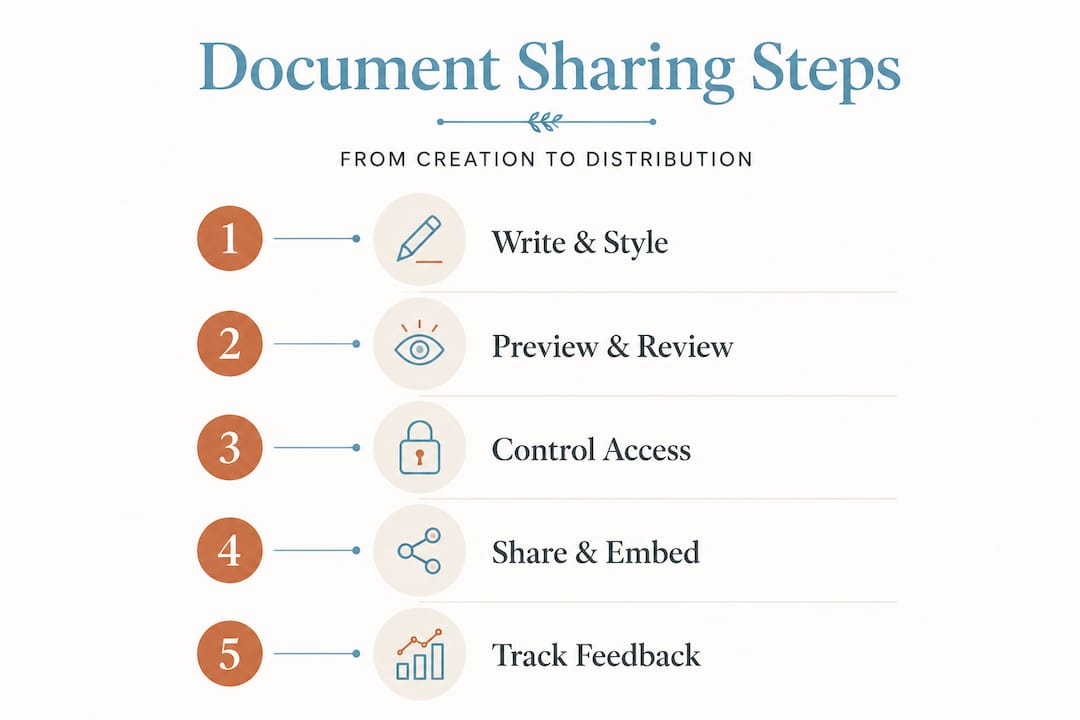
Consistency breaks down fast when a team of five people each maintains their own local copy of a document with no shared rendering environment. The fix isn't more careful writers. It's a workflow that enforces consistency structurally.
Git-based workflows involve editing locally, committing to branches, opening pull requests, and generating rendered previews before merging and deploying. This approach removes ambiguity from the review process because reviewers see exactly what the published document will look like, not just raw text diffs.
Here's how a solid developer workflow for document sharing typically runs:
- Write locally in ".md
or.mdx` files using your preferred editor, keeping content separate from presentation. - Commit to a feature branch and push to a shared repository so collaborators can see changes in context.
- Open a pull request that automatically triggers a rendered preview build.
- Reviewers check both content and visual output before approving, catching formatting regressions alongside factual errors.
- Merge to main deploys a single source of truth, preventing the version conflicts that kill documentation quality over time.
This workflow also solves one of the quieter problems in team documentation: the reviewer who approves a change without realizing a table broke in mobile view. Preview builds catch that before it reaches your audience.
Pro Tip: For code-heavy documentation, add syntax highlighting validation to your CI pipeline. A document that renders bash code blocks as plain text defeats the purpose of sharing code snippets in the first place. Catching that automatically saves a round of embarrassing re-publishes.
Build your workflow around the Markbin platform if you want a lighter setup that skips the full CI configuration while still giving you rendered previews and shareable links.
Security and governance: essential for reliable document collaboration
Most teams underestimate how fast document chaos scales. One team member renames a file. Another copies it to their desktop for "offline access." A third edits the copy without telling anyone. Six weeks later, nobody knows which version is current. That's not a communication failure. It's a governance failure.
Governance through centralized repositories, access controls, and version history prevents version confusion and reduces risk from unauthorized sharing. When you know exactly who has edit access, who has read-only access, and who has no access at all, you eliminate an entire category of document disasters before they happen.
Here's what effective governance actually looks like in practice:
- Controlled access and permissions for sensitive documentation, such as API credentials or internal roadmaps
- Version history with rollback, so a bad edit doesn't permanently damage a document that took hours to write
- Standardized naming conventions that make finding the right file predictable rather than a guessing game
- Audit logs that show who viewed or edited what, and when
Governance isn't bureaucracy; version controls and standardized naming improve both speed and security. The teams that resist governance tooling because it feels like overhead are typically the same ones spending hours hunting for the "real" version of a document.
Version control in collaborative document sharing isn't about distrust. It's about making the right version the only version anyone can accidentally use.
Pro Tip: Name your documents with a date and context prefix from day one. A file called 2026-04-api-auth-guide.md is findable in three seconds. A file called api-guide-final-FINAL-v3.md is a productivity trap. Apply the same discipline to collaborative code comments to keep context attached to your work at every level.
Keeping feedback in context: accelerating collaboration beyond email
Here's a pattern that wastes more team hours than most people track: someone shares a document link via email, a collaborator replies with five comments in the email body, a second collaborator replies to the original email with conflicting comments, and the document author now has to reconcile three email threads against one document. Nobody wins.
Tying comments and changes to the document itself makes collaboration faster and clearer, and eliminates the disconnected thread problem entirely. When feedback lives inside the document, it has context. When feedback lives in email, it loses context the moment someone scrolls past it.
A better feedback workflow looks like this:
- Share a link directly to the rendered document, not an attachment.
- Use inline commenting so each note is anchored to the specific paragraph, line, or table it references.
- Tag collaborators with @mentions so they get notified immediately within the platform, not via a separate email they might miss.
- Resolve comments when changes are made, creating a visible record of what was addressed and what remains open.
- Keep all discussion in one place so a new collaborator can join mid-review and understand the full context without digging through inboxes.
The advantage here goes beyond speed. When discussion stays inside the document, you also maintain a record of why decisions were made. That's something email chains make nearly impossible to reconstruct three months later.
Pro Tip: Set a team rule that no document feedback gets sent via email after the first share. Force the conversation into in-context comments from the start. The initial friction lasts about a week. The long-term clarity lasts indefinitely.
Online versus offline sharing: choosing the right distribution channels
Not every audience needs the same experience. A developer reviewing a PR wants a live, clickable, syntax-highlighted document. A client who needs to sign off on a proposal wants something that looks the same on their screen as it does when they print it. Choosing the wrong distribution channel for your audience is one of the most common reasons a well-written document fails to land.
Platforms differentiate between collaborative editing and sharing via links versus offline distribution through export formats like PDFs. Here's how to think about the tradeoffs:
| Distribution method | Best for | Key advantage | Key limitation |
|---|---|---|---|
| Shareable link | Active collaboration, updates | Real-time changes visible instantly | Requires internet access |
| Embedded view | Portals, wikis, internal tools | Integrates into existing context | Dependent on embed platform |
| PDF export | Printing, fixed records, clients | Consistent across all viewers | No interactivity or updates |
| Static HTML build | Documentation sites | Fast, searchable, self-hosted | Requires redeploy for changes |
The advantages of online document sharing shine when your audience is active and the document is still evolving. Static exports earn their place when the document is final and your audience either lacks internet access or needs a permanent record.
A few scenarios where the choice matters:
- Publishing a tutorial for developers: use a shareable link with rendered code blocks and live updates
- Sending a project proposal to an external stakeholder: PDF for consistency and professionalism
- Internal knowledge base: embedded view inside a team wiki
- Regulatory or legal documentation: static export for permanent, immutable records
Pair your distribution choice with the right access controls, and explore automated publishing workflows if you're managing documents at scale. The Markbin platform covers online sharing and embedded views directly, with no setup required.
Why the conventional wisdom on beautiful document sharing is incomplete
Here's the part most articles skip. The conversation about beautiful document sharing almost always collapses into a debate about Markdown syntax. Which flavor? Which extensions? Should you use MDX? The assumption baked into that conversation is that better syntax produces better documents. It doesn't.
The perceived beauty of documents comes not just from Markdown but from presentation layers and controlled distribution. After working with mixed-technical teams across documentation projects, the pattern that shows up repeatedly is this: the teams with the most sophisticated Markdown skills and the worst governance produce documents that look great locally and cause confusion everywhere else. Meanwhile, teams with average Markdown skills and solid workflow discipline publish documentation that stays accurate, stays accessible, and actually gets used.
The real unlock for beautiful document sharing isn't syntax mastery. It's treating the document as a system with three interdependent parts: the content, the rendering environment, and the distribution method. Optimize one and neglect the others, and you'll always hit a ceiling.
Non-technical contributors make this even more important. When educators or content creators collaborate with developers, a workflow that only works in a terminal alienates half the team. The tools need to support both audiences equally, which means rendered previews, shareable links, and in-document collaboration that doesn't require a Git education. A Markdown styling guide can bridge some of that gap, but the platform has to meet non-technical users where they are.
The uncomfortable truth is that beautiful document sharing is a team sport with infrastructure requirements. Treat it like a solo writing exercise and you'll produce beautiful drafts that nobody can reliably find, edit, or trust.
Explore Markbin: your solution for beautiful, collaborative document sharing
If the framework above describes what you need, Markbin was built to deliver it without the overhead. The platform converts plain Markdown into polished, shareable documents instantly, with full GitHub Flavored Markdown support including syntax highlighting, tables, math formulas, and task lists. You get password-protected sharing, self-destructing documents, and collaborative features out of the box, with no sign-up required to get started. Whether you're a developer publishing technical documentation, an educator sharing course notes, or a content creator distributing well-formatted guides, Markbin handles rendering and distribution so you can focus on writing. Check the pricing page to find the plan that fits your team's workflow.
Frequently asked questions
What makes a document 'beautiful' when sharing online?
A beautiful document combines structured content with a polished presentation layer such as themes and typography, plus flexible distribution methods like share links or embedded views. The presentation and distribution layers matter as much as the underlying Markdown structure.
How do developers ensure consistent document styling across teams?
Developers use Git-based workflows to keep a single source of truth, with rendered preview builds during pull requests to verify formatting before publishing. Rendered previews before merging catch visual regressions that raw text diffs miss entirely.
Why is governance important in collaborative document sharing?
Governance like versioning, access controls, and naming standards prevents confusion, secures content, and improves collaboration efficiency. Centralized repositories and version history eliminate the "which version is real" problem, and standardized naming and version controls improve both speed and security simultaneously.
How can content creators avoid messy email trails during collaboration?
By using in-document commenting and @mentions that keep all discussion attached to the document, teams eliminate disconnected email threads and speed up feedback cycles. Tying comments to the document itself makes collaboration faster and clearer than any email thread can.
When should I choose online sharing links vs offline exports like PDFs?
Use online sharing for dynamic, real-time collaboration and instant updates; choose offline exports for fixed records, printing, or sharing with those without internet access. Collaborative links and PDF exports serve fundamentally different audience needs and should be chosen based on whether your document is still evolving or permanently final.