
Markdown task lists are checkbox-enabled lists built from a specific syntax that turns plain text into trackable, visual checklists. The official term in GitHub Flavored Markdown (GFM) is "task list," not checklist or to-do list, and that distinction matters when you're reading platform documentation or troubleshooting rendering failures. The syntax has three required components:
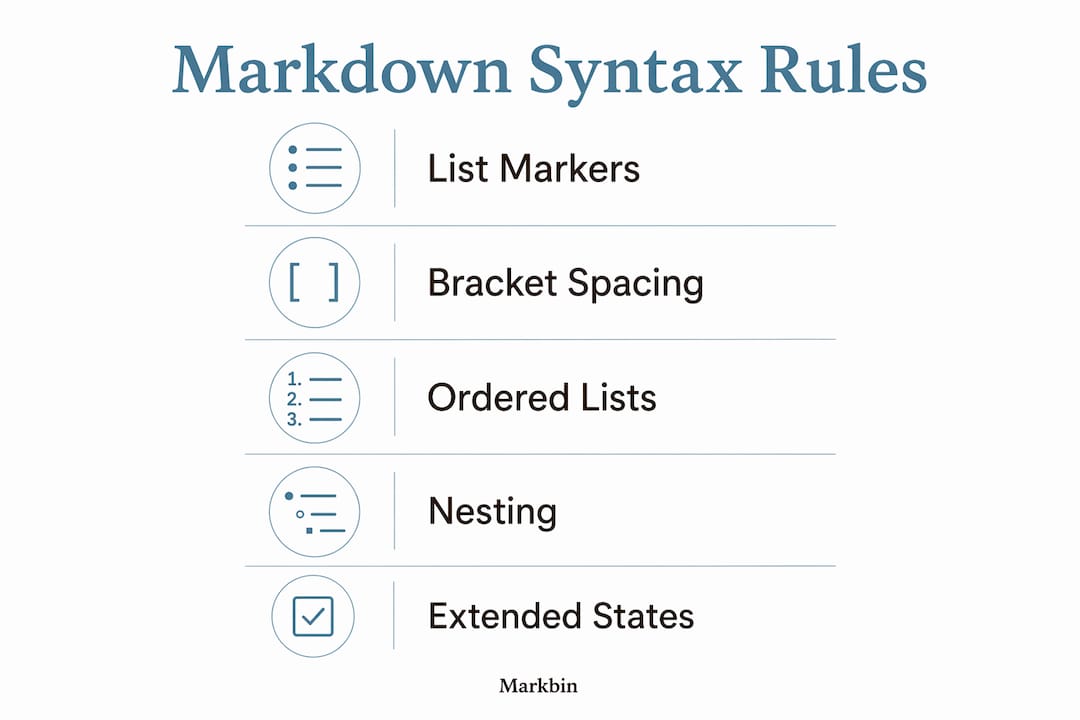
- A list marker: hyphen (
-), asterisk (*), or plus (+) - A space, then brackets containing either a space
[ ]for incomplete orxfor complete[x] - A space after the closing bracket, then your task text
- [ ] Write the README
- [x] Set up the repository
Pro Tip: Always write a space inside the brackets for an incomplete task. An empty [] with no space will not render as a checkbox on most platforms.
What are the exact syntax rules for markdown task lists?
The task list syntax is stricter than it looks. Every component must be present and correctly spaced, or the parser outputs raw text with no warning.
List markers: You can use -, *, or +, but pick one and stay consistent within a list. Mixing markers in the same list can confuse certain parsers.
Spacing inside brackets: A single space [ ] marks an incomplete task. A lowercase x marks it complete [x]. Using uppercase 'X' works in some parsers, but lowercase x is the GFM standard and gives you the widest compatibility.
Ordered task lists: You can replace the bullet marker with a number: 1. [ ] Task one. GFM supports this, though GitHub's CSS currently hides the item numbers for all task list items regardless of whether the list is ordered or unordered.
Nesting: Indent nested items by 2 to 4 spaces, with 4 spaces being the safest choice for cross-platform support. Each nested level gets its own list marker and bracket pair.
- [ ] Parent task
    - [ ] Subtask one
    - [x] Subtask two
Extended states: GitLab Flavored Markdown (GLFM) adds [~] for "inapplicable" tasks. This is not part of standard GFM and will render as raw text on platforms that do not support it.
| Syntax | Meaning | GFM Support |
|---|---|---|
- [ ] | Incomplete task | Yes |
- [x] | Completed task | Yes |
- [X] | Completed (uppercase) | Partial |
- [~] | Inapplicable task | GitLab only |
Pro Tip: If your task list renders as plain text, check for a missing space after the closing bracket first. That single missing space is the most common silent failure.
Which platforms actually render markdown task lists?
Eight major platforms support markdown checkboxes, and four of them offer clickable toggles: GitHub, GitLab, Obsidian, and Typora. The other four render static checkboxes that you can see but not click without editing the source file.
GitHub and GitLab go furthest. In issues, pull requests, and comments, both platforms let you toggle checkboxes directly in the rendered view, and the underlying markdown updates automatically. This makes task lists genuinely useful for project tracking in engineering workflows, not just visual decoration.

VS Code renders task lists statically in its Markdown Preview panel. Plugins like Markdown All in One can add interactivity, but that depends on your setup. Pandoc converts task lists to HTML checkboxes during export, though the output is static by default. Platforms running strict CommonMark, such as Reddit, do not support task lists at all and display the raw bracket syntax.
One platform-specific quirk worth knowing: GitHub hides list item numbers on ordered task lists via CSS (list-style-type: none), so a numbered task list looks identical to a bulleted one visually, even though the underlying HTML is an <ol>.
Common pitfalls and best practices for markdown task lists
The most frequent mistakes are spacing errors, and they fail silently. Missing the space inside [], skipping the space after ], or omitting the list marker entirely all produce raw text output with no error message from the parser.
A few rules that save time:
- Keep
xlowercase for maximum compatibility across parsers. - Use 4-space indentation for nested lists to avoid rendering breaks across different processors.
- Never put task list syntax inside a markdown table cell. Most parsers render it as plain text, not a checkbox. Keep task lists in their own block outside any table structure. For guidance on combining tables and task lists safely, the markdown table use cases guide covers the common patterns.
- Test your task lists in the actual target environment. A list that renders correctly in a local editor may behave differently on a hosted platform, especially around interactivity.
Task lists work well beyond simple to-do items. In GitHub and GitLab issues, they break complex features into trackable subtasks, and the platform shows a progress indicator (e.g., "3 of 7 tasks completed") in the issue list view automatically.
Pro Tip: When debugging a broken task list, paste just one item into a fresh file and test it in isolation. Spacing errors in one item can sometimes disrupt rendering of the entire list.
How do GFM and other markdown flavors handle task lists?
Standard CommonMark does not include task list syntax. Task lists are an extension, and GFM is the specification that formally defines them. Most platforms that support task lists implement GFM or a superset of it.
- GitHub Flavored Markdown (GFM): The primary spec enabling task lists, built on CommonMark with extensions.
- GitLab Flavored Markdown (GLFM): Extends GFM with the
[~]inapplicable state and other additions. - CommonMark strict: No task list support. Bracket syntax renders as plain text.
- Pandoc Markdown: Supports task lists with the
task_listsextension enabled. - Obsidian: Implements its own flavor with task list support and plugin-based extensions.
Interoperability is the real challenge. A document written with GLFM's [~] syntax will break on any platform that only supports GFM. Always check the target platform's documentation before using extended syntax in shared documents.
How to export markdown task lists to PDF and HTML
When you export a markdown file containing task lists, the output format determines what you get. Pandoc converts task lists to HTML <input type="checkbox"> elements, which are static by default but can be styled or scripted. For PDF export, Pandoc renders checkboxes as Unicode characters (☐ and ☑) or as form fields, depending on the output engine you choose.
Browser-based export (printing a rendered GitHub or GitLab page to PDF) preserves the visual checkbox appearance but produces a static image of the state at export time. Dedicated markdown editors like Typora export task lists to both HTML and PDF with checkbox symbols intact.
Accessibility considerations for markdown task lists
Screen readers handle rendered task list checkboxes inconsistently. In HTML output, a checkbox rendered as <input type="checkbox" disabled> carries an accessible role and state, so screen readers announce it as "checkbox, checked" or "checkbox, unchecked." But when a platform renders a task list as a Unicode symbol or a styled <span>, that semantic information is often lost.
For documents intended for broad audiences, adding a text label alongside each checkbox state improves clarity. Writing - [x] Done: Deploy to staging rather than just - [x] Deploy to staging gives screen reader users explicit context without relying on the checkbox rendering. When publishing task-heavy documents publicly, Markbin's full GFM support ensures checkboxes render with proper HTML structure, giving assistive technologies the best chance of interpreting them correctly.
Key Takeaways
Markdown task lists require exact GFM syntax, and four platforms (GitHub, GitLab, Obsidian, and Typora) support interactive checkbox toggling while others render them statically.
| Point | Details |
|---|---|
| Syntax must be exact | A missing space inside brackets or after them causes silent rendering failure with no error message. |
| Lowercase x wins | Lowercase x for completed tasks ensures compatibility across all GFM-compliant parsers. |
| Use 4-space indentation | Four spaces is the safest indentation for nested task lists across different markdown processors. |
| Avoid task lists in tables | Most parsers render bracket syntax as plain text inside table cells, not as checkboxes. |
| Platform matters | Only four of the eight major platforms that support checkboxes offer interactive toggling. |