
Markbin is the recommended in-market option for developers who need rendered, expiring GitHub-Flavored Markdown links. It combines full GFM rendering (syntax highlighting, math, tables, task lists) with client-side protection controls, configurable expiries, and password protection, all without requiring an account. If you need a one-time credential handoff, a staging-preview share, or a time-limited tutorial link, the how-to in Section 8 gets you there in three steps. The security tradeoffs, including why passwords alone are not enough, are covered in Section 4.
Table of Contents
- What do "self-destructing markdown documents" actually mean?
- What features must a self-destructing note app for developers actually have?
- How does the security model actually work, and when is it not enough?
- What are the real-world workflows for developers, educators, and researchers?
- How do you integrate expiring markdown links into CI/CD and automation?
- What are the real limitations and U.S. compliance considerations?
- How do you create and share an expiring rendered Markdown document with Markbin?
- What does Markbin's pricing model mean for your retention needs?
- Key Takeaways
- The part most developers skip
- Markbin gives you the full ephemeral GFM stack without the setup overhead
- Useful sources
What do "self-destructing markdown documents" actually mean?
This article is not about disappearing chat messages or ephemeral SMS. The subject here is rendered GitHub-Flavored Markdown shared as expiring or password-protected links: a .md file that becomes a beautifully formatted, syntax-highlighted page, then deletes itself after a configurable expiry or view limit.
In scope:
- Full GFM rendering: fenced code blocks with syntax highlighting, tables, task lists, math formulas (KaTeX/MathJax), and file attachments
- Time-based and view-limited expiry, including single-read ("burn after reading") behavior
- Password protection and optional client-side encryption with URL-fragment key delivery
- GitHub Gist import and API/CLI publishing
Out of scope: ephemeral messaging apps, disappearing social posts, and any tool that does not render Markdown.
Ephemeral sharing is increasingly recommended because persistent links linger in chat histories and inboxes indefinitely. GDPR and CCPA both treat data minimization as a baseline expectation, and an expiring link that deletes itself is a cleaner default than a permanent URL that you have to remember to revoke. One open-source implementation worth studying is md-share, which stores only ciphertext in a public GitHub repo and decrypts entirely in the browser, keeping plaintext out of server logs.
What features must a self-destructing note app for developers actually have?
A production-ready expiring GFM service needs more than a delete timer. Here is the prioritized checklist.
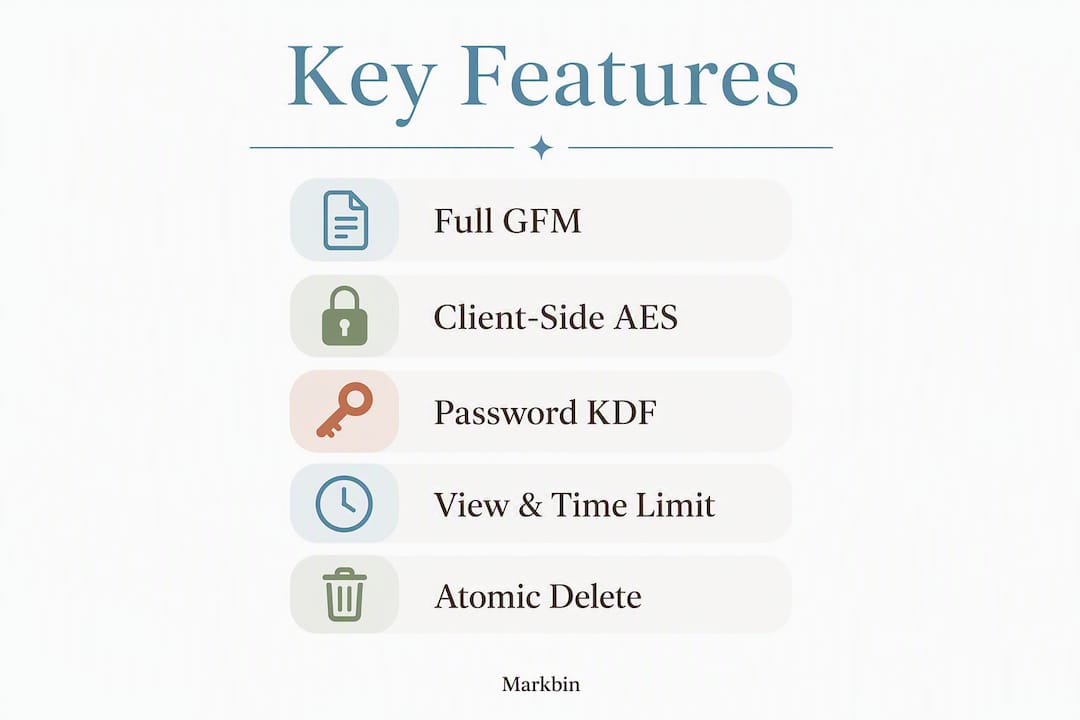
| Feature | Why it matters |
|---|---|
| Full GFM rendering | Code reviews and tutorials are unreadable without syntax highlighting and table support |
| Client-side encryption / fragment keying | Keeps plaintext off the server; browsers never send URL fragments to servers |
| Configurable expiry (time + view-limit) | Lets you match TTL to the sensitivity of the content |
| Atomic deletion | Prevents race conditions where a link is accessed twice before deletion fires |
| Password protection (KDF-derived) | Adds a second factor for handoffs; not a substitute for encryption |
| API / CLI + CI/CD hooks | Enables automated publishing from pipelines and scripts |
| Gist / README import | Saves copy-paste friction for existing developer content |
| Access logs and download counts | Gives you auditability without a full DLP stack |
The Vanish project documents a clean reference implementation: client-side AES-GCM encryption, fragment-safe URL shortening, and TTL-based atomic deletion via Redis. It is a useful mental model even if you are not self-hosting.
On password protection: a key-derivation function (KDF like PBKDF2 or Argon2) derives the encryption key from the password in the browser, so the server stores only ciphertext. That is meaningfully stronger than a server-side password check, but it still concentrates trust in the password itself. Password encryption and KDF mechanics are worth understanding before you decide how much to rely on this control.
Pro Tip: Set a view limit AND a time-based expiry together. A single-read link that also expires in 24 hours is harder to exploit than either control alone.
How does the security model actually work, and when is it not enough?
Client-side encryption with the decryption key in the URL fragment is the strongest model for zero-knowledge ephemeral GFM sharing. The server stores ciphertext; the key travels in the fragment, which browsers strip before sending HTTP requests. Passwords are a convenience layer on top, not a replacement.
Threat model to keep in mind:
- Eavesdrop / perimeter compromise: fragment-keying mitigates this; server-side-only encryption does not
- Server breach: zero-knowledge implementations survive this; password-only links do not
- URL leakage: anyone with the full URL (including fragment) can decrypt; treat the link itself as a secret
- Preview crawlers and social-card metadata: title and description fields are often stored plaintext to enable link previews, which can leak context even when the main content is encrypted. Audit these fields when the metadata itself is sensitive.
Password-only protection concentrates trust and should not replace strong encryption or secure vaulting for high-value secrets. Use it for short-term handoffs where the recipient is known and the window is short.
Do not use ephemeral links for: long-term secrets, compliance-bound records that require retention, or high-value private keys unless you are also rotating them immediately after the handoff.
Split-delivery is the operational complement to encryption: send the link via one channel (Slack, email) and the password via a separate channel (SMS, phone). One channel compromise then gives an attacker either the ciphertext or the key, not both.
Atomic deletion matters more than most developers expect. A single Redis GETDEL or equivalent prevents the race condition where two near-simultaneous requests both read the record before either triggers deletion.
What are the real-world workflows for developers, educators, and researchers?
Four concrete scenarios:
- One-time credential handoff: paste a
.envsnippet, set single-read + 1-hour expiry, deliver link via Slack and password via SMS. AES-256-GCM browser encryption keeps the plaintext off the server entirely. - Staging-preview share: export a rendered README or architecture doc, set a 48-hour expiry, send to an external reviewer. No account required on their end.
- Classroom assignment handout: create a GFM tutorial with code blocks and task lists, set a time-limited link that expires when the class ends. Students get a clean rendered page; you get no lingering public URL.
- Research dataset documentation: share a methodology note with math formulas and tables, single-read, so the recipient gets one clean view before the link dies.
Step-by-step for a credential handoff:
- Author the GFM document (paste the
.envtemplate or snippet). - Set expiry to single-read and a hard time limit (1–4 hours).
- Enable password protection; use a strong random password.
- Copy the link. Send the link via your primary channel.
- Send the password via a separate channel.
- Confirm the recipient accessed it, then rotate any credentials that were shared.
For self-destructing link use cases beyond credentials, the same checklist applies: short TTL, single-view, split-delivery, rotate after.
How do you integrate expiring markdown links into CI/CD and automation?

Treat expiring shares like deploy artifacts: generate them in CI, attach expiry metadata, and route them to the right delivery channel automatically.
GitHub Actions pattern (conceptual shell step):
LINK=$(curl -s -X POST https://markbin.net/api/share \
  -H "Authorization: Bearer $MARKBIN_TOKEN" \
  -d "content=$(cat RELEASE_NOTES.md)" \
  -d "expiry=24h" \
  -d "views=1" | jq -r '.url')
echo "::notice::Release notes (expires 24h): $LINK"
Automation checklist:
- Pass
expiryandviewsas pipeline variables, not hardcoded values - Store the returned URL as a pipeline artifact or post it to a Slack webhook
- Use a webhook or polling endpoint to confirm the link was accessed before the TTL expires
- Never commit the generated URL to version control; treat it like a secret
Self-hosting is an option for teams with strict data-residency requirements. The md-share Cloudflare Workers pattern stores encrypted payloads in a GitHub-backed repo and decrypts client-side, giving you full GFM rendering with zero server-side plaintext.
Pro Tip: Add an ephemeral-share step to your onboarding runbook. New engineers who need credentials on day one are exactly the scenario where a single-read, expiring GFM link beats a Slack message that sits in history forever.
What are the real limitations and U.S. compliance considerations?
Ephemeral links reduce exposure; they do not eliminate forensic traces. A recipient can screenshot, copy, or OCR the content before the link expires. Social preview crawlers may cache metadata. Logs on intermediate infrastructure (CDN, load balancer) may retain the URL.
Risk checklist:
- Preview crawlers can trigger view-count before the intended recipient does; use atomic deletion to prevent double-access
- Accidental reposting of the link by the recipient resets the exposure window
- Metadata (title, description) may be plaintext in social previews even when body content is encrypted
- Race conditions on deletion are real without atomic operations
Mitigation checklist:
- Default to the shortest expiry that works for the use case
- Use single-view limits alongside time-based expiry
- Strip or obfuscate metadata fields when the title itself is sensitive
- Implement atomic deletion (single DB operation)
- Split-deliver link and password
- Rotate any credentials shared via ephemeral links immediately after confirmed access
U.S. compliance note: ephemeral sharing supports data minimization expectations under frameworks like CCPA, but it does not substitute for retention obligations where law requires them (HIPAA, SOX, certain financial regulations). Consult legal counsel before using ephemeral links for regulated data. This article is general technical guidance, not legal advice.
How do you create and share an expiring rendered Markdown document with Markbin?
Three steps get you a live, expiring GFM share.
- Author or import your document — Paste your Markdown directly, or import from a GitHub Gist. Markbin renders full GFM: fenced code blocks with syntax highlighting, tables, task lists, and KaTeX math.
The expired-link behavior is clean: after the TTL or view limit is hit, the link returns a 404 or an "expired" page. There is no cached version to stumble on later.
Pro Tip: For CI automation, store your Markbin API token as a pipeline secret and generate the share URL as a step output. Post it to your team's Slack channel via webhook, and set the TTL to match your review window, not a round number like "7 days."
What does Markbin's pricing model mean for your retention needs?
The free plan covers basic short-lived shares: you get GFM rendering and expiring links, but theme selection and longer retention are restricted. Paid plans (monthly, annual, or lifetime) unlock extended document retention, additional themes, password protection, source code access, and higher API rate limits.
Decision signals that point toward a paid plan:
- You need retention beyond the free TTL ceiling (multi-day or multi-week shares)
- Password protection is required for your use case
- You are automating share creation via API and need higher rate limits
- You want access to the document's source Markdown after publishing
- Your team needs audit-level visibility into access counts
For most one-off credential handoffs and classroom shares, the free tier is sufficient. Teams running ephemeral sharing as part of a CI pipeline or onboarding workflow will hit the API limits and retention ceiling quickly.
Key Takeaways
Expiring rendered GFM documents are the right default for any transient developer handoff: short TTL, single-view, and split-delivered passwords cover the majority of real-world threat scenarios.
| Point | Details |
|---|---|
| Client-side encryption first | Fragment-keyed AES-GCM keeps plaintext off the server; passwords alone do not. |
| Default to short expiries | Match TTL to the review window, not a convenient round number. |
| Split-deliver passwords | Send the link and the password via separate channels to limit blast radius. |
| Automate expiry in CI | Generate expiring share URLs as pipeline artifacts; never commit them to version control. |
| Markbin for rendered GFM | Markbin covers the full checklist: GFM rendering, self-destruct, password protection, Gist import, and API access. |
The part most developers skip
The security conversation around ephemeral links tends to focus on the link itself. What gets less attention is the metadata layer: the title, the description, the social preview. You can encrypt the body with AES-256-GCM and still leak the document's purpose to anyone who pastes the URL into Slack, because Slack's crawler reads the OpenGraph tags before the link expires.
That is not a theoretical risk. It is the default behavior of most implementations, including well-regarded open-source ones. The fix is straightforward: either obfuscate the title field or leave it blank when the subject line itself is sensitive. But most teams never think to check.
The deeper point is that ephemerality is a system property, not a feature toggle. A link that expires in one hour is only as ephemeral as the weakest place it was stored: the Slack message, the email thread, the CI log that printed the URL. The tools matter less than the operational discipline around them. Atomic deletion and split-delivery are not advanced features; they are the baseline for any workflow where the content is actually sensitive.
Markbin gives you the full ephemeral GFM stack without the setup overhead
Most ephemeral sharing tools make you choose between rendered content and security controls. Markbin does not. You get full GitHub-Flavored Markdown rendering (syntax highlighting, math, tables, task lists), self-destructing documents, password protection, GitHub Gist import, and API access in one platform, with no account required to share.
The free plan handles one-off handoffs. Paid plans unlock longer retention, additional themes, source access, and the API rate limits you need for CI automation. For teams adding an ephemeral share step to their onboarding playbook or incident-response runbook, that is the tier worth considering.
Start sharing with Markbin and set your first expiring GFM link in under two minutes. For secure document sharing practices that go beyond single links, the Markbin blog covers the broader developer workflow.
Useful sources
| Source | What it covers |
|---|---|
| Why Your Shared Links Should Self-Destruct in 2026 — DEV Community | Developer community argument for ephemeral sharing as the default, with GDPR/CCPA context |
| md-share (GitHub) | Client-side AES-GCM encryption, fragment-key handling, and Cloudflare Workers hosting pattern for GFM shares |
| Vanish (GitHub) | Reference implementation: client-side encryption, fragment-safe URL shortening, and atomic Redis TTL deletion |
| mdenc (GitHub) | Encrypted Markdown tooling; useful for understanding password-derived key limits |
| Vaulted Blog — Share .env Files Securely | AES-256-GCM browser encryption flow for credential handoffs; key lives only in the URL fragment |
| Hushlink operational blog | Split-delivery and atomic deletion patterns for reducing blast radius |
| SecretDrop — Send Password-Protected Files Without Login | Browser-side KDF workflow; server stores only ciphertext, no login required |
| mdsnip (GitHub) | Serverless, URL-encoded Markdown sharing with CLI; no database or account required |
| Password Encryption Explained — TechStackToday | KDF mechanics and why password-only protection has limits |