

Sharing study notes with classmates is the fastest way to close knowledge gaps, support absent peers, and build a stronger collective understanding before exams. Collaborative note-taking, as educators call the formal practice, turns individual effort into group leverage. One well-structured set of notes can serve an entire cohort, and one strong shared note can effectively cover a class of up to 28 students, eliminating hundreds of hours of duplicated effort. Platforms like Notesmakr, Google Keep, and Markbin have made it easier than ever to exchange study materials without sacrificing privacy or personal learning.
How to share study notes with classmates using the right tools
The right platform determines how smoothly your group can collaborate on note-taking, manage access, and protect the integrity of shared content. Not every tool fits every workflow, so understanding the differences matters before you commit.
Granular permission levels such as Contributors, Reviewers, and Viewers are the standard way digital platforms manage who can edit, comment, or only read a shared document. This distinction protects your notes from accidental edits while still letting the whole group benefit. Adobe Acrobat's student spaces, Notesmakr, and Markbin all support some version of this model.

Real-time editors add another layer of power, but they come with technical constraints. Some platforms limit concurrent editing to 10 active users on a single document to maintain synchronization performance. For most study groups this is not a problem, but large lecture cohorts splitting into sub-groups should plan accordingly.
Integrated tools that sync with local apps like Obsidian, through plugins that add real-time collaboration, maximize usability without forcing you to abandon offline access or your existing note structure. This matters for students who prefer to work without an internet connection and sync changes later.
Here is a comparison of popular platforms and their key features:
| Platform | Real-time editing | Permission roles | Unlisted links | Offline access |
|---|---|---|---|---|
| Notesmakr | Yes | Yes | Yes | Limited |
| Markbin | Yes | Yes | Yes | No |
| Google Keep | Limited | Basic sharing | No | Yes |
| Obsidian + plugin | Yes (via plugin) | Plugin-dependent | No | Yes |
Pro Tip: If your group includes students on different devices and operating systems, prioritize a browser-based platform. It removes setup friction and gets everyone collaborating within minutes.
How to share lecture notes online securely
Security is not optional when you share lecture notes online. A note shared publicly can be indexed by search engines, found by anyone, and potentially flagged for academic integrity violations. The fix is straightforward once you understand the options.
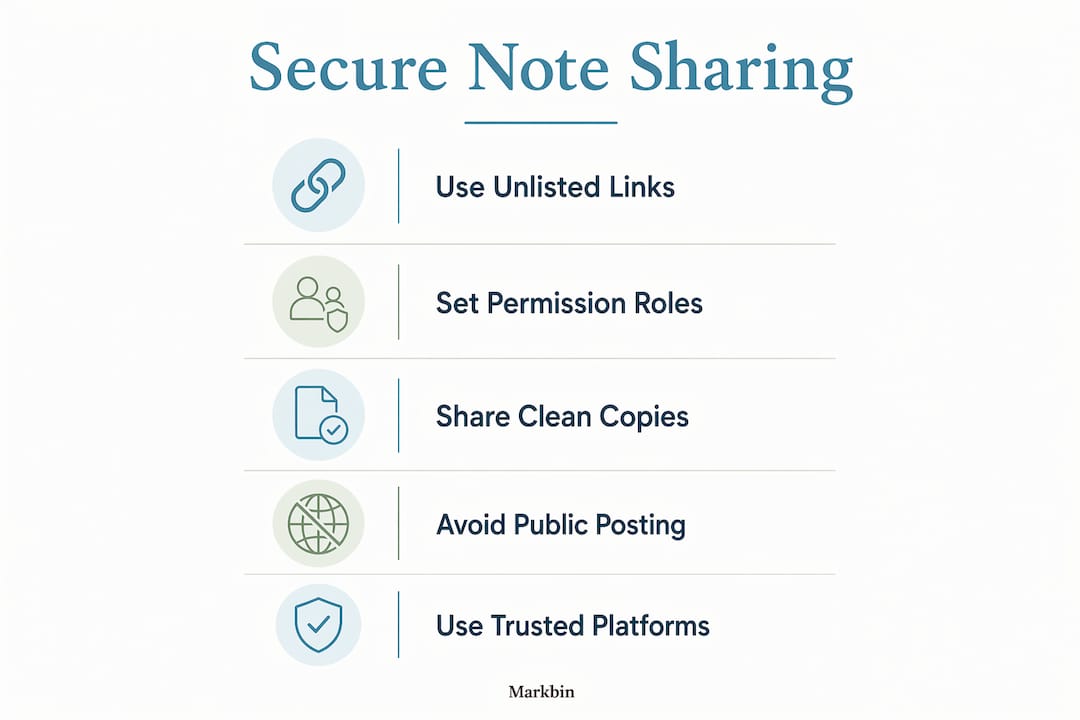
Unlisted shared links allow private collaboration accessible only via direct link, not indexed by search engines. This makes them ideal for study groups and class distribution. Think of an unlisted link as a locked room: anyone with the key can enter, but no one stumbles in by accident.
Follow these steps to share notes securely and build on them without overwriting anyone's work:
- Create your note in your chosen platform and format it clearly with headings, bullet points, and any diagrams or code blocks your subject requires.
- Generate an unlisted link rather than a public one. Paste this link into your group chat or learning management system, not a public forum.
- Set permissions deliberately. Assign Contributor access only to students who need to add content. Everyone else gets Viewer or Reviewer access.
- Import an independent copy before you add personal annotations. Importing independent copies of shared notes lets you personalize your study materials without affecting the shared original, preserving academic integrity.
- Add your own layer. Write your personal annotations, mnemonics, and exam predictions on your private copy. This is where real learning happens.
- Sync and review together. Schedule a short group session to compare annotations and flag gaps in the shared version.
Conflict resolution is a real technical concern in real-time editing. Platforms that do not use CRDT technology risk overwriting a collaborator's contribution when two people edit the same section simultaneously. CRDT-based sync guarantees conflict-free merging of concurrent edits, protecting against data loss. When choosing a platform for high-stakes notes, check whether it uses CRDT or a similar conflict-free architecture.
Pro Tip: Never share your master annotated copy. Share a clean version of the core notes and keep your personal layer private. You protect your competitive edge and still help your classmates.
What are the common challenges when sharing notes with classmates?
Even well-intentioned note-sharing setups break down. Knowing the pitfalls in advance saves your group from frustration and wasted time.
Here are the most common challenges and the best practices that address each one:
- Editing chaos. When too many people have Contributor access, notes get cluttered with conflicting additions. Limit editing rights to two or three designated note-takers per subject.
- Distraction from collaboration features. Platforms that sync live cursors and chat history can pull your focus away from studying. Choose tools that keep the collaborative interface minimal and let each student progress at their own pace.
- Unequal contribution. Some students take without giving. Set a group norm at the start of the semester: everyone contributes at least one section per week, or access gets reviewed.
- Academic integrity risks. Sharing notes is legitimate. Sharing completed assignments or exam answers is not. Keep a clear boundary and communicate it explicitly when you invite someone to your shared space.
- Tool mismatch. A group that uses five different apps will spend more time converting files than studying. Agree on one platform before the semester starts and stick to it.
- Overreliance on shared notes. Students who only read shared notes without writing their own miss the cognitive benefit of active recall. Shared notes are a starting point, not a substitute for personal engagement.
The most effective study groups treat shared notes as infrastructure, not a shortcut. They set norms, rotate responsibilities, and use the shared document as a foundation rather than a finished product.
How does sharing notes benefit group study and exam prep?
The evidence for collaborative note-taking is concrete. Sharing notes helps absent students catch up independently by providing clear, accessible study resources, which reduces the pressure on individual students to re-teach content in person.
The deeper benefit is what happens after the share. Students benefit most when they build their own annotations on top of shared starting points rather than editing the original note. This mirrors how expert learners work: they absorb a framework, then personalize it.
"Best collaborative notes serve as a 'shared starting point,' raising the baseline understanding for the entire group and enabling each member to build personalized learning materials on top." — Notesmakr on collaborative notes
Shared notes also unlock downstream study tools. Once you have a clean, well-structured shared document, you can generate flashcards in Anki, create practice quizzes in Quizlet, or build a visual summary on an online whiteboard without starting from scratch. The shared note becomes raw material for multiple study formats.
Here is a summary of the research-backed outcomes from collaborative note sharing:
| Outcome | Evidence |
|---|---|
| Reduced duplicate effort | One shared note can serve up to 28 students, saving hundreds of hours |
| Catch-up support | Absent students access clear resources independently without peer intervention |
| Raised baseline understanding | Shared starting points improve group-wide comprehension before exams |
| Personalized learning | Independent copies allow individual annotation without affecting the shared original |
| Conflict-free collaboration | CRDT technology prevents data loss during concurrent edits |
Key takeaways
Effective note sharing combines the right platform, clear permission settings, and a personal annotation layer to maximize both group coverage and individual learning.
| Point | Details |
|---|---|
| Use unlisted links | Unlisted links keep shared notes private and off search engines for secure group access. |
| Set permissions deliberately | Assign Contributor, Reviewer, and Viewer roles to protect note integrity and reduce editing chaos. |
| Import before annotating | Always create an independent copy before adding personal notes to preserve the shared original. |
| Choose CRDT platforms | Platforms with CRDT technology prevent data loss when multiple students edit simultaneously. |
| Treat shared notes as a starting point | Build flashcards, quizzes, and summaries from shared notes rather than relying on them passively. |
What I've learned from years of watching students share notes badly
Most students approach note sharing as a transaction: I give you my notes, you give me yours. That model produces mediocre results because it treats the shared document as the end product rather than the beginning of a study process.
The groups I have seen succeed treat the shared note like a Wikipedia article for their class. One or two people write the authoritative version, everyone else imports a copy and builds on it privately. The shared document stays clean. Personal documents get messy in the best possible way, full of mnemonics, margin questions, and color-coded connections that only make sense to the person who wrote them.
The other mistake I see constantly is tool proliferation. A group that starts with Google Docs, migrates to Notion, and ends up in a group chat pasting screenshots has lost the thread entirely. Pick one platform that supports shareable markdown links and structured formatting, and commit to it for the whole semester. The switching cost is always higher than students expect.
My honest recommendation: use a platform that separates the sharing mechanism from the editing interface. When sharing a note is as simple as copying a link, you remove the biggest friction point in collaborative study. When editing requires deliberate permission, you protect the quality of what gets shared.
— Zack
How Markbin makes note sharing simple and secure
Markbin is built for exactly this workflow. You write your notes in GitHub Flavored Markdown, complete with tables, syntax-highlighted code blocks, task lists, and math formulas, and Markbin converts them into a beautifully rendered, shareable link in seconds. No sign-up required to share. You control whether the link is unlisted or public, and you can add password protection or set a document to self-destruct after a set time. For study groups that need to share classroom instructions or distribute lecture summaries before an exam, Markbin removes every step that isn't writing. Try it before your next study session and see how much faster your group gets organized.
FAQ
How do I share study notes with classmates securely?
Generate an unlisted link rather than a public one, and share it only through your group chat or learning management system. Unlisted links are not indexed by search engines, so your notes stay private to the people you invite.
What is the best app for sharing notes with friends?
The best app depends on your group's workflow. Notesmakr and Markbin both support unlisted links and permission roles. Google Keep works for simple sharing but lacks granular access controls for larger groups.
How many people can edit a shared note at the same time?
Some real-time collaborative editors limit concurrent editors to 10 users per document to maintain performance. For most study groups this is sufficient, but large cohorts should split into smaller sub-groups with separate documents.
Can I add my own notes to a shared document without changing it for everyone?
Yes. Import an independent copy of the shared note before you start annotating. Your personal copy stays separate from the original, so your additions do not affect what your classmates see.
Does sharing notes count as academic dishonesty?
Sharing lecture notes and study summaries is generally accepted and encouraged. Sharing completed assignments, take-home exams, or graded work crosses into academic dishonesty. Always check your institution's academic integrity policy for subject-specific rules.