

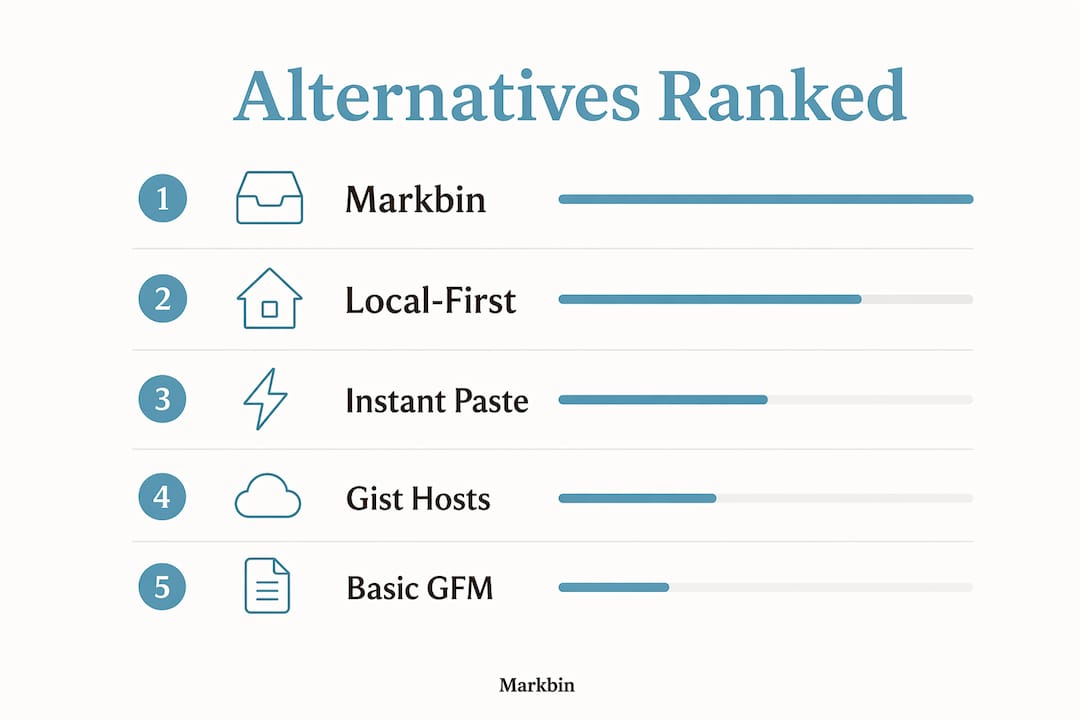
The best noteim.com alternatives fall into four categories: instant paste/share services (publish in seconds, no signup), local-first knowledge publishers (own your files, work offline), self-hosted static-site workflows (full control, Git-backed), and gist-style snippet hosts (lightweight code and text sharing). Markbin fits squarely in the first category and adds share controls most paste tools skip entirely.
Here is the shortlist by category with one-line reasoning:
- Instant paste/share (Markbin, Rentry.co): publish a rendered Markdown doc in seconds with no account required; ideal when speed and a clean share link matter most.
- Local-first knowledge engines (Obsidian Publish): store raw Markdown on your device, sync with E2EE, and publish selectively; best when data ownership is non-negotiable.
- Self-hosted static site + Git (Ghost, HackMD): full rendering control and collaboration, but setup takes 30–90 minutes and requires a server or managed hosting.
- Gist-style snippet hosts (GitHub Gist, StackEdit): paste code or short notes with syntax highlighting; weak on share controls but zero friction for developers already in the GitHub ecosystem.
| Category | Sign-up required | GFM feature support | Privacy model |
|---|---|---|---|
| Instant paste/share | No | Full (tables, math, code, tasks) | Web-native, link-based |
| Local-first publisher | Optional | Full | Local-first, optional E2EE sync |
| Self-hosted static site | Yes (admin) | Full | Self-hosted, you control the server |
| Gist-style snippet host | Yes (GitHub account) | Partial (no math, limited tasks) | Web-native, public by default |
Table of Contents
- What are the best noteim.com alternatives for your workflow?
- How do you pick the right alternative for your workflow?
- What should creators look for in privacy and AI features in 2026?
- How long does it take to publish with each category?
- Which alternative should most creators use?
- Key Takeaways
- What actually drives my choice of a Markdown publishing tool
- Markbin publishes your Markdown instantly, with the controls you actually need
- Useful sources and further reading
What are the best noteim.com alternatives for your workflow?
The table below maps each category to the practical dimensions that matter when you are swapping away from a simple paste/share tool.

| Category | Best for | Sign-up | GFM support | Sharing options | Privacy model | Collaboration | Pricing | Export/ownership | AI features |
|---|---|---|---|---|---|---|---|---|---|
| Instant paste/share | Quick publish, share links | No | Full | Password, expiry, self-destruct | Web-native | None/basic | Free tier available | Markdown copy/download | Minimal |
| Local-first knowledge engine | Ownership, offline, sensitive docs | Optional | Full | Selective publish, embed | Local-first, E2EE sync | Limited real-time | Free core, paid sync | One-click Markdown/HTML export | Semantic search, local models |
| Self-hosted static site + Git | Teams, long-form publishing | Yes | Full | Custom domain, embed | Self-hosted | Real-time (HackMD), async (Ghost) | Free self-host, paid managed | Git-backed, plain Markdown | Varies by plugin |
| Gist-style snippet host | Code snippets, dev notes | Yes (GitHub) | Partial | Public/secret link | Web-native | Fork/comment | Free | Raw file download | None native |
A few things worth noting across these categories. Syntax highlighting is reliable in every category except basic gist hosts, where theme options are thin. Math rendering (KaTeX or MathJax) is consistently incomplete across many tools — test it with your actual equations before committing. Task lists render correctly in most full-GFM tools but silently degrade in partial implementations. Password-protected and expiry links are almost exclusive to instant paste/share services; self-hosted platforms can add them via plugins, but it is not out of the box. Real-time collaborative editing is a self-hosted-platform strength; local-first tools typically sync rather than co-edit.
Pro Tip: Prefer a local-first approach over an instant web-native share when you need long-term ownership and offline access. Web-native tools give you a link in seconds, but local-first apps store raw Markdown on your device and offer optional E2EE sync — your files exist whether or not the service does.
How do you pick the right alternative for your workflow?
Pick by your primary constraint first: speed, ownership, collaboration, or privacy. Everything else is secondary.
Concrete criteria to evaluate before choosing:
- Exportability: does the tool export plain, portable Markdown? Proprietary formats are a trap.
- GFM completeness: tables, task lists, math, and code highlighting — test all four, not just one.
- Sharing controls: password protection, expiry links, and embeds are table stakes for professional sharing.
- Privacy model: local-first with E2EE sync, self-hosted, or web-native — each carries different risk.
- Sign-up friction: no-signup tools win for one-off shares; account-based tools are better for ongoing projects.
- Mobile support: check whether the editor and the published view both work on mobile.
- Integrations: GitHub, Dropbox, or Obsidian vault compatibility matters if you already have a Markdown workflow.
- Pricing transparency: free tiers with clear upgrade paths beat vague "contact us" pricing.
Red flags to avoid: proprietary export formats, missing or broken Markdown export, mandatory cloud-only storage with no offline mode, and privacy policies that are vague about data use. Tools that guarantee standard Markdown import/export and folder-level access are the ones worth trusting with a full archive.
Pro Tip: Before migrating your full archive, run a small sample — ten to twenty documents — through a complete import/export cycle. Verify that tables, math, and task lists survive the round trip. Migration friction is the most common reason creators get stuck mid-switch.
What should creators look for in privacy and AI features in 2026?
Prioritize tools that guarantee exportable Markdown plus either local-first storage or clear E2EE sync if your documents contain anything sensitive.
Specific capabilities worth seeking out right now:
- Semantic search: retrieves by meaning, not just keyword; a genuine productivity gain for large archives.
- Local-model AI support: runs inference on-device so private content never reaches a public cloud.
- E2EE sync: encrypted in transit and at rest, with keys you control.
- One-click Markdown export: local-first apps and privacy-forward services frequently advertise this as a selling point — verify it works.
- Offline access: non-negotiable for travel or sensitive environments.
- Clear privacy policy: data flow, retention, and third-party sharing should be explicit, not buried.
- Password/expiry sharing: link-level controls that do not require the recipient to create an account.
- Audit logs: for team collaboration, knowing who changed what and when matters.
AI integration is shifting from an optional add-on to a core capability; semantic search and local-model support are now the differentiators that separate professional tools from consumer ones. Knowledge-engine approaches go further still, automatically synthesizing notes and surfacing connections to prevent "data rot" — the slow accumulation of notes you never retrieve again.
Pro Tip: To verify vendor AI claims, check the documentation for an explicit local-model path (not just "AI-powered"), read the privacy policy for data-flow language, and test whether semantic search returns results without an internet connection. If it requires an external API call, your content is leaving the device.
How long does it take to publish with each category?
Instant-paste services can publish a rendered Markdown doc in seconds. Self-hosted and local-first publishers take longer — minutes to hours — depending on setup and integrations.
Here is what to expect for each category:
- Instant paste/share (e.g., Markbin, Rentry.co): paste Markdown, set optional password or expiry, get a shareable link. Total time: under 30 seconds. No signup, no configuration.
- Local-first with E2EE sync (e.g., Obsidian Publish): install the app, configure sync, enable the publish plugin. First-time setup: 10–20 minutes. After that, publishing a note takes seconds.
- Self-hosted static site + Git (e.g., Ghost, HackMD self-hosted): provision a server or use managed hosting, configure DNS, deploy. First deploy: 30–90 minutes. Subsequent posts: under 5 minutes once the pipeline is set.
- Gist-style snippet host (e.g., GitHub Gist, StackEdit): create a GitHub account if you do not have one, paste content, set visibility. First use: under 5 minutes. Recurring use: under 60 seconds.
Mobile experience varies sharply. Instant paste/share tools and gist hosts work in any mobile browser with no app required. Local-first tools need a mobile app installed and synced before you can publish from a phone. Self-hosted platforms depend entirely on whether the admin interface is mobile-friendly — Ghost's editor is, most self-hosted HackMD setups are not optimized for small screens.
For sharing study notes or collaborative documents, the instant-paste category wins on time-to-share every time. The trade-off is that you get less long-term organization in return.
Which alternative should most creators use?
Markbin is the default pick for creators and professionals who need to publish a rendered Markdown document and share it immediately. It supports full GFM — tables, math, syntax highlighting, task lists — and adds password protection and self-destructing links without requiring a signup. For a one-off share or a recurring publishing workflow, that combination is hard to beat.
When to choose a different category instead:
- Ownership first: use a local-first tool like Obsidian Publish when your documents are sensitive, you need offline access, or you want raw Markdown files on your own device permanently.
- Collaborative docs at scale: use a self-hosted platform like HackMD or Ghost when a team needs real-time editing, version history, and a custom domain.
- Tiny code snippets: use GitHub Gist when you are already in the GitHub ecosystem and just need a quick, linkable snippet with syntax highlighting.
Try Markbin on one project before committing to any migration. Paste a representative document, test the share link, and verify that your GFM features render correctly. That single test takes under two minutes and tells you everything you need to know.
Key Takeaways
Markbin is the fastest publish-and-share option for full-GFM Markdown with built-in share controls, while local-first and self-hosted tools serve creators who prioritize ownership or team collaboration.
| Point | Details |
|---|---|
| Export and ownership first | Always verify plain Markdown export before committing to any tool. |
| Test GFM completeness | Check tables, math, task lists, and code highlighting — partial support is common. |
| Match privacy model to content | Use local-first or E2EE sync for sensitive documents; web-native for quick public shares. |
| Run a migration sample | Import/export 10–20 documents before moving a full archive to catch format issues early. |
| Markbin for instant sharing | Markbin publishes full-GFM docs with password and expiry controls, no signup required. |
What actually drives my choice of a Markdown publishing tool
The first question I ask is simple: can I get my files back in plain Markdown, no questions asked? If the answer is anything other than a clear yes, the tool is off the list. After that, it comes down to how fast I can go from a finished document to a shareable link.
For most professional work, instant paste/share wins. The moment a self-hosted setup requires me to SSH into a server to fix a broken deploy, I have lost the time I was trying to save. Local-first tools are the right call when the content is sensitive or when I know I will need it years from now regardless of whether any particular service still exists. The trade-off is real: you get permanence and control, but you give up the "paste and share in 30 seconds" experience. Knowing which constraint matters more on a given project is the whole decision.
Markbin publishes your Markdown instantly, with the controls you actually need
If you want the outcome described in this article — a beautifully rendered Markdown document, shareable in seconds, with no account required — Markbin is the most direct path. It supports full GitHub Flavored Markdown out of the box: syntax highlighting, tables, math formulas, and task lists all render correctly. Password protection and self-destructing links are built in, not bolted on as paid add-ons.
- Full GFM rendering: tables, math, code highlighting, task lists
- Password-protected and expiry-controlled share links
- Self-destructing documents for sensitive one-time shares
- No signup required to publish and share
For creators who want to go deeper on secure Markdown sharing or explore how visual Markdown authoring fits a professional workflow, the Markbin blog covers both in detail. To publish your first document now, visit markbin.net.
Useful sources and further reading
- KeepZen — Local-First & Private Note-Taking: documentation on local-first storage, E2EE sync, and one-click Markdown export.
- Cimanote — Notes That Compound Into Knowledge: explains knowledge-engine approaches, background AI synthesis, and data-rot prevention.
- NoteMee — AI Features and Semantic Search: industry commentary on semantic search and local-model AI as professional differentiators.
- Noterich — Migration and File Ownership: practitioner notes on verifying Markdown import/export before a full migration.
- memrynote — Local-First App With Migration Importers: covers Obsidian, Evernote, and Notion importers for easier vault migration.
- Markbin blog — Jotbird.com alternatives: additional shortlist of Markdown publishing alternatives for creators evaluating their options.
- Markbin blog — Markdown table use cases: deep dive on table rendering behavior across tools.