
Online document sharing is the process of distributing and accessing digital files over the internet through cloud platforms, replacing physical media and fragmented email chains with centralized, real-time collaboration. Modern platforms like Dropbox (launched 2007) and Google Drive (launched 2012) established cloud storage as the default method for sharing files across teams, classrooms, and organizations. The shift matters because it removes the single biggest bottleneck in collaborative work: getting everyone on the same version of the same file, at the same time, without a single email attachment in sight.
What is online document sharing and why does it matter?
Online document sharing is defined as the internet-based distribution, storage, and access of digital files through cloud platforms that allow multiple users to view, comment on, or edit content simultaneously. The industry term for the broader practice is document collaboration, which goes beyond simple file transfer to include live editing, version control, and embedded feedback workflows.
The distinction matters. Sending a PDF by email is file transfer. Working on a Google Doc with three colleagues in real time is document collaboration. Platforms like Microsoft Teams, Adobe Document Cloud, and Google Workspace have made the second approach the standard for professional and educational settings.

Group project sharing methods that rely on email attachments consistently produce version conflicts. Cloud-based sharing eliminates that problem by keeping one master file that every authorized user accesses directly.
What are the key advantages of online document sharing?
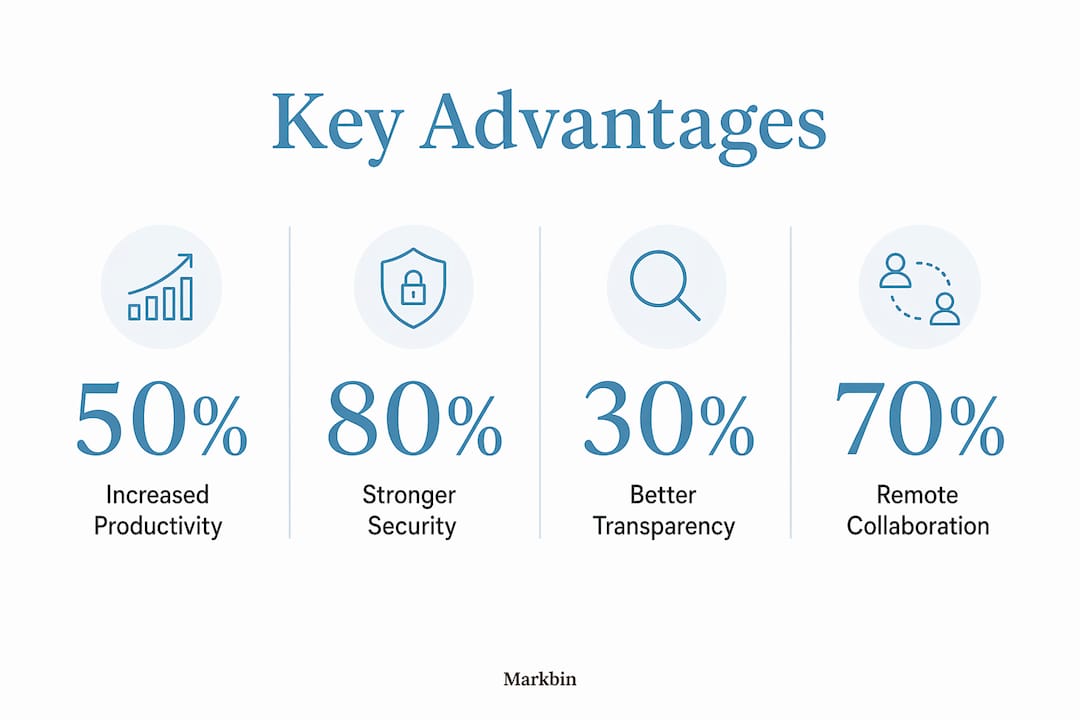
The primary benefits of online document sharing include increased productivity, stronger security through centralized access controls, and faster project cycles by cutting email back-and-forth. Each benefit compounds the others.
Eliminating version conflicts is the most immediate gain. Version sprawl, the habit of saving files as "Final_v2" or "Report_FINAL_edited," creates confusion and wastes hours of reconciliation time. Cloud-based co-authoring keeps everyone on the master file, so there is never a question about which copy is current.
Centralized permission controls give you precise authority over who sees what. You can grant view-only access to a client, comment access to a reviewer, and full edit rights to a core team member, all from one dashboard. That granularity is impossible with email attachments.
"Document sharing in business is a governance issue requiring ongoing monitoring, not just a file transfer event." — TrueConf Research
Transparency and accountability improve measurably when edit histories are visible. Shared documents with visible edit histories promote accountability, which is especially valuable for educators tracking student contributions and content teams auditing revision cycles.
The productivity gains extend to remote and cross-location teams. A teacher in Chicago and a student in Austin can co-author a document without scheduling a file handoff. A marketing team spread across three time zones can leave comments that the next shift picks up immediately.
How does real-time collaboration transform document sharing?
The shift from file sharing to document-centric collaboration is the most significant change in how teams work together. File sharing moves a static object from one person to another. Document collaboration turns that object into a live workspace.
| Feature | Traditional File Sharing | Document-Centric Collaboration |
|---|---|---|
| Editing | One person at a time | Multiple users simultaneously |
| Feedback | Email replies | Inline comments and threads |
| Version control | Manual file naming | Automatic version history |
| Access management | Send and forget | Granular, revocable permissions |
| Audit trail | None | Full change log |
Tools like Google Docs, Microsoft Teams, and Adobe Acrobat embed communication directly inside the document. A reviewer does not send a separate email with notes. They highlight a sentence and leave a comment that the author resolves without leaving the file. That keeps context intact and decisions traceable.
Real-time commenting, presence indicators, and audit logs are the features that separate modern collaboration platforms from basic cloud storage. Presence indicators show you who is in the document right now. Audit logs show you every change ever made and who made it.
One nuance worth knowing: real-time synchronization varies by file type. Text documents update almost instantly. Large design files or video assets may require dedicated sync protocols and offline caching. If your team works offline frequently, confirm that your chosen platform handles reconnection conflicts gracefully.
Pro Tip: Set up a shared "Comments Resolved" protocol in your team. When a reviewer leaves a comment, the editor resolves it with a brief reply before closing it. This creates a decision log inside the document itself, which is far more useful than a separate email thread six months later.
What are the best practices for effective document sharing?
Effective online document sharing requires structure before it requires tools. The right platform with a chaotic folder system still produces confusion.
A 4-step workflow covers the core requirements: build a clear directory structure, assign permissions deliberately, enable real-time co-authoring, and maintain an audit trail. Here is how to apply each step in practice.
- Build a consistent directory structure. Organize folders by project, then by document type. A folder named "2026_Q3_Marketing" with subfolders for "Briefs," "Drafts," and "Approved" is immediately navigable by anyone on the team.
- Assign permissions at the folder level, not the file level. Managing permissions file by file becomes unworkable fast. Set access rules at the folder level so new documents inherit the right permissions automatically.
- Use guest or restricted links for external collaborators. A client or contractor does not need a full account. Most platforms let you generate a view-only or comment-only link with an expiration date. Use that instead of adding them as full members.
- Maintain a restore window of 30 days or more. Accidental deletions and unwanted edits happen. A 30-day version history gives you a reliable safety net without requiring manual backups.
- Run quarterly access audits. Remove permissions for team members who have left projects. Revoke links that no longer need to be active. This practice, sometimes called link hygiene, prevents data from leaking through forgotten shares.
Pro Tip: Name your documents with the date first in YYYY-MM-DD format (e.g., "2026-07-15_ProjectBrief"). Files sort chronologically by default in any folder, and you never have to guess which version came last.
Which tools provide the best online document sharing experience?
Choosing among the best online document sharing tools depends on three factors: your collaboration needs, your security requirements, and whether you need cloud storage or a full document management system.
Google Workspace (including Google Docs, Sheets, and Drive) is the strongest choice for real-time co-authoring. Its live editing, comment threads, and version history are mature and reliable. It integrates with most third-party apps and works well for educators and small teams.
Microsoft OneDrive and Microsoft 365 suit organizations already in the Microsoft ecosystem. OneDrive pairs with Word, Excel, and Teams to create a unified environment where documents, chat, and meetings live in one place. Its permission controls are granular and enterprise-grade.
Dropbox excels at file synchronization across devices and operating systems. Its Paper feature adds lightweight document collaboration, but its core strength remains reliable, fast file sync for mixed-format teams working with large files.
Adobe Document Cloud is the right choice when PDF workflows are central. It handles e-signatures, form filling, and comment-based review cycles natively, which makes it popular in legal, education, and creative industries.
For educators specifically, Google Workspace for Education offers free access to the full suite with classroom-specific tools built in. For professionals handling sensitive data, platforms with end-to-end encryption and access control reduce the risks that come with older methods like emailing attachments.
The difference between cloud storage and a document management system (DMS) is worth clarifying. Cloud storage (Google Drive, Dropbox, OneDrive) organizes files in folders with basic permissions. A DMS adds metadata tagging, compliance workflows, retention policies, and deeper audit capabilities. For most individuals and educators, cloud storage is sufficient. For regulated industries, a DMS is the right investment.
How do you share documents online safely?
Security in online document sharing is not a one-time setup. Enterprise document sharing requires ongoing governance, including continuous monitoring, audit logging, and compliance with regulations like GDPR and ISO 27001. The same principles apply at smaller scales.
The core security practices are:
- Password-protect sensitive links. Most platforms let you add a password to any shared link. Use it for documents containing personal data, financial information, or unreleased work.
- Set expiration dates on external links. A link sent to a contractor for a two-week project should not still be active six months later. Setting expiry on links and using granular permission controls are the two most effective ways to limit exposure.
- Audit active shares regularly. Pull a report of all active shared links quarterly. Revoke anything that no longer serves an active purpose.
- Restrict downloads for sensitive documents. View-only access prevents recipients from saving local copies that fall outside your governance. Use it for contracts, proposals, and anything you would not want circulating freely.
- Understand your platform's encryption standard. Look for AES-256 encryption at rest and TLS in transit. These are the baseline standards for reputable platforms.
A common misconception is that sharing a document is a one-time event. Once you send a link, you have transferred control. That is not true on modern platforms. You can revoke access, change permissions, and disable links at any time. Secure document sharing methods treat every share as an ongoing relationship, not a completed transaction.
Pro Tip: Before sharing any document externally, check the "Shared with" panel and remove anyone who should not have access. It takes 30 seconds and prevents the most common cause of accidental data exposure.
Key takeaways
Online document sharing works best when it combines real-time collaboration tools with deliberate permission management and routine security audits.
| Point | Details |
|---|---|
| Core definition | Online document sharing is internet-based file distribution enabling real-time collaboration through platforms like Google Drive and Dropbox. |
| Top advantage | Centralized permissions eliminate version conflicts and give you precise control over who can view, comment, or edit. |
| Collaboration shift | Document-centric tools like Google Docs and Microsoft Teams embed feedback and version history directly inside files. |
| Security is ongoing | Treat every share as an active relationship: set expiry dates, audit links quarterly, and revoke access when projects end. |
| Tool selection | Match your platform to your workflow: Google Workspace for co-authoring, OneDrive for Microsoft environments, Adobe for PDF-heavy processes. |
The part most people get wrong about document sharing
Most people treat online document sharing as a solved problem the moment they move their files to the cloud. They pick Google Drive or OneDrive, share a link, and consider it done. That mindset is where most collaboration and security problems begin.
What I have seen consistently, working across educational and professional settings, is that the tools are rarely the issue. The gap is almost always governance. Teams share documents without thinking about who still has access six months later. Educators share class materials via open links that anyone with the URL can reach. Professionals send "view-only" links and then forget that the document was updated with sensitive information after the link went out.
The other thing people underestimate is the cultural shift that document-centric collaboration requires. Switching from email attachments to live documents is not just a technical change. It asks people to work visibly, to leave comments instead of sending private emails, and to accept that their edits are logged. That transparency is the whole point. It creates accountability and makes collaboration auditable. But it only works if the team actually commits to it.
My honest recommendation: spend as much time on your sharing conventions as you do on your tool selection. Decide how you name files, who gets what permissions, and when links expire before you share your first document. The instant document link sharing features on modern platforms are genuinely powerful. They only stay powerful if you manage them deliberately.
— Zack
Share smarter with Markbin
If you work with markdown documents, technical notes, tutorials, or structured writing, Markbin gives you a faster path from draft to shared link. Markbin converts plain markdown into beautifully rendered, shareable documents without requiring a sign-up from your recipient. It supports GitHub Flavored Markdown, including syntax highlighting, tables, and task lists, so your documents look polished the moment they are shared. Password protection and self-destructing documents give you the access controls that matter for sensitive content. For developers, educators, and writers who want clean, secure sharing without the overhead of a full document management system, Markbin is built for exactly that workflow.
FAQ
What is online document sharing in simple terms?
Online document sharing is the process of storing digital files in the cloud and giving others access via a link or permission, so multiple people can view or edit the same document without emailing attachments back and forth.
What are the main advantages of online document sharing?
The main advantages include eliminating version conflicts, enabling real-time collaboration across locations, centralizing access controls, and reducing administrative overhead from email-based file management.
How do i share documents online securely?
Set password protection and expiration dates on shared links, restrict downloads for sensitive files, and run quarterly audits to revoke access that is no longer needed.
What is the difference between file sharing and document collaboration?
File sharing moves a static file from one person to another. Document collaboration allows multiple users to edit, comment, and track changes inside the same live document simultaneously.
Which online document sharing tool is best for educators?
Google Workspace for Education is the most widely used option for educators, offering free access to Google Docs, Drive, and Classroom with built-in tools for assignment distribution and collaborative writing.