
If you've ever lost a script revision buried in an email thread, or watched a collaborator open the wrong version of your draft right before a deadline, you already know the pain. The ability to share video script drafts via link is one of those workflow fixes that sounds small but changes everything. Instead of juggling attachments, tracking feedback across five different inboxes, and wondering who has the most current version, a single shareable link puts everyone on the same page. This guide walks you through the tools, the process, and the best practices to make it work.
Table of Contents
- Key takeaways
- How to share video script drafts via link: tools overview
- Step-by-step: sharing your script draft securely
- Collaborating on video scripts once the link is live
- Troubleshooting common link-sharing mistakes
- What you actually gain from getting this right
- My take on link-based script sharing
- Share your next script draft with Markbin
- FAQ
Key takeaways
| Point | Details |
|---|---|
| Links beat attachments | Shareable links prevent version confusion and centralize feedback in one place. |
| Permissions matter | Setting read-only or edit access protects your draft and controls who changes what. |
| Temporary links add security | Revoking links after feedback rounds keeps old drafts from circulating. |
| One editor at a time | Single Editor Mode prevents collaborators from overwriting each other's changes. |
| Format your script before sharing | Clean formatting and clear naming conventions reduce friction for every reviewer. |
How to share video script drafts via link: tools overview
Before you pick a platform, you need to know what you actually require from it. Not every tool that lets you generate a link is designed for script collaboration. The wrong choice means broken permissions, no commenting features, or links that anyone with the URL can access. Here is what to look for and how the major options compare.
Core features worth evaluating:
- Access control: Can you set the link to read-only or restrict it to specific users?
- Version tracking: Does the tool always show collaborators the latest version automatically?
- Feedback collection: Can reviewers leave comments without needing an account?
- Link expiration: Can you revoke or replace the link after the feedback round closes?
- Cost: Is there a free tier that covers your team size?
Tools purpose-built for script sharing handle these needs better than general cloud storage. Highland Fling, for example, lets creators send short-lived web versions of script drafts with centralized note collection, and generates a new link for each iteration in just a few clicks. Platforms focused on secure script delivery, like Wscripted+, go further with view and download approvals while always showing collaborators the most recent version automatically.
| Feature | General cloud storage | Dedicated script tool | Markdown sharing (Markbin) |
|---|---|---|---|
| Shareable link generation | Yes | Yes | Yes |
| Access control | Basic | Granular | Password protection |
| Version tracking | Manual | Automatic | Link-per-version |
| Commenting | Limited | Built-in | External |
| Link expiration | Varies | Yes | Self-destruct option |
| Account required to view | Sometimes | Sometimes | No |
| Cost | Free to paid | Paid | Free tier available |
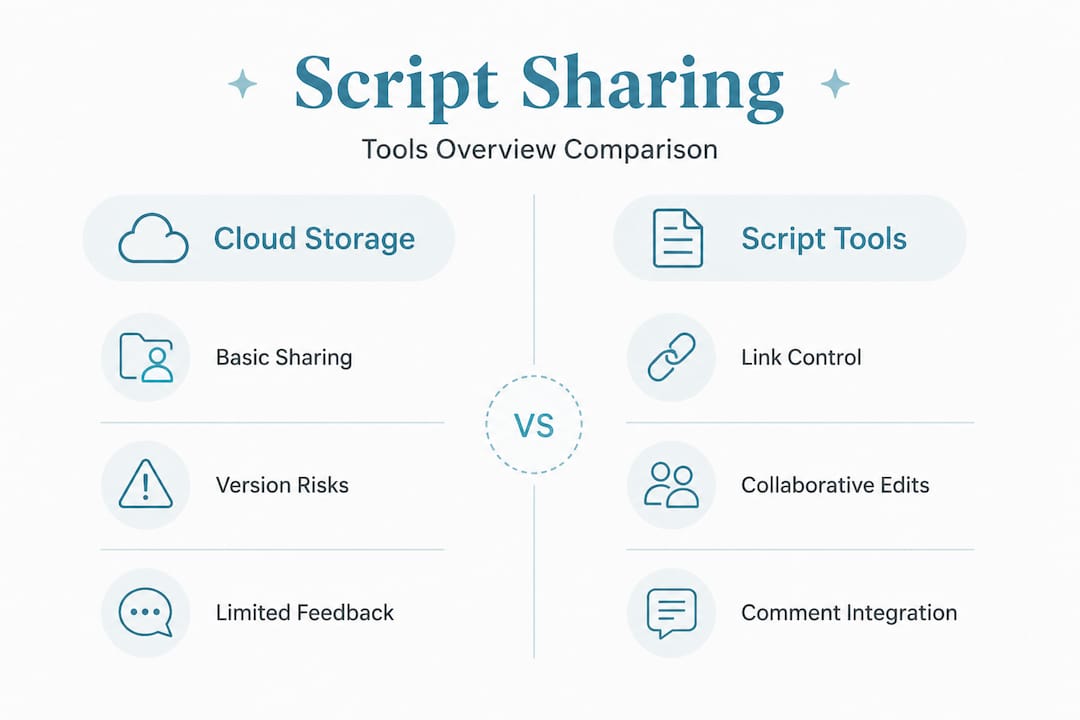
The right tool depends on your workflow. If your scripts are written in markdown, a platform like Markbin converts them into a clean, shareable link instantly, with no sign-up required for viewers.
Step-by-step: sharing your script draft securely
Getting this process right the first time saves you from the most common headaches. Follow these steps to share video script online in a way that keeps feedback organized and versions controlled.
-
Prepare your draft for sharing. Before you upload anything, name the file clearly. A format like "ProjectName_ScriptDraft_v1` tells your collaborators exactly what they are looking at without any confusion. If you are writing in markdown, check that your headers, scene breaks, and notes are formatted consistently before converting.
-
Choose your platform and upload. Select your tool based on the comparison table above. If you are using Markbin, paste your markdown script directly into the editor. If you are using a dedicated script-sharing app, use the import function to bring in your Word or PDF file.
-
Set permissions before generating the link. This step is where most creators skip ahead and regret it later. Decide whether your reviewer needs edit access or read-only access. Granular permission controls protect your draft and match the actual role of each collaborator. A director needs to annotate. A brand client probably only needs to read.
-
Generate the link and set an expiration. If your tool supports it, set the link to expire after the feedback window closes. Temporary link-based sharing prevents outdated drafts from circulating after you've moved to the next version, which is one of the most underrated security practices in creative workflows.
-
Send the link with clear instructions. Do not just drop a URL in a message. Tell your collaborator what you want from them, by when, and where to leave feedback. A single sentence saves three follow-up messages.
-
Archive the link and its associated feedback. Once the round closes, save a record of the link, the version it pointed to, and a summary of feedback received. This becomes your revision trail.
Pro Tip: Never send the same link to two separate rounds of reviewers. Generate a new link for each iteration so feedback stays tied to a specific version and never gets mixed up.
Collaborating on video scripts once the link is live
Sharing the link is just the first move. The real work is managing what happens after your collaborators open it. This is where most teams lose control of the script.

The most effective teams use commenting and annotation features built into their chosen platform rather than collecting feedback over Slack or email. When feedback lives inside the document, every comment is attached to a specific line or scene. That context is everything. A note that says "cut this" means nothing in an email chain but is clear when it is pinned to a specific paragraph.
Managing access and edits:
- Assign read-only access to stakeholders who are reviewing for approval rather than editing.
- Assign edit access only to core writers or directors actively working on the draft.
- Use Single Editor Mode when available. Single Editor Mode in collaborative tools prevents version conflicts by allowing only one active editor at a time while showing all changes live. This eliminates the scenario where two writers fix the same scene simultaneously and one loses their work.
- Notify collaborators when you push updates. Do not assume they will check back on their own.
Pro Tip: When you share a new version, send the updated link with a one-line summary of what changed. It prevents reviewers from rereading sections they already approved and speeds up the whole feedback loop.
One underused strategy is combining real-time and async collaboration. Platforms that integrate video and audio feedback directly inside review projects reduce the ambiguity that kills creative reviews. A written comment saying "the tone is off here" is open to interpretation. A voice note saying it carries far more meaning.
Troubleshooting common link-sharing mistakes
Even with the right tools in place, things go wrong. Here are the issues that come up most often and how to fix them before they derail your project.
Broken or expired links. If a collaborator can not open the link, check whether it has expired or whether the permissions were set to a specific email address they are not using. Always test your link in a private browser window before sending it.
Version confusion. This is the single biggest risk when you share video script online across multiple rounds. If you update a document in place without generating a new link, reviewers who saved the old URL may not realize they are looking at a different version. Using version-specific links solves this entirely.
Security exposure. If your script contains sensitive content, such as unreleased product names or confidential storylines, do not use a link with open public access. Password-protect it or restrict access to approved emails. Platforms that support view and download approvals add an extra layer of control that general cloud tools skip.
Feedback overload. When ten people are commenting on the same draft, the document becomes unreadable. Limit feedback rounds to the people whose input you actually need at each stage. A first draft goes to the writer and director only. A second draft goes to the client. Keeping those audiences separate keeps the feedback usable.
Centralizing all comments inside the shared document is the only way to avoid the "I sent you feedback last Tuesday" conversation that wastes everyone's time.
What you actually gain from getting this right
When you consistently share script links easily with the right permissions and feedback structures in place, the benefits compound over time. The most immediate gain is speed. Fragmented manual script workflows cause measurable delays, and integrating a link-based sharing process compresses the gap between draft and approval.
Beyond speed, centralized feedback genuinely improves your scripts. When all comments are attached to specific lines rather than scattered across messages, patterns emerge. If four people flag the same scene, that signal is visible. In an email chain, it gets buried.
You also get real control over confidentiality. Knowing exactly who has access to your draft, and being able to revoke that access, is something email attachments can never offer. AI-powered scripting workflows that reduce multi-day writing cycles rely on this kind of tight version control to keep production moving. The faster your team drafts, the more you need organized sharing to keep up.
The longer-term outcome is a more professional creative process. Clients notice when you send them a clean, password-protected link rather than a PDF attachment with "v3_FINAL_revised" in the filename. It signals that you take the work, and their time, seriously.
My take on link-based script sharing
I've watched a lot of creative teams fall apart over script revisions, and it almost never has anything to do with the writing itself. The writing is usually fine. The chaos comes from the sharing process.
In my experience, the biggest shift comes not from switching tools but from treating each link as a deliberate artifact. When I send a link, I think of it the same way I'd think of a formal document handoff. It has a version number, a clear audience, a defined feedback window, and an expiration. That mindset change alone cuts follow-up messages by more than half.
I've also come to believe that temporary access links are one of the most underrated features in creative collaboration. Most people skip setting an expiration because it feels like extra friction. But revoking a link after feedback closes is what prevents a client from sharing your draft with someone you never intended to see it. That matters more as your projects grow.
The other thing I'd push back on is the assumption that more access means better collaboration. Giving everyone edit rights sounds inclusive but creates a mess fast. Read-only access with a clear comment window produces cleaner, more actionable feedback every time. Secure document sharing practices are not about locking people out. They're about creating the right conditions for good creative work.
— Zack
Share your next script draft with Markbin
If you write your scripts in markdown or want to start, Markbin is built for exactly this workflow. You paste your script, Markbin renders it beautifully with full GitHub Flavored Markdown support, including tables, task lists, and formatted scene headers, and generates a shareable link instantly. No sign-up required for your reviewers. No clunky file downloads. Just a clean, readable draft they can open in any browser.
For scripts that need tighter control, Markbin supports password protection and self-destructing documents, so your draft disappears after the feedback window closes. It is the kind of tool that fits into how you already work rather than forcing you to change everything. Whether you are a solo creator sending a draft to one client or a production team collaborating on video scripts across multiple stakeholders, Markbin keeps the process clean and the feedback centralized.
Try Markbin free at markbin.net and share your next script draft in under two minutes.
FAQ
What is the best way to share video script drafts via link?
The best approach is to use a platform that generates version-specific shareable links with built-in permission controls, so each reviewer accesses only the version meant for them and feedback stays centralized in one place.
How do I prevent old script versions from circulating after I update a draft?
Generate a new link for each revision and set the previous link to expire. Temporary link-based sharing is specifically designed to prevent outdated drafts from reaching collaborators after a new version is ready.
Can I share a video script draft without requiring my reviewer to create an account?
Yes. Platforms like Markbin let you generate a shareable link that anyone can open in a browser with no account required, making it easy to send script drafts to clients or collaborators outside your team.
How do I collect feedback without losing track of comments?
Use a platform that attaches comments directly to specific lines or sections within the document. This keeps all feedback visible in context rather than scattered across email threads or messaging apps.
What permissions should I give when sharing a script draft for review?
Give most reviewers read-only access with commenting enabled. Reserve edit access for the core writing team only. This prevents accidental overwrites and keeps the draft under your control throughout the revision process.