

Publishing styled Markdown documents securely without setup often means you compromise on collaboration, integration, or privacy controls. Most markdown publishing services either restrict advanced formatting, lack real-time editing, limit sharing options, or do not offer transparent pricing for team use. This side-by-side comparison covers collaboration, theme support, secure sharing, and integration features so you can choose the markdown publishing service that best fits your workflow and privacy requirements.
Table of Contents
Markbin
At a Glance
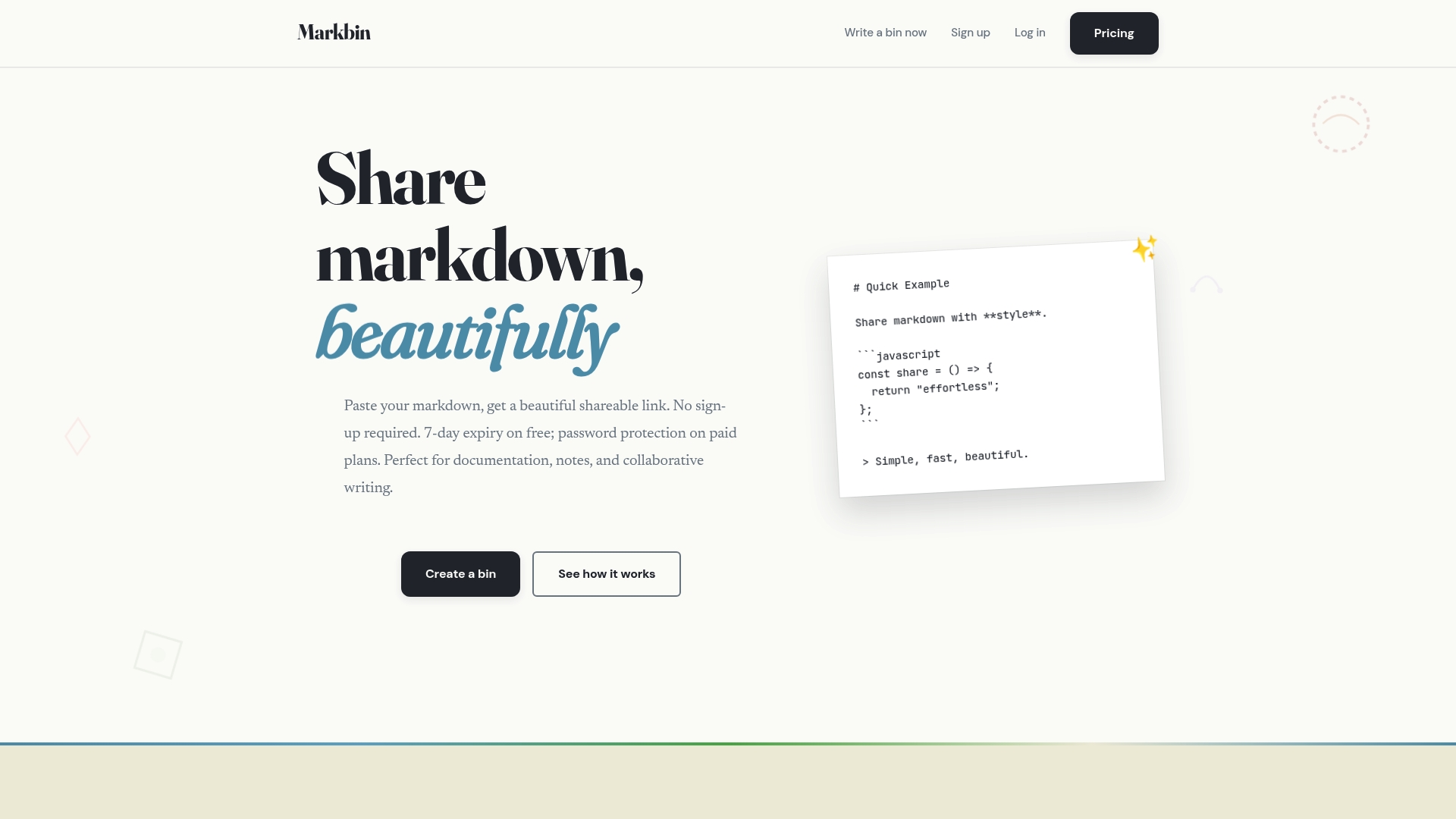
Creates an instantly shareable URL that renders full GitHub Flavored Markdown with themed presentation and optional password protected self‑destruct settings. The vendor notes free documents expire after 7 days unless upgraded, which affects short term sharing workflows.
Markbin supports syntax highlighting, tables, task lists, and math, and it imports GitHub Gist content with themed rendering.
Core Features
- Full GitHub Flavored Markdown rendering including syntax highlighting, tables, task lists, and math formulas for technical docs and code-heavy notes.
- Multiple themes such as terminal, brutalist, newspaper, retro, and pastel so posts look intentional rather than plain text.
- Instant sharing via unique URLs that require no sign up for recipients to view content.
- Password protection and document self‑destruction options to control access and lifespan.
- Gist import that pulls GitHub Gist content and renders it with chosen themes.
Key Differentiator
The thing that separates Markbin from casual paste sites is its deliberate pairing of styled rendering and access controls. You get theme-led presentation and immediate, no-signup sharing combined with security choices like passwords and timed expiration. That mix lets a sharer publish polished, ephemeral documents without building a repository or inviting collaborators.
Pros
- Beautiful presentation makes technical notes readable. The themed output highlights code blocks and tables so a reader focuses on content instead of raw markdown.
- Quick distribution removes friction. Creating a shareable link in seconds is useful for ad hoc documentation, classroom handouts, or code examples sent over chat.
- Supports advanced markdown features used in technical writing. Math formulas and task lists mean you do more than paste snippets.
- Security features match common short term sharing needs. Password protection plus self‑destruct options let you control access for sensitive notes.
- Gist import speeds up publishing. If your snippet already lives in a Gist, themed rendering gets you a presentable version without copy paste.
Cons
- Collaboration is limited: Markbin does not provide granular editing permissions or a full version history for multi contributor workflows.
Who It's For
Researchers, students, engineers, writers, and creators who need a quick, styled way to publish markdown excerpts and documentation. It fits small teams that share links for reviews or class handouts rather than groups needing role based editing and long term archives.
Unique Value Proposition
Because you can publish a themed, syntax highlighted markdown snippet as a password protected link in seconds, Markbin removes the friction of producing a readable document for a short audience. That means you can send a polished tutorial, lab handout, or code explainer without onboarding viewers or hosting a repo.
Real World Use Case
A developer documents a bug fix with code samples and inline math, chooses a retro theme for readability, imports a supporting Gist, sets a password, and sends the link to a contractor. The contractor opens the link immediately without signing up and the document expires later.
Website: https://markbin.net
HackMD
At a Glance
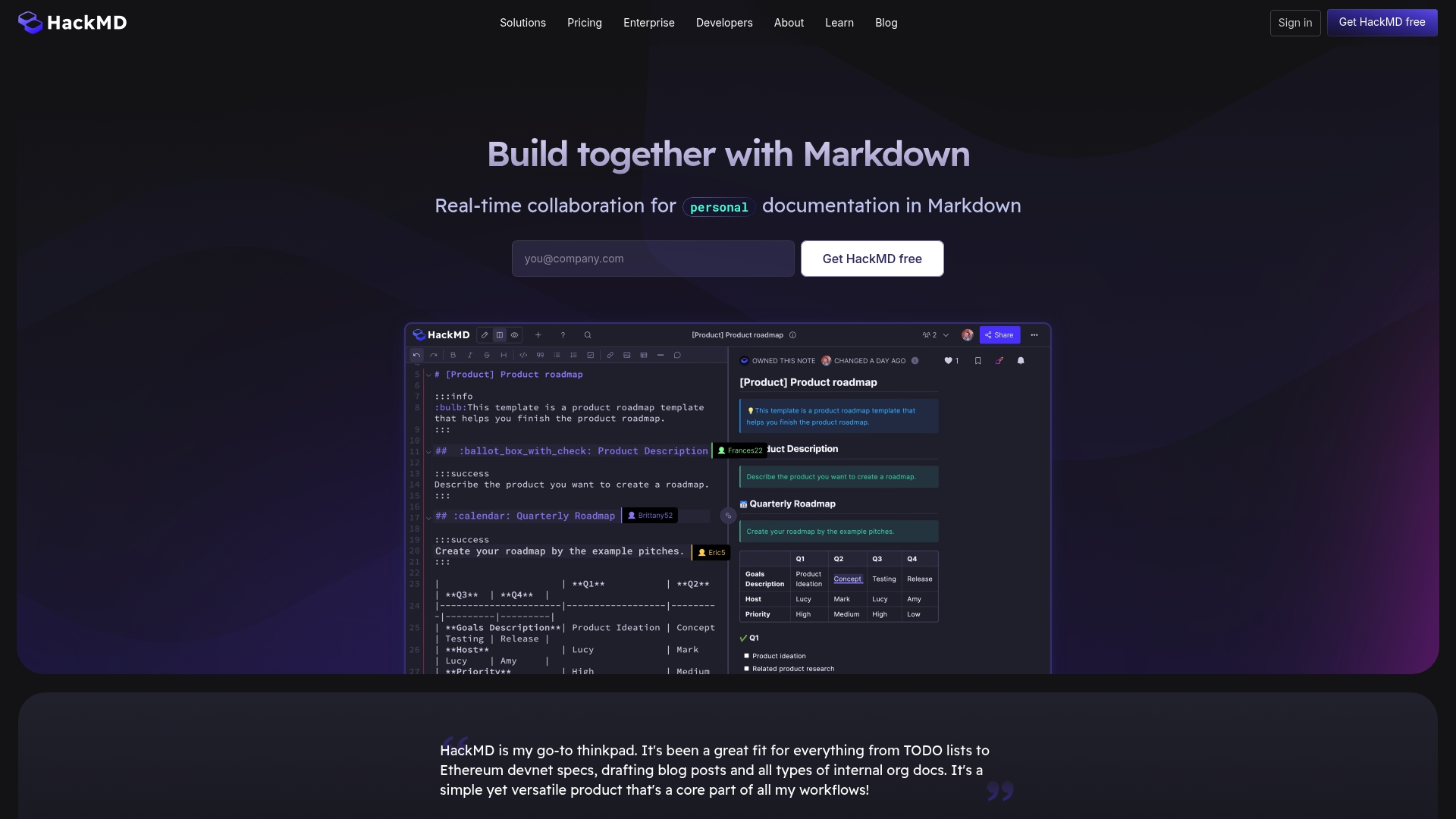
Prime starts at $5 per seat per month when billed annually — a concrete entry point for teams that need persistent accounts rather than per-user beta access. HackMD pairs that pricing with live, in-browser Markdown collaboration and Git repository sync.
Core Features
- Real-time collaborative editing with multi-user cursors and synchronous updates for meeting notes, specs, and shared docs.
- GitHub integration for one-way or two-way sync and version control, plus support for GitLab workflows.
- UML diagrams and LaTeX rendering so engineers and researchers can author technical diagrams and math inline.
- Customizable organization branding, domain options, and page-level permission controls including public and private sharing. Book Mode organizes related documents into collections.
Key Differentiator
HackMD emphasizes live Markdown collaboration tightly paired with developer workflows. The vendor positions the product as a collaborative editor that can sync with Git repositories while keeping content in an open Markdown format, which helps portability and vendor independence.
Pros
- Excellent for teams that write collectively in Markdown; real-time edits and cursors cut down edit conflicts during spec sessions.
- Integrates directly with developer tools like GitHub and GitLab, so documentation can live alongside code and follow repository history.
- Native support for diagrams and LaTeX means fewer tool switches for technical authors producing protocol specs or papers.
- Organization-level branding and domain options make shared docs feel like part of your product or research portal.
- Page-level access controls let you publish public notes while keeping internal pages private without separate hosting.
Cons
- Several users report account migration problems that in a few cases resulted in data loss; migration risk appears in community feedback.
- Customer support response can be slow for teams that need fast, SLA-backed support during incidents.
- Complex organizational permission schemes can be awkward to manage at scale compared with dedicated enterprise DMS tools.
When It May Not Fit
If your group requires guaranteed migration tooling or hands-on migration support, HackMD may not be the right choice given the migration reports above. Teams needing rapid, enterprise-grade support SLAs should evaluate Enterprise plans closely before committing.
Notable Integrations
- GitHub for repo sync, pull request–linked documentation, and version history alignment.
- GitLab for similar repository integration and CI-centric workflows.
Who It's For
Software teams, open-source projects, researchers, and educators who live in Markdown and value live collaboration plus repository integration. Good for groups that prioritize portability of content and want docs close to code.
Real World Use Case
An Ethereum development team authors protocol specs in HackMD, uses UML diagrams for architecture pages, and syncs finalized docs to GitHub so code reviewers see the latest spec alongside implementation changes.
Pricing
Free tier available for individual use. Prime starts at $5 per seat/month billed annually. Enterprise pricing and on-premises options are available on request for larger organizations.
Website: https://hackmd.io
Write.as
At a Glance
Write.as supports publishing via email, command-line, and API while also handling federation through ActivityPub and RSS. That combination makes it practical for writers who want low-friction publishing and a pathway into federated timelines without extra setup.
Core Features
A pared-back editor that favors plain text and Markdown for fast composition keeps distractions out of the way. Drafts are saved automatically so you rarely lose a session.
Publishing options include email, CLI, and a public API for automations or scripted workflows. The platform speaks open web standards with ActivityPub and RSS, plus support for custom domains and password-protected posts.
Key Differentiator
Write.as's marketing materials position it as a privacy-first platform that operates without ads or user tracking and emphasizes long-term content ownership. That posture, combined with federation support, lets writers publish privately or link into federated communities without surrendering data to ad networks.
Pros
-
Fast output. The distraction-free editor and simple post flow cut composition time, which is useful when you want to publish short essays or quick updates without layout overhead.
-
Multiple publishing paths. Email publishing and the API let you send posts from a mail client, a script, or a simple toolchain, reducing friction for newsletter workflows.
-
Federation friendly. ActivityPub and RSS mean your posts can appear in federated timelines and feed readers, broadening reach beyond the Write.as site.
-
Anonymous options. You can publish under a pen name or use private posts, which helps journalists or writers who need separation between identity and content.
-
Community support. The platform has an active writer community for feedback and discovery, which helps new authors find readers and collaborators.
Cons
-
No draft preview. Editing without a preview pane forces you to publish or export to check final formatting, which interrupts iterative editing for longer pieces.
-
Limited admin controls. There is little backend or site administration for teams that need roles, granular permissions, or editorial workflows.
-
Not a full CMS. It lacks advanced content management features like complex page types, templating, or plugin ecosystems common to larger publishing platforms.
-
Anonymous features can confuse readers and collaborators when identity and moderation expectations are unclear.
When It May Not Fit
If your team needs staged editorial workflows, versioned review, or role-based permissions, Write.as will feel too minimal. Large publications that require templating, page management, or integration with advertising and analytics stacks should look elsewhere.
Who It's For
Solo writers, privacy-conscious bloggers, and small teams focused on straightforward publishing will get the most from Write.as. It also suits creators who value open standards and want content that they can export or federate without vendor lock-in.
Real World Use Case
An independent journalist publishes a quick scoop under a pen name, sends the post via email from a secure account, and the article propagates to Mastodon instances via ActivityPub. The writer runs an automated backup using the API for local archiving.
Website: https://write.as
StackEdit
At a Glance
StackEdit runs entirely in the browser while letting you edit offline and sync back to cloud storage when you reconnect. It stands out for supporting LaTeX, UML diagrams, and musical notation inside Markdown, all with a live preview and collaborative editing features.
Core Features
StackEdit provides rich Markdown syntax highlighting and WYSIWYG controls for inline formatting so you can write fast without losing structure.
It offers Live preview with scroll sync, visual inline comments for collaboration, and offline editing that writes to local storage until you choose to sync.
Cloud synchronization options cover Google Drive, Dropbox, and GitHub, plus direct publishing to Blogger and WordPress.
Key Differentiator
StackEdit’s sharp edge is full support for extended Markdown flavors in the browser: LaTeX, UML diagrams, and music scores appear and render live in the editor. That capability makes it a practical single tool for technical docs, academic papers, and notation-heavy posts.
Compared with Markbin’s focus on quick sharing and secure, embed-ready links, StackEdit targets writers who need richer document authoring and offline-first editing before publishing.
Pros
-
Supports extended Markdown flavors and rich media. Writers can include formulas, sequence diagrams, and sheet-like notation without switching tools.
-
Offline access keeps you productive on airplanes or unstable networks; edits are preserved locally and sync when you return online.
-
Easy synchronization and publishing options. Push to GitHub or publish directly to WordPress and Blogger from the same interface.
-
Visual inline comments and simple merging for simultaneous editors reduce review friction during pair writing or small team reviews.
-
Lightweight and browser based. No install, and you can start a new document in seconds from any machine with a modern browser.
Cons
-
There are no substantive third-party user reviews available in the source data, which makes third-party validation limited.
-
Pricing information is not provided in the product data and appears listed as informational only; procurements that require transparent public pricing will need to contact the project or testing team.
-
The product sheet does not list enterprise support SLAs or dedicated account services, so larger organizations that require vendor commitments should prepare questions before adopting.
When It May Not Fit
If your procurement process demands published pricing or independent user ratings, StackEdit’s documentation in the source data leaves gaps. Large enterprises that need formal support contracts or audit trails will likely prefer tools with explicit vendor support and commercial terms.
Notable Integrations
- Google Drive
- Dropbox
- GitHub
- Blogger
- WordPress
- Zendesk
These integrations cover cloud sync, code repo workflows, and direct publishing to common blogging platforms.
Who It's For
Solo web writers, developers, and academics who need a powerful Markdown authoring environment with advanced notation support. It suits people who prefer offline-capable, browser-based tools and want direct GitHub or blog publishing from the editor.
Real World Use Case
A developer writes API documentation with embedded LaTeX formulas and sequence diagrams, comments inline with teammates during a review, then syncs the final files to GitHub and publishes a blog post to WordPress without leaving the editor.
Pricing
Pricing is listed as not applicable in the provided data and appears informational only. If you need a commercial license or enterprise terms, contact the project or maintainers for current options and support arrangements.
Website: https://stackedit.io
Comparing Markdown Publishing Platforms
Markdown publishing tools vary widely in their features, use cases, and user experiences. Here, we evaluate several options — Markbin, HackMD, Write.as, and StackEdit — to outline context-driven differences for users looking for markdown services.
Presentation and Styling Options
Markbin excels in providing a set of distinct themes for styled rendering of markdown documents. This capability stands out as it makes documents visually appealing without requiring any change in the markdown itself. Conversely, Write.as emphasizes simplicity and minimalism, focusing on plain text outputs suitable for direct publishing. StackEdit complements these platforms by enabling rich formatting features, including LaTeX and diagram notation, coupled with WYSIWYG editing, streamlining the document creation process.
Collaboration and Integration
While Markbin focuses on secure sharing through password protection and self-expiring links, HackMD supports real-time collaborative editing and Git integration, aligning it with team workflows, software development practices, and protocol specification authoring. Additionally, StackEdit facilitates collaborative editing through visual inline comments, complemented by integration with multiple cloud storage and publishing platforms like Google Drive.
Best Fit Suggestions
- For visually engaging content across a variety of styles, Markbin offers a unique advantage in its themed markdown rendering combined with quick sharing features.
- For teams needing tight collaboration and version control, HackMD is proficient with its synchronous editing and repository integration.
- For solo authors looking for minimalist, privacy-focused setups, Write.as prioritizes anonymous publishing and federated dissemination through ActivityPub.
- For technical writers needing advanced functionalities like LaTeX and UML, StackEdit provides rich formatting capabilities catered to academics and developers.
Our Pick for Styled Markdown Publishing
Markbin represents the best fit for users prioritizing polished document presentation and instantaneous sharing without requiring viewers to sign up. Its themed markdown rendering and Gist import capabilities make it suitable for technical documentation, educational handouts, and concise markdown excerpts. However, those requiring long-term collaborative environments or extensive publication tools may find HackMD or Write.as better suited to their needs. Markbin succeeds by simplifying styled markdown sharing workflows, ensuring accessibility and theme-oriented use cases remain vital for its intended audience.
Markdown Publishing Services Comparison
To determine which Markdown publishing service meets your needs, consider their core features, key differentiators, and limitations carefully.
| Product Name | Core Feature | Key Differentiator | Best For | Pricing | Notable Limitation |
|---|---|---|---|---|---|
| Markbin | Themed GitHub Flavored Markdown rendering | Password-protected self-destruct sharing | Researchers, engineers, and writers | Not disclosed | Limited collaboration features |
| HackMD | Real-time collaborative editing | GitHub and GitLab integration | Teams prioritizing portability | $5 per seat/month billed annually | Reported data loss during migration |
| Write.as | Pared-back Markdown editor | Privacy-first platform with ActivityPub support | Privacy-conscious bloggers and solo writers | Not disclosed | No draft preview available |
| StackEdit | Rich Markdown support with offline editing | Extensive notation and diagram capabilities | Solo web writers and academics | Not disclosed | Limited third-party user reviews |
Simplify Sharing with Markbin
If you are exploring top markdwn.com alternatives to find a tool that delivers elegant markdown rendering with security and ease, Markbin stands out with its unique combination of full GitHub Flavored Markdown support, password protection, and self-destructing documents. This means you can create beautiful, readable documents with syntax highlighting and math formulas, then share them instantly without worrying about complex setups or sign-ups.
Experience hassle-free markdown sharing that keeps your notes, tutorials, or code snippets secure and professional. Visit Markbin today to create your first styled, shareable markdown link. Discover how quickly you can protect your content and send polished documents without delay.
Frequently Asked Questions
How does Markbin enhance markdown publishing with visual appeal?
Markbin provides themed presentation options that make technical notes visually appealing. It offers multiple themes such as terminal, brutalist, and pastel, transforming plain markdown into polished documents. You can quickly produce readable and styled content tailored to your audience's preferences.
What is the difference between Markbin and HackMD in terms of collaboration features?
HackMD stands out for its real-time collaborative editing, allowing multiple users to make changes simultaneously. In contrast, Markbin focuses on quick document sharing without collaboration features like live edits, making it better suited for individual use cases wanting polished outputs quickly. If you prioritize immediate document sharing without collaboration, Markbin is a great choice.
Can I use Markbin for secure document sharing?
Yes, Markbin offers password protection and self-destruct options, allowing users to control access to their documents effectively. This is crucial for sharing sensitive information securely while maintaining a visually appealing presentation. Consider using Markbin for temporary but secure document sharing needs.
Which platform is better for long-term documentation, Markbin or HackMD?
HackMD is preferable for long-term documentation as it integrates directly with GitHub for version control and collaborative editing. Markbin, while excellent for styled, one-off documents, does not provide multi-contributor workflows necessary for extensive documentation projects. Consider your need for collaboration and versioning before choosing.
What advanced markdown features does Markbin support that are helpful for technical documentation?
Markbin supports full GitHub Flavored Markdown features, including syntax highlighting, tables, task lists, and math equations. This capability is essential for creating detailed technical documents, ensuring that your notes are both informative and easy to understand. Use Markbin for comprehensive markdown support in your technical writing.