

Finding a markdown publishing tool that supports reliable collaboration, export options, and long-term storage is harder than it should be. Several tools gate key features such as document lifetime, collaboration, or advanced export behind paid plans or limited tiers. This comparison shows five markdown publishing tools with price, collaboration, and export differences so content creators can pick the best fit for their workflow.
Table of Contents
Markbin
At a Glance
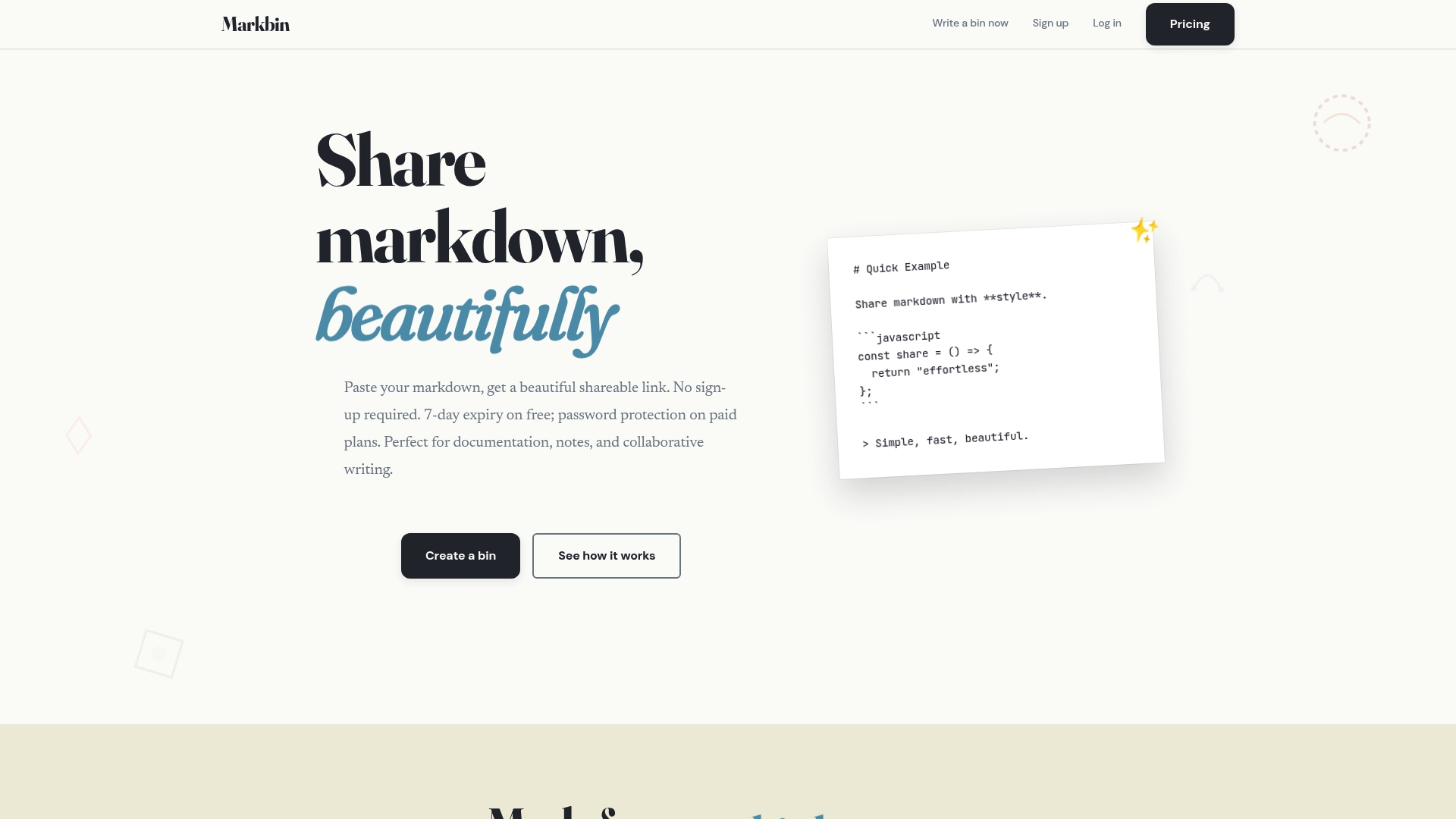
Free documents expire after seven days on the free tier unless you upgrade. That policy forces short lived sharing for casual uses. Markbin still renders complex markdown and delivers a polished, theme driven view for code and notes.
Core Features
Markbin supports GitHub Flavored Markdown including syntax highlighting, tables, task lists, and math formulas, so code heavy docs display correctly. The service offers multiple visual themes such as terminal, brutalist, newspaper, retro, and pastel and adapts to mobile screens for readable embeds. You can share instantly without signing up and import content from GitHub Gists.
Key Differentiator
Support for full GitHub Flavored Markdown combined with a wide theme set and instant shareable URLs is the core difference. Those three elements let developers publish formatted reports or code examples without styling work. The Gist import keeps original snippets intact while letting you apply a theme.
Pros
No account required for quick sharing makes trial and one off posts fast and simple. The theme options improve readability and presentation for tutorials, reports, and documentation. Paid plans add password protection and self destructing documents so you can control access and lifetime when privacy matters.
Cons
- Free documents expire after seven days unless you purchase a paid plan, which limits long term storage for casual users.
Notable Integrations
- GitHub Gists
Who It's For
Developers who need to show code with correct formatting and a readable theme will find Markbin practical. Educators sharing lecture notes and sample code can publish links without onboarding students. Content creators who embed styled markdown in tutorials will save time on visual cleanup.
Unique Value Proposition
A lifetime ownership option priced at $99 lets small teams avoid recurring fees while keeping permanent access to rendered markdown. That payment option shifts the cost model from subscription to one time ownership for people who publish frequently. Teams that publish stable reference docs get predictable costs and simple link based sharing.
Real World Use Case
A developer imports a GitHub Gist into Markbin to include highlighted code in a project report. They pick a retro theme, protect the document with a password on a paid plan, and paste the shareable URL into the project README. Readers get a clean, readable display without extra setup.
Pricing
Markbin offers a free tier and paid options. Self reported pricing lists a lifetime purchase for $99, monthly access at $11.99, and an annual plan at $39.66. Paid plans unlock features such as password protection and longer document lifetimes.
Website: https://markbin.net
StackEdit
At a Glance
Extensive Markdown extensions include LaTeX, UML, musical scores, and emojis. That capability pairs with a WYSIWYG editor and live preview that keeps editor and preview in sync. The app runs in the browser and supports offline writing plus cloud synchronization to common services.
Core Features
StackEdit combines rich Markdown syntax highlighting with WYSIWYG controls and a synced preview pane so you can edit and read the rendered output simultaneously. It synchronizes documents with Google Drive, Dropbox, and GitHub while offering collaborative workspaces that support merge discussions. Offline access keeps files editable without a network and the editor supports multiple Markdown flavors and advanced extensions.
Key Differentiator
Support for LaTeX, UML, musical notation, and emoji extends StackEdit beyond plain Markdown editors. Those extensions sit alongside WYSIWYG controls and scroll sync, which help technical authors format formulas and diagrams inside a live editor. That mix makes StackEdit suitable when documents require readable math, diagrams, or notation inline with text.
Pros
StackEdit handles technical content well by supporting LaTeX formulas, UML diagrams, and music notation inside the same document. Cloud sync and publishing options let teams push content to GitHub repositories or publish to WordPress and Blogger with fewer manual steps. Offline editing combined with automatic synchronization makes it easy to keep the same files available across devices while working without a constant connection.
Cons
- Some third party reviews indicate the interface might be complex for casual users. This can slow onboarding for people new to Markdown.
- Available content does not detail total storage capacity or pricing tiers. That lack of information forces more questions for teams with specific storage needs.
- Real time collaboration can produce occasional conflicts during merges. Teams handling simultaneous edits may need an explicit merge workflow.
When It May Not Fit
Casual writers who prefer minimal editors may find the interface overwhelming. Nontechnical teams that need a hosted, managed publishing pipeline may prefer a tool with clearer account and storage details. If your workflow requires guaranteed cloud availability for every feature, rely on the online sync rather than offline mode for full functionality.
Notable Integrations
- Google Drive
- Dropbox
- GitHub
- WordPress
- Blogger
- Zendesk
- Gist
Who It's For
Web writers, technical bloggers, and developers who regularly include math, diagrams, or scores in documents will get the most value. Teams that publish from Markdown to GitHub or common blogging platforms benefit from the built in sync and publish features. Educators teaching technical writing or Markdown also gain from the editor's live preview and extension support.
Real World Use Case
A development team writes API docs in Markdown, composes LaTeX equations for formulas, and draws UML diagrams for architecture notes. They sync the repository with GitHub, resolve merge discussions inside StackEdit, and publish updates directly to their site. The offline mode lets engineers edit documentation during transit and synchronize when they return online.
Website: https://stackedit.io
Haxiom
At a Glance
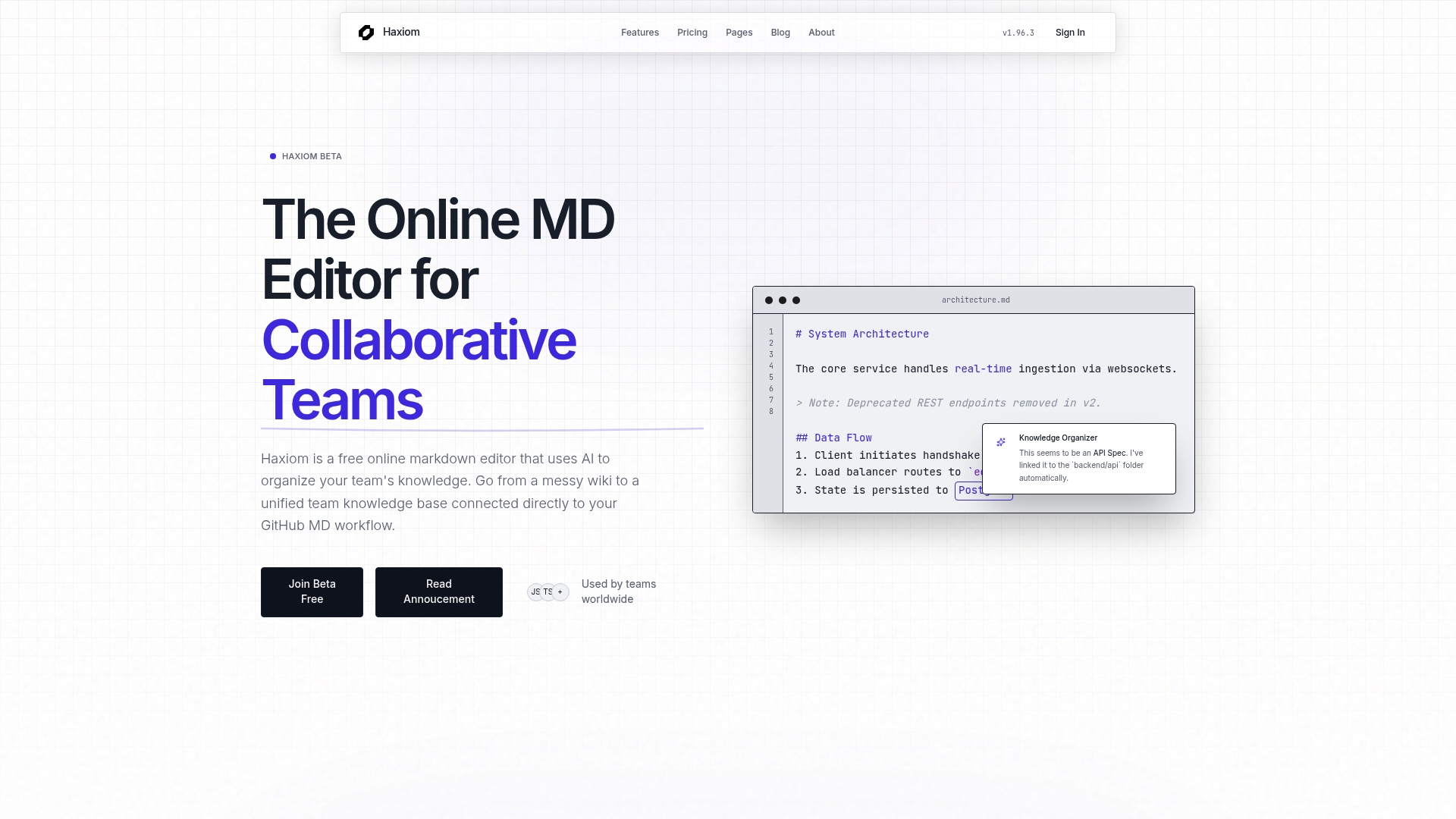
Free for up to 3 team members and 30 documents. Haxiom combines multiplayer markdown editing with an AI assistant that organizes team knowledge into searchable units. The platform also syncs with GitHub to keep documentation and code repositories aligned.
Core Features
Real-time collaborative markdown editing and an AI-organized knowledge base let teams edit together while the system groups related content. Semantic understanding and chunk-based duplication detection reduce stale content and help the assistant surface the right passages. The editor renders math with Typst support and offers GitHub repository sync for push and pull workflows.
Key Differentiator
AI-powered semantic analysis and live synchronization with GitHub workflows define Haxiom. The semantic layer chunks documents and detects duplication so the assistant can answer queries from structured knowledge. The GitHub sync keeps documentation changes tied to the same commit history your engineers use.
Pros
Haxiom groups scattered notes into a searchable knowledge base through semantic analysis, which improves findability and reduces repeated edits. Its GitHub integration keeps documentation versioned alongside code, so pull requests and wiki edits align with developer workflows. Real-time multiplayer editing supports collaborative drafting and reviews, and a free tier lowers the barrier for small teams to test core features.
Cons
- Pricing details are not fully disclosed; only tier hints are shown in public materials.
- The product targets technical and engineering teams and may not suit general knowledge needs.
- Some people will find the AI features complex or over-featured for simple note taking.
- Documentation on advanced AI capabilities may be limited for nontechnical admins.
When It May Not Fit
If your team manages mostly non-technical content, Haxiom may feel heavyweight and focused on engineering workflows. Teams that require a plain wiki without AI assistance will likely prefer a simpler editor. Organizations that need fully transparent pricing and feature lists before trial may find the public information thinner than desired.
Notable Integrations
- GitHub for repository sync, commit-aligned documentation, and integration with developer pull requests.
Who It's For
Technical teams, developers, and product managers who maintain API docs, specs, and onboarding materials will get the most from Haxiom. Engineering teams that want documentation kept in sync with code changes will benefit from the GitHub workflow. Small teams can start on the free tier and scale to paid plans as documentation volume grows.
Real World Use Case
A software engineering team uses Haxiom to keep onboarding guides, API references, and architecture notes current. Engineers edit documents together while the AI assistant marks duplicated sections and recommends merges. When code changes land, the GitHub sync updates the docs so new team members see matched documentation and commits.
Pricing
Free for up to 3 team members and 30 documents. Paid plans start at $4 per user/month when billed annually for additional features and capacity. Enterprise options and priority support are available for larger organizations.
Website: https://haxiom.io
Unmarkdown
At a Glance
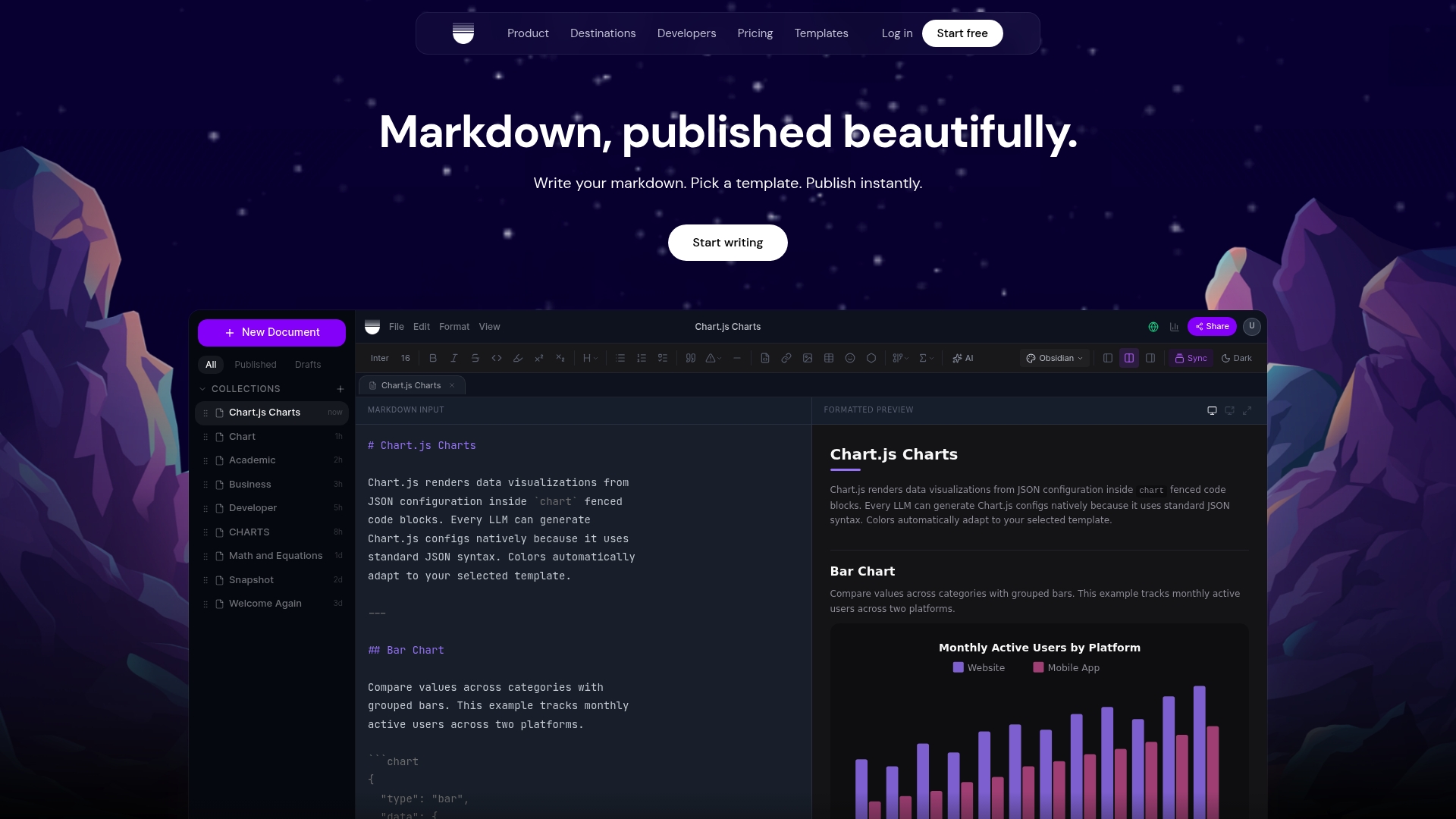
Runs entirely in the browser, keeping all processing local, so documents do not pass through vendor servers. The product advertises 62 templates and 12 AI quick actions to fix, translate, and polish markdown before export. For people hunting publishmarkdown.com alternatives, Unmarkdown stands out for privacy-conscious workflows and broad export targets.
Core Features
Unmarkdown converts plain markdown into responsive, professionally formatted documents for destinations like Google Docs, Word, Slack, and OneNote. The editor offers dozens of templates, a set of AI editing actions, and one click publishing that produces shareable custom URLs. The interface runs in the browser and accepts output from major AI tools so you can paste AI content and get consistent formatting quickly.
Key Differentiator
The main difference is local processing. Unmarkdown runs entirely in the browser and does not rely on a server for formatting or AI edits. That design keeps content on your machine during conversion and reduces the risk of accidental data sharing while still delivering wide destination support.
Pros
Local processing keeps drafts private and eliminates server round trips for formatting. The wide destination list means you rarely need to reformat after export, which saves time when moving content into Google Docs or Word. Templates and AI actions remove manual cleanup for common markdown issues, and one click publishing makes it fast to share a finished document.
Cons
-
Limited to formatting and publishing; it does not include deep editing or multi person collaboration tools.
-
Some complex table or layout adjustments may not transfer perfectly depending on the destination app.
-
Free tier limits the number of documents you can create, and heavy users will need the paid plan.
When It May Not Fit
If your team depends on real time multi person editing or tracked changes inside a shared workspace this is not the right tool. If you need advanced table manipulation inside the destination app you may run into limits. Heavy volume publishers who need integrated version control or enterprise single sign on will need to add other tools to their workflow.
Who It's For
Content creators, technical writers, and developers who convert markdown or AI generated content into presentable documents will get the most value. Business professionals who publish into Google Docs, Word, Slack, or OneNote and who want to keep source content local will appreciate the browser only processing model. People who need full collaboration features will need a different solution.
Real World Use Case
A technical team receives markdown status reports from an internal tool and pastes them into Unmarkdown. The team applies a custom template, runs AI quick actions to fix tone and grammar, and exports polished Google Docs for stakeholder review. The process removes manual cleanup and produces consistent deliverables for presentations.
Pricing
A free plan covers basic use with up to five documents and limited features. Pro plans start at $8/month billed annually and add unlimited documents and advanced features for regular publishers. The paid tier is the practical choice for teams that publish often or use templates heavily.
Website: https://unmarkdown.com
Anchorify
At a Glance
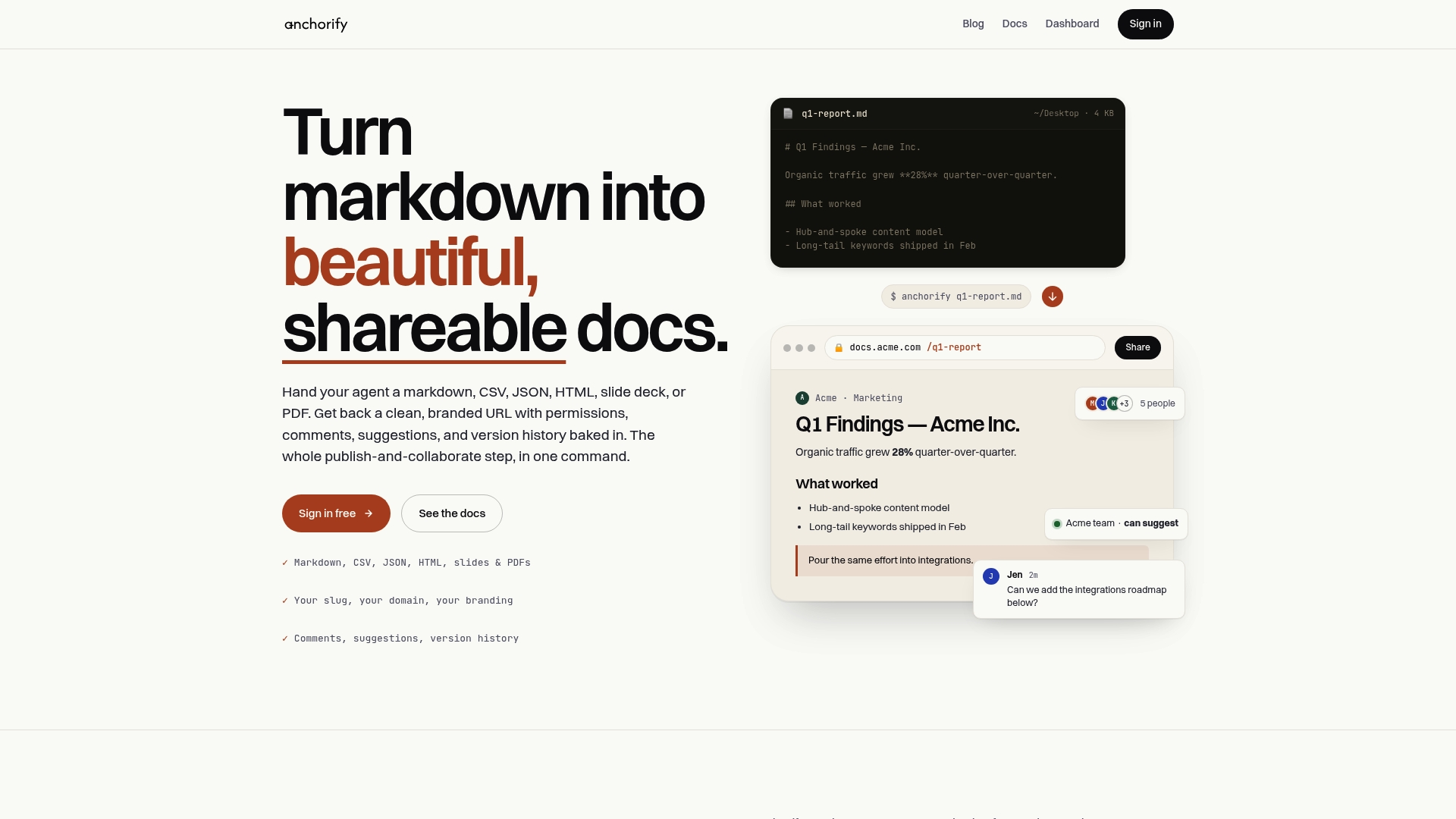
Anchorify turns markdown, CSV, JSON, HTML, slides, and PDFs into branded, updateable URLs you can share instantly. It keeps inline comments and a version history so collaborators can review changes without downloading files. The platform also supports custom domains and personalized slugs for client-facing links.
Core Features
Anchorify renders multiple document types with consistent typography and proper formatting for embeds or email sharing. It provides permissions controls such as public, unlisted, members-only, and password protection, and it stores version history with diffing for audits. The product includes a CLI, an API, and agent integrations to automate publishing and updates.
Key Differentiator
A single command can convert source files into branded, permissioned URLs that stay editable and commentable over time. That approach shortens the final step between authoring and delivery for teams that prefer file-based workflows. Compared with Markbin, Anchorify focuses more on quick publish from developer tools and file stores.
Pros
Anchorify offers clear URL-based publishing that you can update in place, which speeds review cycles for technical documents and reports. It supports multiple source types including code, slides, and CSVs, which makes it useful for mixed-format deliverables. Built-in collaboration features such as inline comments and detailed analytics help teams see engagement and iterate on content.
Cons
- Handling very large files can be unreliable. Buyer feedback reports occasional limits with complex document interactions.
- Deep enterprise CMS or system integrations are not the main focus yet. Organizations needing broad platform hooks may need additional tooling.
- The service appears to be in beta according to community reviews. Some requested features and privacy controls are still evolving.
- Simple pricing covers basic use but custom domains and advanced needs may require bespoke arrangements.
When It May Not Fit
Anchorify is not ideal if you must publish extremely large datasets or very complex interactive documents. It also may disappoint teams that rely on tight, native integrations with an enterprise CMS. Organizations with strict, audited privacy rules should verify the product’s evolving controls before full deployment. Finally, buyers needing turnkey enterprise support should plan for custom agreements.
Who It's For
Anchorify fits content creators, developer teams, and professionals who publish markdown or mixed-format files and want polished links. It suits teams that prefer working from Git or local files and want quick branded delivery for client reviews. It also helps small product teams that value commentable, updateable documents without a heavy CMS.
Real World Use Case
A development team stores technical reports in a Git repo and uses the Anchorify CLI to publish branded links for stakeholders. Reviewers open the URL, add inline comments, and the team pushes edits back to the repo. The result is client-facing documentation that updates without exposing raw source files.
Website: https://anchorify.io
Comparison of alternatives
Exploring alternatives for publishing markdown documents reveals distinct strengths among available platforms, catering to varied user preferences and needs.
Advanced markdown functionality
StackEdit stands out in its capacity for enriched markdown features including LaTeX support and UML diagram integration. These capabilities meet the demands of technical authors who require precision formatting within their documentation. The real-time synchronized preview enhances editing workflows, particularly for collaborative teams managing scientifically or mathematically intense documents.
Privacy and quick-formating solutions
Unmarkdown offers an exemplary browser-based system, enabling local processing of markdown without reliance upon remote servers. This aspect ensures enhanced data privacy while maintaining efficiency. Its rich variety of templates aligns well with those seeking swift document optimization and polished presentations, further augmented by its AI-assisted formatting options.
Best fit
- Users favoring extensive markdown styling and aesthetic display will appreciate Markbin's versatile themes and ease of use.
- Teams needing collaborative features with advanced markdown extensions will find StackEdit to be an effective choice.
- Those prioritizing local privacy combined with broad exporting options should consider using Unmarkdown.
- For technical teams aligning documentation with development processes, Haxiom presents a suitable option with its GitHub integration.
- Anchorify serves professionals managing files with mixed formats, offering versatile sharing and collaboration tools.
Our pick
Markbin excels in facilitating markdown content creation with a focus on diverse theme personalization and GitHub-flavored markdown compatibility. It suits developers requiring highly formatted documentation or tutorials with shared access. However, for more complex use cases such as technical diagramming or privacy-centric workflows, an alternative like StackEdit or Unmarkdown may be more aligned to specific needs. It’s therefore crucial to evaluate available tools in the context of their unique features and intended purposes.
Markdown publishing tools vary in features and target users. Below is a comparison of noteworthy platforms to assist in your selection based on your needs.
| Platform | Core Feature | Key Differentiator | Best For | Pricing | Notable Limitation |
|---|---|---|---|---|---|
| Markbin | GitHub Flavored Markdown and theme customization | Gist import with styled formats | Developers and educators | Free tier; $99 lifetime ownership; $11.99/month | Free documents expire in seven days |
| StackEdit | Markdown with WYSIWYG editor | LaTeX, UML, and musical notation | Technical bloggers and developers | Price not published | Complexity of interface for casual users |
| Haxiom | AI assistant and semantic analysis | Real-time collaborative editing | Engineering teams | Free for 3 users; Paid starts at $4/user/month | Targeted toward technical teams |
| Unmarkdown | Local processing and AI formatting | Browser-only functionality with no server interaction | Privacy-conscious professionals | Free tier; $8/month billed annually | Limited collaboration tools |
| Anchorify | Version-controlled branded links | Support for multiple file formats | Developers and product teams | Price not published | Occasional limits with large files |
Facing Challenges with Markdown Publishing and Sharing?
Many developers, educators, and content creators struggle with sharing well-formatted markdown that preserves code syntax, math formulas, and task lists without complex setup. The need for quick, secure sharing without account sign-up and control over document lifetime often complicates publishing workflows. Markbin solves these pain points by supporting full GitHub Flavored Markdown and offering themed, polished views that highlight your content clearly.
With Markbin, you get instant shareable links, password protection, and even self-destructing documents to manage privacy and access effortlessly. Designed for technical and educational teams, Markbin lets you publish markdown documents that stay clean, readable, and easy to distribute. Visit Markbin today and share your next markdown document in minutes without hassle.
FAQ
How does Markbin enhance the readability of markdown documents?
Markbin provides multiple visual themes that improve the presentation of documents. These themes include terminal, brutalist, newspaper, retro, and pastel, helping enhance the user experience for technical content. You can choose a theme that fits your needs to make your documents more appealing and easy to read.
What is the difference between Markbin and StackEdit?
StackEdit supports extensive Markdown extensions, including LaTeX and UML, which makes it great for technical writers needing advanced features. Markbin, on the other hand, excels in providing straightforward sharing with instant, shareable URLs for quick publishing. If your work mainly involves typical markdown sharing, Markbin is a better fit.
Can I protect documents with Markbin?
Markbin offers password protection for documents on its paid plans. This feature ensures that only authorized users can access certain documents, which is especially useful when sharing sensitive information. If privacy is a priority for your projects, consider upgrading to a paid plan to utilize this feature.
How does Haxiom's AI assist with markdown documentation compared to Markbin?
Haxiom's AI provides semantic analysis to organize content and detect duplication for improved knowledge management. Markbin focuses primarily on markdown rendering and sharing, making it a more straightforward choice for quick publishing without additional organizational layers. If you need AI-driven content management, Haxiom would be the better option.
What makes Markbin suitable for developers?
Markbin supports GitHub Flavored Markdown, ensuring complex documents display correctly, which is crucial for developers. This feature allows developers to share formatted code examples without additional styling work, making it a practical tool for creating technical documents. Utilizing Markbin will streamline your document-sharing process without sacrificing formatting.