
Create a single, versioned Markdown style guide that's authoritative, linted, and templatized — and your team can stop relitigating the same formatting decisions in every PR. Here's the six-step plan to get there:
- Pick a baseline style (AP, Chicago, or Google Developer Documentation Style Guide) and document only your brand exceptions.
- Write your word list and voice rules — forbidden terms, encouraged alternatives, and two or three before/after examples.
- Document your Markdown conventions — flavor choice (CommonMark baseline with GitHub Flavored Markdown additions), heading hierarchy, code blocks, and link format.
- Add templates and front matter — a page template, a PR template, and a
CONTRIBUTING.mdchecklist. - Enforce with linters and CI — Vale for terminology, markdownlint for structure, Prettier for formatting, all wired into GitHub Actions.
- Publish and govern — render a read-only preview (Markbin works well here), assign an owner, and require PRs for changes.
Who does what in 72 hours: One person picks the baseline and creates the repo file. A second person drafts the word list. A third wires up the linter. Then everyone reviews the first PR together.
Paste this into docs/STYLE_GUIDE.md to start:
---
title: Editorial Style Guide
last_updated: 2026-01-01
status: draft
owner: "@yourname"
---

# Editorial Style Guide


## Table of Contents

* [Purpose and audience](#purpose-and-audience)
* [Voice and tone](#voice-and-tone)
* [Markdown conventions](#markdown-conventions)
* [Word list](#word-list)
* [Templates](#templates)
* [Why use Markdown for your editorial style guide?](#why-use-markdown-for-your-editorial-style-guide)
* [What sections does every editorial style guide need?](#what-sections-does-every-editorial-style-guide-need)
* [What Markdown rules should you actually document?](#what-markdown-rules-should-you-actually-document)
* [How should you organize your repo and templates?](#how-should-you-organize-your-repo-and-templates)
* [Overview](#overview)
* [Steps / Details](#steps-details)
* [Examples](#examples)
* [Related](#related)
* [What changed](#what-changed)
* [Why it changed](#why-it-changed)
* [Checklist](#checklist)
* [How do you enforce the guide automatically?](#how-do-you-enforce-the-guide-automatically)
* [Where should you publish the style guide?](#where-should-you-publish-the-style-guide)
* [How do you keep the guide accurate over time?](#how-do-you-keep-the-guide-accurate-over-time)
* [Pre-publish checklist and full Markdown template](#pre-publish-checklist-and-full-markdown-template)
* [Purpose and audience](#purpose-and-audience)
* [Voice and tone](#voice-and-tone)
* [Word list](#word-list)
* [Markdown conventions](#markdown-conventions)
* [Templates](#templates)
* [Contribution policy](#contribution-policy)
* [Key Takeaways](#key-takeaways)
* [The part most teams skip — and why it costs them](#the-part-most-teams-skip-and-why-it-costs-them)
* [Publish your Markdown style guide with Markbin](#publish-your-markdown-style-guide-with-markbin)
* [Useful sources and tools](#useful-sources-and-tools)


## Purpose and audience

## Voice and tone

## Markdown conventions

## Word list

## Templates
Why use Markdown for your editorial style guide?
Markdown is portable, diffable, and slots directly into developer workflows — which means your style guide can live in the same repo as the docs it governs, get reviewed in pull requests, and be enforced by the same CI pipeline that checks your code. That's a meaningful operational advantage over a Google Doc or a Confluence page, where changes are invisible and version history is unreliable.

The trade-offs are real, though. Rendering varies across CommonMark, GFM, and platform-specific parsers, so a table that looks perfect in GitHub might break in your static site generator. Non-technical editors sometimes struggle without a WYSIWYG interface. And asset handling — screenshots, diagrams — requires a separate workflow that plain Markdown doesn't solve on its own.
Benefits at a glance:
- Portable — opens in any text editor, no proprietary format lock-in
- Diffable — every change is visible line-by-line in a PR
- Templatable — copy a file, fill in the blanks, done
- Lintable — Vale, markdownlint, and Prettier can enforce rules automatically
- Embeddable — paste examples directly into the guide as fenced code blocks
- Version-controlled — tags and changelogs give you a full audit trail
The practical upside is that review churn drops when contributors can see exactly what changed and why a rule exists. A style guide that explains the reasoning behind each choice — not just the rule itself — cuts repeated debates in code review.
Pro Tip: When you publish to mixed environments (GitHub, a static site, an internal wiki), pick the platform with the narrowest Markdown support as your baseline. Write to that floor, and you'll render correctly everywhere.
What sections does every editorial style guide need?
A practical team guide runs 10–20 pages. Longer than that and contributors stop reading it. Shorter and you'll leave too many decisions undocumented. Here's what to include, in priority order:
- Purpose and audience — one paragraph on who the guide is for and what it governs (blog posts, API docs, internal wikis, all of the above).
- Voice and tone — a short voice chart with two or three before/after pairs. Before: "Utilize the configuration panel to initiate the process." After: "Open the configuration panel and click Start."
- Grammar and punctuation decisions — Oxford comma (yes or no), serial comma in lists, em dash usage, and any house deviations from your baseline.
- Terminology and word list — forbidden terms, encouraged alternatives, and brand-specific spellings. Start with a short, high-impact list and expand it as you catch recurring edits.
- Markdown conventions — covered in detail in the next section.
- Templates and page types — a how-to template, a reference template, a tutorial template.
- Accessibility rules — alt text requirements, heading hierarchy for screen readers, link text that makes sense out of context.
- SEO and metadata rules — title length, meta description format, slug conventions, front-matter fields.
- Contribution and versioning policy — how to submit changes, who reviews them, and what triggers a version bump.
- Pre-publish checklist — five to eight checks a writer runs before opening a PR.
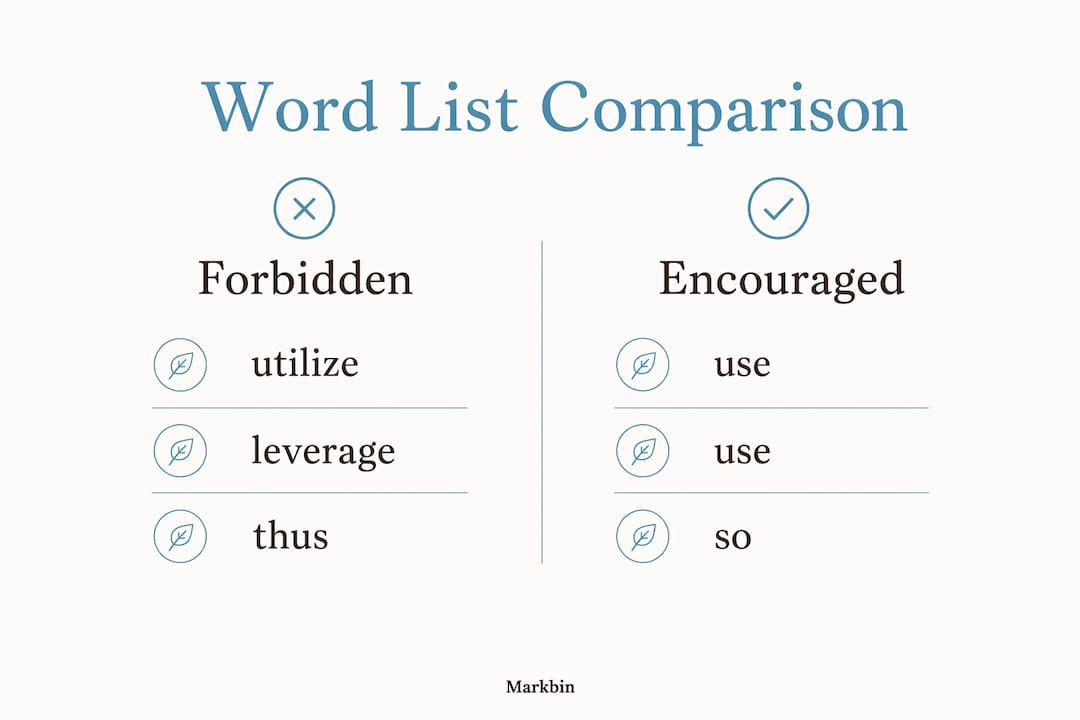
Sample word list (forbidden → encouraged):
| Forbidden | Encouraged | Why |
|---|---|---|
| utilize | use | Simpler, same meaning |
| leverage (verb) | use, apply | Overused jargon |
| please note | (omit) | Filler |
| whitelist / blacklist | allowlist / denylist | Inclusive language |
| click here | descriptive link text | Accessibility |
Start with an established baseline — AP, Chicago, or Google Developer — and document only the exceptions. You don't need to re-explain what a comma splice is; you need to record that your team uses the Oxford comma and hyphenates "open-source" as an adjective.
Concrete before/after examples change writer behavior faster than abstract personality lists. Two more pairs worth including in your guide:
- Before: "There are a number of ways to configure the tool." After: "You can configure the tool three ways."
- Before: "The user should be able to access their dashboard." After: "Users can access their dashboard."
What Markdown rules should you actually document?
The answer is: more than you think, fewer than everything. Document the decisions where reasonable people disagree or where your platform imposes a constraint. Leave the obvious stuff to the linter.
Flavor and platform exceptions
Choose CommonMark as your baseline and layer GFM additions (tables, task lists, strikethrough, fenced code blocks with language labels) on top. Record which GFM features you support and which you forbid. If one publishing target doesn't render tables, say so explicitly and provide the fallback (a definition list or a prose equivalent).
Heading rules
#is reserved for the document title — one per file, always.##is the first visible section heading.- Never skip levels (
##to####with no###in between). - Use sentence case for all headings: capitalize the first word and proper nouns only.
Code blocks and inline code
Use backtick inline code for short references: config.yaml, --verbose, null. Use fenced blocks for anything multiline, and always label the language:
```bash
vale --config=.vale.ini docs/
```
```yaml
extends: existence
message: "Use '%s' instead."
level: error
tokens:
  - utilize
```
For syntax highlighting to render correctly across platforms, the language label must match the parser's supported list. Document the labels your team uses most (bash, yaml, json, python, markdown) and link to the full reference.
Links, images, and tables
| Element | Rule | Example |
|---|---|---|
| Inline links | Descriptive anchor text, 2–5 words | [configure Vale](url) |
| Long URLs | Never paste raw; always use [text](url) | — |
| Images | Always include alt text |  |
| Tables | GFM pipe tables; align columns for readability | See above |
| Task lists | GFM only; document platform support | - [ ] Review word list |
Front matter block (if your team uses it):
---
title: "How to Configure Vale"
last_updated: 2026-03-15
status: published
tags: [vale, linting, automation]
---
Metadata fields like last_updated and status should use ISO 8601 dates so CI tools and search agents can parse them reliably.
Line breaks and length
One blank line between paragraphs. Two blank lines before a new ## section if your team prefers visual breathing room in the source. For line length, 80–100 characters is a reasonable soft limit in prose files — it keeps diffs readable without forcing awkward mid-sentence wraps. Hard-wrap only if your team's editor setup makes it practical.
How should you organize your repo and templates?
A clean repo layout prevents the "where does this go?" question that slows contributors down. Here's a structure that works for both docs-as-code teams and mixed writer/engineer teams:
docs/
├── STYLE_GUIDE.md          ← the authoritative guide
├── CONTRIBUTING.md         ← how to submit changes
├── templates/
│   ├── how-to.md
│   ├── reference.md
│   └── tutorial.md
├── examples/
│   ├── good-heading-use.md
│   └── forbidden-word-examples.md
└── scripts/
    ├── .vale.ini
    ├── .markdownlint.json
    └── .prettierrc
For multi-repo teams, keep the style guide in a dedicated docs-standards repo and reference it from each product repo's CONTRIBUTING.md. Single-repo teams can keep everything under docs/.
Copyable page template:
---
title: ""
last_updated: YYYY-MM-DD
status: draft | review | published
owner: "@github-handle"
tags: []
---

# [Page Title]

Brief description of what this page covers (1–2 sentences).

## Overview

## Steps / Details

## Examples

## Related

- [Link to related doc](url)
PR template for style changes (.github/PULL_REQUEST_TEMPLATE/style_change.md):
## What changed

## Why it changed

## Checklist
- [ ] Updated `last_updated` in STYLE_GUIDE.md
- [ ] Added example (before/after) if applicable
- [ ] Ran Vale and markdownlint locally
- [ ] Linked to baseline source if this overrides a default rule
CONTRIBUTING.md checklist (short version):
- Clone the repo and install Vale, markdownlint, and Prettier locally.
- Make changes in a branch named
style/short-description. - Run linters before opening a PR.
- Fill out the PR template completely.
- Tag the style guide owner for review.
Embed the style guide in the same repository as the docs it governs. When the guide and the docs version together, contributors can't accidentally apply a rule that was deprecated two releases ago.
Filename conventions: one H1 per file, filename matches the title field in front matter (kebab-case, no spaces), and every file in templates/ ends with -template.md so scripts can target them selectively.
How do you enforce the guide automatically?
Combine editor plugins, pre-commit hooks, and CI checks — each layer catches what the others miss. Editor plugins give instant feedback as someone types. Pre-commit hooks block a bad commit locally. CI prevents a bad PR from merging.
Tool-to-rule mapping:
- Vale — terminology, voice, forbidden words, inclusive language
- markdownlint — heading hierarchy, blank lines, list formatting, code block labels
- Prettier — consistent formatting (trailing spaces, line endings, table alignment)
- cspell or aspell — spelling, especially for technical terms and brand names
Sample GitHub Actions workflow (.github/workflows/lint-docs.yml):
name: Lint Docs

on:
  pull_request:
    paths:
      - "docs/**"
      - "**.md"

jobs:
  lint:
    runs-on: ubuntu-latest
    steps:
      - uses: actions/checkout@v4

      - name: Run markdownlint
        uses: DavidAnson/markdownlint-cli2-action@v16
        with:
          globs: "docs/**/*.md"

      - name: Run Prettier check
        run: npx prettier --check "docs/**/*.md"

      - name: Run Vale
        uses: errata-ai/vale-action@reviewdog
        with:
          files: docs/
          reporter: github-pr-review
Minimal Vale rule (.vale/styles/YourTeam/ForbiddenWords.yml):
extends: existence
message: "Avoid '%s'. Use a simpler alternative."
level: error
tokens:
  - utilize
  - leverage
  - please note
  - whitelist
  - blacklist
Prettier config for Markdown (.prettierrc):
{
  "proseWrap": "always",
  "printWidth": 100,
  "tabWidth": 2
}
Editor plugins worth installing:
- VS Code: Vale VSCode, markdownlint (David Anson), Prettier — Code Formatter
- JetBrains IDEs (IntelliJ, WebStorm): Grazie Pro for prose linting, Prettier plugin
- Sublime Text: SublimeLinter with the markdownlint plugin
Pro Tip: Start with three to five Vale rules and one markdownlint config. A noisy linter that flags everything gets disabled. A quiet one that catches the ten most common mistakes gets trusted.
Where should you publish the style guide?
The authoritative source lives in the repo. Everything else is a rendered copy for a different audience. Here's how to think about the options:
- Raw repo file — best for contributors who live in the terminal or their IDE; they read it in context.
- Static site (Docusaurus, MkDocs, Hugo) — best for broad audiences; searchable, navigable, and linkable.
- Internal wiki (Confluence, Notion) — good for non-technical teams, but sync is manual and version history is weak.
- Markbin — fast rendered preview with full GFM support; useful for sharing a draft with stakeholders before it's merged, or for giving PMs and UX writers a clean read-only view without repo access.
Practical publishing steps:
- Set
last_updatedin front matter every time you merge a change. Treat the guide as a living document with a clear update trail. - Add a short onboarding snippet to your team's
README.md: "New contributor? Readdocs/STYLE_GUIDE.mdfirst, then checkdocs/CONTRIBUTING.md." - Pin the rendered URL (static site or Markbin preview) in your team's Slack channel or intranet nav.
- For visual authoring workflows, a rendered preview reduces the "I didn't know it would look like that" feedback cycle.
Pro Tip: Render a read-only HTML preview and pin it in the docs nav or team intranet. Non-technical stakeholders won't open a .md file in GitHub — but they will click a link that opens a clean, formatted page.
How do you keep the guide accurate over time?
Assign a named owner. Without one, the guide drifts. The owner doesn't write every update — they review PRs, run the quarterly audit, and decide when a rule is stable enough to enforce in CI.
Governance checklist:
- Named owner with a GitHub handle documented in
STYLE_GUIDE.md - Review cadence: quarterly audit, plus ad-hoc updates when a recurring editing mistake surfaces
- All changes go through a PR with the style-change template
- Changelog entry for every merged change (date, what changed, why)
last_updatedfield updated on every merge- Stabilization criteria: a rule moves from
drafttopublishedafter two sprints with no objections
Onboarding a new contributor (30 minutes):
- Read the Purpose and audience section (5 minutes).
- Skim the word list and voice chart (5 minutes).
- Run the linter locally on one existing doc and fix any failures (10 minutes).
- Open a small PR — fix one heading or add one word-list entry — and go through the review process (10 minutes).
Track recurring editing mistakes in a simple table in the guide itself. When the same correction appears in three or more PRs, that's a signal to add a Vale rule or a word-list entry. This feedback loop is how the guide gets smarter without a big quarterly rewrite.
Versioning approaches:
- Docs-as-code tags — tag the repo (
v1.0,v1.1) when you make a significant rule change; link the tag in the changelog. - Semantic docs versioning —
MAJOR.MINOR.PATCHwhere MAJOR is a breaking change (a rule that invalidates existing docs), MINOR is a new rule, and PATCH is a clarification.
Freeze the guide when a major product launch is imminent. Resume iteration after the launch window closes.
Pre-publish checklist and full Markdown template
Copy-paste pre-publish checklist:
- Front matter is complete (
title,last_updated,status,owner) - One H1 per file; heading levels don't skip
- All links use descriptive anchor text (no "click here")
- All images have alt text
- Fenced code blocks have a language label
- No forbidden words (run Vale locally)
- Prettier formatting passes (
npx prettier --check) -
last_updatedreflects today's date
Full style guide page template (copy into docs/STYLE_GUIDE.md):
---
title: "Editorial Style Guide"
last_updated: YYYY-MM-DD
status: draft
owner: "@yourname"
version: "1.0"
tags: [style, editorial, markdown]
---

# Editorial Style Guide

This guide governs all written content published by [Team Name].
Baseline: AP Stylebook. Document only exceptions below.

## Purpose and audience

Who this guide is for and what it covers.

## Voice and tone

| Attribute | We are | We are not |
| --- | --- | --- |
| Tone | Direct, clear | Formal, stiff |
| Person | Second (you/your) | Third (the user) |
| Complexity | Plain language | Jargon-heavy |

**Before:** "Utilize the configuration panel to initiate the process."
**After:** "Open the configuration panel and click Start."

## Word list

| Forbidden | Use instead |
| --- | --- |
| utilize | use |
| leverage (verb) | use, apply |
| please note | (omit) |
| whitelist | allowlist |
| blacklist | denylist |

## Markdown conventions

- Flavor: CommonMark + GFM
- One H1 per file (document title only)
- Sentence case for all headings
- Fenced code blocks with language labels
- Descriptive link text always

## Templates

See `docs/templates/` for how-to, reference, and tutorial templates.

## Contribution policy

All changes via PR. Use the style-change PR template.
Owner: @yourname | Review cadence: quarterly
Quick setup for Vale and markdownlint:
# Install Vale
brew install vale        # macOS
choco install vale       # Windows

# Install markdownlint-cli2
npm install -g markdownlint-cli2

# Run both
vale docs/
markdownlint-cli2 "docs/**/*.md"
Place .vale.ini and .markdownlint.json in the repo root. Vale looks for a styles/ directory relative to .vale.ini. For a hosted rendered preview, paste the template into Markbin and share the link with reviewers before merging.
Key Takeaways
A short, versioned Markdown style guide with a forbidden/encouraged word list, a linter, and a named owner delivers more consistency than a long guide with no enforcement.
| Point | Details |
|---|---|
| Start with a baseline | Pick AP, Chicago, or Google Developer and document only your brand exceptions to save setup time. |
| Word list first | A short forbidden/encouraged list resolves the most frequent editing mistakes faster than any other single component. |
| Automate enforcement | Wire Vale, markdownlint, and Prettier into GitHub Actions so rules fail before merge, not after. |
| Govern with an owner | Assign a named owner, require PRs for changes, and update last_updated on every merge to keep the guide current. |
| Publish with Markbin | Use Markbin to share a rendered GFM preview with non-technical stakeholders before committing to the repo. |
The part most teams skip — and why it costs them
Most teams spend their first sprint writing the voice section and almost none of it on the word list or the linter. Six months later, the voice section is ignored and the same ten words keep getting flagged in review. The enforcement layer is what makes a style guide real.
The other thing teams underestimate is the cost of a long initial rule set. A guide that launches with 80 Vale rules will generate so many CI failures on day one that engineers disable it within a week. Start with five rules — your five most-flagged forbidden words — and add rules only when a recurring mistake shows up in PRs. That incremental approach feels slow, but it's the one that actually sticks.
Cross-team friction usually surfaces at the Markdown conventions section. Writers want flexibility; engineers want consistency. The negotiation that works: writers own the voice and word list, engineers own the linter config, and both sides agree on the heading and code-block rules together. Document that agreement explicitly in the guide, with the rationale. When someone asks "why sentence case?" six months from now, the answer is already there.
For rendering previews during review, Markbin is a practical shortcut. Paste the draft into Markbin, share the link with your PM or UX lead, and get feedback on the rendered output before the PR is even open. It's faster than spinning up a local static site and doesn't require the reviewer to have any tooling installed.
Publish your Markdown style guide with Markbin
Once your guide is drafted and linted, getting it in front of non-technical reviewers is the last friction point most teams don't solve well. Markbin renders full GitHub Flavored Markdown — tables, syntax-highlighted code blocks, task lists, math formulas — and generates a shareable link in seconds, with no account required for basic use.
The practical use cases: share a password-protected draft with your legal or brand team before it's merged, generate a self-destructing preview link for an external contractor, or publish a clean read-only version for PMs and UX writers who won't open a .md file in GitHub. Paid plans add longer document retention, additional themes, and password protection for sensitive drafts.
Start a rendered preview on Markbin and share the link with your team today.
Useful sources and tools
Specifications and syntax references:
- CommonMark Spec — the authoritative baseline for Markdown parsing behavior
- Markdown Guide: Basic Syntax — readable reference for standard syntax rules
Tool documentation:
- Vale — prose linter for terminology and voice rules; start here for enforcement
- markdownlint — structural linting for Markdown files; available as a CLI and VS Code extension
- Prettier — opinionated formatter with Markdown support; configure via
.prettierrc
Style guide templates and references:
- DocsForDevs: Markdown Style Guide for Teams — practical team-focused guide; read first if you're starting from scratch
- Docsio: Documentation Style Guide — covers structure, governance, and repo placement
- Zemith: Writing Style Guide Template — strong on word lists and forbidden/encouraged patterns
- BestWriting: Writing Style Guide — covers baseline selection and brand exceptions
- agentkit-seo STYLEGUIDE.md — real-world example of front-matter and file-class schemas
Where to start, by goal:
- Tooling first: DocsForDevs guide → Vale docs → markdownlint README
- Templates first: Zemith template → Docsio guide → agentkit-seo example
- Voice and grammar first: BestWriting guide → your chosen baseline (AP/Chicago/Google Developer)
Link your chosen baseline style guide directly inside STYLE_GUIDE.md under the Purpose section. Contributors who know where the baseline lives stop asking questions that the baseline already answers.