
Password-protected links are defined as access-gated URLs that require a correct password before revealing the destination content. Understanding how password links protect unpublished work is critical for any creator sharing drafts, scripts, or sensitive project files before they go public. The destination URL stays completely hidden until the password is verified server-side, which means a leaked link alone exposes nothing. This method uses industry-standard SHA256 hashing to store passwords securely, and it works without forcing recipients to create accounts or log in. Content creators, project managers, educators, and researchers all rely on this approach to share work privately while keeping collaboration friction low.
How do password-protected links technically protect unpublished content?
Password-protected links work by placing a server-side authentication step between the visitor and the destination content. The destination URL stays hidden until the correct password is entered. No redirect happens, and no content loads, until verification passes. This is what separates password links from a simple unlisted URL.
The password itself never travels in plain text. Reputable services use SHA256 hashing to store passwords, which means the service provider cannot see the original password. SHA256 converts the password into a fixed-length string of characters. Even if a database is compromised, the original password is not directly exposed.

Password protection is not the same as encryption. Encryption scrambles the content itself so it cannot be read without a decryption key. Password links control access to the URL but do not alter the content behind it. Think of it as a locked front door rather than a vault. The door stops casual entry, but the room inside is not sealed.
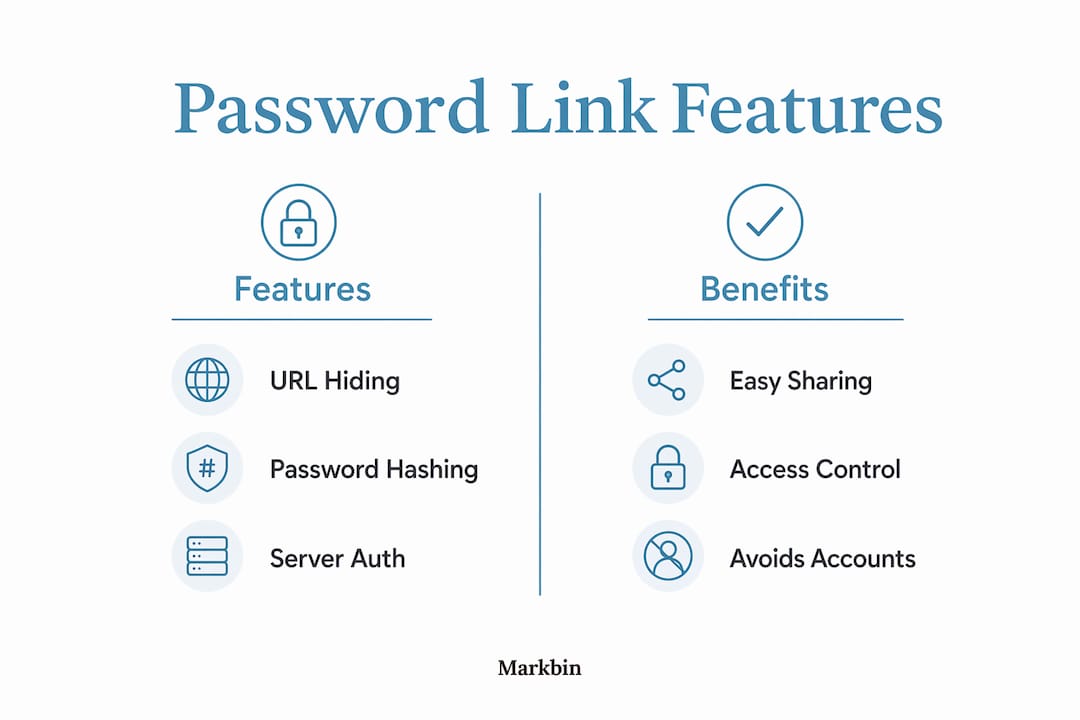
The table below summarizes the core technical features of password-protected links.
| Feature | How it works |
|---|---|
| URL hiding | Destination URL is not revealed until password is verified |
| Password storage | Passwords stored using SHA256 hashing |
| Authentication type | Server-side check before redirect |
| Content protection | Access control only, not content encryption |
| Account requirement | None required for the recipient |
What are the benefits and limitations of password links?
Password-protected links offer a clear advantage for creators who need to share drafts without setting up formal access systems. Password protection enables easy sharing without forcing recipients to create accounts or log in. That low barrier matters when you are sending a script draft to a client or a research document to a collaborator on a deadline.
Key benefits
- No account required. Recipients enter a password and access the content immediately.
- Prevents casual access. Anyone who stumbles on the link without the password sees nothing.
- Limits search engine indexing. Password-gated content is designed to avoid accidental public access, including crawling by search engines.
- Fast to set up. Most platforms generate a password-protected link in seconds.
- Works across channels. You can send the link by email, embed it in a message, or post it in a project management tool.
Real limitations you should know
- No file-level encryption. The content behind the link is not encrypted. Once someone accesses it, the content is readable in full.
- Password sharing risk. A recipient can share the password with anyone. There is no technical barrier stopping that.
- No individual access revocation. You cannot remove one person's access without changing the password for everyone.
- Destination URL can be shared directly. Once someone enters the password and sees the URL, they can share that URL without the password gate.
These limitations mean password links suit low-to-medium sensitivity content. They are the right tool for sharing an unpublished blog post with an editor or a video script with a production team. They are not the right tool for highly confidential legal or financial documents.
Pro Tip: Send the link and the password through two separate channels. For example, send the link by email and the password by SMS. If one channel is compromised, the attacker still cannot access the content.
How should creators use password links to maximize security?
Using password links correctly matters as much as using them at all. A poorly distributed password link offers almost no real protection. The following practices close the most common gaps.
-
Use two separate channels for the link and password. Sending link and password separately reduces the risk that a single breach exposes both. Email the link, then text the password. Never put both in the same message.
-
Set a link expiration date. Link expiry automatically disables access after a set period. If a password leaks after the review window closes, the link is already dead. This is one of the most underused protections available.
-
Change the password after each review cycle. Once a draft review is complete, update the password before sharing the next version. This limits how long any one set of credentials remains valid.
-
Avoid sending both credentials in the same thread. Channel leakage, which means putting the link and password in the same message, is the most common mistake creators make. It turns a two-factor approach into a single point of failure.
-
Combine password links with platform-level permissions. Password links act as a front door lock on top of existing file permissions but do not replace them. If your document lives on a platform with its own access controls, keep those controls active too.
-
Use self-destructing links for one-time access needs. For content that only needs to be viewed once, self-destructing links add a layer of automatic expiry that password links alone do not provide.
These steps work together. No single practice is enough on its own, but combining them closes most of the gaps that password links leave open.
How do password links compare to other content protection methods?
Password-protected links occupy a specific position in the security spectrum. They are not the strongest option, but they are often the most practical one for content creators.
Login-based authentication systems require recipients to create accounts and verify their identity before accessing content. That approach offers stronger access control and individual revocation. The trade-off is friction. Asking a freelance editor or a client to create an account before reading a draft often slows collaboration to a stop.
Full file-level encryption protects the content itself, not just the access point. Even if someone intercepts the file, they cannot read it without the decryption key. This is the right choice for highly sensitive data, but it requires more technical setup and is rarely practical for everyday draft sharing.
Digital rights management, or DRM, goes further by controlling what recipients can do with content after they access it. DRM can prevent downloading, printing, or copying. It is standard in publishing and media industries but adds significant complexity for individual creators.
The comparison table below shows where each method fits.
| Method | Protects access | Protects content | Requires account | Best for |
|---|---|---|---|---|
| Password link | Yes | No | No | Draft sharing, low-to-medium sensitivity |
| Login authentication | Yes | No | Yes | Team platforms, ongoing projects |
| File-level encryption | Yes | Yes | Varies | High-sensitivity documents |
| DRM | Yes | Yes | Yes | Published media, licensing control |
Password links sit at the intersection of security and usability. They stop casual access and accidental public exposure without requiring any technical setup from the recipient. For secure sharing of unpublished content like assignment drafts, article manuscripts, or project proposals, they are the right starting point. Creators who need stronger protection should layer password links with expiration controls and platform permissions rather than abandoning them entirely.
The risk of unauthorized access through human behavior, not technical failure, is what most creators underestimate. A strong password on a well-configured link still fails if the recipient forwards it carelessly.
Key Takeaways
Password-protected links secure unpublished work by hiding the destination URL behind server-side authentication, but their real-world strength depends on how creators distribute and manage credentials.
| Point | Details |
|---|---|
| URL stays hidden | The destination URL is not revealed until the correct password is verified server-side. |
| SHA256 hashing protects passwords | Reputable services hash passwords so providers cannot see the original credential. |
| Not a replacement for encryption | Password links control access but do not encrypt content behind the link. |
| Two-channel distribution is critical | Send the link and password through separate channels to prevent single-point breaches. |
| Link expiry closes the gap | Setting an expiration date limits exposure even if a password leaks after the review period. |
What I have learned from watching creators misuse password links
Password-protected links are genuinely useful. I have seen them work well for writers sharing manuscript drafts with editors, developers sending documentation to clients, and educators distributing assignment materials before a course opens. The technology is sound. The failure almost always comes from human behavior, not the link itself.
The single most common mistake I observe is sending the link and password in the same email. It feels convenient, and it completely defeats the purpose. If that email account is compromised, or if the recipient forwards the message, the protection is gone. The two-channel approach is not optional. It is the minimum standard for any content you actually care about protecting.
The second mistake is treating password links as permanent. A link that was shared six months ago with a password that has never changed is not a protected link. It is an open door that you have forgotten about. Setting expiration dates and rotating passwords after each review cycle should be standard practice, not an afterthought.
My honest view is that password links are best understood as a social barrier, not a technical fortress. They stop people who are not supposed to see your work from stumbling across it. They do not stop a determined bad actor who already has both the link and the password. For most unpublished content, that level of protection is exactly what you need. For anything genuinely sensitive, layer in platform permissions and expiration controls from the start.
— Zack
Markbin makes secure draft sharing straightforward
Markbin is built for creators who need to share formatted documents quickly without sacrificing control. Every document you create on Markbin can be protected with a password and set to expire automatically, so your unpublished work stays private for exactly as long as you need it to. The platform supports full GitHub Flavored Markdown, including syntax highlighting, tables, and task lists, making it practical for technical documentation, article drafts, and project notes alike. No recipient account is required. You share a link, set the password, and the content stays gated until you decide otherwise. For creators who want to share video script drafts or any sensitive project file privately, Markbin gives you the controls to do it right.
FAQ
What does a password-protected link actually do?
A password-protected link hides the destination URL behind a server-side authentication step. The content is not accessible until the correct password is entered.
Is password protection the same as encryption?
No. Password protection controls access to the link but does not encrypt the content itself. Once someone enters the password, the content loads without further restriction.
Can someone bypass a password link after they access it?
Yes. Once a recipient enters the password and sees the destination URL, they can share that URL directly without the password gate. This is why link expiration and two-channel distribution matter.
How do I protect assignment drafts with password links?
Send the password-protected link through one channel, such as email, and the password through a separate channel, such as SMS. Set an expiration date that matches your review window.
Are password links enough for highly sensitive documents?
Password links suit low-to-medium sensitivity content. For highly sensitive documents, combine password links with file-level permissions on your storage platform and set strict expiration dates.