
Secure link sharing is the practice of restricting access to shared student projects using controls like passwords, expiration dates, and permission limits to protect privacy and prevent unauthorized viewing or misuse. Default sharing settings on platforms like Google Drive often use "Anyone with the link" permissions, which expose student work to uncontrolled public access indefinitely. The risks are not hypothetical. Academic integrity violations, data leaks, and privacy breaches all trace back to overly permissive sharing. Understanding why secure link sharing for student projects matters is the first step toward fixing a problem most classrooms have not yet acknowledged.
Why secure link sharing for student projects is a critical need
Controlled access sharing, the recognized industry term for what most people call secure link sharing, protects student work by limiting who can view, edit, or download a file. Without it, a project submitted via a shared link can be forwarded to anyone, indexed by search engines, or accessed months after the semester ends.
Stanford University and Portland State University IT both warn that "Anyone with the link" settings lead to accidental data exposure. That warning applies directly to students sharing capstone projects, lab reports, or creative portfolios. The moment a link leaves the intended recipient's inbox, you lose control of it entirely.

The stakes are higher than most educators realize. Student projects often contain personal data, original research, and unpublished creative work. Sharing that content through an unprotected link is functionally the same as posting it publicly. Platforms designed for secure project collaboration treat access control as a default, not an afterthought.
What are the risks of unsecured link sharing in education?
Unsecured link sharing creates four distinct categories of risk for students and educators.
- Unauthorized access and redistribution. A link shared with one classmate can be forwarded to an entire group chat in seconds. Without password protection or access restrictions, there is no technical barrier stopping that redistribution.
- Academic integrity violations. When project files are accessible to unauthorized parties, the risk of plagiarism and unauthorized copying increases directly. Secure sharing controls help uphold academic integrity by preventing unauthorized distribution of student work.
- Search engine indexing. Open links with broad permissions can be crawled and indexed by search engines, making a student's unpublished thesis or design project publicly discoverable without their knowledge.
- Stale links that never expire. Links shared with broad permissions accumulate over time, posing long-term exposure risks to student projects and personal data. A link created in September can still be active the following year unless someone manually revokes it.
The "set and forget" habit is the most dangerous pattern in academic sharing. Most students share a link once and never revisit the permissions. Security experts stress that consistent expiration controls across all shared links are necessary because links circulate far beyond their intended recipients.
Pro Tip: Before submitting any shared project link to an instructor or peer reviewer, check the sharing settings and set an expiration date for two weeks after the submission deadline. This closes the access window automatically without requiring manual follow-up.
What are effective features for secure sharing in educational settings?
Practical security for student project sharing does not require complex encryption or IT department involvement. The most effective controls are straightforward to implement and use.
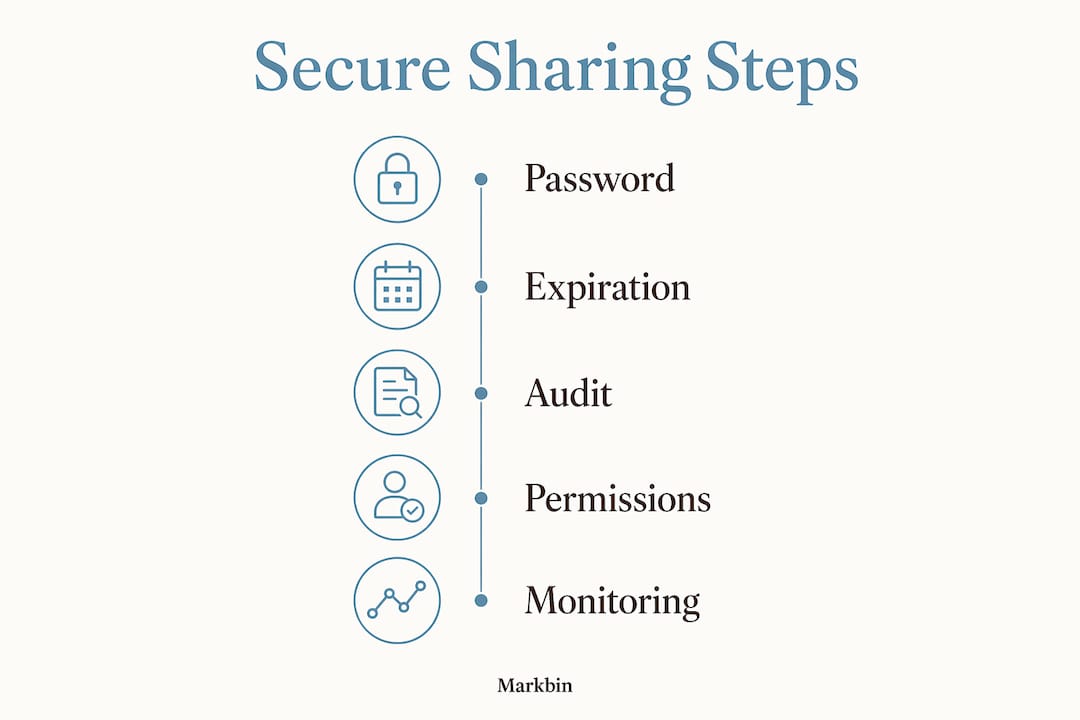
- Password protection. Require a password to open any shared project link. Distribute the password through a separate channel from the link itself. This out-of-band approach acts as a two-factor barrier: even if the link is intercepted, the file stays secure without the separately delivered password.
- Expiration dates. Set links to expire automatically after the review period ends. This eliminates the stale-link problem without relying on anyone to remember to revoke access manually.
- Download limits and view-only permissions. Granting minimal required access limits accidental edits, unauthorized redistribution, and privacy breaches. View-only settings prevent recipients from saving or copying the file.
- Restricted access by email or user group. Limit access to specific verified email addresses rather than anyone who holds the link. This is the most direct way to control who can open a shared project.
- Audit logs and activity monitoring. Logging who accessed a file and when provides critical visibility into unauthorized access attempts. Audit logs also support compliance requirements in institutions subject to FERPA or GDPR.
The table below summarizes which controls address which risk categories.
| Security control | Risk it addresses | Best used for |
|---|---|---|
| Password protection | Unauthorized access | All shared project links |
| Expiration dates | Stale link exposure | Semester-end submissions |
| View-only permissions | Unauthorized redistribution | Draft reviews and peer feedback |
| Email-restricted access | Forwarding to unintended recipients | High-stakes or graded work |
| Audit logs | Undetected access breaches | Institutional compliance |
Pro Tip: Passwords, expiration dates, and audit logs together provide more practical day-to-day protection than complex encryption for typical student project sharing. Start with these three before looking at anything more technical.
How does secure link sharing compare to other collaboration methods in schools?
Not every sharing method carries the same risk profile. The comparison below clarifies where secure link sharing fits relative to other common approaches.
| Method | Security level | Best use case | Key limitation |
|---|---|---|---|
| "Anyone with the link" (Google Drive default) | Low | Informal drafts, public resources | No access control, indefinite exposure |
| Password-protected links (Markbin, Flyn) | High | Graded projects, sensitive submissions | Requires password distribution |
| Email-restricted sharing (Google Drive, OneDrive) | High | Institutional collaboration | Requires recipient Google or Microsoft account |
| Lockdown browsers (Talview, Respondus) | Very high | High-stakes exams | Not designed for project sharing |
| Dedicated collaboration platforms | High | Ongoing team projects | May require sign-up or licensing |
Lockdown browsers disable tab-switching, screen capturing, and contextual access to maintain exam integrity. They are the right tool for high-stakes testing but are not designed for the everyday task of sharing a research paper or group project. Secure link sharing fills the gap between fully open links and fully locked-down exam environments.
Dedicated educational platforms with built-in security controls outperform generic cloud storage in preventing accidental data leaks. They integrate permissions, expiration, and audit logging into a single workflow rather than requiring students to configure each setting separately. For most classroom use cases, a platform that handles security by default is more reliable than one that requires manual configuration every time.
How to implement secure sharing in classrooms and remote learning
Putting secure link sharing into practice requires a consistent process, not just good intentions. These steps work for both in-person and remote learning environments.
- Configure sharing permissions before sending any link. On Google Drive, switch from "Anyone with the link" to "Restricted" and add only the specific email addresses that need access. On Microsoft OneDrive, use "Specific people" rather than the default link type. On Markbin, set a password and expiration date at the moment of document creation.
- Send the link and password through separate channels. Email the project link, then send the password via a course management system like Canvas or Blackboard, or through a direct message. This out-of-band password delivery prevents a single intercepted message from compromising access.
- Audit shared links at the end of each project cycle. Schedule a 15-minute review at the end of each semester to revoke access on any links that are no longer needed. Stanford's IT team recommends this practice specifically to close long-term exposure gaps.
- Choose platforms with security built in by default. Tools that require students to actively opt into security controls will see inconsistent adoption. Platforms where password protection and expiration are part of the default sharing flow produce better outcomes because the secure option is also the easiest option.
- Train students on one clear protocol. Distribute a one-page sharing checklist at the start of each term. Cover the four steps: restrict access, set a password, set an expiration date, and audit at semester end. Repetition builds habit faster than any policy document.
Pro Tip: When editing documents online, use platforms that separate viewing and editing permissions. Giving a peer reviewer edit access when they only need to read the document is a common source of accidental data modification.
The gap nobody talks about in academic sharing
I have reviewed sharing practices across dozens of educational settings, and the pattern is almost always the same. Educators spend significant time designing rubrics, grading criteria, and submission workflows. They spend almost no time on how the actual files travel between students, instructors, and external reviewers.
The result is a system where a student's semester-long research project sits behind a link that anyone in the class, or anyone those classmates forwarded it to, can still open two years later. That is not a hypothetical. It is the default behavior of Google Drive when the sharing setting is left at "Anyone with the link."
What I find more troubling is the assumption that link sharing is a one-time decision. The perception that sharing is a one-time action leads directly to security gaps. Professionals who work in information security treat link permissions as living configurations that require regular review. Educators and students should adopt the same mindset.
The good news is that the fix is not complicated. Password protection, expiration dates, and a semester-end audit address the vast majority of real-world exposure risks. Institutions that have adopted platforms where these controls are built into the default sharing flow report fewer incidents and less administrative overhead. The technology is not the barrier. The habit is.
— Zack
Share student projects securely with Markbin
Markbin is built for exactly this use case. Students and educators can create beautifully rendered markdown documents and share them via password-protected links with expiration dates, no sign-up required. Every shared document supports view-only access, self-destructing links, and instant revocation, giving instructors and students full control over who sees their work and for how long. Markbin supports GitHub Flavored Markdown including syntax highlighting, tables, and task lists, making it suitable for technical reports, lab write-ups, and collaborative notes. If your current sharing workflow relies on default cloud storage settings, Markbin offers a direct upgrade without the complexity.
FAQ
What does "secure link sharing" mean for students?
Secure link sharing means distributing project files through links that require a password, restrict access to specific users, or expire after a set period. These controls prevent unauthorized viewing, copying, or redistribution of student work.
Why is "Anyone with the link" sharing risky for school projects?
Links set to "Anyone with the link" remain accessible indefinitely and can be forwarded to unintended recipients or indexed by search engines. Stanford University IT specifically warns against this setting for files containing sensitive or personal information.
How can students share projects securely without complex tools?
Students can use password-protected links with expiration dates on platforms like Markbin, send the link and password through separate channels, and set permissions to view-only. These three steps address the most common sharing risks without requiring technical expertise.
Does secure link sharing help with academic integrity?
Controlled access sharing prevents unauthorized parties from viewing or copying student work, which directly reduces the risk of plagiarism and unauthorized collaboration. Combined with audit logs, it also creates a record of who accessed a project and when.
How often should students or educators audit shared links?
Security practitioners recommend auditing shared links at the end of each project cycle or semester. A 15-minute review to revoke unnecessary access is enough to close the most common long-term exposure gaps.
Key takeaways
Secure link sharing for student projects requires password protection, expiration controls, and regular permission audits to prevent unauthorized access and protect academic integrity.
| Point | Details |
|---|---|
| Default settings expose student work | "Anyone with the link" creates indefinite, uncontrolled access that search engines can index. |
| Password and expiration are the core controls | These two features address the majority of real-world sharing risks without technical complexity. |
| Out-of-band password delivery adds protection | Sending the link and password through separate channels prevents a single interception from compromising access. |
| Audit links every semester | Revoking unnecessary access at the end of each project cycle closes long-term exposure gaps. |
| Built-in security beats manual configuration | Platforms where secure sharing is the default produce more consistent protection than tools requiring manual setup. |