
Read-only document links are defined as shareable URLs that grant recipients view-only access to a document, enforced entirely by the hosting platform's server. The platform controls what recipients can do with the document, not the file itself. Understanding how read-only document links work is useful for students sharing research drafts, educators distributing course materials, and professionals reviewing contracts without risking accidental edits. Platforms like Google Drive, Microsoft Word, Notion, and Zoho Viewer all implement this access model, each with different levels of control. This guide explains the technical mechanics, security features, practical uses, and real limitations of read-only sharing.
How do read-only document links enforce view-only access?
Read-only links enforce permissions server-side using unique tokens that restrict editing and other actions regardless of the recipient's device or software. The link itself contains an identifier tied to a specific document and a permission level. When someone opens the link, the server checks that token, confirms the permission level is "view only," and delivers a version of the document with editing controls removed.

The token is the key mechanism. It is a string of characters embedded in the URL that the server recognizes as belonging to a specific access grant. Without a valid token, the server refuses to serve the document. This is why simply knowing a document's file name or storage location is not enough to access it.
Common restrictions enforced through this system include:
- No editing or commenting unless the owner explicitly grants those rights
- No bulk text copying on platforms with advanced copy restrictions
- No downloading when the owner disables that option
- No printing when the platform supports print blocking
- No access after revocation once the owner invalidates the token
Using optimized permalink parameters like mode=readonly reduces document load times and removes editing UI elements for a cleaner viewing experience. Zoho Viewer, for example, generates tokenized permalinks that persist across file renames, meaning the link stays valid even if the document title changes.
Session-based viewer URLs, by contrast, expire quickly, sometimes within 72 hours. Permanent tokenized permalinks are the correct choice for any document you plan to share long-term. Deleting and re-uploading a file creates a new file ID, which breaks all previous share links. Use a platform's restore function to maintain link validity when a file is accidentally removed.
Pro Tip: Always generate a permanent permalink rather than copying the URL from your browser's address bar. Session URLs look identical but expire fast, leaving recipients with a broken link.
What security features come with read-only links?
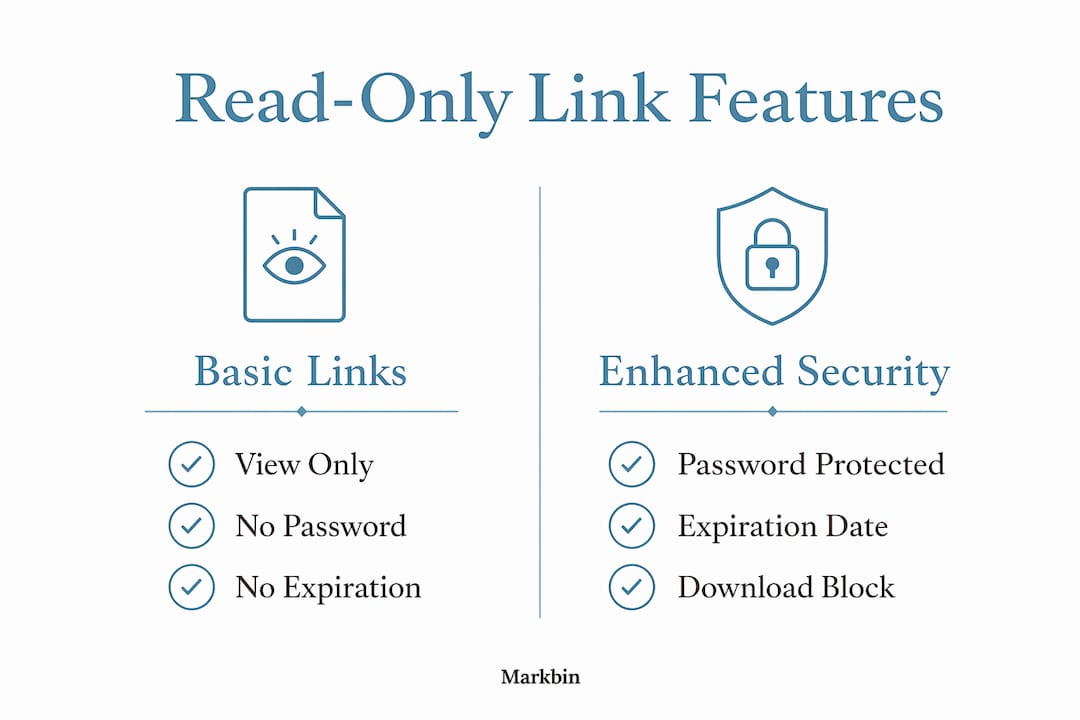
Standard read-only sharing now includes granular controls like password protection, expiration dates ranging from 7 to 90 days, and immediate revocation. These controls exist because a link alone is not a security barrier. Anyone who receives the URL can open the document, so additional layers matter.
Here is how each control works in practice:
- Password protection. The owner sets a password that recipients must enter before viewing the document. This is useful for sharing exam materials with students or distributing confidential reports to a specific team.
- Expiration dates. The link automatically stops working after a set number of days. A 7-day window works well for time-sensitive reviews. A 90-day window suits longer academic projects.
- Immediate revocation. The owner can invalidate a link at any time, cutting off access instantly. This is the fastest response if a link is shared with the wrong person.
- Visibility settings. Some platforms let owners mark links as unlisted, meaning search engines cannot index the document. Microsoft 365 shareable links, for instance, do not expose content in internal search until a user actively clicks the link and redeems access.
- Access logs. Certain platforms record who accessed a document and when, giving owners visibility into how their content is being used.
Read-only links are best understood as a URL-as-secret. Anyone who holds the link can open the document, which means the link itself must be treated as confidential. Sending it over an unencrypted channel or posting it publicly removes any protection the permission settings provide.
Pro Tip: For sensitive documents, combine password protection with a short expiration window. Revoke the link manually once the intended recipient confirms they have finished reviewing.
What are the practical uses and limits of read-only links?
Read-only document sharing covers a wide range of real situations. Educators use it to distribute syllabi, lecture notes, and rubrics without students accidentally editing the master copy. Students use it to share research papers with advisors for feedback while keeping the original intact. Professionals use it to send contracts, proposals, and reports to clients for review.
The benefits of read-only links are clear in collaborative settings. A project manager can share a project brief with ten stakeholders and know that no one will accidentally delete a section. A researcher can publish a dataset for peer review without granting write access.
The limitations are equally real and often misunderstood:
- Screenshots bypass all controls. A recipient can photograph their screen and share the content freely.
- Link forwarding is uncontrollable. Once you send a link, the recipient can forward it to anyone.
- Download prevention is not absolute. View-only is not absolute security; tech-savvy users can still extract content even when download buttons are hidden.
- Watermarking is not automatic. Most platforms do not add watermarks by default. You must enable this separately if it matters.
Platforms like MaiPDF address some of these gaps. MaiPDF enables read and zoom features but blocks downloads, printing, and bulk copying, and it works in all modern browsers without special software. For educators sharing exam papers or professionals distributing proprietary reports, combining a view-only link with watermarking and access logs is the most practical defense.
| Scenario | Read-only link alone | Read-only + password + expiration |
|---|---|---|
| Sharing lecture notes | Sufficient for low-risk content | Adds unnecessary friction |
| Distributing exam papers | Risky without extra controls | Recommended |
| Client contract review | Acceptable for most cases | Best practice for legal documents |
| Public research sharing | Appropriate | Expiration not needed |
How do popular platforms handle read-only document links?
Different platforms implement read-only access with varying levels of control. The table below compares five widely used tools.
| Platform | Read-only method | Password protection | Expiration | Download blocking |
|---|---|---|---|---|
| Google Drive | Share settings: Viewer role | No (native) | No (native) | Partial |
| Microsoft 365 | Shareable link with View permission | No (native) | No (native) | Partial |
| Notion | Can View permission, public link | No | No | No |
| Zoho Viewer | Tokenized permalink, mode=readonly | Yes | Yes | Yes |
| MaiPDF | View-only PDF link | Yes | Yes | Yes |
Google Drive and Microsoft 365 cover basic read-only needs well. Both restrict editing at the permission level and work reliably for everyday sharing. Neither offers native password protection or expiration on standard plans, which limits their usefulness for confidential document sharing.
Notion provides read-only sharing through its "Can View" permission and allows public link sharing with an option to disable search engine indexing. One important detail: nested pages in Notion require separate sharing settings unless the parent page's permissions are inherited. If a user turns off sharing or deletes the page, all access breaks immediately.
Zoho Viewer and MaiPDF offer the most control for users who need secure document sharing. Both support password protection, expiration, and download blocking. Zoho's permalink technology is particularly useful for stable long-term sharing because the link persists even when the file is renamed.
Key Takeaways
Read-only document links work by combining unique server-side tokens with platform-enforced permissions, and adding password protection plus expiration is the minimum standard for any sensitive document.
| Point | Details |
|---|---|
| Server-side tokens control access | The platform verifies a unique token in the URL before granting view-only access. |
| Expiration and revocation are critical | Set links to expire in 7–90 days and revoke immediately if a link is shared incorrectly. |
| View-only is not absolute protection | Screenshots and link forwarding bypass all platform controls; combine with watermarking for sensitive content. |
| Platform controls vary significantly | Zoho Viewer and MaiPDF offer more granular security than Google Drive or Microsoft 365 natively. |
| Treat every link as a secret | Anyone with the URL can open the document, so distribute links only through secure channels. |
The part most guides skip about read-only links
The biggest misconception I see, especially among students and educators, is that "read-only" means "private." It does not. A read-only link is a permission setting, not a confidentiality guarantee. If you post that link in a public forum or send it through an unsecured channel, the document is effectively public regardless of what the permission label says.
I have watched educators share exam papers via read-only links in group chats, assuming the view-only setting protected the content. It did not. The link circulated freely, and the content was accessible to anyone who received it. The fix is simple but rarely practiced: treat every link like a password. Share it only with the intended recipient, through a direct and secure channel.
The second thing most guides understate is the value of expiration. Revocation requires you to remember to act. Expiration works automatically. For student project sharing, setting a 14-day expiration on a peer review link means the document stops being accessible the moment the review period ends, with no action required. That is a meaningful security improvement for almost zero extra effort.
The platforms that get this right are the ones that make expiration and revocation the default, not the exception. If your current tool requires three menus to set an expiration date, you will skip it under time pressure. Choose tools where these controls are front and center.
— Zack
Markbin makes secure read-only sharing straightforward
Markbin is built for exactly the kind of sharing this article describes. It converts plain markdown into shareable rendered documents with view-only links that support password protection, expiration, and instant revocation. You do not need an account to get started, which removes the friction that stops most people from using security features at all. Markbin supports full GitHub Flavored Markdown, including syntax highlighting, tables, and task lists, making it practical for technical notes, course materials, and collaborative writing. For educators and students who want confidential link sharing without the complexity of enterprise tools, Markbin is a direct solution.
FAQ
What does a read-only document link actually do?
A read-only document link gives the recipient permission to view a document but not edit, delete, or modify it. The restriction is enforced by the hosting platform's server, not by the file itself.
Can someone bypass a read-only link?
View-only controls block editing and downloading through the platform interface, but recipients can still take screenshots or forward the link to others. For sensitive content, combine read-only access with watermarking and a short expiration window.
How long do read-only links stay active?
That depends on the platform and the settings the owner chooses. Many platforms support expiration windows from 7 to 90 days. Without an expiration set, most links remain active until the owner manually revokes them or deletes the document.
Is a read-only link the same as a public link?
No. A read-only link controls what a recipient can do with a document. A public link controls who can find it. A document can be read-only and still be publicly indexed by search engines unless the owner disables indexing separately.
What is the safest way to share a read-only document?
Set a password, apply an expiration date, and send the link only through a direct and secure channel. For highly sensitive documents, add watermarking and enable access logs to track who viewed the file and when.