
A markdown horizontal rule is defined as three or more identical characters — specifically hyphens (---), asterisks (***), or underscores (___) — placed on a line by themselves, surrounded by blank lines. This syntax renders as a visible separator in your document and produces an <hr> element in HTML. Parsers like CommonMark and GitHub Flavored Markdown (GFM) both support this feature natively. Getting the syntax right matters more than most learners expect. A single missing blank line can silently break your formatting, turning a separator into an unwanted heading.
What is a markdown horizontal rule?
A markdown horizontal rule is a thematic break that visually divides unrelated sections of content. The term "thematic break" is the standard industry term used in the CommonMark specification. You may also hear it called a "separator line" or "divider," but thematic break is the precise vocabulary used by markdown parsers.
The rule renders identically across all three character types. Type ---, ***, or ___ on its own line, and every compliant markdown parser produces the same horizontal line in the output. That output is a plain HTML <hr> element. Tools like GitHub, GitLab, and MDX-based frameworks all recognize this syntax, though MDX introduces one important exception covered later in this guide.
The core function is simple: signal to the reader that one topic ends and another begins. Think of it as a paragraph break for entire sections, not just sentences. Used correctly, a horizontal rule improves document flow without requiring an additional heading.
Exact syntax rules for creating horizontal rules
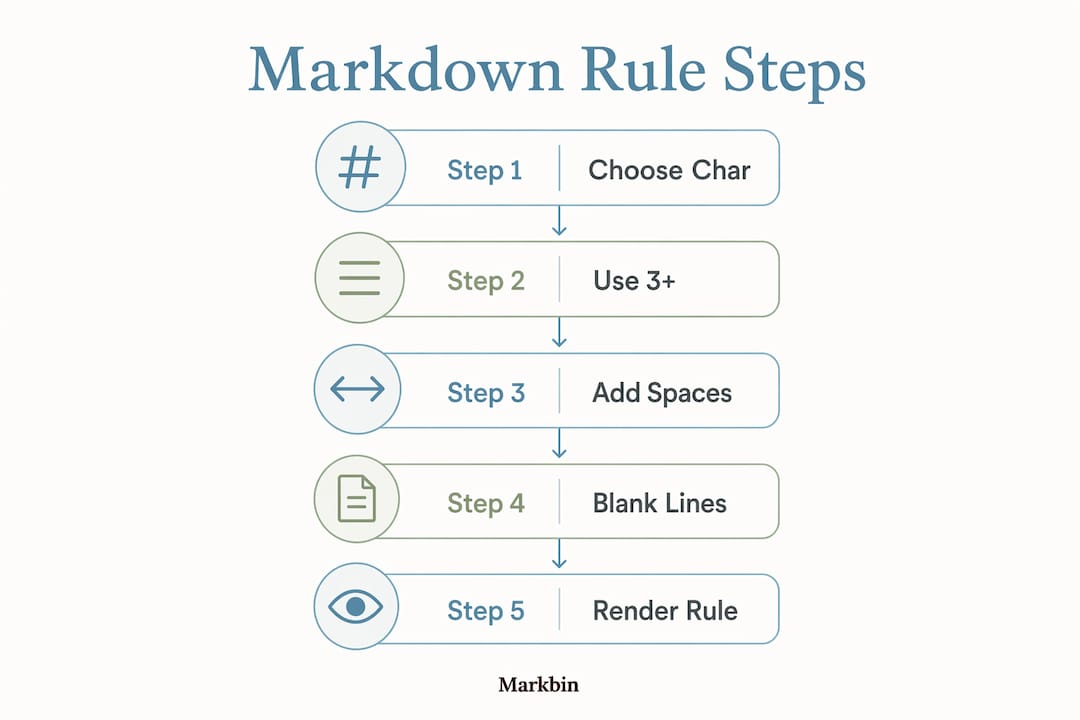
The syntax for horizontal rules requires three or more identical characters on a single line, with no other text on that line. Here is what valid and invalid syntax looks like in practice:
Valid syntax:
---(three hyphens)****(four asterisks)_____(five underscores)- - -(hyphens with spaces between them)
Invalid syntax:
--(only two characters, below the minimum)--*(mixed character types)--- text(text on the same line)-(single character)
The minimum character count is three. There is no maximum. Spaces between characters are allowed, so - - - renders the same as ---. What you cannot do is mix character types in one line. A line like --_ will not produce a horizontal rule. It will render as plain text.
92% of markdown users prefer hyphens over asterisks or underscores. That preference reflects real-world editing habits, not just style opinion. Hyphens are the least visually ambiguous option in raw markdown.

Pro Tip: Always place a blank line above and below your horizontal rule. Most markdown editors require this to render the separator correctly, and skipping it is the single most common cause of formatting failures.
Why do horizontal rules break? common errors explained
90% of failures to render horizontal rules correctly come from one source: a missing blank line above the rule. This is not a minor formatting preference. It is a parsing rule with real consequences.
The setext heading conflict
The most damaging error is the Setext heading conflict. When --- immediately follows a line of text without a blank line separating them, the parser reads it as an H2 heading instead of a horizontal rule. Here is what that looks like:
This is my section title
---
That code does not produce a heading followed by a separator. It produces a single H2 heading that reads "This is my section title." The --- disappears entirely from the rendered output. Add a blank line above the ---, and the behavior changes completely.
Other common errors
- Two-character lines:
--does not meet the three-character minimum and renders as plain text. - Mixed characters:
--*or-_-are invalid and will not produce a horizontal rule. - Text on the same line:
--- end of sectioninvalidates the rule. - MDX frontmatter conflict: In MDX files,
---at the very top of the file triggers YAML frontmatter parsing, not a horizontal rule. The workaround is to add content before the---or use the HTML tag<hr />directly.
Pro Tip: When working in MDX or custom parser environments, default to <hr /> for your first separator if you are unsure whether the file starts with frontmatter. It removes all ambiguity.
Most markdown parsers treat the three character variants identically in standard cases. The edge cases appear in non-standard environments. GitLab's markdown documentation confirms that blank lines before and after the rule are required for correct rendering. Follow that rule in every environment, and you eliminate the majority of parsing problems.
Hyphens vs. asterisks vs. underscores: which should you use?
All three syntax variants produce the same rendered output. The differences only matter in raw markdown, where you or a collaborator reads the source file directly. That distinction is worth taking seriously, especially in team documentation projects.
| Syntax | Character | Common Issues | Recommended |
|---|---|---|---|
--- | Hyphens | Setext heading conflict if blank line missing | Yes |
*** | Asterisks | Visually confused with bold (**text**) syntax | No |
___ | Underscores | Can look like an em-dash or underline to the eye | No |
Hyphens are preferred because they carry the least visual ambiguity in raw markdown editing. Asterisks sit right next to bold and italic syntax, so a line of *** can momentarily confuse a reader scanning source code. Underscores have a similar problem. A row of ___ can look like a long underline or a blank field, especially in monospace fonts.
The practical recommendation is to pick one style and use it throughout your entire project. Consistency matters more than which character you choose. A documentation repo that mixes --- in some files and *** in others creates unnecessary cognitive load for contributors. Standardizing on hyphens reduces editing errors and keeps your raw markdown readable at a glance.
How to use horizontal rules effectively in documents
A horizontal rule works best as a thematic break between genuinely unrelated content blocks. The key word is "unrelated." If two sections share a logical connection, a heading hierarchy handles the transition better than a separator line.
When a horizontal rule belongs in your document
Use a horizontal rule in these specific situations:
- Separating an introduction from the main body when no heading follows immediately
- Creating a visual footer at the bottom of a document before author notes or metadata
- Dividing unrelated content blocks in a single-page document that covers multiple topics
- Marking the end of a major section in a long README file where headings alone feel insufficient
Overusing horizontal rules signals poor document structure. If you find yourself adding a separator after every section, that is a sign your heading hierarchy needs work, not more lines. Proper H2 and H3 headings carry the primary navigation load. Horizontal rules are secondary visual aids.
Horizontal rules and heading hierarchy
The strongest markdown documents use headings for structure and horizontal rules for emphasis. Think of headings as the skeleton and horizontal rules as occasional punctuation. A document with ten horizontal rules and weak headings reads as visually noisy. A document with clear H2 and H3 headings and two or three well-placed separators reads as organized and professional.
Horizontal rules work across almost all markdown flavors, including CommonMark and GitHub Flavored Markdown. Discord is one notable exception where horizontal rules are not supported. If you write for multiple platforms, test your separator rendering in each environment before publishing.
Pro Tip: In long technical documentation, place a horizontal rule before your "References" or "Further Reading" section. It signals a clean break from the main content without requiring an additional heading level.
Markbin supports full GitHub Flavored Markdown, so horizontal rules render exactly as expected when you author documents visually. That live preview removes the guesswork from syntax validation entirely.
Key takeaways
A markdown horizontal rule renders correctly only when three or more identical characters appear on a line surrounded by blank lines, with hyphens as the most reliable and widely used option.
| Point | Details |
|---|---|
| Syntax minimum | Use three or more identical characters (hyphens, asterisks, or underscores) on their own line. |
| Blank lines are required | Always place a blank line above and below the rule to prevent Setext heading conflicts. |
| Hyphens are the best choice | Hyphens carry the least visual ambiguity and are preferred by 92% of markdown users. |
| MDX requires special handling | In MDX files, use <hr /> or add content before --- to avoid frontmatter conflicts. |
| Use sparingly for clean structure | Overusing horizontal rules signals poor heading hierarchy; treat them as secondary visual aids. |
Why i always default to hyphens (and you should too)
After years of writing and reviewing markdown documentation, the blank line rule is the one mistake I see most often. Not from careless writers. From experienced ones who know the syntax but type quickly. The Setext heading conflict is silent. Your document renders without an error message, but your separator becomes a heading, and your content shifts in ways that are hard to spot in a long file.
My personal rule is simple: hyphens, always, with blank lines above and below. No exceptions. I stopped using asterisks for horizontal rules the moment I realized how often they created visual confusion when I scanned raw source files. A line of *** in the middle of a document looks like a formatting accident, not an intentional separator.
The deeper lesson is about document design. Horizontal rules are not a substitute for clear heading structure. I have reviewed documentation where the author used a separator between every paragraph. The result looked organized at first glance but was actually a sign that the heading hierarchy had never been thought through. If you find yourself reaching for a horizontal rule more than twice per document, stop and ask whether an H2 or H3 heading would serve the reader better.
For anyone working in MDX or custom parser environments, test your separators before you publish. The markdown rendering behavior in non-standard parsers can surprise you, and a frontmatter conflict at the top of a file is one of the harder bugs to spot without a live preview.
— Zack
Write cleaner markdown documents with Markbin
Markbin is built for exactly the kind of work this article covers. The platform renders full GitHub Flavored Markdown in real time, so you see your horizontal rules, headings, and thematic breaks exactly as they will appear to your readers. No guessing, no broken formatting surprises. Markbin supports syntax highlighting, tables, task lists, and math formulas, making it a strong fit for technical documentation and collaborative writing. You can share your documents instantly via secure links without creating an account. If you want to write cleaner, better-structured markdown without fighting your tools, start with Markbin today.
FAQ
What characters create a horizontal rule in markdown?
Three or more hyphens (---), asterisks (***), or underscores (___) on a line by themselves create a horizontal rule. All three render as the same HTML <hr> element.
Why is my horizontal rule showing as a heading?
A missing blank line above --- causes the parser to read it as a Setext H2 heading instead of a separator. Add a blank line directly above the rule to fix this.
How many characters do i need for a horizontal rule?
The minimum is three identical characters. There is no maximum limit, and spaces between characters are allowed (for example, - - - is valid).
Does a horizontal rule work in all markdown editors?
Horizontal rules work in nearly all markdown flavors, including CommonMark and GitHub Flavored Markdown. Discord is a known exception where horizontal rules are not supported.
Should i use hyphens, asterisks, or underscores?
Hyphens are the recommended choice. They are the least visually ambiguous in raw markdown and are preferred by the majority of markdown users. Standardize on one style across your entire project for consistency.