
Markdown strikethrough is defined as a text formatting technique that places a horizontal line through characters by wrapping them in double tildes, written as ~~text~~. This syntax signals deletions, corrections, or completed tasks without removing the original content from view. The double tilde format is defined in GitHub Flavored Markdown (GFM), a strict superset of CommonMark that adds strikethrough and several other formatting extensions. Core CommonMark, the baseline specification, does not support strikethrough natively. That single fact explains most of the compatibility confusion developers and writers run into across platforms.
How is strikethrough syntax implemented in Markdown?
The mechanics are straightforward. You wrap any text in double tildes, and a GFM-compliant renderer draws a line through it. The raw syntax ~~deleted text~~ produces deleted text in the rendered output.

GFM defines this behavior precisely. Because GFM is a strict superset of CommonMark, every valid CommonMark document is also valid GFM. The reverse is not true. Strikethrough is one of the features GFM adds on top of the CommonMark baseline, which means it only renders correctly in environments that explicitly support GFM or an equivalent extended dialect.
Here is what the syntax looks like in practice:
~~This task is complete~~renders asThis task is complete~~Wrong figure: $500~~renders asWrong figure: $500~~Draft version 1~~renders asDraft version 1The price is ~~$200~~ $150renders the corrected price inline
The double tilde must directly adjoin the text with no space between the tildes and the first or last character. Writing ~~ text ~~ with interior spaces will not render correctly in most parsers. This is a common mistake for writers new to the syntax.
Pro Tip: Test your strikethrough in the actual environment where the document will be read, not just in your local editor. A file that renders perfectly in one tool may show raw tildes in another if GFM extensions are not active.
Understanding how Markdown rendering works at the parser level helps you predict these outcomes before they become problems in production documentation.
Which platforms support Markdown strikethrough?
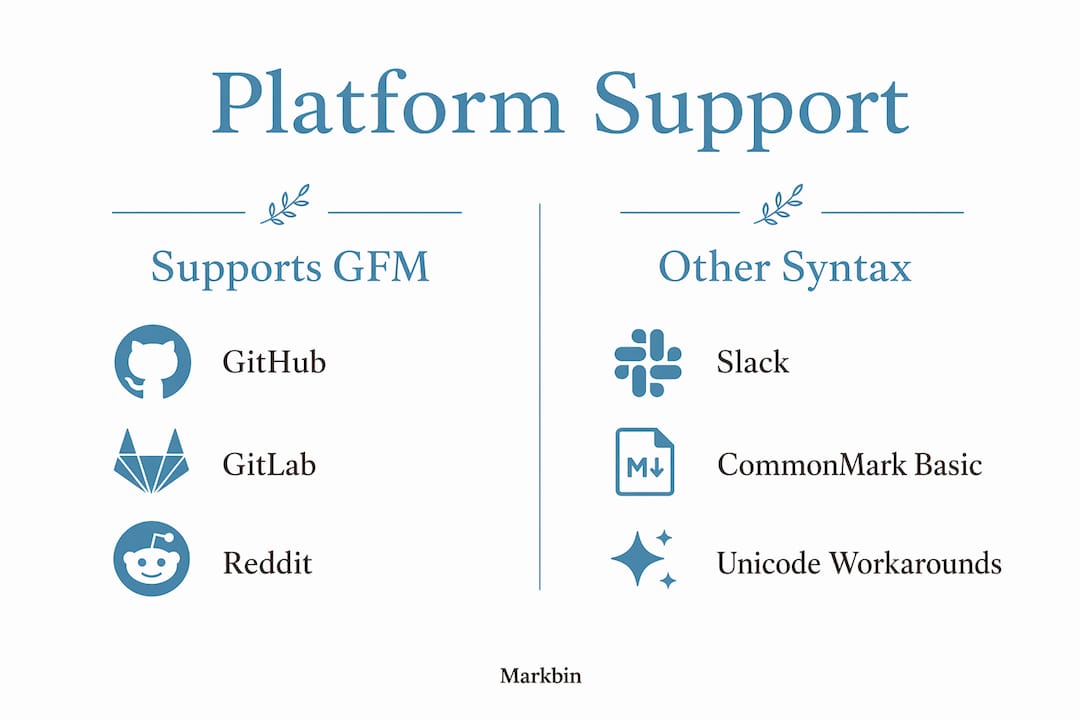
Platform support is the most practical concern when applying strikethrough in Markdown. The table below summarizes where double tilde syntax works, where it does not, and where workarounds are needed.
| Platform | Strikethrough support | Syntax used |
|---|---|---|
| GitHub | Full GFM support | ~~text~~ |
| GitLab | Full GFM support | ~~text~~ |
| Obsidian | Full GFM support | ~~text~~ |
| Full GFM support | ~~text~~ | |
| Discord | Full GFM support | ~~text~~ |
| Slack | Single tilde only | ~text~ |
| Basic CommonMark editors | No native support | Raw tildes shown |
| Most email clients | No support | Requires Unicode fallback |
GitHub, GitLab, Reddit, Discord, and Obsidian all support the double tilde syntax without any configuration. That covers the majority of platforms developers and writers use daily for documentation and collaboration.
Slack is the notable exception. Slack uses a single tilde on each side (~text~) for its own strikethrough formatting. That syntax is incompatible with the GFM double tilde standard. If you paste GFM-formatted text into Slack, the double tildes will appear as literal characters rather than rendered formatting.
Basic CommonMark-only environments, including some static site generators and lightweight editors, will display the raw ~~ characters. The same applies to most email clients, which do not parse Markdown at all.
When Markdown rendering is unavailable, some writers fall back to Unicode strikethrough characters as a workaround. This approach involves inserting special Unicode combining characters between each letter. The result looks like s̶t̶r̶i̶k̶e̶t̶h̶r̶o̶u̶g̶h̶ but carries significant drawbacks: the text is difficult to copy, search engines may not index it correctly, and screen readers handle it poorly. Unicode strikethrough is not recommended for technical documentation.
What are best practices for using strikethrough in Markdown?
Strikethrough is most effective when used sparingly. Excessive strikethrough reduces clarity, especially for developers reviewing raw Markdown files where the tildes themselves add visual noise. A document full of struck-through text signals poor revision discipline, not thorough editing.
The strongest use cases are:
- Showing corrections inline: Replace a wrong value with the right one, keeping both visible for context. Example:
The deadline is ~~March 5~~ March 12. - Marking completed tasks: In task lists, strikethrough confirms a done item without deleting it from the record.
- Version differences: In changelogs or release notes, strikethrough flags deprecated options or removed features.
- Draft annotations: Writers use strikethrough to flag text for deletion during collaborative review without immediately removing it.
Combining strikethrough with other inline styles adds emphasis but requires care. Writing ~~**bold and struck**~~ or **~~bold and struck~~** both work in most GFM renderers, but the nesting order matters. Some parsers render one order correctly and fail on the other. Test combined styles in your target environment before committing to them across a document.
Accessibility is a real concern here. Screen readers may not interpret strikethrough correctly. A screen reader often reads struck-through text as if it were normal text, giving the listener no signal that the content is marked for deletion or correction. For critical documentation, pair strikethrough with a descriptive note or a changelog entry that explains the revision in plain language.
Pro Tip: When you use strikethrough to show a correction, add a brief inline note explaining why. For example: ~~$400~~ $350 (corrected after vendor confirmation). This keeps the document self-explanatory for anyone reading it later.
Audio engineers and technical editors who handle frequent document revisions have developed similar discipline around revision clarity in professional workflows. The principle transfers directly to Markdown documentation.
Are there technical limitations with Markdown strikethrough?
The most common technical problem is a parser that does not have GFM extensions enabled. Markdown-it, Remark, and similar libraries require explicit configuration to activate strikethrough support. Many disable it by default to stay compliant with the CommonMark baseline. If your rendered output shows ~~text~~ as literal characters, check whether the GFM plugin or strikethrough extension is active in your library configuration.
Combining strikethrough with other inline styles creates a second category of problems. Nested inline styles often require a specific order to render correctly across parsers. The combination ~~*italic strikethrough*~~ may work in one renderer and fail in another. The safest approach is to test combined styles against your specific parser version before using them in production.
A few additional limitations worth knowing:
- Raw tilde display: If your environment does not support GFM, readers see
~~text~~instead of formatted output. This is confusing in shared documents where readers may not know Markdown syntax. - Security considerations: Enabling GFM extensions in a web-facing Markdown parser increases the attack surface slightly. Always sanitize HTML output when rendering user-submitted Markdown that includes GFM features.
- Search indexing: Some search tools index the raw Markdown source. Struck-through text may appear in search results as if it were current, valid content. This matters for documentation sites where accuracy is critical.
- Copy-paste behavior: Struck-through text copied from a rendered document often pastes as plain text, losing the formatting signal entirely.
For a deeper look at how parsers handle these edge cases, the developer's guide to Markdown covers the full range of inline formatting behaviors across rendering environments.
Key Takeaways
Strikethrough in Markdown requires double tildes (~~text~~) under GFM, and its rendering depends entirely on whether the target platform or parser supports GFM extensions.
| Point | Details |
|---|---|
| Core syntax | Wrap text in ~~double tildes~~ with no spaces between the tildes and the text. |
| GFM vs. CommonMark | GFM supports strikethrough natively; core CommonMark does not, causing raw tilde display in basic environments. |
| Platform variation | GitHub, GitLab, Discord, and Obsidian support double tildes; Slack uses single tildes and is incompatible. |
| Use sparingly | Overuse reduces document clarity; reserve strikethrough for corrections, completed tasks, and changelogs. |
| Accessibility | Screen readers often skip the strikethrough signal; pair it with descriptive notes for critical documentation. |
Why strikethrough is more nuanced than it looks
I have reviewed hundreds of Markdown documents across developer teams, and strikethrough is consistently the most misused inline style. Writers reach for it as a quick way to show "I changed my mind," but they rarely think about who reads the document next.
The real problem is context collapse. Strikethrough makes perfect sense to the person who wrote it. Three months later, a new team member reading the same file has no idea whether the struck-through text was wrong, deprecated, or just a draft note. The formatting carries no timestamp, no author, and no reason. That ambiguity compounds in long-lived documentation.
My recommendation is to treat strikethrough as a temporary annotation, not a permanent revision method. Use it during active editing and collaborative review. Once a document reaches its final state, replace struck-through text with a proper changelog entry or remove it entirely. This keeps the published document clean and the revision history meaningful.
The platform compatibility gap also catches writers off guard more than it should. Confirming GFM support before building a documentation workflow around strikethrough saves real frustration. If you are writing for a mixed audience across platforms, test your formatting on every target environment before publishing. A document that looks polished in one tool and shows raw syntax in another damages credibility fast.
For educators specifically, strikethrough in shared lesson materials can confuse students who are not familiar with Markdown. A struck-through answer in a quiz document may read as a valid option to someone who does not know the syntax. Plain language notes or HTML comments serve that audience better.
— Zack
Markbin renders your Markdown exactly as intended
Formatting precision matters when you share technical documents, lesson plans, or collaborative notes. Markbin supports full GitHub Flavored Markdown, which means strikethrough, tables, task lists, syntax highlighting, and math formulas all render correctly every time. You do not need to configure plugins or verify parser settings. Paste your Markdown, get a clean rendered document, and share it instantly via a secure link. Markbin also supports password protection and self-destructing documents, so sensitive drafts stay controlled. No sign-up is required to get started.
FAQ
What is the correct syntax for strikethrough in Markdown?
The correct syntax is ~~text~~, with double tildes on each side and no spaces between the tildes and the text. This format is defined in GitHub Flavored Markdown and renders a horizontal line through the enclosed characters.
Why does my strikethrough show raw tildes instead of formatting?
Your Markdown environment likely uses a basic CommonMark parser without GFM extensions enabled. CommonMark does not support strikethrough natively, so the tildes appear as literal characters. Enable the GFM strikethrough plugin in your library, or switch to a GFM-compliant renderer.
Does Slack support double tilde strikethrough?
No. Slack uses a single tilde on each side (~text~) for strikethrough. The double tilde GFM syntax is incompatible with Slack and will display as raw characters in that platform.
Is strikethrough accessible for screen reader users?
Screen readers often read struck-through text as normal text, providing no signal that the content is marked for deletion. Pair strikethrough with a descriptive inline note or a changelog entry to maintain accessibility in critical documents.
Can I combine strikethrough with bold or italic in Markdown?
Yes, but nesting order affects rendering. Write ~~**bold strikethrough**~~ or **~~bold strikethrough~~** and test in your specific parser. Some renderers handle one order correctly and fail on the other, so verify before using combined styles in production documents.