
Markdown is defined as a lightweight, plain-text markup language that uses simple syntax — like "boldand# Heading` — to format documents without a visual interface, while rich text editors are WYSIWYG (What You See Is What You Get) tools that apply formatting visually, the moment you click a button. The choice between markdown vs rich text editors shapes how you write, store, collaborate, and publish content. Developers gravitate toward markdown tools like VS Code and Obsidian for their portability and Git compatibility. Non-technical teams lean on Google Docs, Microsoft Word, and CKEditor for their familiar, visual interfaces. This article breaks down the real differences, the real tradeoffs, and how hybrid approaches are changing the equation in 2026.
How do markdown and rich text editors differ in format and portability?
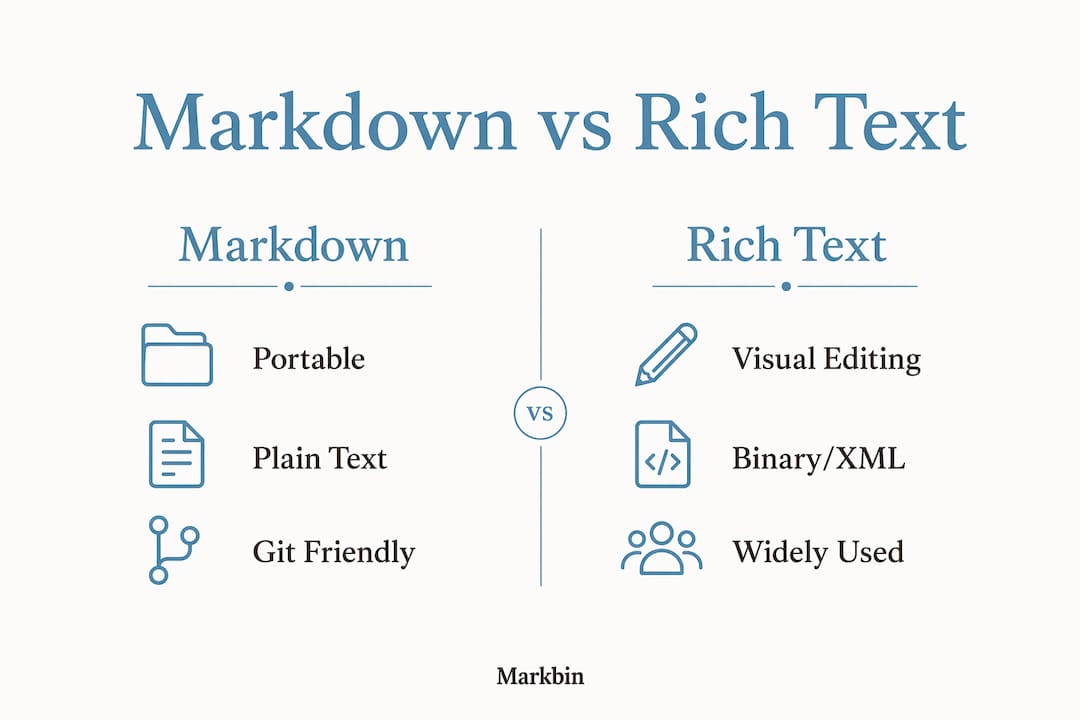
Markdown stores formatting as visible syntax inside plain .md files. Open one in any text editor on any operating system and the content is immediately readable. Markdown files are plain text, cross-platform, small in size, and produce clean diffs in version control systems. That last point matters enormously for developers: a one-line change in a markdown file shows as exactly one changed line in a Git diff.
Rich text editors store formatting in binary or XML-based formats like .docx or .pages, or inside proprietary databases. Git struggles with rich text formats like .docx because binary noise makes diffs nearly unreadable, which turns collaborative editing into a guessing game. A two-word change in a Word document can produce hundreds of lines of unreadable diff output.

The portability gap is significant. A markdown file written in 2015 opens perfectly today in any editor, on any platform, with zero conversion. A .pages file from 2015 may require Apple software, a conversion tool, or luck. For anyone building documentation that needs to outlast a specific tool or company, this is not a minor consideration.
| Feature | Markdown | Rich Text (.docx, etc.) |
|---|---|---|
| File format | Plain text (.md) | Binary or XML |
| Version control | Clean diffs, Git-friendly | Binary noise, hard to diff |
| Portability | Universal, any text editor | Tool-dependent |
| File size | Minimal | Larger, often significantly |
| Readability without renderer | Full | None |
What are the advantages and limitations of markdown editors?
The core advantage of markdown is separation of content from presentation. You write; a renderer handles the visual output. This forces focus on the words themselves, which is why technical writers, developers, and documentation teams favor it so strongly.
Key advantages of markdown editors:
- Speed and simplicity. Learning core Markdown syntax takes approximately 15 to 30 minutes. After that, formatting never requires lifting your hands from the keyboard.
- Git workflow integration. Markdown files live comfortably inside code repositories alongside the code they document. Pull requests, reviews, and version history all work exactly as expected.
- Future-proof storage. Plain text files have no vendor lock-in. They will be readable decades from now without any special software.
- Developer toolchain support. Static site generators like Jekyll, Hugo, and Docusaurus consume markdown natively. GitHub renders it automatically. Documentation platforms like Read the Docs are built around it.
- AI pipeline compatibility. Hybrid markdown editors that serialize to Markdown support AI ingestion pipelines better than proprietary rich text formats, which matters increasingly for teams building automated content workflows.
The limitations are real and worth naming directly. Raw markdown gives you no immediate visual feedback. A long document full of ## symbols and **asterisks** creates cognitive load, especially for writers who think visually. Complex layouts, precise font control, multi-column designs, and embedded spreadsheets are either impossible or deeply awkward in standard markdown.
Markdown flavor fragmentation is also a genuine problem. CommonMark, GitHub Flavored Markdown (GFM), MultiMarkdown, and MDX all handle tables, footnotes, and code blocks differently. Best practice is to use CommonMark plus GitHub Flavored Markdown for consistency and portability across tools and time. Mixing flavors creates documents that render correctly in one tool and break in another.
Popular markdown editors each occupy a distinct niche. Typora renders markdown invisibly as you type, giving a near-WYSIWYG experience. VS Code with the Markdown Preview extension suits developers who live in their IDE. Obsidian excels for linked personal knowledge bases. For syntax highlighting in developer workflows, these tools handle code blocks with precision that rich text editors cannot match.
Pro Tip: Use a markdown editor with live preview for documents longer than 500 words. Editors like Typora or VS Code with preview reduce the mental load of reading raw syntax and catch formatting errors before they reach your audience.
What benefits do rich text editors offer and when are they preferred?
Rich text editors solve a different problem. They make formatting accessible to anyone who has used a word processor, which is nearly every knowledge worker on the planet. The learning curve is near-zero due to familiar interfaces that mirror tools people have used since school.
Key advantages of rich text editors:
- Immediate visual output. What you see while editing is what your reader sees. No mental translation between syntax and rendered output.
- Complex layout support. Rich text editors offer advanced formatting like track changes, multi-column layouts, and embedded spreadsheets. These are not feasible in standard markdown.
- Built-in collaboration. Google Docs offers real-time co-editing, comment threads, and suggestion mode. Microsoft Word has tracked changes and version history. These features are mature, polished, and trusted by legal, HR, and marketing teams worldwide.
- Visual design control. Font families, sizes, colors, custom spacing, and precise image placement are all point-and-click operations. For brand-consistent business documents, this control is non-negotiable.
- Accessibility for non-technical contributors. Rich text is preferred by over 90% of non-technical users for visual editing and collaboration. Asking a marketing manager to write in markdown is a friction point that slows teams down.
The drawbacks center on portability and version control. File sizes are heavier. Formats are often proprietary. Moving content between tools frequently requires manual cleanup. And as noted above, Git-based review workflows become painful with binary file formats.
CKEditor is worth calling out specifically. It is a rich text editor framework used by thousands of web applications to embed WYSIWYG editing directly into products. It represents the category of rich text editors that live inside SaaS platforms rather than as standalone desktop apps, which is an increasingly common pattern.
Pro Tip: Use rich text editors when the final document's visual presentation matters as much as its content, specifically for client-facing reports, legal documents, and any workflow where non-technical stakeholders need to contribute or review without a learning curve.
How do hybrid editors combine markdown and rich text strengths?
The most interesting development in editor design over the past few years is the hybrid approach. Hybrid editors combine Markdown storage with visual editing surfaces, allowing mixed teams to work effectively without forcing everyone into the same mode. A developer can write and review in raw markdown. A content manager on the same team edits through a visual interface. The underlying file is always markdown.
CKEditor 5 with its Markdown plugin is the clearest enterprise example of this pattern. The editor looks and behaves like a rich text tool. Internally, it serializes everything to markdown. The result is a file that lives happily in a Git repository and renders correctly in GitHub, while the person who wrote it never saw a single asterisk.
Many modern tools support Markdown input with rich text preview, including Notion, Typora, and HackMD. Each takes a slightly different approach. Notion stores content in its own database but accepts markdown shortcuts. Typora renders markdown invisibly as you type. HackMD targets technical teams with real-time collaborative markdown editing and rendered preview side by side.
For SaaS knowledge bases and documentation platforms with mixed contributor teams, hybrid editors are becoming the default choice rather than the exception. They eliminate the "which tool do we use" debate by making the answer irrelevant. The visual markdown approach to document authoring is precisely this: markdown power under the hood, visual clarity on the surface.
How to choose the right editor for your workflow
The right editor is determined by three factors: who is writing, what they are writing, and where the output needs to go. Work through these in order.
- Assess your contributors. If your team is primarily developers or technical writers, markdown editors with Git integration are the natural fit. If contributors include marketers, lawyers, or executives, a rich text or hybrid editor removes unnecessary friction.
- Define your content type. Technical documentation, README files, API references, and developer tutorials belong in markdown. Brand guidelines, legal contracts, investor decks, and polished reports belong in rich text. Notes and internal wikis can go either way.
- Map your collaboration model. Version-controlled review processes with pull requests favor markdown. Real-time co-editing with comments and suggestions favors Google Docs or similar rich text tools.
- Consider your output destinations. Content going into a static site generator, a GitHub repository, or an AI processing pipeline should be in markdown. Content going to print, PDF with precise layout, or a client presentation should be in rich text.
- Evaluate formatting complexity. Simple headings, lists, code blocks, and tables work perfectly in markdown. Multi-column layouts, custom fonts, embedded charts, and pixel-precise image placement require rich text.
- Check your storage and integration requirements. Git-based repositories pair with markdown. Cloud-based collaboration platforms like Google Workspace pair with rich text. Hybrid tools like Markbin work across both contexts.
Pro Tip: When your team spans both technical and non-technical contributors, test a hybrid tool for two weeks before committing to either pure markdown or pure rich text. The productivity gain from eliminating format conversion and tool switching is often larger than expected.
Key takeaways
The choice between markdown and rich text editors comes down to portability and control: markdown wins on portability, version control, and machine-readability, while rich text wins on visual fidelity, collaboration features, and accessibility for non-technical users.
| Point | Details |
|---|---|
| Markdown portability advantage | Plain text files work in any editor, on any platform, with clean Git diffs. |
| Rich text collaboration strength | Track changes, real-time co-editing, and visual formatting suit non-technical teams. |
| Learning curve difference | Markdown takes 15 to 30 minutes to learn; rich text editors have near-zero onboarding. |
| Hybrid editors as the middle path | Tools like CKEditor 5 with Markdown plugins give developers Git-friendly files and non-technical users a visual interface. |
| Flavor standardization matters | Use CommonMark plus GitHub Flavored Markdown to avoid portability issues across tools. |
Why I stopped arguing about which editor is "better"
I spent years defaulting to markdown for everything, convinced that anyone who used Google Docs for technical writing was doing it wrong. That position was wrong, and it cost teams I worked with real time.
The honest truth is that markdown is superior for developer-centric environments, AI pipeline compatibility, and any content that needs to live in a repository. It is not superior for a legal team drafting a contract, a designer laying out a brand document, or a project manager who needs to share a formatted report with a client in ten minutes. Forcing markdown on those workflows creates friction that serves no one.
What changed my thinking was watching a senior technical writer at a software company maintain two parallel workflows: markdown in VS Code for the developer docs that lived in the codebase, and Google Docs for the executive-facing product briefs that needed comments, tracked changes, and precise formatting. She did not see this as a compromise. She saw it as using the right tool for the job, which is exactly what it was.
The mental load argument for markdown is also more nuanced than its advocates admit. Markdown requires live preview or hybrid editor support for longer documents to ease the reading and editing burden. Raw markdown in a 5,000-word document is genuinely harder to scan than a rendered version. That is not a failure of the format. It is a signal to use a live preview editor or a hybrid tool.
My current recommendation: start with the output destination. If the content ends up in a Git repository, a static site, or an AI pipeline, use markdown. If it ends up in a client's inbox as a polished PDF or in a shared Google Drive folder, use rich text. If your team spans both worlds, invest in a hybrid tool and stop having the debate entirely.
— Zack
Try Markbin for markdown that anyone on your team can use
If your workflow sits at the intersection of markdown power and team-wide accessibility, Markbin is built for exactly that. Markbin converts plain markdown into beautifully rendered, shareable documents instantly, with no sign-up required. It supports full GitHub Flavored Markdown including syntax highlighting, tables, task lists, and math formulas. For teams that need secure markdown sharing, Markbin offers password protection and self-destructing documents. Whether you are a developer sharing API documentation or a writer publishing a formatted tutorial, Markbin removes the gap between writing in markdown and delivering a polished result to anyone on your team.
FAQ
What is the main difference between markdown and rich text editors?
Markdown editors store formatting as plain-text syntax inside .md files, making them portable and Git-friendly. Rich text editors apply formatting visually through a WYSIWYG interface, storing output in binary or XML formats like .docx.
Are rich text editors outdated compared to markdown?
Rich text editors are not outdated. They remain the preferred choice for over 90% of non-technical users because of their visual editing interfaces, real-time collaboration features, and support for complex layouts that markdown cannot replicate.
What are the best markdown editors for developers?
VS Code with the Markdown Preview extension, Typora, and Obsidian are among the most widely used markdown editors for developers and technical writers, each offering live preview and strong integration with developer toolchains.
Can markdown and rich text editors be used together?
Yes. Hybrid editors like CKEditor 5 with a Markdown plugin store content as markdown while presenting a visual editing interface, allowing developers and non-technical contributors to work on the same documents without format conflicts.
Which markdown flavor should I use for maximum compatibility?
CommonMark combined with GitHub Flavored Markdown (GFM) is the recommended standard for portability across tools, platforms, and time. Mixing non-standard markdown extensions creates rendering inconsistencies across editors and publishing platforms.