

What are the best markdownpaste.com alternatives right now?
The strongest markdownpaste.com alternatives in 2026 cover a wide range of needs, from quick anonymous sharing to full offline knowledge management. Here is a fast-reference list of the top options, each with a distinct focus:
- Markbin — Web-based, no signup required, GitHub Flavored Markdown with password protection and self-destructing documents. Best for secure, elegant sharing.
- Obsidian — Desktop-first knowledge management with a mature plugin ecosystem. Best for long-term note linking and personal wikis.
- SoloMD — Offline-first, MIT-licensed open-source editor with local semantic search and 14 BYOK AI providers. Best for privacy-focused developers who want AI without cloud lock-in.
- files.link — Raw markdown source sharing with syntax highlighting, no signup, and usage-based pricing for businesses. Best when the recipient needs to edit the source, not read a rendered preview.
- Dopaste — Minimalist, edge-first paste tool backed by Cloudflare Workers, limited to 64 KiB per paste, no account needed. Best for quick throwaway sharing.
Each tool solves a different problem. Choosing the right one comes down to whether you need ephemeral sharing, persistent knowledge management, or something in between.
How do these tools differ in features, security, and pricing?
The five tools above split cleanly into two categories: sharing-focused tools and editing-focused tools. Understanding that split saves a lot of time.
Sharing-focused tools
Markbin sits at the intersection of sharing and presentation. It renders full GitHub Flavored Markdown including syntax highlighting, tables, task lists, and math formulas, then wraps the result in a shareable link. Password protection and self-destructing documents are built in, no account required. That combination is rare. Most pastebins give you either security or rendering, not both.

files.link takes the opposite philosophy. It deliberately avoids rendering and shares the exact markdown source with syntax highlighting, so the recipient sees the literal # headings, fenced code blocks, and raw table pipes rather than a one-way HTML projection. Anonymous pastes hold 100 KB and clear after 24 hours; signing in raises the limit to 1 MB and lets you set expiry up to permanent. For developers sending a README source to a maintainer or sharing a docs page for translation, that raw fidelity is the whole point.
Dopaste is even more stripped down. It is lightweight and edge-first, mobile-friendly, and capped at 64 KiB per paste. There is no collaboration, no private pastes, and no account system by design. It does one thing: get markdown from your clipboard to a shareable URL as fast as possible.
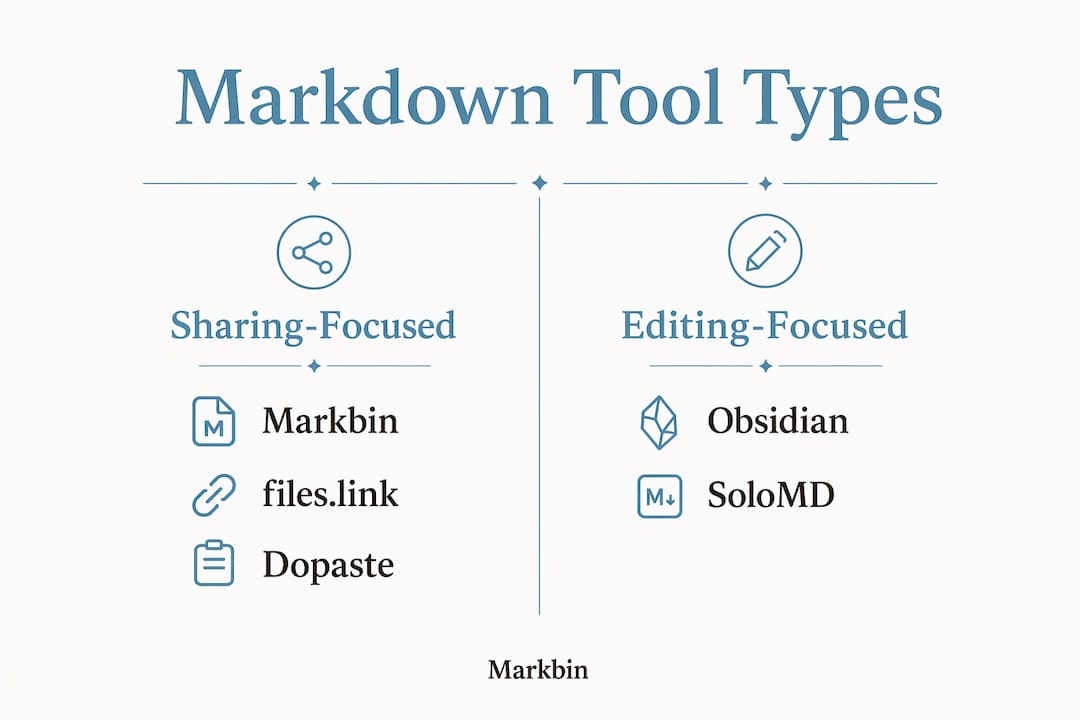
Editing and knowledge management tools
Obsidian is the go-to for developers who think in linked notes. Its plugin ecosystem is mature, and the core app is free for personal use. The catch is that end-to-end encrypted sync requires a paid plan, and the app is closed-source with limited support on Linux ARM64 platforms. AI support through plugins also lags behind tools built with AI integration from the ground up.

SoloMD addresses exactly those gaps. It is MIT-licensed, cross-platform, and ships in a roughly 15 MB installer. Local RAG semantic search, versioning, and support for 14 BYOK AI providers are all built in, not bolted on through a plugin marketplace. It runs fully offline with zero telemetry, which matters to developers who handle sensitive documentation.
Feature comparison at a glance
| Feature | Markbin | files.link | Dopaste | Obsidian | SoloMD |
|---|---|---|---|---|---|
| Deployment | Web | Web | Web | Desktop | Desktop / Mobile |
| Rendered preview | Yes (GFM) | No (raw source) | No | Yes | Yes |
| Password protection | Yes | No | No | No | No |
| Self-destructing docs | Yes | Yes (24h anon) | No | No | No |
| No signup required | Yes | Yes | Yes | No | No |
| Offline support | No | No | No | Yes | Yes |
| AI integration | No | No | No | Plugin only | 14 BYOK providers |
| Open source | No | No | Yes | No | Yes (MIT) |
| Mobile support | Yes | Yes | Yes | Limited | Yes |
| Free tier | Yes | Yes | Yes | Yes | Yes |
| Collaboration | No | No | No | Plugin only | Yes |
Pro Tip: If you are sharing markdown with a non-technical editor who will read it in a browser, Markbin's rendered output is the right call. If you are handing a snippet to another developer who will paste it into a repo or CI pipeline, raw source tools like files.link preserve every syntax detail that a renderer would silently collapse.
Export, import, and integrations
Obsidian and SoloMD both support standard .md file import and export, making it straightforward to move notes between tools or sync with a Git repository. Pandoc extends either tool's export reach to PDF, DOCX, HTML, and dozens of other formats. Markbin, files.link, and Dopaste are web-first and do not offer desktop file management, but their shareable links work cleanly inside GitHub comments, Slack messages, and email threads without any extra setup.
What developer trends are shaping markdown tools in 2026?
The clearest shift in 2026 is away from cloud-dependent editors and toward offline-first, zero-telemetry architectures that keep data local. Developers increasingly treat their notes and documentation as code: versioned, portable, and owned outright.
A second trend is the rejection of single-provider AI lock-in. Tools that force you into one AI subscription are losing ground to editors that let you bring your own API keys across multiple providers. SoloMD's support for 14 BYOK providers is the clearest example of this in the markdown space.
Raw source sharing is also getting more attention. Developers have started recognizing that rendered previews can break or hide details like fenced code blocks, Mermaid diagrams, and custom directives. GitHub Flavored Markdown, CommonMark, and static-site generator flavors all render differently, so sharing raw source lets the recipient run it through their own toolchain rather than inheriting how a web previewer happened to interpret it.
Emerging best practices from the developer community in 2026:
- Share raw markdown source for repository integration, CI/CD troubleshooting, and template debugging.
- Choose editors with local semantic search over cloud-indexed search to protect sensitive content.
- Prefer MIT-licensed or fully open-source tools when documentation may contain proprietary information.
- Use BYOK AI integration to avoid committing to a single provider's pricing or data policies.
- Treat markdown files as plain text assets in version control rather than locking them inside proprietary app formats.
The privacy angle is not just philosophical. Developers working on internal tooling, unreleased features, or client projects have real reasons to avoid tools that phone home. Zero-telemetry is becoming a checkbox, not a bonus.
Why Markbin stands out as a secure markdown sharing tool
Markbin was built for the specific moment when you have a well-formatted markdown document and need to share it with someone who should see it rendered, not raw. That is a narrower problem than it sounds, and most tools either overshoot it (full knowledge management apps) or undershoot it (plain pastebins with no formatting).
The feature set reflects that focus. Markbin supports full GFM with syntax highlighting, tables, task lists, and math formulas. Password protection means you can send a link to a client or collaborator without worrying about the content being publicly indexed. Self-destructing documents handle the cases where the content should not persist after the recipient reads it, such as a one-time API key explanation or a draft that should not linger.
No signup is required to create or share a document. That removes the friction that kills quick sharing workflows. You write, you share, the other person clicks the link and sees a clean rendered page.
Key Markbin capabilities at a glance:
- Full GitHub Flavored Markdown rendering with syntax highlighting
- Password-protected shareable links
- Self-destructing documents with configurable expiry
- No account required for creation or reading
- Math formula support via standard markdown notation
- Task list and table rendering out of the box
Author Zack has covered the markdown sharing space in depth, including a detailed analysis of publishmarkdown.com alternatives and related tools, which informs the positioning here.
Pro Tip: Use Markbin's self-destructing document feature for sharing sensitive technical notes, draft API documentation, or onboarding instructions that should not remain accessible indefinitely. Set the expiry to match the recipient's expected read window, and the link becomes inert automatically.
The right way to think about picking a markdown tool
The conventional wisdom says to pick the tool with the most features. That is usually wrong. The better question is: where does your markdown actually live, and who needs to do what with it?
If your workflow is centered on sharing, the rendered-vs-raw distinction matters more than any other feature. Sending a rendered link to someone who needs to edit the source is like handing someone a PDF of a Word document and asking them to revise it. The format looks right but breaks the workflow. Raw source sharing is the correct default for developer-to-developer handoffs.
For knowledge management, the offline-first vs. cloud tradeoff is the real decision. Cloud sync is convenient until it is a liability. If your notes contain unreleased product details, client information, or security research, a tool that stores everything locally and offers zero telemetry is not paranoia. It is good practice.
A few criteria worth weighing before committing to any tool:
- Sharing vs. editing: Do you need to send formatted documents to others, or manage a growing personal knowledge base?
- Privacy requirements: Does your content need to stay off third-party servers entirely?
- AI integration: Do you want AI assistance built in, and if so, do you want to control which provider handles your text?
- Workflow fit: Does the tool connect naturally to your existing stack, whether that is GitHub, a CI pipeline, or a note-taking system?
- Longevity: Is the tool open-source and self-hostable, or does it depend on a commercial service staying online?
No single tool wins on all five. Markbin wins on sharing simplicity and security. SoloMD wins on offline AI integration. Obsidian wins on knowledge graph depth. files.link wins on raw source fidelity for developer handoffs. Dopaste wins on speed and minimalism.
Key Takeaways
For most developers and content creators, the best markdown tool is the one that matches the specific job: sharing rendered documents securely, passing raw source between collaborators, or managing a local knowledge base with AI assistance.
| Point | Details |
|---|---|
| Raw source vs. rendered sharing | Share raw markdown for developer handoffs; use rendered links when the recipient reads rather than edits. |
| Offline-first trend | Zero-telemetry, local-first editors are the 2026 default for privacy-conscious developers. |
| AI integration matters | BYOK support across multiple providers beats single-provider lock-in for flexibility and cost control. |
| Security features vary widely | Password protection and self-destructing documents are available in Markbin but absent from most pastebins. |
| Markbin's position | Markbin delivers secure, rendered GFM sharing with no signup, making it the sharpest tool for clean document handoffs. |
The tool you pick reveals what you actually value
Most articles about markdown tools treat the choice as a feature checklist. I think that misses the point. The tools that stick are the ones that match how you actually think about your content, not the ones with the longest feature list.
Developers who reach for a pastebin every time they need to share a snippet are not lazy. They have correctly identified that the overhead of a full editor is wrong for that job. The problem is that most pastebins were built for code, not markdown, and they either render poorly or do not render at all. That gap is exactly where tools like Markbin and files.link earn their place.
The offline-first movement is also more than a privacy trend. It reflects a growing frustration with tools that hold your content hostage behind subscriptions, sync fees, or service shutdowns. Owning your markdown files as plain text, in a folder, on your own machine, is a form of professional hygiene. SoloMD's MIT license and local-first architecture are a direct response to that frustration.
What I find most interesting about 2026's markdown tool landscape is that the best tools are getting more opinionated, not less. files.link made a deliberate choice not to render. Dopaste made a deliberate choice not to add accounts. Markbin made a deliberate choice to prioritize security and presentation over raw editing. Those constraints are features. A tool that tries to do everything usually does nothing particularly well.
Markbin makes secure markdown sharing simple
If you have been copying markdown into generic pastebins and hoping the formatting survives, Markbin is the direct upgrade. It renders full GitHub Flavored Markdown with syntax highlighting, supports password-protected and self-destructing links, and requires no account to create or share a document. That combination covers the use cases where other tools force a compromise: you get clean presentation AND security, without signing up for yet another service.
Markbin fits developers sharing technical documentation, content creators sending drafts for review, and anyone who needs a formatted document in front of someone else's eyes within seconds. There is no subscription required to get started. Try Markbin and share your first secure markdown document in under a minute.