
For most readers, Markbin is the strongest direct replacement: full GitHub Flavored Markdown, password protection, self-destructing links, and no account required to start. If you need a quick shortlist before diving into the comparison table below, here it is:
- Markbin — best all-around pick; GFM fidelity, privacy controls, and persistent hosting in one place
- HackMD — best for real-time team collaboration on Markdown docs
- StackEdit — best for writers who want a polished in-browser editor with cloud sync
- GitHub Gist — best for developers already living in GitHub's ecosystem
- OpenDocsMD — best for zero-server-storage, truly serverless sharing
- tinyMD.io — best for instant, no-signup, disposable Markdown links
One clarification worth making upfront: the CLI utility mdless (a terminal pager for Markdown files) is not a web-sharing platform. If you found this page after searching for web-based alternatives to mdless.net, you're in the right place. The tools above are browser-first publishing services, not terminal viewers like glow or mdcat.
Table of Contents
- How do these mdless.net alternatives compare at a glance?
- What does each alternative actually offer?
- How do you choose the right replacement for your workflow?
- How do you migrate your documents from mdless.net?
- Key Takeaways
- What actually matters when picking a Markdown sharing tool
- Markbin: a direct replacement worth trying
- Sources and further reading
How do these mdless.net alternatives compare at a glance?
| Tool | Privacy model | Signup required | Persistence | GFM support | Collaboration | File uploads | Export | Pricing |
|---|---|---|---|---|---|---|---|---|
| Markbin | Server-stored, encrypted in transit | Optional | Permanent + self-destruct | Full (math, tables, tasks, syntax) | Shareable links | Yes | PDF, HTML, raw MD | Free tier; paid plans |
| HackMD | Server-stored | Required | Permanent | Full | Real-time editing, comments, history | Yes | PDF, HTML, Gist | Free tier; paid plans |
| StackEdit | Browser + cloud sync | Optional (Google/GitHub) | Permanent (synced) | Full | Limited (publish to cloud) | No | HTML, PDF | Free |
| GitHub Gist | Server-stored (GitHub) | Required | Permanent | Partial (no math) | Fork/comment | No | Raw MD, clone | Free |
| OpenDocsMD | Serverless/browser-only | None | URL-encoded (no server) | Good (no math) | None | No | Raw MD | Free |
| tinyMD.io | Browser-only | None | Temporary/disposable | Basic | None | No | Limited | Free |
What we tested: render fidelity for GFM edge cases (math formulas, nested tables, task lists), syntax highlighting accuracy, export output (PDF and HTML), share link behavior, and whether each platform exposes raw Markdown or only rendered HTML. Encryption in transit was verified for all server-stored options.
Pricing snapshot: The free tiers on Markbin, HackMD, and StackEdit cover most personal and light team use. Paid plans matter when you need extended document retention, password protection, or version history at scale.
What does each alternative actually offer?
Markbin
Best for: developers, educators, and writers who need secure, persistent, visually polished Markdown sharing.
Markbin supports the full GFM spec: math formulas, syntax-highlighted code blocks, tables, and task lists all render correctly. Password protection and self-destructing documents set it apart from most browser-based tools. You can share a link without creating an account, and paid plans unlock longer retention, additional themes, and source code access. Asset uploads are supported, and export covers PDF and HTML.
- No account needed to share
- Self-destruct and password options on the same platform
- Multiple visual themes for polished output
The one limitation: real-time collaborative editing is not a core feature, so teams that need simultaneous co-authoring should weigh HackMD.
HackMD

Best for: teams that write and edit Markdown together in real time.
HackMD offers live co-editing, inline comments, and version history. It integrates with GitHub and supports Gist import/export. The free tier is generous, though some collaboration features sit behind a paid plan. Math rendering and full GFM support are solid. Signup is required, and documents live on HackMD's servers.
StackEdit
Best for: writers who want a distraction-free editor with cloud sync to Google Drive or Dropbox.
StackEdit runs mostly in the browser and syncs to cloud storage rather than its own servers, which gives you more control over where your files live. Export to HTML is clean. It lacks password protection and self-destruct options, and file uploads are not supported natively.
GitHub Gist
Best for: developers sharing code-heavy snippets within GitHub workflows.
Gist is fast, free, and permanent. Every Gist gets a raw URL, making it easy to pull content into other tools. Math rendering is absent, and there is no password protection. For pure code sharing with Markdown formatting, it works well. For anything requiring privacy controls or rich publishing, it falls short.
OpenDocsMD
Best for: one-time private sharing where zero server storage is non-negotiable.
OpenDocsMD encodes the entire document into the URL — nothing is transmitted to a server. That design makes it genuinely serverless. The trade-off is real: no attachments, no long-term management, and URLs get unwieldy for longer documents. A view-only mode is available via query string. Math support is limited.
tinyMD.io
Best for: the fastest possible disposable Markdown link with no account and no setup.
tinyMD.io is part of a broader ecosystem of browser-based Markdown tools that operate entirely client-side. It handles basic formatting quickly, but it is not built for persistent publishing, collaboration, or GFM edge cases. Think of it as a scratchpad with a shareable URL.
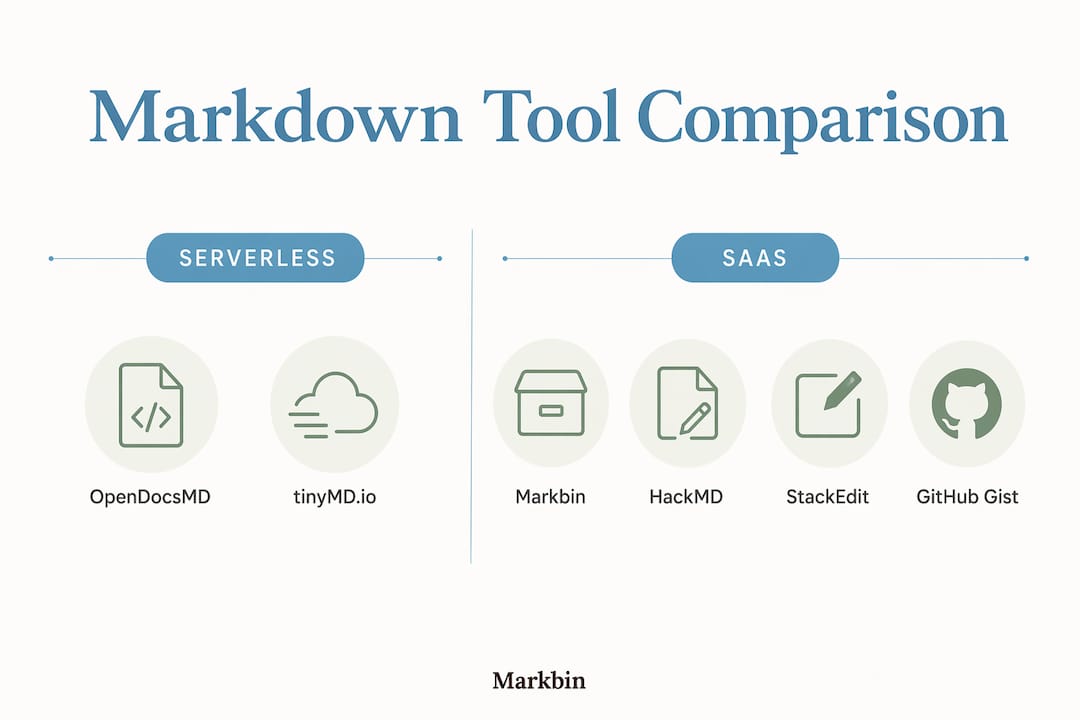
Serverless vs. SaaS — the functional difference: serverless tools like OpenDocsMD never touch a server, which is genuinely private. But that privacy comes at a cost: no folders, no edit history, no analytics, and no large attachments. SaaS platforms (Markbin, HackMD, StackEdit) store documents server-side, which enables persistence, collaboration, and richer feature sets. The right choice depends entirely on whether you need the document to last.
Pro Tip: If you're unsure which model fits, ask one question: does this document need to exist in two weeks? If yes, pick a SaaS platform. If it's a one-time handoff, serverless is cleaner.
How do you choose the right replacement for your workflow?
Start with the ephemeral vs. persistent question: decide whether you need a self-destructing link or a permanent publishing hub before evaluating anything else. That single decision eliminates half the options immediately.
Decision criteria by scenario:
- Personal transient sharing (one-time notes, quick handoffs): OpenDocsMD or tinyMD.io. No account, no server, no trace.
- Public publishing (tutorials, documentation, blog-style posts): Markbin or StackEdit. Both produce clean, themed output with export options.
- Team collaboration (shared docs, review cycles, version history): HackMD. Real-time editing and comment threads are built in.
- Developer workflows (code-heavy snippets, GitHub integration): GitHub Gist for simple cases; Markbin when you need syntax highlighting plus privacy controls.
- Education (classroom handouts, student submissions): Markbin's password protection and self-destruct options make it practical for time-limited sharing.
Feature checklist before you commit:
- Does it render your GFM edge cases correctly? Test math, nested tables, and task lists — hands-on testing of these elements is the single most reliable way to catch rendering gaps before you migrate.
- Can you export raw Markdown, not just rendered HTML?
- Does it expose a shareable link without requiring recipients to sign up?
- Is there version history or at least a way to recover an earlier draft?
- Does it integrate with your editor (VS Code, Obsidian, GitHub)?
Red flags to watch for: no raw Markdown export, vague or absent privacy policies, no access to your own source files, and no version history on a platform you plan to use for anything important.
How do you migrate your documents from mdless.net?
The fastest route is a straight Markdown or HTML export followed by a paste-and-verify on the destination platform.
- Export raw Markdown from mdless.net (or copy the source if no export exists).
- Save attachments separately — download any images or files before the original link expires.
- Paste into the destination and render a preview; check that tables, code blocks, and task lists display correctly.
- Test GFM edge cases — math formulas and nested tables are the most common casualties in platform migrations.
- Update shared links — replace old mdless.net URLs in emails, docs, or wikis with the new destination links.
- Set retention or self-destruct policies on the new platform to match your original intent.
Pro Tip: Before finalizing the migration, paste a document that contains every GFM element you use (math, task lists, footnotes, code blocks) into the new platform and compare the rendered output side by side. Front matter and YAML metadata often silently disappear — check for those too.
Key Takeaways
Markbin is the strongest all-around replacement for mdless.net when you need persistent hosting, GFM fidelity, and privacy controls without choosing between them.
| Point | Details |
|---|---|
| Decide persistence first | Choose serverless (OpenDocsMD, tinyMD.io) for disposable links; choose SaaS for anything that needs to last. |
| Test GFM edge cases before committing | Math, nested tables, and task lists break silently on some platforms — verify before migrating. |
| Privacy model drives the choice | Serverless tools store nothing server-side; SaaS platforms trade that for collaboration and history. |
| Migration is straightforward | Export raw Markdown, save attachments, verify rendering, then update shared links. |
| Markbin covers the most ground | Full GFM, password protection, self-destruct, asset uploads, and export — free to start, no account required. |
What actually matters when picking a Markdown sharing tool
Most comparison articles treat all these tools as roughly equivalent and tell you to "pick what fits your workflow." That framing misses the real split.
The serverless vs. SaaS divide is not a minor technical detail. It is a categorical difference in what the tool can do. A serverless tool that encodes content into a URL cannot have version history, cannot support large attachments, and cannot send you a notification when someone views your document. Those are not missing features — they are architectural impossibilities. Treating OpenDocsMD and HackMD as interchangeable options on a checklist is like comparing a sticky note to a shared drive.
The other thing most guides underplay: GFM fidelity is uneven across platforms, and the gaps show up in the elements that matter most to technical writers. Math rendering, in particular, is either fully supported or completely absent — there is rarely a middle ground. If your documents use LaTeX-style math, that single criterion eliminates most of the shortlist immediately.
For the majority of readers here — developers, educators, and writers who want secure, visually polished sharing — Markbin covers the most ground without forcing a trade-off between privacy and persistence. That is the practical answer, not a default recommendation.
Markbin: a direct replacement worth trying
If you want a single tool that handles everything on the checklist — full GFM rendering, password-protected links, self-destructing documents, asset uploads, and clean PDF/HTML export — Markbin is built for exactly that. No account is required to share your first document, and the free tier is functional enough for most personal and light professional use. Paid plans unlock longer retention, additional themes, and source code access for teams with more demanding workflows. Unlike serverless tools, your documents persist and stay manageable. Unlike general-purpose editors, the output is designed to look good from the first render. Start sharing on Markbin and see whether it fits before committing to anything else.
Sources and further reading
- OpenDocsMD — serverless Markdown sharing; architecture details on URL encoding and view-only mode
- tinyMD.io — browser-based Markdown toolkit; covers the broader ecosystem of client-side editing and conversion tools
- mdless on GitHub (ttscoff/mdless) — the CLI terminal pager; useful for understanding what mdless.net's name references and why it is not a web publishing tool
- 4 Markdown tools for the Linux command line (Opensource.com) — context on terminal-based Markdown viewers vs. web-based services
- Markbin — feature documentation, pricing, and GFM support details for the publisher-backed option
- Markbin blog: secure document sharing for developers — covers encryption in transit, retention policies, and private link patterns
- Markbin blog: shareable links and security patterns — explains password protection and self-destruct behavior in detail