

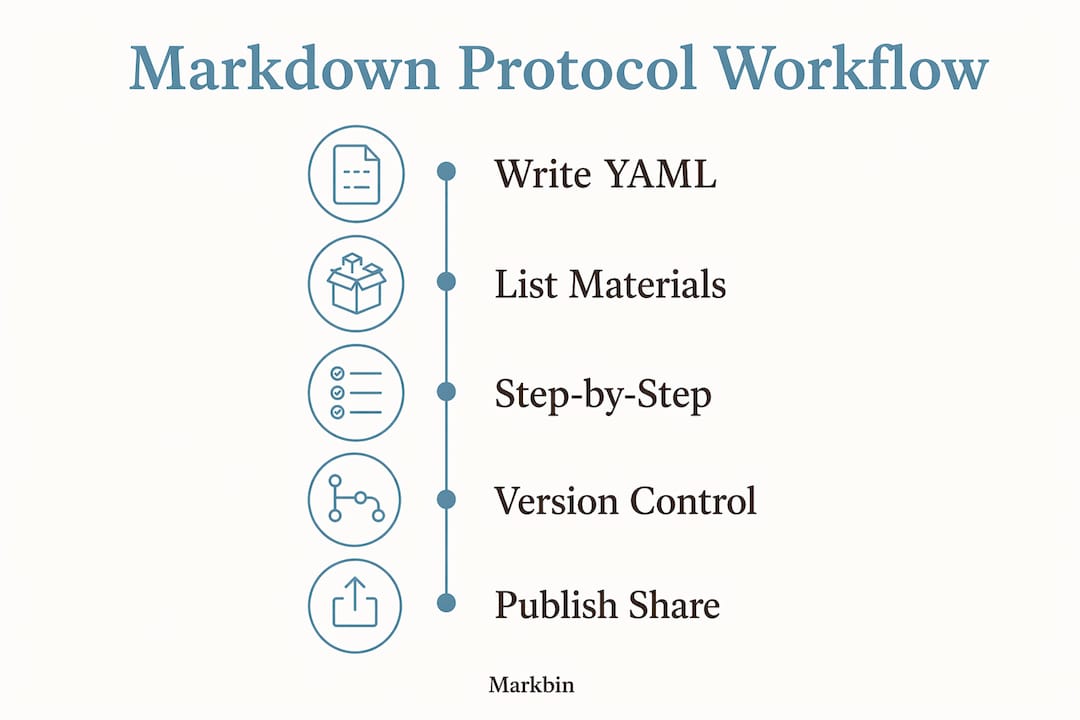
The single best practice: write one protocol per Markdown file with YAML metadata at the top, a materials table with catalog numbers, numbered step-by-step instructions, and a version label. That structure works in any text editor, renders cleanly with Pandoc or R Markdown, and commits to GitHub without friction. Platforms like Markbin let you share the rendered result instantly, no account required.
Here is a minimal starter you can copy into a new file right now:
---
title: "Protocol Title"
protocol_id: PROT-001
version: "1.0"
date: 2026-01-15
authors: ["Your Name"]
description: "One-sentence summary of what this protocol does."
tags: [cell-culture, lysis]
---


## Table of Contents

* [Overview](#overview)
* [Materials](#materials)
* [Procedure](#procedure)
* [Expected Results](#expected-results)
* [Troubleshooting](#troubleshooting)
* [References](#references)
* [Markdown syntax you will actually use in lab protocols](#markdown-syntax-you-will-actually-use-in-lab-protocols)
* [A reusable, annotated protocol template](#a-reusable-annotated-protocol-template)
* [Overview](#overview)
* [Materials](#materials)
* [Procedure](#procedure)
* [Expected Results](#expected-results)
* [Troubleshooting](#troubleshooting)
* [Data](#data)
* [References](#references)
* [How to organize files and version protocols with Git](#how-to-organize-files-and-version-protocols-with-git)
* [How to render and publish Markdown protocols](#how-to-render-and-publish-markdown-protocols)
* [Embedding raw data and machine-readable tables in your protocol](#embedding-raw-data-and-machine-readable-tables-in-your-protocol)
* [Data](#data)
* [A reproducibility checklist to run before sharing](#a-reproducibility-checklist-to-run-before-sharing)
* [Common pitfalls when documenting protocols in Markdown](#common-pitfalls-when-documenting-protocols-in-markdown)
* [A complete annotated example protocol](#a-complete-annotated-example-protocol)
* [Overview](#overview)
* [Materials](#materials)
* [Procedure](#procedure)
* [Expected Results](#expected-results)
* [Data](#data)
* [Troubleshooting](#troubleshooting)
* [References](#references)
* [Key Takeaways](#key-takeaways)
* [Why Markdown is the right long-term bet for lab protocols](#why-markdown-is-the-right-long-term-bet-for-lab-protocols)
* [Markbin makes sharing rendered protocols effortless](#markbin-makes-sharing-rendered-protocols-effortless)
* [Useful sources and further reading](#useful-sources-and-further-reading)


## Overview
Brief statement of the experiment's purpose and scope.

## Materials
| Reagent/Equipment | Catalog # | Supplier | Amount |
|---|---|---|---|
| PBS (1×) | — | Sigma-Aldrich | 500 mL |

## Procedure
1. (5 min) Warm PBS to 37 °C in a water bath.
2. (10 min) Aspirate media from cells.

## Expected Results
Describe what a successful run looks like.

## Troubleshooting
| Problem | Likely Cause | Fix |
|---|---|---|
| Low yield | Incomplete lysis | Extend incubation by 5 min |

## References
- [Protocol DOI or URL]
That is the skeleton. The rest of this guide explains every piece of it, how to version and share it, and how to avoid the gotchas that trip up most labs switching to Markdown.

Markdown syntax you will actually use in lab protocols
Most Markdown tutorials cover blogging. Lab protocols need a narrower, more precise subset of the syntax, and a few constructs that general guides barely mention.
Headings use # through ####. Stick to ## for major sections (Overview, Materials, Procedure) and ### for subsections within a long procedure. Deeper nesting rarely helps and makes the rendered output harder to scan.

Ordered lists are the right choice for procedure steps because sequence matters. Each step gets a number:
1. Centrifuge at 300 × g for 5 min at 4 °C.
2. Aspirate supernatant without disturbing the pellet.
3. Resuspend in 1 mL cold PBS.
Never use unordered bullets for steps. Reserve bullets for grouping materials by category (e.g., reagents vs. equipment) when a table would be overkill.
Fenced code blocks (triple backticks) are the right place for command-line calls, software parameters, or instrument settings:
```bash
pandoc protocol.md -o protocol.pdf --bibliography refs.bib
```
Tables are where Markdown table syntax earns its keep in lab documentation. A reagent table with catalog numbers gives every reader and every downstream parser the traceability they need:
| Reagent | Catalog # | Supplier | Concentration |
|---|---|---|---|
| Trypsin-EDTA | — | Sigma-Aldrich | — |
Images use the standard  syntax. Write descriptive alt text ("Western blot membrane after 1-hour blocking") rather than "image1." Keep image files in an assets/ subdirectory relative to the protocol file so paths stay valid when the repo is cloned.
GitHub Flavored Markdown (GFM) adds three constructs worth knowing. Task lists (- [ ] Step complete) work well in a pre-run checklist section. GFM tables render without extra plugins. Fenced code blocks with a language tag (bash, python, r) get syntax highlighting on GitHub and on Markbin. If your team uses GFM as the baseline flavor, those three features are always available without extra configuration.
Footnotes are useful for minor caveats or reagent notes that would clutter the main text. The Markdown footnote syntax is [^1] inline and [^1]: Note text at the bottom of the file.
A reusable, annotated protocol template
The template below is the full structure your team should standardize on. Copy it, commit it as templates/protocol_template.md, and adapt it for each new experiment. The annotations explain why each field exists.
---
# YAML front matter — parsed by Pandoc, Quarto, and indexing scripts
title: "Descriptive Protocol Title"          # Human-readable name
protocol_id: PROT-001                        # Unique ID for cross-referencing
version: "1.0"                               # Semantic version string
date: 2026-01-15                             # ISO 8601 date of this version
authors:
  - "First Last (Institution)"
description: "One sentence: what the protocol achieves and on what sample type."
tags: [keyword1, keyword2]                   # For indexing and search
related_sops: [PROT-002, PROT-005]           # Link to dependent protocols
---

## Overview
State the biological or chemical goal, the sample type, and any critical assumptions
(e.g., cells must be in log phase).

## Materials

### Reagents
| Reagent | Catalog # | Supplier | Working Concentration |
|---|---|---|---|
| Reagent A | CAT-001 | Supplier X | 10 mM |
| Reagent B | CAT-002 | Supplier Y | 1× |

### Equipment
| Item | Model/Spec | Notes |
|---|---|---|
| Centrifuge | Eppendorf | Pre-cool to 4 °C |
| Pipette | 200 µL | Calibrated within 6 months |

## Procedure
<!-- Write one sentence per line to keep Git diffs readable -->
1. (2 min) Pre-warm Reagent A to 37 °C.
2. (10 min) Incubate sample at room temperature with gentle rocking.
3. (5 min) Centrifuge at 500 × g, 4 °C.
4. Aspirate supernatant; retain pellet.

## Expected Results
Describe the observable outcome of a successful run (color, band size, OD reading, etc.).

## Troubleshooting
| Problem | Likely Cause | Fix |
|---|---|---|
| No signal | Antibody degraded | Use fresh aliquot; check storage temp |
| High background | Blocking insufficient | Extend blocking to 2 hours |

## Data
<!-- Embed key numeric results here for machine readability -->
| Measurement | Value | Unit | Notes |
|---|---|---|---|
| Yield | XXX | µg/mL | Replace XXX before committing |

## References
1. [Author et al., Journal, Year — DOI]
2. [Related SOP: PROT-002](../protocols/prot_002.md)
Standard experimental protocol documentation should include an overview, materials list with catalog numbers, a step-by-step procedure, expected results, and a troubleshooting section, with each protocol explicitly versioned so collaborators can track changes.
The protocol_id field is not decorative. Scripts can grep it to build an index, Pandoc can inject it into a PDF header, and a CI pipeline can validate that no two files share the same ID. The version string follows the same logic: 1.0 for the first stable release, 1.1 for minor corrections, 2.0 for a redesigned procedure.
Pro Tip: Write one sentence per line in the Procedure section. When a collaborator edits step 3, the Git diff shows exactly that line changed, not a paragraph-level blob. Avoid double spaces after periods; they interfere with line-by-line parsing.
The XXX placeholder convention is worth adopting lab-wide. Any incomplete field gets XXX so a repository-wide search (grep -r "XXX" protocols/) surfaces every gap before a protocol is shared.
How to organize files and version protocols with Git
A clean repository layout matters as much as clean Markdown. When a new lab member joins, they should be able to find any protocol in under a minute.
Recommended directory structure:
lab-protocols/
├── README.md                  # Central index with links to all protocols
├── templates/
│   └── protocol_template.md
├── protocols/
│   ├── prot_001_dna_extraction.md
│   ├── prot_002_cell_lysis.md
│   └── prot_003_western_blot.md
├── buffers/
│   └── buffer_recipes.md
├── assets/
│   ├── prot_001_gel_image.png
│   └── prot_003_blot_setup.png
└── data/
    ├── prot_001_run_20260115.csv
    └── prot_002_run_20260201.csv
Lowercase, underscore-separated filenames (e.g., dna_extraction.md) and a central README.md that hosts a project table of contents improve discoverability across operating systems and avoid the case-sensitivity issues that break links on Linux servers.
File naming rules to follow:
- Use lowercase letters and underscores only, no spaces or camelCase.
- Prefix with the
protocol_id(e.g.,prot_001_). - Use
.mdfor standard Markdown or.qmdfor Quarto documents. - Never embed a date in the filename; put the date in the YAML metadata instead.
Git commit conventions for protocols:
- Commit message format:
[PROT-001] v1.1 — clarify centrifuge speed in step 3 - One logical change per commit so the history reads like a changelog.
- Use
git blameto trace who changed a specific step and when. - Tag stable releases:
git tag v1.0 PROT-001creates a permanent reference.
The one-protocol-per-file rule and linking related SOPs with Markdown reference links builds an interconnected knowledge base rather than a siloed document collection. Your README.md should be a living table of contents: a two-column Markdown table with protocol ID and a brief description, each ID linked to its file.
How to render and publish Markdown protocols
Writing the protocol is half the work. Getting it into the hands of collaborators, reviewers, or journal reviewers in a clean format is the other half.
Pandoc is the most direct path from .md to PDF or HTML. Install it once and run:
# Render to PDF (requires a LaTeX engine)
pandoc protocol.md -o protocol.pdf --bibliography refs.bib --citeproc

# Render to self-contained HTML
pandoc protocol.md -o protocol.html --self-contained --bibliography refs.bib --citeproc

# Add a custom CSS for lab branding
pandoc protocol.md -o protocol.html --css lab_style.css --self-contained
The --citeproc flag processes citations from a .bib file and formats them according to a CSL style sheet. Drop a references.bib file in the same directory and cite inline with [@AuthorYear].
R Markdown and Quarto suit teams that mix prose with live code. A .Rmd or .qmd file renders with:
# Quarto
quarto render protocol.qmd --to pdf
quarto render protocol.qmd --to html

# R Markdown (from R console)
rmarkdown::render("protocol.Rmd", output_format = "pdf_document")
A practical workflow for rendering scientific Markdown includes Pandoc for .md to PDF/HTML, Quarto or R Markdown for notebook-style reproducible documents, and publishing to GitHub Pages or a sharing platform for distribution.
Publishing options:
- GitHub Pages: push your
protocols/directory to a public repo, enable Pages, and every.mdfile becomes a browsable web page. Good for open-science labs. - Markbin: paste or upload a Markdown file and get an instant shareable link with full GFM rendering, syntax highlighting, and optional password protection. No account needed for basic sharing. Best for sending a single protocol to a collaborator or non-technical stakeholder who just needs to read it.
- MkDocs: for larger protocol libraries, MkDocs with the Material theme generates a searchable static site from a directory of
.mdfiles. Steeper setup, but worth it for labs with 50+ protocols.
Embedding raw data and machine-readable tables in your protocol
A protocol that references "see Figure 3 in the paper" is not reproducible. The numbers need to live in the file.
For key measurements, embed them as a Markdown table directly in a ## Data section:
## Data

| Sample ID | Absorbance (A260) | Concentration (µg/mL) | 260/280 Ratio |
|---|---|---|---|
| S-01 | 0.412 | 20.6 | 1.89 |
| S-02 | 0.398 | 19.9 | 1.91 |
Headers should include units. That single convention lets a Python or R script parse the table without guessing what "20.6" means. Extracting raw numeric data from figures into a dedicated Markdown section keeps the record self-contained and reproducible.
For larger datasets, a fenced block with CSV content works well for small snapshots:
```csv
sample_id,absorbance_a260,concentration_ug_ml,ratio_260_280
S-01,0.412,20.6,1.89
S-02,0.398,19.9,1.91
**Pro Tip:** *Keep larger datasets as `.csv` files in a `data/` directory and reference them in the YAML metadata (`data_files: [data/prot_001_run_20260115.csv]`). Prefer small inline Markdown tables for key numbers and larger CSVs for full runs. That balance keeps the protocol readable while preserving machine-readability.*

Avoid embedding images of data tables. A screenshot of a spreadsheet is opaque to any parsing tool and breaks the reproducibility chain entirely.

## A reproducibility checklist to run before sharing

Before you push a protocol to the repo or send a Markbin link to a collaborator, run through this list:

1. YAML front matter is present and all fields are filled (no `XXX` remaining).
2. `protocol_id` is unique across the repository (run `grep -r "protocol_id" protocols/`).
3. `version` string is updated from the previous commit.
4. Every reagent has a catalog number and supplier.
5. Every procedure step includes a time and temperature where applicable.
6. Expected results section describes a measurable, observable outcome.
7. Troubleshooting table covers at least the two most common failure modes.
8. Raw data or a link to the data file is present in the `## Data` section.
9. All image paths are relative and the image files exist in `assets/`.
10. The protocol renders without errors locally (`pandoc protocol.md -o test.pdf`).
11. All Markdown links resolve (no 404s in the rendered HTML).

**Pro Tip:** *Add a GitHub Actions workflow that runs `markdownlint`, `markdown-link-check`, and a Pandoc render test on every pull request. A CI check that blocks a merge when a link is broken or a render fails catches errors before they reach collaborators. The [Markdown task list syntax](https://blog.markbin.net/blog/markdown-task-lists-explained) (`- [ ]`) works well for pre-run checklists embedded directly in the protocol file.*

## Common pitfalls when documenting protocols in Markdown

Markdown is forgiving until it is not. These are the issues labs hit most often.

**Tables not rendering correctly.** The most common cause is a missing pipe at the start or end of a row, or a missing separator row (`|---|---|`). Always include the separator. Some renderers (notably older GitHub versions) also require at least one space on each side of the cell content. Test with Pandoc locally before assuming the issue is the renderer.

**Images not found.** Absolute paths (`/Users/yourname/Desktop/image.png`) break the moment anyone else clones the repo. Always use relative paths (`../assets/prot_001_setup.png`). If an image does not render on GitHub, check that the filename case matches exactly — Linux file systems are case-sensitive.

**Renderer differences between GFM and Pandoc.** GitHub renders GFM natively. Pandoc uses its own extended Markdown by default, which handles some constructs differently (footnotes, definition lists, raw HTML). The safest approach: use `pandoc --from gfm` to tell Pandoc to parse the file as GFM, which keeps behavior consistent between GitHub and your local PDF render.

**Inconsistent line breaks affecting diffs.** A paragraph edited in a word processor and pasted into a `.md` file often arrives as one long line. Git diffs then show the entire paragraph as changed even when one word was edited. One sentence per line prevents this.

**Citation handling across tools.** Pandoc processes `.bib` citations with `--citeproc`. R Markdown uses the same `.bib` file but configured in the YAML (`bibliography: refs.bib`). Quarto also reads `bibliography:` from YAML. Keep one shared `refs.bib` at the repo root and reference it from every protocol's YAML so citations stay consistent across tools.

**Math not rendering.** Inline math (`$\mu$`) renders on GitHub only with a recent GFM update. For reliable cross-platform math, use Pandoc with `--mathjax` for HTML or the default LaTeX engine for PDF. Markbin supports math formulas natively, so a Markbin share link renders equations without any extra flags.

## A complete annotated example protocol

The block below is a copy-paste-ready protocol file. Substitute the bracketed placeholders with your lab's values before committing.

```markdown
---
title: "Protein Extraction from Cultured HEK293 Cells"
protocol_id: PROT-003
version: "1.0"
date: 2026-02-10
authors:
  - "Jane Smith (University of California, San Diego)"
description: "Total protein extraction from adherent HEK293 cells using RIPA buffer for downstream Western blot analysis."
tags: [protein-extraction, HEK293, western-blot]
related_sops: [PROT-004]
data_files: [data/prot_003_run_20260210.csv]
---

## Overview
This protocol extracts total protein from adherent HEK293 cells grown to ~80% confluency.
Expected yield is 200–500 µg total protein per 10 cm dish.
Use the extracted protein immediately or store at −80 °C.

## Materials

### Reagents
| Reagent | Catalog # | Supplier | Working Concentration |
|---|---|---|---|
| RIPA Buffer | R0278 | Sigma-Aldrich | 1× |
| Protease Inhibitor Cocktail | — | Sigma-Aldrich | 1× (add fresh) |
| BCA Protein Assay Kit | — | Thermo Fisher | Per kit instructions |
| PBS (1×) | — | Sigma-Aldrich | 1× |

### Equipment
| Item | Model/Spec | Notes |
|---|---|---|
| Microcentrifuge | Eppendorf | Pre-cool to 4 °C |
| Cell scraper | — | Single-use |
| Ice bucket | — | Keep samples on ice throughout |

## Procedure
<!-- One sentence per line for clean Git diffs -->
1. (5 min) Aspirate media; wash cells twice with 5 mL ice-cold PBS.
2. Add 500 µL RIPA buffer + protease inhibitor cocktail per 10 cm dish.
3. (5 min) Incubate on ice with gentle rocking.
4. Scrape cells and transfer lysate to a 1.5 mL microcentrifuge tube.
5. (15 min, 4 °C) Centrifuge at 14,000 × g.
6. Transfer supernatant (clarified lysate) to a new tube; discard pellet.
7. Quantify protein concentration using BCA assay per kit instructions.
8. Aliquot and store at −80 °C or proceed immediately to downstream assay.

## Expected Results
Clarified lysate should be pale yellow to colorless.
BCA assay should return 200–500 µg/mL total protein for a confluent 10 cm dish.
Pellet (cell debris) should be compact and white.

## Data
| Sample ID | BCA Abs | Protein Conc (µg/mL) | Notes |
|---|---|---|---|
| S-01 | XXX | XXX | Replace before committing |

## Troubleshooting
| Problem | Likely Cause | Fix |
|---|---|---|
| Low protein yield | Cells not fully lysed | Extend incubation to 10 min; pipette vigorously |
| Viscous lysate | DNA contamination | Sonicate 3 × 5 s on ice |
| High background in BCA | Detergent interference | Dilute sample 1:5 before assay |

## References
1. RIPA Buffer Product Sheet — Sigma-Aldrich R0278
2. [Related SOP: Western Blot Protocol PROT-004](../protocols/prot_004_western_blot.md)
The
XXXplaceholders in the Data section are intentional. They signal that this protocol has been run but the results have not yet been recorded. A repository-wide search forXXXbefore any publication or data submission surfaces every unfilled field in seconds. Never delete a placeholder without replacing it with real data.
The related_sops and data_files fields in the YAML are the connective tissue of a well-run protocol library. A reader following PROT-003 can jump directly to PROT-004 for the next step, and any script processing the repo can locate the raw data file without parsing the prose.
Key Takeaways
Markdown protocols with YAML front matter, catalog numbers, and one-sentence-per-line formatting give teams a plain-text, Git-compatible documentation system that renders to professional PDF or HTML with a single Pandoc command.
| Point | Details |
|---|---|
| YAML front matter is non-negotiable | Fields like protocol_id, version, and authors enable programmatic indexing and consistent PDF rendering. |
| One protocol per file | Keeps Git history clean and makes each protocol independently linkable, shareable, and versionable. |
| One sentence per line | Makes Git diffs show exactly which step changed, not which paragraph was touched. |
| Render locally before sharing | Run pandoc protocol.md -o test.pdf to catch broken tables, missing images, and citation errors before collaborators see them. |
| Markbin for instant sharing | Paste a finished protocol into Markbin for a shareable, GFM-rendered link with optional password protection, no account needed. |
Why Markdown is the right long-term bet for lab protocols
The strongest argument for Markdown in a lab setting is not that it is easy to write. It is that it is impossible to lock in.
A Word document from 2008 is a liability today. A Markdown file from 2008 opens in any text editor on any operating system, renders with Pandoc, and diffs cleanly in Git. Plain text is future-proof, readable without proprietary software, and compatible with version control in a way that no binary format ever will be. That is not a minor convenience. It is the difference between a protocol library that a lab can maintain for a decade and one that quietly becomes inaccessible when a software license lapses.
The reproducibility argument is equally concrete. A protocol that lives in a Git repository carries a full audit trail: who changed step 4, when, and why. A protocol emailed as a PDF attachment has none of that. When a result cannot be replicated, the first question is always "which version of the protocol did you use?" Markdown with Git answers that question in one command.
The one thing labs underestimate is the upfront cost of standardization. Agreeing on a template, a file naming convention, and a rendering pipeline takes an afternoon. Most labs skip it and end up with a protocols folder full of inconsistently named files, missing catalog numbers, and no version history. The template in this guide is designed to make that afternoon as short as possible.
Markbin makes sharing rendered protocols effortless
Once your protocol is written and rendered, the last step is getting it to the people who need it. That is where Markbin earns its place in the workflow.
Paste your finished Markdown protocol into Markbin and you get an instantly shareable link with full GFM rendering, syntax highlighting, math formula support, and table formatting. No account, no setup. For a collaborator at another institution who just needs to read the protocol, that link is faster and cleaner than a PDF attachment. For sensitive protocols, Markbin's password protection keeps access controlled. Self-destructing document links work well for sharing draft versions that should not persist indefinitely.
A practical workflow: commit the .md file to your GitHub repo for version control and provenance, render to PDF with Pandoc for archival and submission, then create a Markbin link for anyone who needs to read it right now. Three formats, one source file. Try it at markbin.net.
Useful sources and further reading
These resources are worth bookmarking if you want to go deeper on any part of this workflow.
- Lab Protocols — Cyanea Documentation: The clearest reference for what a complete protocol file should contain, including version labeling conventions and the required sections.
- Writing SOPs in Markdown — NFDI4Plants Knowledge Base: Covers the knowledge-infrastructure argument for Markdown SOPs and includes practical guidance for plant science labs that applies broadly.
- Markdown Best Practices — Lowe-Power Lab (GitHub): The source for the one-sentence-per-line rule, the
XXXplaceholder convention, and lowercase underscore filenames. Short and worth reading in full. - Abdullah Lab Protocol Examples (GitHub): A real-world example of YAML front matter and Quarto-based rendering in a working lab repository.
- Authoring Scientific Publications with R Markdown — UCSB Library Carpentry: The most thorough free tutorial for combining prose and code in reproducible documents, with bibliography and citation handling covered in detail.
- Markdown Guide — Basic Syntax: The canonical syntax reference. Useful when a table or list is not rendering as expected.
- Pandoc Documentation: The authoritative reference for every conversion flag, including
--citeproc,--bibliography, and--from gfm. Bookmark the "Pandoc's Markdown" section. - Markbin: For instant GFM-rendered sharing of finished protocols, with password protection and no sign-up required.