
Markdown footnotes let you attach citations, clarifications, and supplementary notes to your text without breaking the reader's focus. The syntax is a two-part system: an inline reference marker like [^1] placed in your text, and a matching definition block like [^1]: Your note here placed anywhere else in the document, typically at the bottom. When rendered, the marker becomes a clickable superscript that jumps the reader to the note and back.
Footnotes add notes and references without cluttering the body of the document. A superscript number with a link appears where you added the reference, and readers can click it to jump to the footnote content at the bottom of the page.
Why bother? A few concrete reasons:
- Keep paragraphs tight by moving citations and glossary terms out of the main flow
- Add version caveats or platform-specific warnings without derailing a tutorial
- Provide optional context that curious readers can explore without forcing it on everyone
- Keep README files and technical docs clean while still documenting important caveats
Footnotes are not part of the core CommonMark spec, so they qualify as extended syntax. That means support depends on your platform and parser, which is the first thing worth knowing before you write a single [^id].
Markdown footnote syntax: how markers and definitions work
The mechanics are straightforward. You place a marker in your prose, then write the matching definition somewhere in the document.

Inline marker:
This API requires authentication.[^auth]
Definition block:
[^auth]: Pass your API key in the Authorization header as a Bearer token.
A few rules govern how identifiers work. Labels can be numbers ([^1]) or words ([^source]), but they cannot contain spaces or tabs. Case matters: [^Note] and [^note] are treated as different identifiers by most parsers. The label you choose is purely internal. Markdown renderers auto-number footnotes sequentially based on the order markers appear in the text, so [^99] will display as "1" if it appears first.
Multiple footnotes example:
Markdown was created in 2004.[^history] It has since spawned dozens of flavors.[^flavors]

[^history]: John Gruber and Aaron Swartz developed the original Markdown spec.
[^flavors]: CommonMark, GFM, MultiMarkdown, and Pandoc are among the most widely used.
Syntax best practices at a glance:
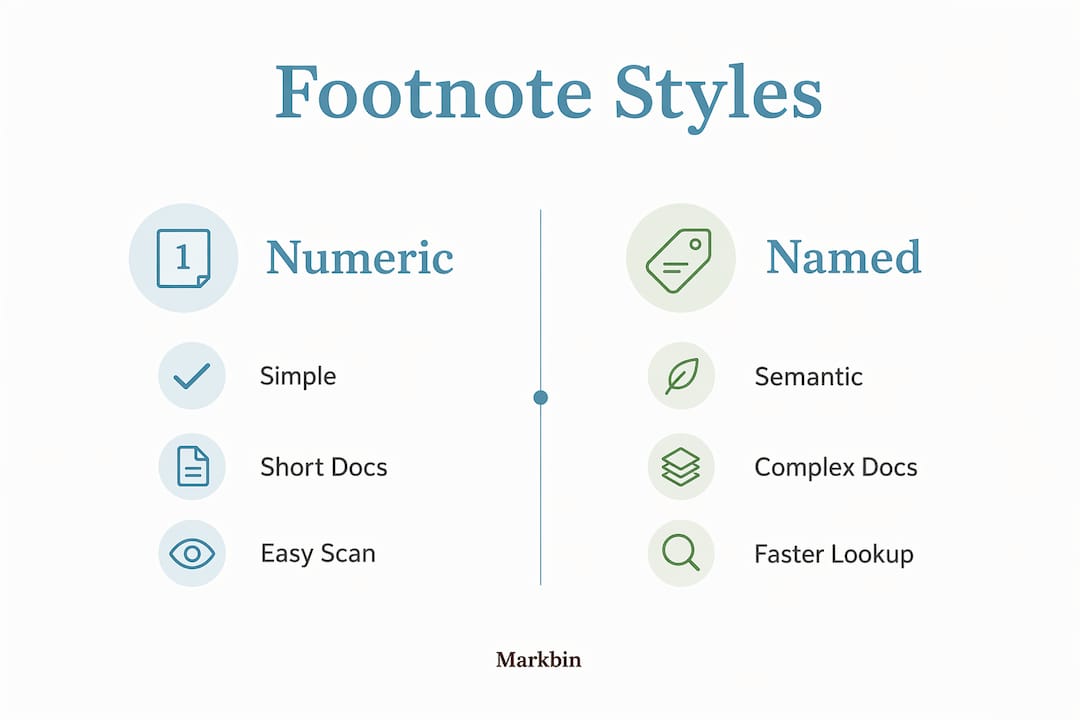
- Use numeric IDs (
[^1],[^2]) for short documents; named IDs ([^smith2023]) for long ones with many references - Never put a space between the word and the marker (
word [^1]breaks rendering) - Write a space after the colon in the definition (
[^1]: content, not[^1]:content) - Each label can only be defined once; duplicate definitions cause rendering failures
- Definitions can go anywhere in the document except inside lists, blockquotes, or tables
| Identifier style | Example | Best for |
|---|---|---|
| Numeric | [^1], [^2] | Short docs, simple references |
| Named | [^source], [^note] | Long docs, academic writing |
| Semantic | [^smith2023], [^api-v2] | Research papers, API docs |
Pro Tip: For any document with more than ten footnotes, switch to semantic labels immediately. Scanning [^gdpr-art5] is far faster than hunting for what [^23] refers to when you're editing weeks later.
How to use Markdown footnotes effectively in documentation and writing
The most common mistake writers make with footnotes is treating them as a dumping ground. A footnote that runs four paragraphs probably belongs in the main text or an appendix. Keep footnotes short and genuinely supplementary: citations, brief term definitions, platform caveats, and optional tips.
Good contexts for footnotes in technical writing:
- Version requirements ("Node 20+ required for this feature")
- Platform-specific differences ("Windows paths use backslashes here")
- Spec or RFC links that support a claim without cluttering the sentence
- Glossary definitions for terms that only some readers will need
Placement of definition blocks matters for maintainability. For short documents, put all definitions at the end. For longer pieces, group definitions at the end of each chapter so you are never scrolling past hundreds of lines to find the one you need to edit. Academic papers conventionally collect all footnotes at the document's end in order of appearance.
Footnote definitions support most Markdown formatting: bold, italics, inline code, and links all work reliably. Code blocks inside footnotes require extra indentation and have inconsistent support across platforms, so keep complex code samples in the main content.

Common mistakes and troubleshooting tips for Markdown footnotes
Most footnote failures trace back to one of a handful of predictable errors. Knowing them in advance saves real frustration.
- Mismatched labels:
[^note1]in the text and[^note-1]in the definition are not the same. Labels must match character for character, including hyphens and case. - Space before the marker: Writing
word [^1]instead ofword[^1]prevents the footnote from rendering. The marker must sit directly against the preceding word or punctuation. - Missing space after the colon:
[^1]:contentfails on many parsers. Always write[^1]: contentwith a space after the colon. - Unsupported platform: If your footnotes render as raw
[^1]text, the parser likely does not support footnotes or needs an extension enabled. VS Code's built-in preview does not support footnotes without a plugin. - Tabs instead of spaces in multi-paragraph footnotes: Subsequent paragraphs inside a footnote require four spaces of indentation, not tabs. Tabs behave inconsistently across parsers and often merge paragraphs into one block.
- Duplicate definitions: Defining
[^1]twice in the same document causes unpredictable output. Each label gets exactly one definition.
When footnotes are not rendering, start with the simplest possible test: one marker, one definition, no formatting inside the note. If that works, add complexity back one step at a time to isolate the problem.
Standard reference vs. inline footnote syntax: which style fits your needs?
Two footnote styles exist in the Markdown world, and they are not equally supported.
Standard style uses a separate marker and definition:
Markdown keeps documents readable.[^note]

[^note]: This is the footnote definition.
Inline style embeds the content directly in the marker, supported by Pandoc and a small number of editors:
Markdown keeps documents readable.^[This is an inline footnote.]
| Feature | Standard [^id] | Inline ^[content] |
|---|---|---|
| GitHub support | Yes | No |
| GitLab support | Yes | No |
| Pandoc support | Yes | Yes |
| Obsidian support | Yes | No |
| Best for | All documents | Quick notes in Pandoc workflows |
Inline footnotes are convenient for short notes when you are working exclusively in Pandoc, since you do not need to scroll down to write the definition. Outside of Pandoc, they simply do not render. For anything meant to display on GitHub, GitLab, Obsidian, or most static site generators, stick with the standard reference style.
Pro Tip: If you are unsure which style your platform supports, write one test footnote and preview it before committing to a style throughout a long document. Switching styles mid-document is tedious.
Expert perspective: getting Markdown footnotes right in practice
Zack is a technical communicator and Markdown content creator who has worked on developer documentation, open-source project READMEs, and long-form technical tutorials. His core advice on footnotes is consistent: use them sparingly, and only for content that is genuinely optional.
The moment a footnote becomes something the reader must read to understand the main text, it belongs in the main text. Footnotes are for the curious reader, not the confused one.
A few advanced practices worth adopting:
- Reset parser state in programmatic workflows. When using extensions like Python-Markdown's footnote extension to convert multiple documents in a single session, reset the footnote state between documents. Without a reset, footnote numbering and definitions can bleed from one document into the next.
- Use semantic labels in collaborative projects. When multiple contributors edit the same document, numeric labels like
[^1]create merge conflicts constantly. Labels like[^api-rate-limit]are self-documenting and far less likely to collide. - Preview on the actual target platform. Rendering varies enough between platforms that what looks correct in your local editor may break on the platform where readers see it.
For Markdown rendering details that explain why parsers handle footnotes differently, the underlying parsing pipeline is worth understanding. And if you are writing technical coursework or documentation in Markdown, footnotes are one of the extended features that separate polished work from plain text.
Which platforms and processors actually support footnotes?
Footnote support is an extension, not a core feature. The CommonMark specification deliberately excludes footnotes, so every platform that supports them has added the capability independently. That means behavior varies.
GitHub added footnote support in September 2021 and handles the standard [^id] syntax reliably in README files and other Markdown documents. GitLab supports the same standard syntax. Pandoc offers the most complete support, including both standard and inline styles as well as multi-paragraph footnotes. Obsidian, Typora, Hugo, and Jekyll with the kramdown parser all support standard footnotes.
VS Code's built-in Markdown preview does not support footnotes. You need the markdown-footnotes extension to get rendering there. Platforms like Stack Exchange have explicitly declined to add footnote support. Always verify your target platform before building a document around footnotes.
Limitations and inconsistencies you will run into
Even on platforms that support footnotes, rendering is not perfectly uniform. Multi-paragraph footnotes are the most common source of inconsistency. The four-spaces indentation rule applies on most platforms, but some handle tabs gracefully while others do not. GitHub works correctly with four spaces; tabs on GitHub collapse multiple paragraphs into one.
Code blocks inside footnotes add another layer of complexity. On most platforms, a code block inside a footnote needs eight spaces of indentation: four for the footnote continuation and four for the code block itself. Not every parser handles this correctly, and some simply ignore the code block formatting entirely.
Footnote numbering is always sequential by order of appearance in the text, regardless of the label used. That behavior is consistent across platforms, but it means that if you delete a footnote from the middle of a document, all subsequent numbers shift. Named semantic labels help here because the displayed number changes but the label in your source stays meaningful.
Platforms that partially support footnotes, like some wiki engines and CMS editors, sometimes render the marker but not the definition, or vice versa. The safest approach is always to preview on the actual target before publishing.
Markbin supports full GitHub Flavored Markdown, including footnotes, and renders documents instantly into shareable links. If you want to test your footnote syntax without setting up a local environment, try Markbin for a fast, clean preview with no sign-up required.
Key Takeaways
Markdown footnotes use a two-part syntax: an inline marker and a matching definition, with auto-numbering handled by the parser regardless of the label you choose.
| Point | Details |
|---|---|
| Core syntax | Use [^id] in text and [^id]: content as the definition, anywhere in the document. |
| Auto-numbering | Renderers assign sequential numbers by order of appearance, so label names do not affect display. |
| Four-space rule | Multi-paragraph footnotes require four spaces of indentation for each continuation paragraph. |
| Platform support | GitHub, GitLab, Pandoc, and Obsidian support standard footnotes; CommonMark and VS Code built-in do not. |
| Inline style limits | Inline footnotes (^[content]) work only in Pandoc and a few editors; avoid them for broad compatibility. |