
A Markdown blockquote is defined as a block-level element created by prefixing one or more lines with a greater-than sign (>), used to highlight quotations, callouts, or emphasized content within a document. The CommonMark 0.31 standard, published in january 2024, requires blockquotes to have preceding and succeeding blank lines for reliable rendering. This markdown blockquote formatting explained guide covers everything from basic syntax to nesting, combined elements, cross-flavor compatibility, and practical best practices for documentation and content creation.
What is the basic blockquote syntax in Markdown?
The core rule is simple: start any line with > followed by a space, and that line becomes part of a blockquote. The space after > is not strictly required by every parser, but including a space after > is the recommended practice for portability and readability across tools.
Here is a minimal example:
> This is a blockquote.
That renders as an indented, visually distinct block in every CommonMark-compliant processor. The key word is "compliant." Not every tool follows the same rules, which is why understanding the standard matters from the start.
Common mistakes writers make with basic blockquote syntax:
- Forgetting the blank line before the
>character, which can cause the blockquote to merge with the preceding paragraph - Omitting
>on blank lines inside a multiline blockquote, which terminates the block prematurely - Using
>>without a preceding single>level, which breaks nesting logic - Mixing tabs and spaces before
>, which some parsers handle inconsistently
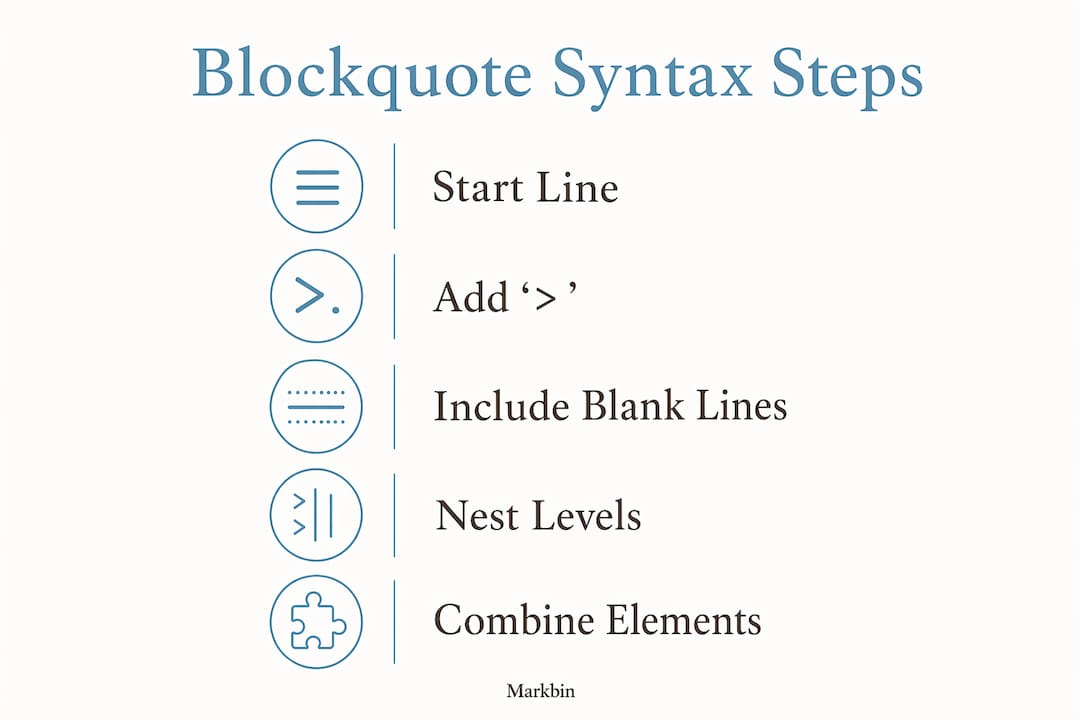
A multiline blockquote requires > on every line, including blank separator lines between paragraphs inside the block:
> First paragraph inside the blockquote.
>
> Second paragraph, still inside the blockquote.
Without the > on the blank line, most renderers will close the first blockquote and open a new one, or simply end the block entirely.
Pro Tip: Always place a blank line before and after your blockquote in the raw Markdown file. This prevents the block from accidentally merging with surrounding paragraphs in strict CommonMark parsers.
How do nested blockquotes work and when should you use them?
Nested blockquotes are created by adding additional > characters per level of depth. Two > characters produce a second-level quote, three produce a third level, and so on. This mirrors how email clients display threaded replies, which is exactly the use case Markdown's original design had in mind.

A practical example of a two-level nested blockquote:
> Outer quote from the original source.
>
>> Inner reply or nested reference.
When should you actually use nesting? Three scenarios justify it:
- Threaded discussions in documentation. When you reproduce a conversation between two parties, nesting visually separates each voice without resorting to HTML.
- Quoting a source that itself quotes another source. Academic writing and technical reports frequently require this structure.
- Callout within a callout. A warning nested inside a general note, for example, draws the reader's eye to the most critical detail.
Nesting beyond two levels creates readability problems in raw Markdown. The raw text becomes hard to scan, and rendering differences across flavors mean that deeply nested blocks may not display as expected in every tool. Keep nesting to two levels in most documentation contexts.
Pro Tip: Test nested blockquotes in your target rendering environment before publishing. What looks clean in one processor may collapse or misalign in another, especially when blank lines are involved inside nested levels.
Understanding how parsers handle these structures is part of a broader topic. The mechanics of Markdown rendering explain why the same raw text can produce different visual results depending on the processor.
How do you combine blockquotes with other Markdown elements?
Blockquotes are not limited to plain text. You can embed headings, bold and italic text, inline code, lists, and even fenced code blocks inside a blockquote. The rule is consistent: every line of the embedded element must be prefixed with >.
Supported elements inside blockquotes:
- Headings:
> ## Section headingrenders a heading inside the quote block - Bold and italic:
> **Bold text** and *italic text*work exactly as they do outside a blockquote - Inline code:
> Use `code` hererenders inline code within the block - Unordered lists: Each list item line needs its own
>prefix - Ordered lists: Same rule applies; every list item line must carry the
> - Fenced code blocks: Every line of the code block, including the opening and closing fences, must be prefixed with
>
Here is a combined example with a list inside a blockquote:
> **Key requirements:**
>
> - Prefix every line with >
> - Include blank lines between block elements
> - Test in your target renderer
GitHub Flavored Markdown goes further with a special alert syntax. Placing [!NOTE], [!WARNING], [!TIP], [!IMPORTANT], or [!CAUTION] on the first line of a blockquote triggers color-coded alert boxes in GitHub's renderer. This feature became available in late 2023. It is platform-specific and will not render as an alert box in standard CommonMark processors.
| Element | Syntax inside blockquote | Renders correctly in CommonMark? |
|---|---|---|
| Heading | > ## Heading | Yes |
| Bold text | > **bold** | Yes |
| Unordered list | > - item | Yes |
| Fenced code block | > ``` ` `` on every line | Yes |
GitHub alert [!NOTE] | > [!NOTE] | GitHub only |
For writers who want to go deeper on combining rich formatting with blockquotes, the Markdown guide for styled text covers the full range of inline and block-level options.
What compatibility differences exist across Markdown flavors?
CommonMark 0.31 is the closest thing Markdown has to a universal standard. It defines precise rules for blockquote parsing, including how lazy continuation lines work and how blank lines inside blocks are handled. Processors that claim CommonMark compliance follow these rules consistently.
GitHub Flavored Markdown (GFM) builds on CommonMark and adds the alert callout extensions described above. Most documentation platforms, including many static site generators and wiki tools, support GFM or a close variant. The practical difference for blockquotes is the alert syntax: it adds visual value on GitHub but degrades gracefully to a plain blockquote elsewhere.
The real compatibility risk comes from older or non-standard parsers. Lazy continuation and indentation rules vary between renderers, meaning a blockquote that looks perfect in one tool may break in another. This is not a theoretical concern. Writers who draft in one editor and publish through a different pipeline regularly encounter this problem.
The safest approach is to write to CommonMark 0.31 rules and test in your actual publishing environment. For developers working across multiple tools, understanding how Markdown syntax highlighting and rendering interact helps catch these issues early.
A practical testing checklist:
- Render the document in the target tool before finalizing
- Check that multiline blockquotes with blank lines display as a single block
- Verify nested levels render at the correct visual depth
- Confirm that GitHub alert syntax degrades cleanly if the target is not GitHub
What are the best practices and common pitfalls for blockquotes?
The most important rule is to use blockquotes sparingly and with purpose. Reserve them for direct quotations, critical callouts, or content that genuinely needs visual separation. Overusing blockquotes reduces their impact and clutters the document.
Best practices for clean, consistent blockquote use:
- Always include a space after
>for maximum compatibility across parsers - Place blank lines before and after every blockquote block
- Prefix every line inside a multiline blockquote, including blank separator lines
- Attribute quoted content clearly, either inside the blockquote or immediately after it
- Limit nesting to two levels to preserve readability in raw Markdown
Common pitfalls to avoid:
- Dropping the
>on blank lines inside the block, which splits the blockquote into separate blocks - Using blockquotes as a general indentation tool rather than for actual quotations or callouts
- Mixing block-level elements incorrectly, such as placing a fenced code block inside a blockquote without prefixing every line
- Assuming GitHub alert syntax will render correctly outside GitHub
Pro Tip: Write your Markdown so the raw file is readable without rendering. A well-formatted blockquote with consistent > prefixes and proper spacing communicates structure even in plain text, which matters for collaboration and version control.
Clean Markdown syntax produces better portability and readability across documentation and development tools. Writers who follow content writing best practices for Markdown find that consistent blockquote formatting reduces errors when documents move between platforms.
Attribution is a specific area where writers often cut corners. When you quote a person or source, include the attribution either as the last line of the blockquote or as a plain paragraph immediately following it. Leaving a blockquote unattributed in technical documentation creates ambiguity about whether the content is a quote or an editorial callout.
Key takeaways
Markdown blockquote syntax is defined by the > prefix rule, and following CommonMark 0.31 standards produces reliable rendering across every compliant platform.
| Point | Details |
|---|---|
| Core syntax rule | Prefix every line with > and a space, including blank lines inside multiline blocks. |
| Nesting depth | Limit nesting to two levels to keep raw Markdown readable and avoid cross-parser issues. |
| Combined elements | Headings, lists, and code blocks work inside blockquotes when every line carries the > prefix. |
| Flavor compatibility | CommonMark 0.31 is the safest target; GitHub alert syntax is platform-specific and does not transfer. |
| Best practice | Use blockquotes sparingly for quotations and callouts, and always attribute quoted content clearly. |
Blockquotes are simpler than they look, but the details matter
I have reviewed a lot of Markdown documentation over the years, and blockquote errors are among the most common formatting mistakes I see. They are also among the easiest to miss because most renderers are forgiving enough to display something, even when the syntax is technically wrong. That forgiveness is the trap.
The moment you move a document from one tool to another, a blockquote with a missing > on a blank line will break. A nested block that looked fine in your local preview will collapse in the publishing pipeline. These are not edge cases. They happen regularly in real documentation workflows.
My honest recommendation is to treat CommonMark 0.31 as your baseline, not as a ceiling. Write to the standard even when your current tool is more permissive. The raw Markdown file should be clean enough that any compliant parser handles it correctly. That discipline pays off when you collaborate, when you switch tools, or when you hand the document to someone else.
The other thing I would push back on is the instinct to use blockquotes for visual variety. A blockquote that does not contain an actual quotation or a genuine callout is just visual noise. Readers learn to ignore formatting that does not carry meaning, and overused blockquotes are one of the fastest ways to train your readers to skim past them.
Get the syntax right, use them with purpose, and test in your target environment. That is the whole practice.
— Zack
Markbin renders your blockquotes exactly as the standard intends
Markbin supports full CommonMark 0.31 rendering, which means your blockquotes, nested structures, and combined elements display correctly every time you share a document. Paste your Markdown into Markbin and get an instant, shareable preview without installing anything or creating an account. For developers and writers who need to verify formatting before publishing, the real-time render catches syntax errors that text editors miss. Markbin also supports GitHub Flavored Markdown, so alert callouts like [!NOTE] render as intended for GitHub-targeted content. It is the fastest way to confirm your blockquote formatting is production-ready.
FAQ
What character creates a blockquote in Markdown?
The greater-than sign (>) followed by a space creates a blockquote. Place it at the start of each line you want included in the block.
Why does my multiline blockquote split into two separate blocks?
A missing > on a blank line inside the blockquote terminates the block. Every line, including blank separator lines between paragraphs, must carry the > prefix to keep the block intact.
How do I nest a blockquote inside another blockquote?
Add an additional > character for each level of nesting. Two > characters produce a second-level quote, and three produce a third. Limit nesting to two levels for readability.
Does GitHub Flavored Markdown handle blockquotes differently?
GFM adds alert callout syntax using [!NOTE], [!WARNING], and similar tags on the first line of a blockquote. These render as color-coded alert boxes on GitHub but display as plain blockquotes in standard CommonMark processors.
Can I put code blocks inside a blockquote?
Yes. Prefix every line of the code block, including the opening and closing fences, with >. Skipping the prefix on any line will break the blockquote or the code block rendering.