
Markdown is a lightweight markup language created by John Gruber in 2004 that uses simple symbols to format plain text for easy reading and conversion to HTML, PDF, and dozens of other formats. Understanding what is markdown for content writing means recognizing it as the standard syntax behind GitHub, Pandoc-powered academic documents, and most modern documentation platforms. It covers 80% of everyday formatting tasks with characters you already know, and its raw files remain readable without any rendering software. Writers, educators, and content creators who learn Markdown once use it everywhere.
What is Markdown syntax and how does it work for content formatting?
Markdown syntax is a set of plain-text conventions that a renderer converts into structured HTML or other document formats. You write in a plain .md file, and tools like Pandoc, GitHub, or Markbin transform those characters into polished output. The core syntax is small enough to learn in under an hour, which is a fraction of the time required to master LaTeX or even Word's advanced formatting features.
The most common syntax elements are:
#through######for heading levels H1 through H6**bold text**and*italic text*for emphasis-or*at the start of a line for unordered lists1.for ordered lists[link text](URL)for hyperlinks`code`for inline code and triple backticks for code blocks>for blockquotes| Column 1 | Column 2 |with a separator row for tables
Each of these uses fewer characters than the equivalent HTML tag and requires no closing syntax. That efficiency is why developers, technical writers, and educators adopted it so quickly.
GitHub Flavored Markdown (GFM) extends the base spec with task lists, syntax-highlighted code blocks, strikethrough text, and auto-linked URLs. Platforms like GitHub, GitLab, and Markbin support GFM natively, which makes it the practical standard for collaborative writing in 2026.

Pro Tip: When Markdown's native syntax cannot handle a complex layout, embed raw HTML directly in your .md file. Most renderers pass HTML through untouched, giving you full layout control without abandoning the plain-text workflow. Keep a small library of HTML snippets for tables with merged cells, custom image sizing, or colored callout boxes.
For a deeper look at one of Markdown's most powerful features, the Markbin blog covers syntax highlighting in detail for writers working with technical content.
Why do content creators and educators prefer Markdown for writing?
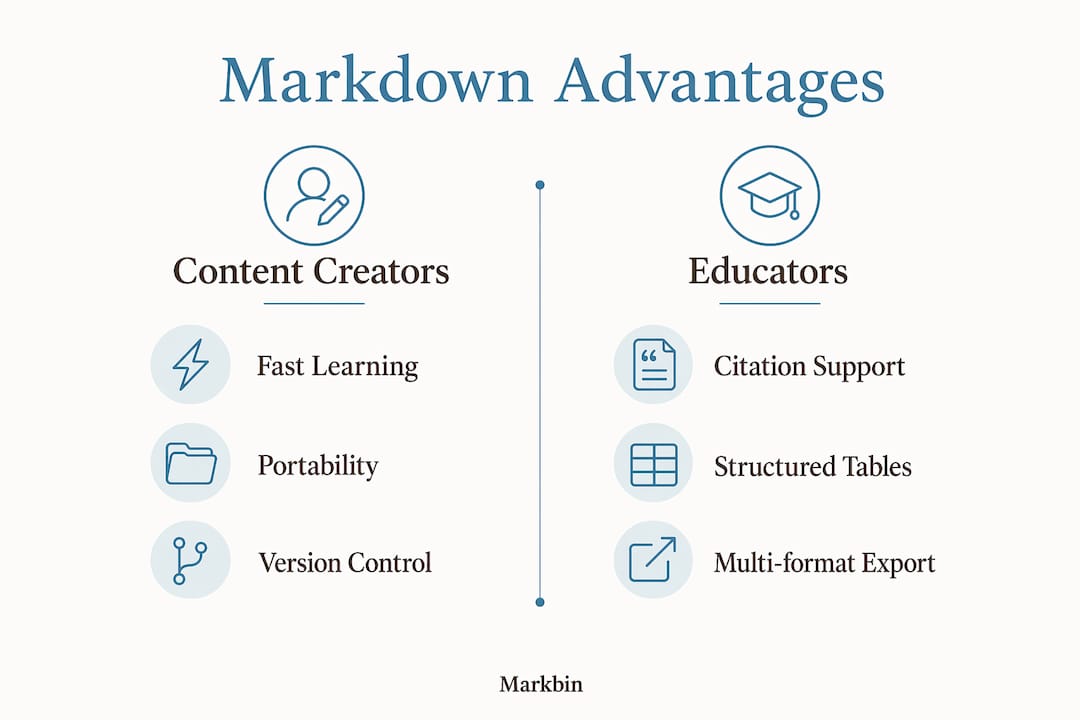
Markdown separates writing from styling. That separation is the single biggest reason content creators and educators choose it over Word or Google Docs. When your formatting lives in the same file as your words, you spend cognitive energy on structure and argument rather than on ribbon menus and style sheets.
"Plain-text files offer an indefinite shelf life. Proprietary formats risk obsolescence the moment a software company changes its file spec or goes out of business."
That quote captures the core argument for content portability. A .md file written today will open cleanly in any text editor in 20 years. A .docx file from 2004 already requires compatibility mode in modern Word. For educators building course materials and writers maintaining long-term archives, that permanence is not a minor convenience. It is a strategic advantage.
For academic writing specifically, Markdown pairs with citation managers like Zotero and converters like Pandoc to produce publication-ready documents. The Markdown plus Pandoc workflow dramatically reduces formatting time because you write once and export to PDF, DOCX, HTML, or EPUB from a single source file. That "write once, export anywhere" model is why academic publishers and journal editors are increasingly accepting Markdown submissions.
Version control is another practical benefit most writers overlook. Markdown files are plain text, which means Git tracks every change at the character level. That precision is far beyond what Word's Track Changes offers. A team of writers can branch, merge, and revert a Markdown document the same way software engineers manage code, with a complete, recoverable history of every edit.
The Markbin blog's breakdown of Markdown table use cases shows how teams use structured Markdown to replace scattered spreadsheets and slide decks in documentation workflows.
How does Markdown compare with Word and LaTeX for content writing?
Markdown is not a replacement for Word in pixel-perfect layout projects. It excels in high-volume collaborative content that requires structure, portability, and version control. Understanding where each tool fits saves you from forcing the wrong format on the wrong task.
| Feature | Markdown | Microsoft Word | LaTeX |
|---|---|---|---|
| Learning curve | Under 1 hour | Days for advanced features | Weeks to months |
| File portability | Plain text, opens anywhere | Binary format, version-dependent | Plain text, but complex syntax |
| Version control | Native with Git | Limited Track Changes | Native with Git |
| Output formats | HTML, PDF, DOCX, EPUB via Pandoc | DOCX, PDF | PDF primarily |
| Complex layouts | Limited without raw HTML | Strong | Strongest |
| Citation management | Zotero + Pandoc integration | Built-in or plugin | BibTeX native |
| Best for | Web content, docs, academic drafts | Reports, print layouts | Scientific papers, theses |
Word wins when your deliverable is a formatted print document with precise page layout, custom headers, and tracked editorial comments for a non-technical client. LaTeX wins when you need mathematical typesetting, complex cross-referencing, and journal-specific templates. Markdown wins when you need to write fast, collaborate across platforms, and publish to multiple formats without reformatting each time.
The misconception that Markdown is limited stops many writers from adopting it. The base syntax is intentionally minimal, but the open-source ecosystem around it adds math rendering via KaTeX or MathJax, bibliography management via Pandoc citeproc, and cross-referencing via pandoc-crossref. That ecosystem makes Markdown capable of producing publication-grade documents. For a direct comparison of how Markdown stacks up against rich text editors in real workflows, the Markbin blog's Markdown vs rich text editors breakdown is worth reading before you commit to a tool.
What are the best practices for using Markdown effectively in 2026?
A practical Markdown workflow in 2026 uses a modular plain-text stack. No single app is mandatory. The combination of a good text editor, a citation manager, and a converter covers nearly every writing scenario from blog posts to doctoral theses.
A typical workflow for academic or long-form content looks like this:
- Draft in a plain-text editor. Obsidian, VS Code, or any editor that renders Markdown previews works well. Write in
.mdfiles from the start. - Manage citations with Zotero. The Better BibTeX plugin exports a
.bibfile that Pandoc reads automatically during conversion. - Use a YAML front matter block. At the top of your file, define title, author, date, and bibliography path. Pandoc reads this block to populate document metadata.
- Convert with Pandoc. A single terminal command like
pandoc paper.md --citeproc -o paper.pdfproduces a formatted PDF with citations resolved and a bibliography appended. - Track changes with Git. Commit after each writing session. Use branches for major revisions. Git version control gives you 100% precise document recovery at any point in the project's history.
- Share rendered output with Markbin. Paste your Markdown into Markbin to generate a shareable, beautifully rendered link without requiring the recipient to install any software.
For web content creators, the workflow is simpler. Write in Markdown, paste into your CMS or static site generator (Hugo, Jekyll, or Eleventy all accept .md files natively), and publish. The formatting is already structured. No conversion step is needed.
Pro Tip: The most common mistake new Markdown users make is "renderer fatigue," which means trying to force complex visual layouts through Markdown syntax alone. Experienced users keep a small set of raw HTML snippets ready for edge cases like multi-column layouts or custom callout boxes. Accept Markdown for what it does best: content structure. Reach for HTML only when the structure genuinely demands it.
For writers working with LLM-based tools, the guide on LLM-friendly Markdown explains how clean Markdown structure improves AI parsing and output quality, which is increasingly relevant for content teams using AI writing assistants in 2026.
Key takeaways
Markdown is the most practical plain-text formatting system for writers, educators, and content creators who need portability, speed, and multi-format publishing from a single source file.
| Point | Details |
|---|---|
| Core syntax is fast to learn | Markdown's essential syntax takes under an hour to learn and covers 80% of everyday formatting needs. |
| Plain text means permanent files | Markdown files never become unreadable due to software changes, unlike proprietary formats. |
| Pandoc unlocks multi-format output | Pairing Markdown with Pandoc lets you export one source file to PDF, DOCX, HTML, and EPUB. |
| Git beats Track Changes | Version control with Git gives teams precise, line-level collaboration and full document history. |
| Modular stacks fit any workflow | Combining Obsidian or VS Code, Zotero, and Pandoc covers academic and web content workflows equally well. |
Why Markdown is the skill I wish I had learned first
I spent years writing in Word and fighting with styles, tracked changes, and corrupted .docx files before switching to Markdown. The honest truth is that the learning curve took about 45 minutes. The payoff has been years of frictionless writing.
What surprised me most was not the syntax. It was the mindset shift. Writing in Markdown forces you to think about structure before style. You decide whether something is a heading, a list, or a paragraph before you decide what it looks like. That constraint produces cleaner writing. It also produces documents that survive tool changes, team changes, and platform changes without a reformatting session.
The argument I hear most often against Markdown is that it is "too technical" for non-developers. That argument does not hold up. If you can type **bold** instead of pressing Ctrl+B, you can write in Markdown. The syntax is not code. It is shorthand, and shorthand is something writers already understand.
My advice for educators specifically: adopt Markdown for your course materials now. Your syllabi, lecture notes, and assignment sheets will be readable and editable in any tool your institution adopts in the future. You will never lose a document to a software migration again.
The writers who treat Markdown as a niche developer tool are leaving real productivity on the table. It is the most durable, portable, and format-agnostic writing system available in 2026. Learn it once. Use it everywhere.
— Zack
Write and share Markdown instantly with Markbin
Markbin is built for exactly the workflow this article describes. You write in plain Markdown, and Markbin converts it instantly into a beautifully rendered, shareable document. No sign-up is required. The platform supports full GitHub Flavored Markdown, including syntax highlighting, tables, task lists, and math formulas. For teams, Markbin adds password protection and self-destructing documents, which makes it practical for sharing sensitive drafts or time-limited content. Whether you are a writer publishing tutorials, an educator sharing course notes, or a developer documenting an API, Markbin turns your plain-text Markdown into a polished, shareable link in seconds.
FAQ
What is Markdown language in simple terms?
Markdown is a plain-text formatting system that uses simple characters like #, **, and - to add structure to documents. A renderer converts those characters into formatted HTML or other output formats.
How does Markdown simplify academic writing?
Markdown paired with Pandoc and Zotero lets academics write once and export to PDF, DOCX, or journal-specific formats with citations resolved automatically. This removes the manual reformatting step that costs researchers hours per paper.
Is Markdown better than Microsoft Word for content writing?
Markdown is better than Word for collaborative, portable, and multi-format content. Word is better for print-focused documents requiring precise page layout and non-technical editorial review.
How long does it take to learn Markdown syntax?
The core Markdown syntax takes approximately 10 minutes to read and under an hour to practice comfortably. Advanced features like Pandoc integration and YAML front matter take a few hours more.
What tools work best with Markdown for writers?
The most practical combination is a Markdown editor (VS Code or Obsidian), Pandoc for format conversion, Zotero for citation management, Git for version control, and Markbin for instant sharing of rendered documents.