
Use a zero-knowledge, client-side encrypted sharing tool with one-time or expiring links and out-of-band password delivery. That combination is the closest thing to a universal right answer for anyone sharing confidential content today. Markbin is a strong practical option for creators and small teams who need password-protected markdown sharing with minimal setup friction.
Why this approach wins:
- True provider-blind encryption: Client-side encryption means the server stores only ciphertext. Even under a subpoena, the provider cannot hand over readable content because they never had the key.
- Simple recipient workflow: Expiring links and one-time access flags eliminate lingering exposure without requiring recipients to create accounts or install software.
- Layered controls: Expiry timers, download limits, and audit logs give you visibility and a kill switch. Link-level password gates alone offer none of that.
Use the checklist in the practical steps section below to run your first secure share, or create a test document in Markbin to see the workflow hands-on.
Table of Contents
- What does "password-protected sharing" actually mean?
- Which tool category fits your sharing scenario?
- How does client-side encryption actually work?
- Step-by-step: how to share a password-protected item safely
- How Markbin handles password-protected markdown sharing
- What enterprise teams should ask vendors before signing
- Key Takeaways
- The mistake most people make with secure sharing
- Markbin makes password-protected markdown sharing practical
- Useful sources and further reading
What does "password-protected sharing" actually mean?
The phrase covers two very different security models, and confusing them is the most common mistake people make when choosing private document sharing tools.
Link-level access control puts a password screen in front of a URL. The file or content lives on the server in plaintext (or lightly obfuscated form). The password is an access gate, not encryption. If the provider's database is breached, or if a court order compels disclosure, the content is readable. This model is adequate for low-sensitivity material where convenience matters more than confidentiality.
File-level (client-side) encryption is fundamentally different. The browser encrypts the content before it leaves your device. The server receives and stores only ciphertext. The decryption key never touches the server. This is the zero-knowledge model, and it is what regulated industries and security-conscious professionals should require.
| Factor | Link-level access control | Client-side (zero-knowledge) encryption |
|---|---|---|
| Who can read plaintext | Provider, attacker with DB access | Nobody except key holder |
| Breach exposure | Full content exposed | Ciphertext only; useless without key |
| Subpoena risk | Provider can comply with content | Provider has nothing to hand over |
| Recipient friction | Low (password prompt) | Low to medium (depends on tool) |
| Recovery if password lost | Provider can reset | Content is permanently unreadable |
When link-level is enough: sharing a public draft for feedback, gating a marketing asset, or distributing non-sensitive internal docs where convenience is the priority.
When client-side encryption is required: sharing credentials, API keys, medical records, legal documents, unpublished research, or any content subject to HIPAA, GDPR, or SOC 2 obligations.
Which tool category fits your sharing scenario?
Five categories cover most real-world needs. Picking the right one before you evaluate specific products saves a lot of backtracking.
Password managers with secure sharing
Tools like 1Password and Bitwarden let teams share credentials inside an encrypted vault. The strength is persistent, organized access with role-based permissions. The limitation is that recipients need an account in the same system. Best for: ongoing team credential management, not one-off external shares.
Zero-knowledge encrypted file-share platforms
These encrypt in the browser, store only ciphertext, and generate a share link that includes or derives the decryption key. SecretDrop is a developer-focused example: it runs AES-256-GCM encryption in-browser with PBKDF2 at 600,000 iterations, supports automatic TTLs, and lets recipients decrypt locally without an account. Best for: confidential file bundles, regulated data, developer secrets.
One-time secret link services
These generate self-destructing links that become inaccessible after a single view or a set time window. Password.link is a practical example, offering single-view links, optional attachments, secret request forms, and an API for integration. Best for: ephemeral credential sharing, API key handoffs, anything that should not persist.
Session and temporary browser sharing
Screen-sharing or temporary session tools (like Tuple or browser-based remote access) let a recipient view content without downloading it. Best for: live reviews where you want zero copies made. Least practical for asynchronous workflows.
OS-native and ZIP/PDF encryption
Password-protecting a ZIP archive or a PDF with AES-256 is free and requires no third-party service. The weakness is key management: the password travels separately, and there is no expiry, audit trail, or revocation. Best for: one-time offline transfers where no internet service is acceptable.
Mixed workflows make sense. A team might use a password manager for shared internal credentials and a one-time link service for sending a client their initial login. Self-destructing links handle the ephemeral case; the vault handles the persistent one.
How does client-side encryption actually work?
The technical architecture matters because it determines what an attacker, a provider, or a court can access. Here is what to look for.
AES-256-GCM is the recommended symmetric cipher for encrypted content sharing. It provides both confidentiality and integrity verification, meaning a tampered ciphertext will fail to decrypt rather than silently producing garbage. The OWASP Password Storage Project recommends pairing AES-256-GCM with strong key-derivation functions: Argon2id (memory-hard, resistant to GPU cracking) or PBKDF2 with high iteration counts (600,000 or more). The KDF is what turns a human-chosen password into a cryptographically strong key.
Key-handling patterns vary across tools:
- URL-fragment keys: The decryption key is embedded in the
#fragmentportion of the share URL. Per RFC 3986, browsers do not send the fragment to the server, so the key never appears in server logs or request records. SecuShare demonstrates this architecture: the browser encrypts content, the server stores the encrypted blob and metadata, and the share URL carries the key in its fragment. - Password-derived keys: The recipient enters a password; the client runs it through the KDF locally to derive the decryption key. No key is ever transmitted.
- Split-key approaches: Some services combine a fragment-held partial key with a database-held partial key so neither piece alone decrypts the content.
Secure sharing gold standard: browser encrypts → server stores ciphertext only → share URL carries key in fragment → recipient's browser decrypts locally. The server is blind at every step.
Common insecure patterns to avoid:
- Server-side password checks where the file is stored unencrypted and the password merely gates access
- Link-level password screens with no underlying encryption (the provider can read everything)
- Sending the decryption key in the same message as the share link (defeats the entire model)
Step-by-step: how to share a password-protected item safely
Follow this ordered workflow regardless of which tool you choose.
- Choose your password policy. Use a randomly generated password of at least 16 characters. Never reuse a password across shares. Password reuse dramatically increases the blast radius of any single credential leak.
- Deliver the password out-of-band — Send the share link via email and the password via SMS, Signal, or a phone call. Never send both in the same message thread.
Scenario timelines:
Pro Tip: For collecting sensitive documents from clients, use a secret-request workflow instead of asking them to email files. Services like Password.link let you generate a secure inbox link. The client uploads directly into an encrypted channel, and you never receive an unprotected attachment.
How Markbin handles password-protected markdown sharing
Markbin is built for creators, developers, researchers, and educators who need to share formatted content securely without forcing recipients through a signup wall.
Relevant capabilities:
- Password-protected links: Set a password on any document; recipients see a prompt before the content renders.
- Self-destructing documents: Set a document to expire after a defined period or after a single view.
- Asset uploads with shareable links: Attach files to a markdown document and share the whole bundle via a single link.
- Retention controls: Paid plans extend document retention beyond the free-tier defaults, useful for longer client engagements.
- No recipient account required: Recipients access content through the link and password alone.
Where Markbin fits best: sharing a draft article with a sponsor before publication, distributing a .env snippet or API key embedded in a markdown document, sending a controlled preview of research to a peer reviewer, or giving a client a time-limited upload link for a project brief.
Setup workflow:
- Create a new document in Markbin and write or paste your markdown content.
- Set a password and an expiry window before publishing.
- Copy the share link.
- Send the link to your recipient via your primary channel (email, Slack).
- Send the password via a separate channel (SMS, Signal, phone).
- Confirm the recipient accessed the document, then let the expiry run or revoke manually.
For a deeper look at protecting unpublished work with password links, Markbin's guide on password links walks through the operational reasoning behind each control. Developers looking for technical depth on secure document sharing methods will find workflow examples there as well.
What enterprise teams should ask vendors before signing
Enterprise procurement for secure sharing tools goes beyond feature lists. These are the controls that matter when regulated data is involved.
- API and SDK support: — Enterprise workflows need programmatic share creation. Ask whether the API supports setting expiry, download limits, and password policies, and whether there are SDKs for your stack.
Procurement checklist for security reviews: request the vendor's penetration test results, their incident response policy, their data residency options, and their subprocessor list. A vendor that cannot produce these on request is not ready for enterprise use.
The trade-off between strict key custody and recipient convenience is real. Customer-managed keys mean your IT team manages key rotation and recovery. If a key is lost, content is gone. For most small teams, a zero-knowledge provider-managed model with strong KDFs is the right balance. For healthcare or legal, BYOK is worth the overhead. Team-oriented document sharing requires thinking through these trade-offs before a breach forces the conversation.
Key Takeaways
Zero-knowledge, client-side encrypted sharing with out-of-band password delivery and short expiry windows is the most effective approach to password-protected content sharing for both individuals and regulated teams.
| Point | Details |
|---|---|
| Prefer zero-knowledge tools | Client-side encryption means the provider cannot decrypt your content, even under legal compulsion. |
| Always deliver passwords out-of-band | Send the share link and the password through separate channels to eliminate single-point interception. |
| Set short expiries by default | Use 1–24 hour TTLs for credentials; 7 days is a reasonable maximum for client document windows. |
| Enable audit logs for team sharing | Logs give you visibility into who accessed what and a clear record for compliance reviews. |
| Markbin for markdown sharing | Markbin offers password-protected links, self-destructing documents, and no-signup recipient access for creators and small teams. |
The mistake most people make with secure sharing
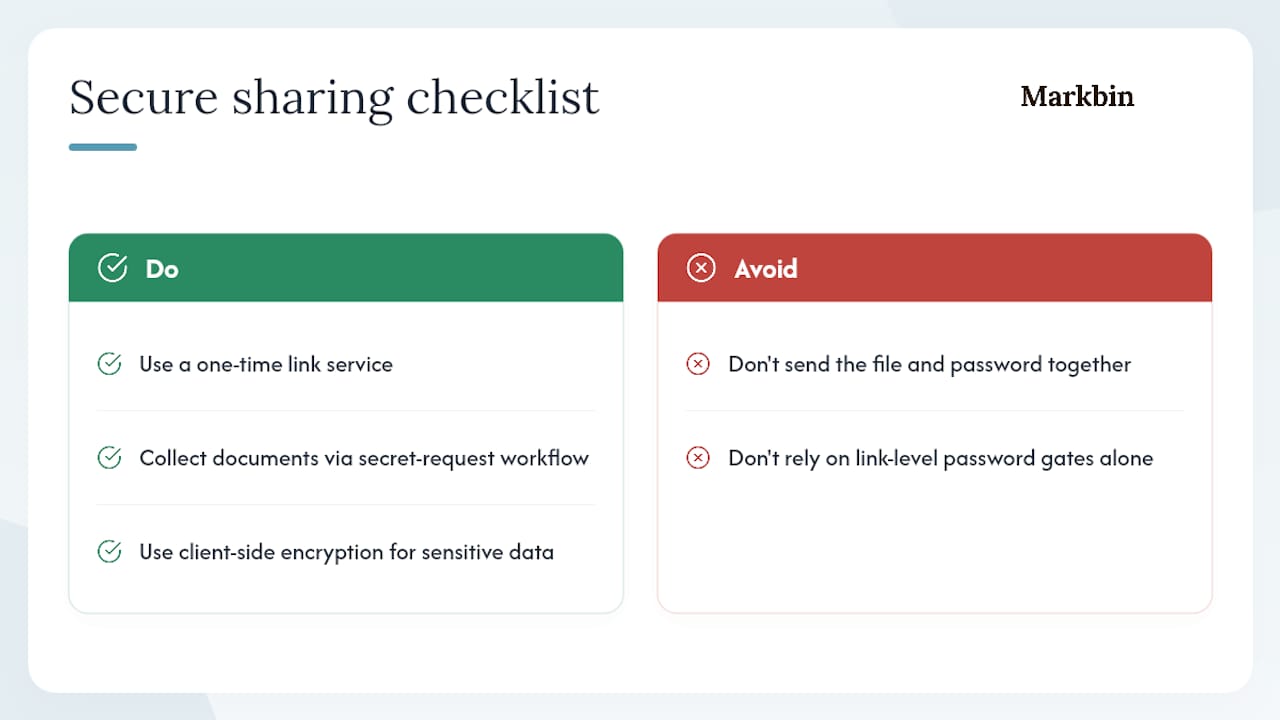
The single most common error is not choosing the wrong tool. It is sending the file and the password in the same message.
Think about what that means in practice. You email a ZIP archive and type the password in the same email body. If that inbox is compromised, an attacker gets both pieces simultaneously. The encryption is theater at that point. Out-of-band delivery is not a best practice you can skip when you are in a hurry. It is the entire operational point of using a password in the first place.
The second mistake is trusting link-level password gates for genuinely sensitive data. A password screen that sits in front of unencrypted server-stored content protects against casual browsing, not against a determined attacker, a rogue employee, or a legal hold. If the content would cause real harm in the wrong hands, it needs client-side encryption, not a gate.
Two things you can implement today: first, switch any credential handoff to a one-time link service so the link self-destructs after the recipient reads it. Second, if you collect sensitive documents from clients, use a secret-request workflow instead of asking them to email attachments. The risk shifts from your inbox to an encrypted channel, and you never receive an unprotected file.
Markbin makes password-protected markdown sharing practical
Most secure sharing tools force a choice between strong encryption and a smooth recipient experience. Markbin skips that trade-off for creators and professionals who work in markdown. You get password-protected links, self-destructing documents, and shareable formatted content that renders cleanly for recipients without requiring them to create an account.
The practical next step: go to Markbin, create a test document, set a password and a short expiry, and share it with a colleague using a password delivered via a separate channel. The whole workflow takes under two minutes. If you share drafts, research, or technical documentation regularly, that two-minute test will tell you everything you need to know about whether it fits your process. For creators specifically, the guide on sharing sponsored content drafts securely shows how the password-link workflow maps to real publishing scenarios.
Useful sources and further reading
The following references support the technical claims in this article and are worth reading if you want to validate vendor claims or go deeper on implementation.
- OWASP Password Storage Project
- SecuShare/SecuShare — GitHub
- SecretDrop — Encrypted file sharing for developers
- FileShot.io — Private file host & secure file sharing
- Password.link — Securely send and receive sensitive information
- RFC 3986: Uniform Resource Identifier (URI): Generic Syntax
How to validate vendor claims: ask for the specific KDF and iteration parameters in writing, request a link to client-side Web Crypto API usage in their documentation or source code, and check whether their whitepaper or security page explicitly states that the server never receives the decryption key. Vague claims like "military-grade encryption" with no algorithm or parameter details are a signal to keep looking.