
Shareable links for onboarding documentation are centralized, persistent URLs that give new hires instant access to every form, policy, and guide they need from day one. HR professionals who rely on email attachments face a compliance problem: attachments go stale, get lost, and leave no audit trail. A proper link-based workflow replaces that chaos with a single source of truth. A compliant onboarding package must cover at least 12 essential documents including the I-9, W-4, direct deposit authorization, and handbook acknowledgment. Getting those documents in front of new hires quickly, securely, and consistently is the core challenge this guide solves.
What are shareable links for onboarding documentation?
Shareable onboarding document links are persistent URLs that point to a specific resource inside a centralized knowledge base or document platform. The industry term for this approach is "link-based document distribution," and it sits at the intersection of knowledge management and HR compliance. Unlike email attachments, a link always reflects the current version of a document. Centralizing documentation with links reduces errors from missing signatures and creates a consistent audit trail that holds up during regulatory reviews.
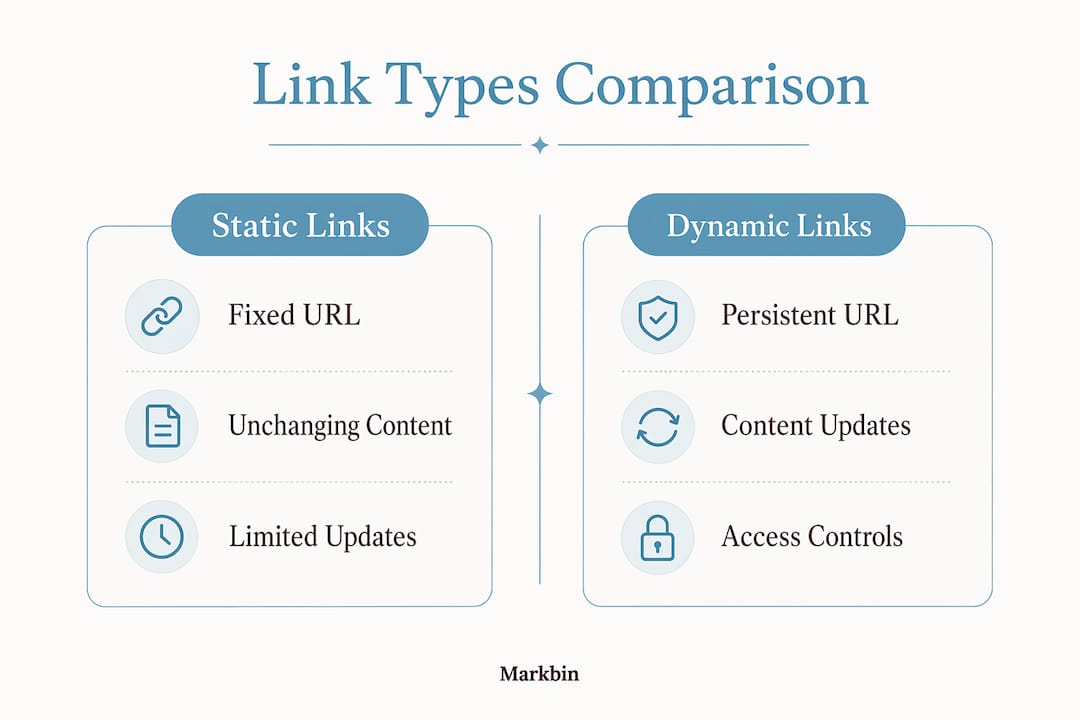
The distinction between static and dynamic resources matters here. A static resource, like a signed I-9 form, should be locked and archived. A dynamic resource, like a benefits guide or IT setup checklist, changes regularly and must stay current. Updating dynamic content behind a persistent link means new hires always see the right version without anyone resending files.

What tools do you need to build onboarding document links?
The right tools determine whether your link-sharing system holds up at scale. Three categories of tools cover the full workflow.
Document management platforms provide the storage and permission layer:
- Notion, Confluence, or SharePoint each support a hub-and-spoke model where a central wiki indexes all onboarding content and individual pages carry discrete shareable links.
- Markdown publishing platforms like Markbin convert plain text into beautifully rendered, shareable pages with password protection and self-destructing document options built in.
- Enterprise document platforms with digital signature integration handle legally binding forms like the I-9 and W-4.
Screen recording tools add a layer that text alone cannot match. Rapid recording tools produce instant shareable links with no upload wait time, making it practical to record a two-minute walkthrough of your payroll portal and drop the link directly into the onboarding hub.
Prerequisites every system needs:
| Requirement | Why it matters |
|---|---|
| Persistent URLs | Links stay valid even when document content updates |
| Role-based permissions | Sensitive forms stay visible only to authorized users |
| Access logs | Compliance audits require proof of who viewed what and when |
| Organized naming conventions | New hires find the right document without guessing |
| Collapsible UI sections | High-density forms become less overwhelming on mobile |
Security and access controls are not optional. 2026 data privacy regulations require secure access control and digital signature integration as baseline compliance for any onboarding documentation system.
How to create and organize shareable onboarding links efficiently
A structured build process prevents the most common failure mode: a sprawling folder of links that no one can navigate. Follow these steps to build a system that scales.
-
Build the hub first. Create a single master onboarding page in your chosen platform. This page is the only URL you share with new hires on day one. Every other link lives here as a categorized entry point.
-
Categorize by document type and security level. Group links into clear sections: legal and compliance forms (I-9, W-4, direct deposit), company policies (handbook, code of conduct), role-specific resources, and IT setup guides. Sensitive forms go behind role-based permissions.
-
Configure persistent URLs for every document. A URL that changes when you update a file breaks every link you have already shared. Persistent URLs allow background updates without losing the link, which eliminates the maintenance overhead of resending corrected files.
-
Add collapsible sections to reduce cognitive load. Collapsible UI components hide secondary tasks until a new hire is ready for them. Presenting only the critical fields first keeps completion rates high and errors low.
-
Embed video walkthrough links for complex tasks. A screen-recorded walkthrough of your benefits enrollment portal takes about three minutes to watch. Video walkthroughs cut training time from 20 minutes to roughly 5 minutes per task. Link the recording directly inside the relevant section of your hub.
-
Test every link before the first hire sees it. Open each URL in a private browser window with no active session. Confirm the permission level, the content version, and the load time.
Pro Tip: Name every shareable link with a consistent format: [Department][DocumentType][Version], such as "HR-I9-v3." This convention makes bulk audits and link updates fast and predictable.
What are the common challenges with shareable onboarding links?
Even well-built systems develop problems over time. Knowing the failure patterns in advance lets you prevent them rather than fix them after a new hire hits a dead end.
Broken links are the most visible failure. They happen when someone renames a file, moves a folder, or deletes a page without checking what links to it. The fix is a persistent URL layer: your links point to a stable address, and the content behind that address updates independently.
Outdated content is more dangerous than a broken link because it is invisible. A new hire who reads a stale benefits guide and makes enrollment decisions based on it creates a real liability. Assign a document owner to each link and set a quarterly review calendar event.
Link overload happens when HR teams share every document as a separate link with no organizing structure. New hires receive 15 links in a welcome email and open none of them. The hub-and-spoke model solves this directly: one link in the welcome email, everything else organized inside.
Security gaps are the highest-stakes problem. Sensitive onboarding forms like the I-9 carry personal identification data. Sharing those via unprotected public links violates data privacy standards.
Treat every onboarding link as a potential audit artifact. Log who accessed it, when they accessed it, and whether they completed the required action. Access logs are the difference between a compliant onboarding process and a liability.
For cloud security practices that apply directly to link-based document systems, the guidance on access control and encryption at rest translates cleanly to onboarding workflows. Password-protected links and expiring access tokens add a second layer of protection for the most sensitive forms.
Best practices to maximize the impact of onboarding links
A working system and an effective system are not the same thing. These practices separate HR teams that maintain their onboarding links from those that let them decay.
-
Track link engagement with analytics. Most document platforms and link management tools log open rates and completion events. If 40% of new hires never open the benefits enrollment link, the problem is placement or timing, not the document itself.
-
Standardize naming and formatting across all links. Inconsistent naming creates confusion during audits and makes bulk updates slow. Pick one convention and enforce it across every team that contributes to the onboarding hub.
-
Train every HR team member on link management policies. The person who creates a link and the person who updates the underlying document are often different people. A written policy that covers who owns each link, how updates get communicated, and what happens when a document is retired prevents accidental breakage.
-
Build a feedback loop with new hires. A one-question survey at the end of week one, asking which documents were hard to find or confusing, surfaces problems that analytics miss. Use that feedback to reorganize sections and rewrite unclear guides.
-
Automate link generation where possible. If your HR platform supports it, generate onboarding hub links programmatically when a new hire record is created. This removes the manual step of assembling a welcome packet and guarantees every new hire gets the same starting point.
Pro Tip: Use instant document link sharing for time-sensitive documents like offer letters and policy updates. Instant links eliminate the delay between document creation and new hire access.
Secure link sharing is not a one-time setup task. Revisit your permission structure every time your organization changes its data privacy policies or adds a new document type to the onboarding flow.
Key Takeaways
Shareable onboarding document links work best when they are persistent, permission-controlled, and organized inside a single hub that new hires access from day one.
| Point | Details |
|---|---|
| Use persistent URLs | Links that survive content updates prevent broken links and reduce maintenance work. |
| Build a hub-and-spoke structure | One master page with categorized links prevents link overload and improves navigation. |
| Apply collapsible sections | Hiding secondary tasks reduces cognitive load and improves form completion rates. |
| Enforce access controls | Role-based permissions and access logs are required for 2026 compliance standards. |
| Track and refine with data | Link analytics and new hire feedback reveal gaps that document reviews miss. |
Why the shift to link-based onboarding changed how I think about HR documentation
I spent years watching HR teams send welcome emails with seven PDF attachments and wonder why new hires showed up on day one without completing half of them. The attachment model is not a documentation problem. It is a workflow design problem. When you replace attachments with a single hub link, you change the new hire's experience from "sort through this pile" to "open this one page."
The shift that surprised me most was how much persistent URLs reduced the volume of HR support tickets. When the benefits guide URL never changes, HR stops fielding "can you resend that file?" requests. The document owner updates the content, and every existing link reflects the change automatically. That is not a minor efficiency gain. It eliminates an entire category of recurring work.
Collapsible sections in onboarding forms produced a similar effect. New hires who saw a collapsed form with five visible fields completed it at a higher rate than those who saw the full form at once. The psychology is straightforward: a shorter-looking task gets started. A long-looking task gets deferred.
My honest recommendation is to treat your onboarding documentation as a living system, not a packet you assemble once per hire. The teams that do this well review their hub quarterly, retire outdated links, and add video walkthroughs whenever a process changes. The teams that do not end up with a graveyard of broken links and a compliance audit they are not ready for.
— Zack
Markbin makes onboarding documentation sharing practical
HR professionals who want a faster path to secure, well-formatted onboarding document links will find Markbin worth a close look. Markbin converts plain markdown text into rendered, shareable pages with password protection, self-destructing document options, and instant link generation. No sign-up is required to start sharing. For onboarding specialists managing sensitive forms alongside general policy guides, the ability to set different security levels per document is a direct answer to the compliance requirements that 2026 data privacy standards impose. Visit Markbin to create your first shareable onboarding document link and see how quickly a structured hub comes together.
FAQ
What are shareable links for onboarding documentation?
Shareable onboarding document links are persistent URLs that give new hires direct access to specific forms, guides, or policy pages inside a centralized knowledge base. They replace email attachments and ensure every new hire sees the current version of each document.
How do I prevent broken links in my onboarding hub?
Use persistent URLs that remain constant even when the underlying content changes. Platforms that support persistent URLs allow you to update a document without breaking any link that already points to it.
What documents must be included in a compliant onboarding package?
A compliant onboarding package covers at least 12 essential documents, including the I-9, W-4, direct deposit authorization, and employee handbook acknowledgment, to satisfy federal requirements and maintain a proper audit trail.
How do collapsible sections improve onboarding forms?
Collapsible sections present only the most critical fields first, which reduces cognitive load and improves completion rates. This approach is especially effective for mobile users working through high-density onboarding forms.
How do I keep sensitive onboarding documents secure when sharing links?
Apply role-based permissions so only authorized users can access sensitive forms, use password-protected links for documents containing personal identification data, and maintain access logs to satisfy compliance audit requirements.