
Hyperlinks are defined as clickable references embedded in digital text that connect readers to related resources, pages, or sections within the same document. They form the backbone of web navigation, with over 70% of user navigation across the web depending on them. The role of hyperlinks in written content goes far beyond simple linking. Done well, they improve accessibility for screen reader users, signal relevance to search engines, and guide readers through complex material without losing them. Standards like WCAG and modern SEO guidelines both treat hyperlink quality as a measurable indicator of content maturity.
What are the types of hyperlinks and their roles in content?
Hyperlinks fall into four main categories, and each one serves a distinct purpose in digital writing.
Text hyperlinks are the most common type. They attach a clickable link to a word or phrase within a sentence. Writers use them to point readers toward definitions, source material, or related articles without interrupting the reading flow.

Image hyperlinks wrap a clickable link around a visual element. They appear frequently in editorial layouts, product pages, and infographics where a visual cue is more intuitive than a text label.
Bookmark hyperlinks (also called anchor links) connect to a specific section within the same page. Long technical documents, research papers, and tutorials rely on them heavily. A reader clicking a table of contents entry lands exactly where they need to be, without scrolling.
Email hyperlinks use the mailto: protocol to open a user's email client with a pre-filled address. Contact pages and author bios use them to reduce friction for readers who want to reach out directly.
| Type | Primary use | Typical context |
|---|---|---|
| Text hyperlink | Connect to external or internal pages | Articles, research, documentation |
| Image hyperlink | Navigate via visual element | Product pages, infographics |
| Bookmark (anchor) | Jump to page section | Long guides, tutorials, FAQs |
| Email hyperlink | Open email client | Contact pages, author bios |
Understanding which type fits a given context is the first step toward using links with purpose rather than habit.
How to write effective and accessible hyperlink text
Descriptive link text is the single most important factor in hyperlink quality. Vague phrases like "click here" hurt usability and accessibility across every user group. They tell the reader nothing about the destination and give search engines no signal about relevance.
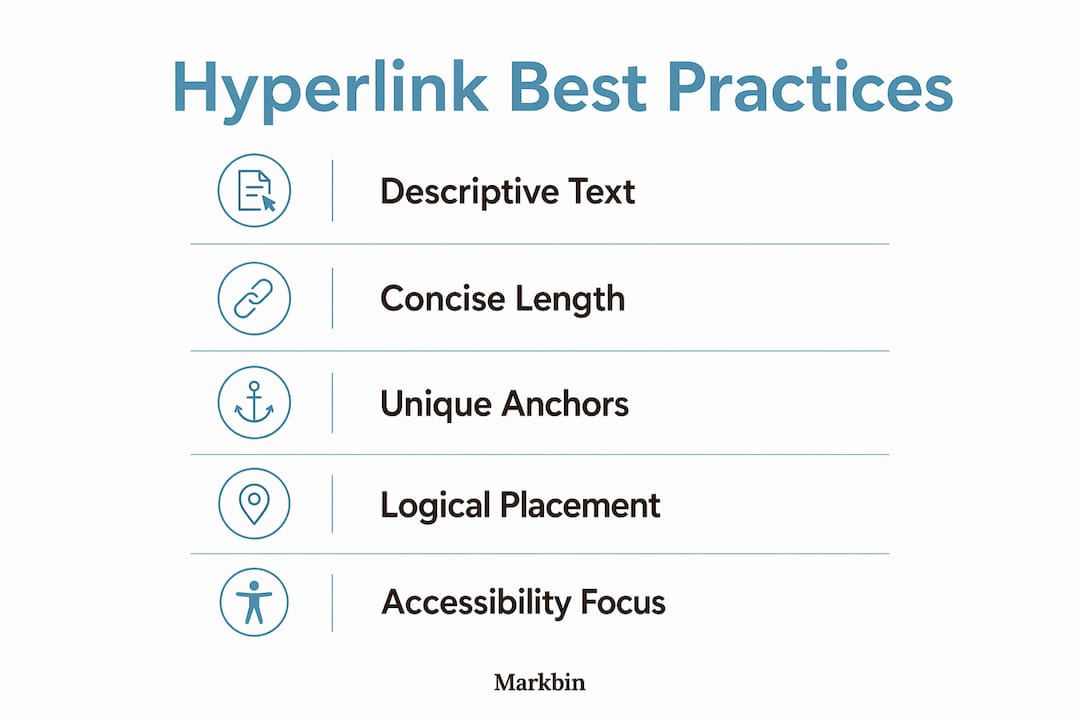
Good link text describes the destination clearly and works as a standalone phrase. A reader who sees "download the WCAG 2.2 checklist" knows exactly where that link goes. A reader who sees "click here" does not.
Keep link text concise and specific
WCAG accessibility guidelines specify that link text should be descriptive and under 120 characters. That limit exists because longer anchor text becomes harder to scan and harder for assistive technologies to read aloud cleanly. Aim for 3–8 words in most cases.
Avoid repeating the same anchor text for different destinations. If two links both say "read more" but point to different pages, screen reader users navigating a links list will have no way to tell them apart. Each link must be distinguishable on its own.
Placement and structure matter
Positioning links below related paragraphs rather than mid-sentence reduces cognitive load and supports natural scanning behavior. Mid-sentence links interrupt reading rhythm and can pull readers away before they finish the thought.
For calls to action, lead with a verb. "Download the style guide" outperforms "Style guide download" because the verb signals an action the reader can take immediately. This pattern works in editorial content, learning materials, and technical documentation alike.
Pro Tip: Test every link by reading its anchor text out of context. If it makes sense on its own, it passes the screen reader test and the clarity test at the same time.
- Use 3–8 words for most anchor text
- Avoid "click here," "read more," and "learn more" as standalone phrases
- Never use the same anchor text for two different destinations
- Lead calls to action with a verb ("download," "view," "register")
- Keep anchor text under 120 characters per WCAG guidance
How do hyperlinks affect SEO and content discoverability?
Hyperlinks are one of the primary signals search engines use to understand content structure and relevance. AI-driven search engines in 2026 prioritize contextually relevant links with descriptive anchor text when crawling and ranking pages. Generic anchor text like "here" or "this page" provides no topical signal. Descriptive anchor text like "internal linking best practices" tells a crawler exactly what the linked page covers.
Internal links connect pages within the same site and distribute authority across the content structure. A well-linked article on a technical topic passes relevance signals to related pages, which helps the entire site rank more consistently. External links to authoritative sources signal that your content is grounded in credible research, which also factors into ranking algorithms.
Balancing link quantity and quality
More links do not automatically mean better SEO. Overloading text with too many links distracts readers and reduces reading comprehension. Search engines also treat link density as a quality signal. A page with 40 links in 500 words looks manipulative. A page with 6–10 well-placed, descriptive links in 1,500 words looks authoritative.
The practical rule is simple: every link should serve the reader first. If a link adds context, supports a claim, or helps the reader go deeper on a topic, include it. If it exists only to pad link count, remove it. Internal linking automation can help at scale, but manual review of anchor text relevance remains the standard for quality control.
- Use descriptive anchor text that reflects the destination page's topic
- Prioritize internal links to related content within the same site
- Link to authoritative external sources to support factual claims
- Avoid repeating the same anchor text for multiple different destinations
- Audit links regularly to catch broken URLs before they affect rankings
Broken or inconsistent links harm user trust and SEO simultaneously. A 404 error on a frequently cited internal link signals poor maintenance to both readers and crawlers. Regular link audits are not optional for serious content operations.
How do hyperlinks improve accessibility for diverse readers?
Accessibility is where hyperlink quality has the most direct human impact. Screen reader users navigate via a links list, a shortcut that pulls every link on a page into a standalone list. If every link says "click here" or "read more," that list becomes useless. Unique, descriptive link text is not a nice-to-have for these readers. It is the difference between a page that works and one that does not.
WCAG compliance is both a legal and ethical standard for public-facing digital content. Many jurisdictions now treat inaccessible web content as a civil rights issue, particularly for government, education, and healthcare publishers. Writers and digital marketers who ignore accessibility guidelines expose their organizations to legal risk and exclude a significant portion of their audience.
Common accessibility pitfalls to avoid
- Using anchor tags without an
hrefattribute breaks keyboard navigation and removes screen reader recognition entirely - Substituting a link with a button when the destination is a URL creates semantic confusion for assistive technologies
- Using identical link text for different destinations forces screen reader users to guess which link goes where
- Relying on color alone to distinguish links from surrounding text fails users with color vision deficiencies
Pro Tip: Run your published content through a free accessibility checker like WAVE or axe. Both tools flag non-descriptive link text and missing href attributes in seconds.
The role of hyperlinks in learning materials follows the same accessibility logic. HyperDocs and HyperSlides, for example, use hyperlinks to build interconnected learning pathways that students can navigate independently. When link text is vague or broken, the entire learning structure collapses for students using assistive technology. Educators who build with hyperlinks need to apply the same WCAG standards as any other digital publisher.
Key takeaways
Hyperlink quality determines whether written content works for readers, search engines, and assistive technologies equally.
| Point | Details |
|---|---|
| Descriptive anchor text is non-negotiable | Vague phrases like "click here" hurt both accessibility and SEO rankings. |
| Link placement affects comprehension | Positioning links below paragraphs reduces cognitive load and supports scanning. |
| Screen reader users depend on unique links | Identical link text across a page creates confusion in links list navigation. |
| Internal links distribute SEO authority | Well-placed internal links help search engines understand site structure and topic relevance. |
| Link quality signals content maturity | Broken or inconsistent links damage user trust and lower perceived professionalism. |
Why I stopped treating hyperlinks as an afterthought
Writers tend to add links at the end of drafting, almost as a cleanup task. I did the same thing for years. The problem is that links added as an afterthought tend to be generic, misplaced, and disconnected from the surrounding text. They read like citations stapled onto a finished document rather than woven into the argument.
The shift that changed my approach was reading accessibility audits on my own content. Seeing a links list populated entirely with "read more" and "click here" entries was genuinely embarrassing. Those links were useless to screen reader users and provided zero topical signal to search engines. The fix was not technical. It was editorial. I started writing anchor text at the same time I wrote the sentence containing the link, treating it as part of the prose rather than metadata.
The other thing I have noticed is that AI search citation behavior rewards content where links reinforce the surrounding argument. A link placed on a specific, descriptive phrase within a well-structured paragraph performs better than the same URL buried in a generic sentence. That is not a coincidence. It reflects how both human readers and machine readers process contextual relevance.
Hyperlink quality is a direct reflection of how carefully a writer thinks about their reader's experience. Sloppy links signal sloppy thinking. Precise, descriptive links signal that the writer knows their material and respects the reader's time.
— Zack
Markbin and smarter hyperlink management
Writers and researchers who work in markdown already understand the value of clean, well-structured documents. Markbin takes that further by converting markdown into shareable, visually rendered links that preserve all formatting, including hyperlinks, tables, and code blocks. For teams managing technical documentation, tutorials, or collaborative notes, Markbin provides a direct path from draft to shareable content without requiring a CMS or sign-up. Every link in your document renders correctly, stays intact across shares, and works for readers on any device. If you publish written content regularly and want your hyperlinks to land exactly as intended, Markbin handles the instant link sharing that makes that possible at scale.
FAQ
What is the role of hyperlinks in written content?
Hyperlinks connect readers to related resources, support navigation, and signal topical relevance to search engines. They also serve as the primary navigation method for screen reader users, making descriptive link text a functional requirement.
Why does anchor text matter for SEO?
Descriptive anchor text tells search engine crawlers what the linked page covers, which directly affects how that page is indexed and ranked. Generic text like "click here" provides no topical signal and wastes a ranking opportunity.
How long should hyperlink text be?
WCAG guidelines recommend keeping link text descriptive and under 120 characters. In practice, 3–8 words is the standard range for most editorial and technical content.
How do hyperlinks support accessibility?
Screen reader users navigate pages via a links list shortcut, so each link must be unique and descriptive enough to make sense out of context. Identical or vague link text makes that list unusable.
Can too many hyperlinks hurt content performance?
Eye-tracking research shows that overloading text with links distracts readers and reduces comprehension. Search engines also treat excessive link density as a quality signal, so fewer, well-placed links consistently outperform high-volume linking strategies.