
Markdown is the right format for lab notebooks because it is portable, plain-text, and future-proof — and it natively supports inline LaTeX math, syntax-highlighted code blocks, and complex tables. Most researchers need under 20 minutes to learn the syntax required for routine documentation. That low barrier, combined with Git-compatible version control and export to any format via Pandoc, makes it a practical choice for labs that care about reproducibility.
Three reasons to switch now:
- Portability: A
.mdfile opens in any text editor on any device, with no software dependency. - Reproducibility: Plain-text files pair with Git to create an immutable record of who changed what and when.
- Interoperability: One Markdown source converts to PDF, HTML, or DOCX without reformatting.
Table of Contents
- Why does Markdown work so well for lab notebooks?
- Where does Markdown fit in everyday lab workflows?
- Which tools make a Markdown lab notebook actually work?
- What are the best practices and templates for lab Markdown notes?
- How do you keep Markdown lab notebooks secure and compliant?
- How do you create your first Markdown lab entry in 10 minutes?
- Key Takeaways
- The format that actually survives your career
- Markbin makes sharing your lab notes fast and secure
- Useful sources and further reading
Why does Markdown work so well for lab notebooks?
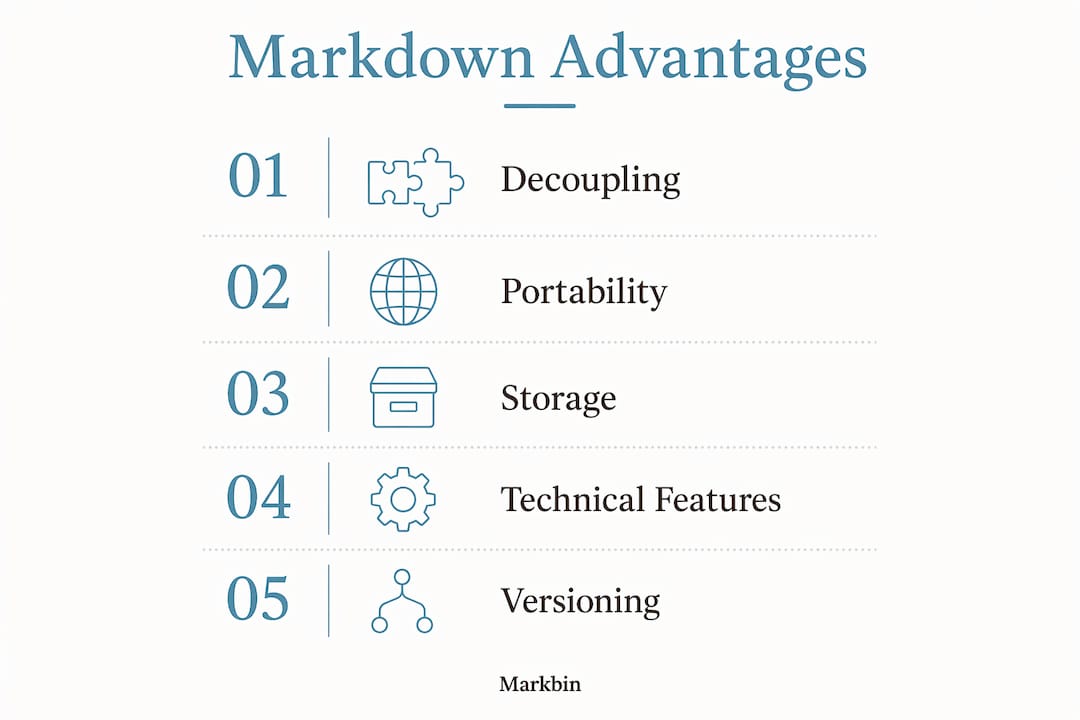
The core advantage is decoupling. When you write in Markdown, you focus on capturing experimental rationale, not adjusting fonts or fighting with table borders. That separation matters most during an experiment, when observations need to be recorded fast and accurately.
Portability goes deeper than convenience. Because Markdown is plain text, a .md file remains readable decades later in any text editor, with no risk of software decay or vendor shutdown. A proprietary ELN format tied to a company that pivots or closes takes your data with it. Plain text does not.
Storage efficiency is a real, measurable advantage. A Markdown file can be significantly smaller than an equivalent Word .docx — one example shows a Markdown file much smaller than an equivalent Word file. For labs storing thousands of entries over years, that difference adds up.
On reproducibility, PLOS Biology (2025) makes the case directly:
Technical capability rounds out the argument. Markdown supports inline LaTeX math, complex data tables, and syntax-highlighted code blocks — everything a lab notebook needs for academic-quality documentation. You can write $k = Ae^{-E_a/RT}$ inline without switching applications.
Where does Markdown fit in everyday lab workflows?
Markdown maps cleanly onto the artifacts a lab already produces. A daily entry is a dated .md file. A protocol is a numbered-list document with a metadata header. Sample records, data-analysis notebooks, and final reports each get their own file, linked by experiment ID.
A lightweight Git/GitHub workflow ties these together:
- Open a GitHub Issue for each experiment or question being investigated.
- Create a branch named after the issue number (e.g.,
exp-042-pcr-optimization). - Commit Markdown files to that branch, referencing the issue number in commit messages.
- Merge and close the issue when the experiment concludes, leaving a traceable record.
This structure means Git provides an immutable trail of every protocol change, every observation edit, and every analytical decision. Physical notebooks cannot do that. A PI can review the full history of a student's reasoning without asking for a verbal explanation.
For analysis-heavy labs, R Markdown and Jupyter unify code, results, and narrative in a single document. The notebook becomes both the execution environment and the permanent record. Hadley Wickham and Garrett Grolemund note that writing code and explanatory prose together increases rigor and saves time when moving from exploration to final reports.

Pro Tip: Name every file with a consistent pattern: YYYY-MM-DD_expID_PI-initials.md. This makes cross-referencing physical samples, data files, and repository issues trivial, and it sorts chronologically in any file browser.
Which tools make a Markdown lab notebook actually work?
The toolchain is modular, and you can adopt as much or as little as your lab needs.
Editors and renderers
Any text editor works: VS Code, Obsidian, and Zettlr all offer live Markdown preview. For sharing rendered output without installing anything, Markbin renders full GitHub Flavored Markdown including math, syntax highlighting, tables, and task lists, and generates a shareable link instantly with no account required.
Notebook formats
- Jupyter: Interactive code execution plus Markdown narrative in
.ipynbor MyST Markdown.mdformat. NASA's Fornax Science Console uses MyST Markdown specifically for its superior readability and ease of version control through diffing. - R Markdown (RStudio): Combines R code, output, and prose in a single
.Rmdfile. Ideal for statistical analysis and reproducible reports. - Plain
.md: Best for protocols, daily logs, and sample records where code execution is not needed.
Versioning and export
Git and GitHub handle version control. Pandoc handles everything else: it converts a single Markdown source to PDF, DOCX, or HTML for institutional archiving or journal submission. Both tools support LaTeX math rendering natively.
For syntax highlighting in code blocks, use fenced blocks with a language identifier (e.g., ```python) — Markbin, GitHub, and Pandoc all render these correctly.
What are the best practices and templates for lab Markdown notes?
File and folder conventions
Every .md file should open with a minimal metadata header:
---
title: PCR Optimization — Round 3
date: 2026-03-14
experiment_id: exp-042
operator: J. Rivera
pi: Dr. Chen
---
Keep raw data files in a canonical data/ folder and reference them by relative path. Never embed large images directly in the Markdown source; link to them instead. This keeps files small and means one update to the image propagates everywhere it is referenced.
Three starter templates
Daily entry: Date, experiment ID, objective, observations, deviations from protocol, next steps.
Protocol: Title, version, reagents list with concentrations, numbered procedure steps, safety notes, expected outcome.
Results + analysis: Summary table, statistical output (code block or R Markdown chunk), interpretation, link to raw data file.
Sample metadata table
| Sample | Date | Operator | Instrument | Raw file path |
|---|---|---|---|---|
| PCR-042-A | 2026-03-14 | J. Rivera | BioRad CFX | data/exp042/pcr_042_A.csv |
| PCR-042-B | 2026-03-14 | J. Rivera | BioRad CFX | data/exp042/pcr_042_B.csv |
For practical table structures in lab documentation, keeping column headers consistent across experiments makes aggregation and search straightforward.
Reproducibility checklist
- Pre-experiment: protocol link committed, reagents list with lot numbers recorded.
- During: real-time observations, any deviations noted with timestamps.
- Post-experiment: raw data linked (not embedded), analysis notebook committed, plain-language summary written.
How do you keep Markdown lab notebooks secure and compliant?
U.S. research institutions increasingly require documented retention policies and access controls for lab data. Plain-text Markdown files satisfy both requirements more cleanly than most proprietary ELNs.
For access control, GitHub private repositories give you fine-grained permissions at the collaborator level. For hosted sharing, platforms like Markbin add password protection and self-destructing links for sensitive interim results you need to share without permanent exposure.
Long-term archiving is straightforward: plain text plus referenced assets in a canonical folder structure can be zipped, checksummed, and deposited in institutional storage or a repository like Zenodo. Because the format is open, no migration tool is needed in ten or twenty years. Pandoc handles format conversion if a specific output is required.
Pro Tip: Store a Git-tagged snapshot at each major milestone (e.g., submission, revision, publication). The tag creates a permanent, citable reference point that satisfies most institutional provenance requirements.
How do you create your first Markdown lab entry in 10 minutes?
- Create the file. Make a folder named after your experiment ID. Inside it, create
2026-03-14_exp042_JR.mdand paste the metadata header shown above. - Write the entry. Add a
## Protocolsection with numbered steps. Use inline LaTeX for any equations and fenced code blocks for any analysis snippets. Keep it factual and timestamped. - Reference your data. Add a
## Datasection with relative paths to raw files. Commit the.mdfile to your Git branch with a message likeexp-042: initial PCR run, 3 deviations noted. - Render and share. Run
pandoc entry.md -o entry.pdfto confirm the math and tables render correctly. For quick secure sharing, paste the Markdown into Markbin, set a password, and send the link. The recipient sees a fully rendered document; the link can self-destruct after viewing.
Pro Tip: Convert your very first entry to PDF before building out the full notebook. Catching a LaTeX syntax error or a broken image path early saves significant cleanup later.
Key Takeaways
Markdown is the most practical format for lab notebooks because plain text is portable, Git-compatible, and exportable to any format without reformatting.
| Point | Details |
|---|---|
| Learnability | Most researchers can learn the syntax for routine lab documentation quickly. |
| Storage efficiency | Markdown files can be significantly smaller than equivalent Word documents. |
| Reproducibility | Git provides an immutable record of every protocol change, satisfying institutional accountability requirements. |
| Toolchain | Jupyter, R Markdown, and Pandoc cover interactive analysis, reproducible reports, and multi-format export. |
| Markbin | Markbin renders GitHub Flavored Markdown with math and syntax highlighting, and adds password protection and self-destructing links for secure sharing. |
The format that actually survives your career
The conventional wisdom in lab documentation is that the best ELN is the one your institution already pays for. That advice optimizes for the wrong thing. It prioritizes short-term convenience over the question that actually matters: will this record be readable, verifiable, and portable in fifteen years?
Proprietary ELNs have a track record of format lock-in, vendor changes, and export limitations that surface at the worst possible moment, usually during a grant audit or a lab transition. Plain-text Markdown does not have that problem. The Tisza Lab at BCM puts it plainly: digital workflows increase observability and make it easier for PIs to verify experimental rationale, which is the whole point of keeping a notebook in the first place.
What most guides miss is that the Git workflow is not extra overhead. It replaces the informal, lossy process of emailing protocol drafts and hoping someone kept the right version. Each commit message is a timestamped lab note. Each branch is an experiment. The repository is the notebook.
Markbin fits into this as the sharing layer, not a replacement for Git. When you need to send a rendered, readable version of a Markdown entry to a collaborator or a PI who does not have a Git client, a password-protected Markbin link does that in thirty seconds.
Markbin makes sharing your lab notes fast and secure
Researchers who have adopted a Markdown-first workflow often hit the same friction point: sharing a rendered, readable version of a lab entry with someone outside the repository. Markbin solves that directly. Paste your Markdown, get a fully rendered link with GitHub Flavored Markdown, inline math, syntax highlighting, and tables. Add a password for sensitive data, or set the link to self-destruct after the recipient views it.
There is no account required to start, and the free plan covers basic sharing immediately. Paid plans unlock longer document retention, additional themes, and password protection for ongoing lab use. For labs that need a lightweight, secure way to share interim results, protocols, or analysis summaries without standing up a full server, Markbin is the practical middle ground between emailing a .md file and maintaining a private web server.
Try Markbin to render and share your next lab entry in under a minute.
Useful sources and further reading
The sources below back the claims in this article and are worth reading in the order listed: reproducibility context first, then practical how-to, then tool-specific documentation.
- PLOS Biology: GitHub enables collaborative and reproducible laboratory research — the core argument for plain-text and Git-based lab workflows.
- AbleWeb: Standardized Scientific Writing Resource Guide — practical Markdown teaching guide covering learnability, storage efficiency, and the "write once, publish many" workflow.
- Zenodo: Laboratory documentation with Markdown — a full course on Markdown for lab documentation, including LaTeX math and table syntax.
- R for Data Science: R Markdown workflow — Hadley Wickham and Garrett Grolemund on integrating code and prose for reproducible analysis.
- Tisza Lab at BCM: Markdown thoughts — practitioner notes on observability, accountability, and long-term portability.
- NASA Fornax Science Console: Working with Notebooks in Markdown Format — real-world rationale for choosing Markdown over
.ipynbfor scientific notebooks. - Markbin blog: why use Markdown documentation — platform-specific how-tos and templates for Markdown-first documentation workflows.