
Choose Markdown when portability, version control, automation, or AI-readiness matter more than per-document visual polish. If you're shipping docs-as-code, feeding content into LLM pipelines, or maintaining a knowledge base that needs to live for years without format rot, Markdown is the right source format. If you're producing a print-ready annual report, a mail-merge letter, or a regulatory submission with precise layout requirements, Word is still the better tool.
The short version:
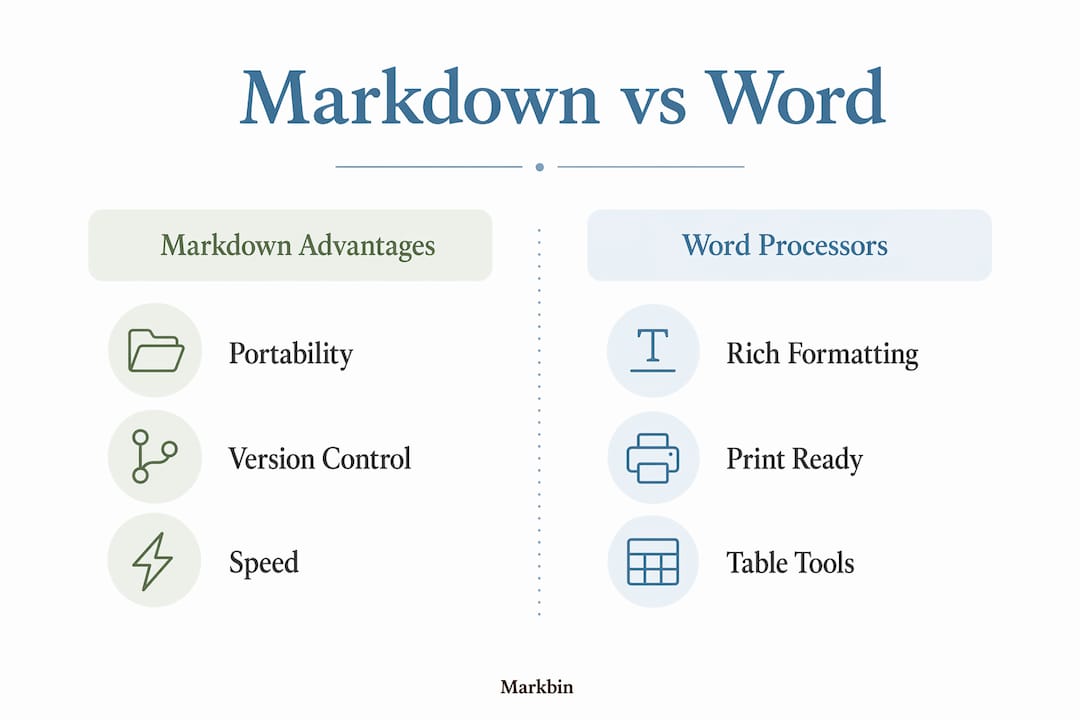
- Portability: Plain UTF-8 text opens anywhere, forever, with no license required
- Version control: Git tracks Markdown line by line; DOCX is a binary black box
- AI pipelines: Markdown is consistently 30–50% more token-efficient than equivalent DOCX XML content, directly cutting LLM inference costs
- Speed: Keyboard-first syntax keeps writers in flow; no mouse, no menus
- Learning curve: Basic syntax takes under an hour to learn for most writers
- Rendering limits: Markdown alone cannot match Word for complex print layout or mail merge
The routing decision is simple: Markdown optimizes for source, reuse, and automation. Word optimizes for final render and precise layout. Most professional teams end up using both, with Markdown as the source of truth and Word or PDF at the delivery boundary.
Table of Contents
- Why choose Markdown over word processors? The core reasons
- How Markdown fits into modern documentation workflows
- When a word processor is still the better choice
- How to migrate your docs to Markdown without breaking anything
- How Markbin fits the workflows described here
- Learning curve and usability for new Markdown users
- Key Takeaways
- The routing decision most teams get wrong
- Markbin makes Markdown sharing instant and secure
- Useful sources and tool documentation
Why choose Markdown over word processors? The core reasons
1. Plain-text portability means your files never go stale
A .md file is UTF-8 text. Open it in Notepad, VS Code, Vim, or a terminal — it reads the same way in 2026 as it will in 2046. DOCX, by contrast, is a zipped XML bundle governed by ECMA-376, a spec that Microsoft implements with proprietary extensions. Files created in older Word versions regularly break in newer ones, and the reverse is also true. For long-lived documentation, that fragility is a real cost.

2. Git-native version control replaces "Final_v2_FINAL.docx"
In a Git repository, every line of a Markdown file is individually tracked. A reviewer can comment on a single sentence in a pull request, the same way they'd comment on a line of code. With DOCX, Git sees a binary blob — no meaningful diff, no granular merge, no line-level history. Teams that store DOCX in Git end up with opaque filename-versioning patterns that defeat the entire purpose of version control.
3. AI and LLM pipelines prefer Markdown by a wide margin
This one has teeth. Markdown is significantly more token-efficient than HTML and much more efficient than DOCX XML. That gap translates directly into lower inference costs and faster processing for any pipeline that ingests your documentation. RAG (retrieval-augmented generation) accuracy can improve around 35% when the source content is Markdown rather than DOCX XML, because headings, lists, and tables are explicit structural signals rather than embedded XML noise. For teams building AI-assisted documentation or knowledge bases, Markdown functions as the operating system for content.
Statistic to know: LLM token consumption for Markdown is consistently 30–50% lower than equivalent DOCX XML content, a finding observed across model families.
4. Writing speed improves when formatting is invisible
Word processors interrupt writing. Auto-correct fires, a bullet list reformats itself, a pasted URL becomes a hyperlink you didn't ask for. Markdown keeps all of that out of the way. ## for a heading, **bold** for emphasis, a backtick for inline code. Practitioners consistently describe the experience as distraction-free because the syntax is so lightweight that it disappears into the content. You never lift your hands from the keyboard to click a toolbar button.

Pro Tip: Set up a snippet library (in VS Code, Espanso, or your editor of choice) for your most-used Markdown patterns — frontmatter blocks, code fence templates, table skeletons. A team that standardizes snippets cuts per-document setup time to near zero.
5. File size and cross-platform consistency
A 10,000-word Markdown file is typically a few dozen kilobytes. The equivalent DOCX, with embedded styles and XML overhead, is often ten times larger. Smaller files mean faster Git operations, faster CI builds, faster search indexing, and cheaper cloud storage at scale. More practically, a Markdown file renders identically whether you open it on macOS, Linux, or Windows, in any editor that supports the format.
6. The ecosystem is built around Markdown
Static site generators like Jekyll, Docusaurus, and MkDocs accept Markdown as first-class input. Documentation platforms like GitHub Pages, Notion, and Confluence render it natively. CI/CD pipelines can lint, test, and publish Markdown without any intermediate conversion step. If your content needs to live in more than one place, Markdown's ecosystem compatibility means you write once and render everywhere. Word documents require manual export steps at every destination.
7. Standardization through CommonMark and GFM
Early Markdown had ambiguous syntax, which caused inconsistent rendering across tools. CommonMark resolved that with a precise, unambiguous specification. GitHub Flavored Markdown (GFM) extended it with tables, task lists, strikethrough, and fenced code blocks with syntax highlighting. Those two standards now cover the vast majority of technical writing needs, and any compliant renderer produces consistent output. You're not locked into one vendor's interpretation of what a heading means.
8. Images, diagrams, code blocks, and math all work
The common objection that "Markdown can't handle complex content" is outdated. Fenced code blocks with language identifiers give you syntax highlighting for dozens of languages. Math expressions render via MathJax or KaTeX when the platform supports it. Diagrams integrate through Mermaid syntax, which GitHub and many editors now render inline. Images embed with a single line. For technical coursework or developer documentation, these features cover nearly every content type you'll encounter.
How Markdown fits into modern documentation workflows
The two patterns that cover most professional use cases are docs-as-code and hybrid delivery.
Docs-as-code treats documentation exactly like source code: Markdown files live in a Git repository, changes go through pull requests, CI runs linting and link-checking on every commit, and a static site generator publishes the output automatically. A typical pipeline looks like this:
- Author writes in Markdown using Typora, VS Code with a Markdown preview extension, or a similar editor
- Commit and push to a Git branch
- Open a pull request; reviewers comment on specific lines
- CI (GitHub Actions, GitLab CI) runs
markdownlint, checks for broken links, and builds a preview deployment - Merge triggers automated publishing via Jekyll, Docusaurus, or MkDocs
Hybrid delivery keeps Markdown as the source of truth but converts to DOCX or PDF at the point of external delivery. Pandoc is the standard tool for this step. A command like pandoc input.md -o output.docx --reference-doc=template.docx converts your Markdown to a Word document styled to your organization's template. Stakeholders get the format they expect; your team keeps the source in a format that works with Git and automation.
Inbound conversion works the same way in reverse. When a client sends a DOCX file, pandoc input.docx -o output.md produces a Markdown file you can commit, diff, and process. The conversion isn't always perfect, but it's good enough for most prose-heavy documents.
| Tool | Role in workflow |
|---|---|
| Typora / VS Code | Markdown editor with live preview |
| CommonMark / GFM | Syntax standard for consistent rendering |
| Pandoc | Converts Markdown to DOCX, PDF, HTML, and back |
| Jekyll / Docusaurus | Static site generators that publish Markdown |
| GitHub Actions | CI for linting, preview builds, and automated publishing |
| Markbin | Instant rendering and secure sharing of Markdown documents |
For teams with mixed contributor types, the choice between a Markdown editor and a WYSIWYG interface often comes down to who is writing. Developer-heavy teams are comfortable with raw Markdown syntax. Non-technical contributors benefit from a visual editor that writes Markdown under the hood. Both approaches can coexist in the same pipeline as long as the stored format is Markdown.
Pro Tip: Use visual Markdown editors like Typora or iA Writer for onboarding non-technical contributors. They write in a WYSIWYG interface, but the file saved to disk is plain Markdown. Your Git workflow stays intact.
When a word processor is still the better choice
Markdown has real limits. Knowing them prevents the mistake of forcing Markdown into workflows where it creates more friction than it removes.
Word wins clearly in these situations:
- Precise print layout: Multi-column layouts, custom page margins, widow/orphan control, and exact typographic spacing require a tool built for print. Markdown rendered to PDF via Pandoc or a CSS print stylesheet can get close, but it rarely matches the control Word or InDesign provides.
- Complex tables with merged cells: Markdown tables are flat grids. Merged cells, row spans, and column spans are not part of the CommonMark spec. If your document lives or dies by its table structure, Word is the right tool.
- Mail merge: Word's mail merge connects directly to data sources and produces personalized documents at scale. There's no native Markdown equivalent.
- Official regulatory submissions: Many government agencies, legal firms, and financial institutions require DOCX or PDF with specific formatting. Submitting a Markdown file is not an option.
- Stakeholders who require DOCX: If your audience opens every document in Word and expects tracked changes, comments, and revision marks, meet them where they are.
Practical mitigations when you still want Markdown-first benefits:
- For complex tables, author the surrounding content in Markdown and embed an HTML table block. Most Markdown renderers pass raw HTML through unchanged.
- For regulatory submissions, use the hybrid workflow: author in Markdown, convert to DOCX with Pandoc using a reference template that matches the required style, then make final adjustments in Word.
- For stakeholders who need DOCX, set up a one-command conversion step in your CI pipeline so the DOCX is generated automatically on every release. Stakeholders get their format; your team never touches Word directly.
Red flags that should push you toward Word:
- The document's primary purpose is print distribution with precise layout
- Non-technical contributors need to make formatting decisions, not just content edits
- The workflow requires mail merge or form fields
- The deliverable format is contractually specified as DOCX with tracked changes
For a deeper look at where Markdown tables are sufficient versus where Word's table engine is necessary, the tradeoffs are worth understanding before you commit to either approach.
How to migrate your docs to Markdown without breaking anything
Migration doesn't have to be a big-bang event. A phased approach keeps the process reversible at every step.
Migration checklist:
- Audit your existing docs. Categorize documents by type: prose-heavy (good Markdown candidates), table-heavy, print-layout-critical, and form-based. Only the first category migrates cleanly.
- Choose a canonical source format. Decide that Markdown is the source of truth going forward. Keep original DOCX files archived in a separate folder or a read-only Git branch.
- Pick your toolchain. At minimum: a Markdown editor, Pandoc for conversion, and a Git repository. Add a static site generator if you're publishing to the web.
- Run a pilot. Convert 5–10 representative documents using Pandoc, review the output carefully, and fix any conversion artifacts before touching the full library.
- Establish file organization. Use a consistent folder structure, add YAML frontmatter to every file (title, date, author, tags), and agree on a naming convention before you scale.
- Full rollout. Convert the remaining eligible documents, redirect any existing links to the new rendered URLs, and archive the originals.
- Monitor and iterate. Run
markdownlintin CI to catch formatting drift, and review rendering on your target platform after every major toolchain update.
Conversion commands to know:
# DOCX to Markdown
pandoc input.docx -o output.md

# Markdown to DOCX with a reference template
pandoc input.md -o output.docx --reference-doc=template.docx

# Markdown to PDF via LaTeX
pandoc input.md -o output.pdf --pdf-engine=xelatex
File organization best practices:
- Store one topic per file; avoid monolithic documents
- Use YAML frontmatter for metadata:
title,date,author,tags,status - Keep assets (images, diagrams) in a sibling
/assetsfolder relative to the Markdown file - Use lowercase, hyphenated filenames (
api-authentication.md, notAPI Authentication.md)
Pro Tip: Before migrating any document, validate that your target rendering environment handles the Markdown features you need — especially tables, code blocks, and math. Run a sample file through your full pipeline (editor → converter → static site or Markbin) before committing to the format for that document type.
For teams adopting Markdown across content workflows, the practical guide to Markdown for content writing covers CMS integration and publishing pipeline patterns worth reviewing alongside this checklist.
How Markbin fits the workflows described here
Markbin is built for the moment when you have a Markdown document and need to share it immediately, without setting up a static site or emailing a raw .md file that most recipients can't render.
The platform renders full GitHub Flavored Markdown, including syntax-highlighted code blocks, tables, task lists, and math formulas. You paste your Markdown, get a shareable link, and the recipient sees a cleanly formatted document in their browser. No account required on either end.
Where Markbin saves meaningful time:
- Quick knowledge shares: A developer writes up an incident postmortem in Markdown and shares a Markbin link in Slack. The team reads a formatted document, not a wall of raw syntax.
- Classroom handouts: An instructor authors a tutorial in Markdown and distributes a Markbin link. Students see rendered output; the instructor keeps the source file for future edits.
- One-off customer-facing docs: A technical writer produces a setup guide in Markdown and shares a password-protected Markbin link with a specific client. No PDF export, no email attachment.
Security features include password protection and self-destructing documents, which makes Markbin practical for sensitive content that shouldn't live publicly forever. The no-signup requirement removes friction on both sides of the share.
Learning curve and usability for new Markdown users
The honest answer is that basic Markdown takes under an hour to learn for most writers. Headers, bold, italic, links, and lists cover the majority of everyday writing needs, and the syntax is intuitive enough that many people have already used it informally in Slack or Discord without realizing it.
The steeper part of the curve is not syntax, it's tooling. New users need to understand the difference between a Markdown source file and its rendered output, choose an editor that shows them a preview, and learn how their specific platform (GitHub, a static site generator, Markbin) handles the features they need. That setup cost is real, but it's a one-time investment.
A few things that make the transition easier:
- Start with the Markdown Guide cheat sheet — it covers 90% of daily syntax on one page
- Use an editor with a live split-pane preview (Typora, VS Code with the Markdown Preview extension, or Obsidian) so you see rendered output as you type
- Agree on a subset of GFM features your team will use and document them in a style guide; this prevents the confusion that comes from one person using footnotes and another not knowing how to render them
- For academic and research workflows, Markdown footnotes and citation patterns are worth learning early, since they integrate cleanly with Pandoc's bibliography support
The usability gap between Markdown and Word narrows quickly once writers stop expecting Markdown to look like Word while they're writing it. The mental shift is from "formatted document" to "structured source file." Once that clicks, most technical writers find Markdown faster and less frustrating than a word processor for anything that isn't print-layout work.
Key Takeaways
Markdown is the right source format for documentation, AI pipelines, and version-controlled writing; Word remains the right tool for precise print layout and stakeholder-required DOCX delivery.
| Point | Details |
|---|---|
| Portability and longevity | Plain UTF-8 Markdown files open anywhere without a license and never suffer format rot. |
| Version control advantage | Git tracks Markdown line by line; DOCX is a binary blob that defeats meaningful diffs. |
| AI pipeline efficiency | Markdown is consistently 30–50% more token-efficient than DOCX XML, cutting LLM inference costs directly. |
| When Word still wins | Use Word for print layout, merged-cell tables, mail merge, and regulatory submissions. |
| Markbin for instant sharing | Markbin renders full GFM to a shareable link with no account required, covering quick shares and secure one-off docs. |
The routing decision most teams get wrong
The conventional wisdom frames Markdown versus Word as a preference debate, as if it comes down to whether you like typing asterisks. That framing misses the actual decision. The question is not which format you prefer to write in. It's which format your content needs to live in.
Documentation that gets edited, versioned, reused, fed into search indexes, or ingested by AI agents has a different set of requirements than a document that gets printed once and filed. Markdown is not better than Word in any absolute sense. It's better for a specific job: keeping content readable, portable, and machine-accessible over time. Word is better for a different job: producing a visually precise artifact for a specific delivery moment.
The teams that struggle with Markdown adoption are usually the ones who try to use it as a Word replacement rather than as a source format. They miss the rendered output, they fight with table limitations, and they eventually conclude that Markdown "isn't ready." What they actually discovered is that they needed a hybrid workflow, not a wholesale replacement.
The smarter path is to decide what your content's primary job is. If it's to be written once and printed, use Word. If it's to be written once and used many times, in many places, by humans and machines alike, Markdown is the better foundation. That routing decision, made clearly at the start of a project, prevents most of the frustration that comes from forcing either tool into the wrong role.
Markbin makes Markdown sharing instant and secure
Most Markdown workflows solve the authoring and storage problem well. The gap is usually at the sharing step: you have a polished .md file and no fast way to get it in front of someone who can't render it themselves.
Markbin fills that gap directly. Paste your Markdown, get a shareable link, and the recipient sees a fully rendered document with syntax-highlighted code, formatted tables, and task lists, all without installing anything or creating an account. For developers sharing incident reports, instructors distributing formatted handouts, or technical writers sending a client a setup guide, it removes the export step entirely.
Password protection and self-destructing links make it practical for content that shouldn't stay public indefinitely. Full GFM support means the document renders the same way it would on GitHub. Try Markbin for your next quick share and see how much time the export step was actually costing you.
Useful sources and tool documentation
These are the primary references worth bookmarking if you're going deeper on any of the topics covered here.
- CommonMark Specification: The authoritative, unambiguous Markdown spec. Essential reading if you're building a pipeline or choosing a renderer.
- Pandoc Documentation: The official docs for the universal document converter. Covers every conversion flag, reference-doc templating, and bibliography support.
- Markdown Guide Cheat Sheet: A one-page syntax reference covering basic and extended Markdown. The fastest onboarding resource for new team members.
- Why scholars should write in Markdown: A Harvard-published case for Markdown in academic writing, covering reproducibility, portability, and long-term archival.
- ECMA-376 Standard: The official OOXML standard that DOCX is built on. Useful context for understanding why DOCX interoperability is complicated.
- Joplin: An open-source Markdown note-taking app with end-to-end encryption and sync. A practical option for researchers managing large note libraries.
- Obsidian on Flathub: The Linux distribution of Obsidian, a local-first Markdown knowledge base with a strong plugin ecosystem.
- Ghost: A publishing platform built around Markdown and structured content; relevant for content teams publishing to the web.
- Markdown syntax highlighting guide: Best practices for fenced code blocks and language identifiers in developer documentation.
- Why use Markdown for documentation: A team-focused guide to Markdown's strengths in documentation workflows, with comparisons to traditional word processors.